
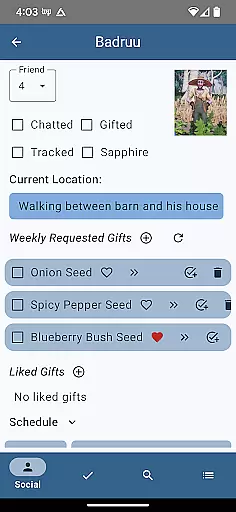
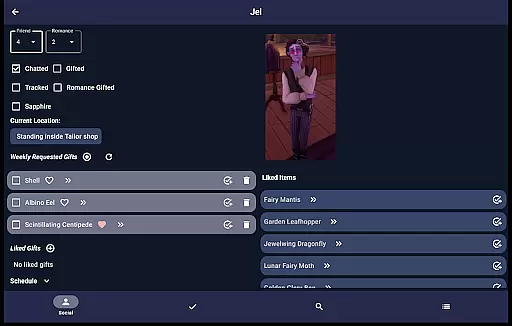
Palia Notebook is a comprehensive companion app designed for players of the video game Palia. This ad-free tool helps users manage daily interactions with in-game villagers, including chatting, gifting, and tracking schedules and locations. The app also allows players to monitor their inventory, create tasks, track processing items like preserves and seeds, and log achievements.
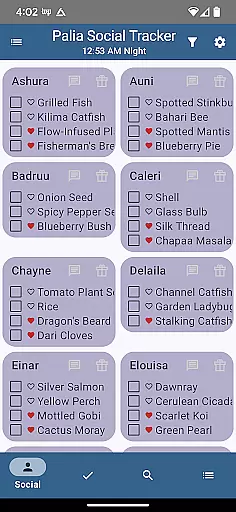
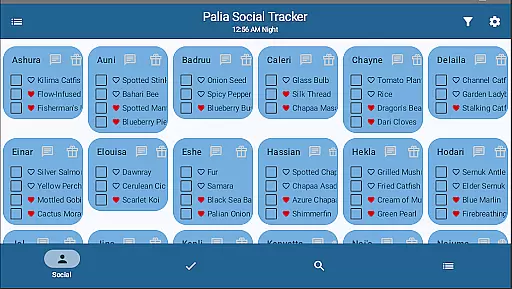
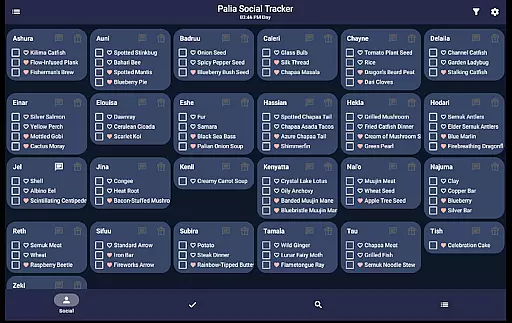
One standout feature is the ability to view detailed villager information, such as likes and schedules, while automatically updating chat and gift statuses based on game time. Additionally, the Social Tracker screen provides an overview of all villager interactions, enabling filtering and searching for specific item requests. With its robust search functionality, users can browse items by category, location, and biome, optimizing item collection and processing strategies.
This app proves especially useful for players looking to streamline their gameplay experience. By offering tools to efficiently organize villager interactions, task management, and resource optimization, Palia Notebook enhances both planning and execution within the game, saving valuable time and improving overall efficiency.
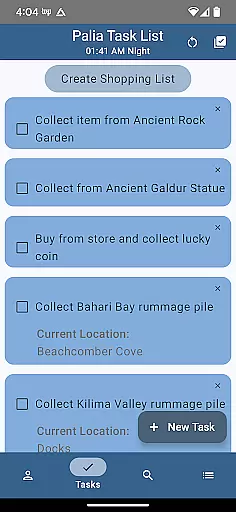
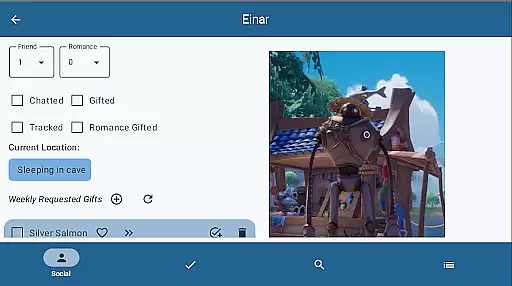
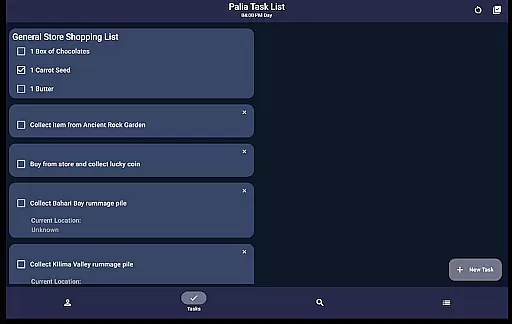
Palia Notebook offers a diverse range of features tailored to enhance the Palia gaming experience. One key aspect is the Villager screen, where players can track chats, gifts, schedules, and villager preferences. These details update automatically with the game's internal clock, ensuring accuracy without manual adjustments. The Task Edit screen further augments productivity by allowing users to create and link tasks, specify required items, and assign gifts to villagers.
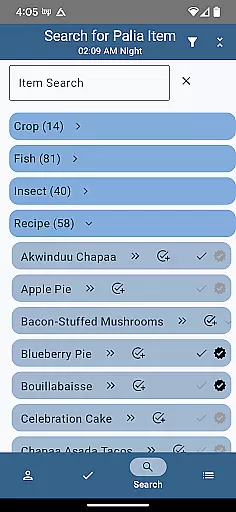
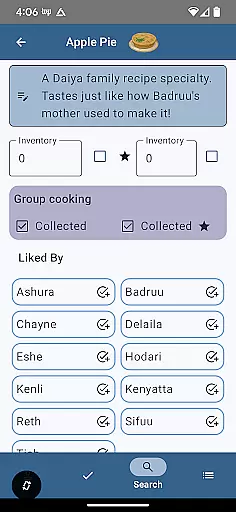
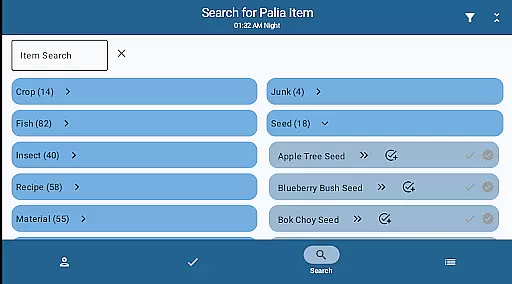
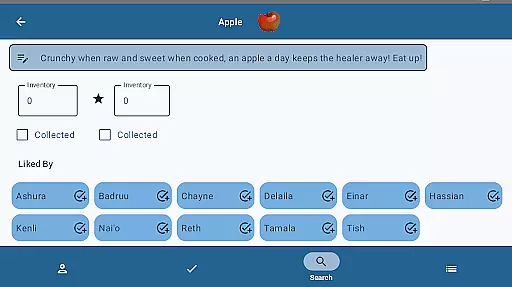
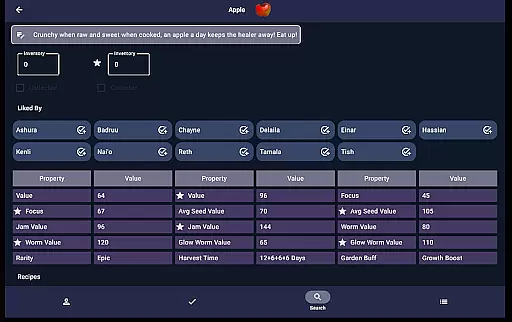
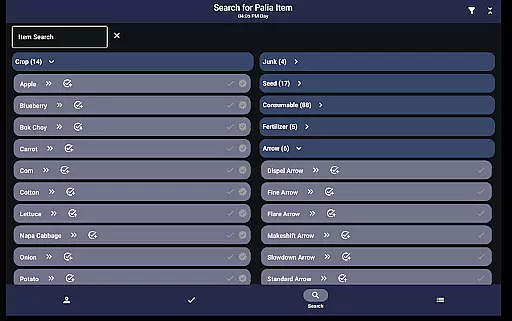
The Items screen provides extensive tracking capabilities, letting users check off collected items, input current inventory levels, and identify villager preferences for each item. For processable items, the app displays potential profits from using seed collectors, preserves jars, or worm bins, aiding in maximizing earnings. The Search screen adds another layer of utility by enabling item searches filtered by location, biome, and time, which simplifies finding fish, bugs, and other collectibles.
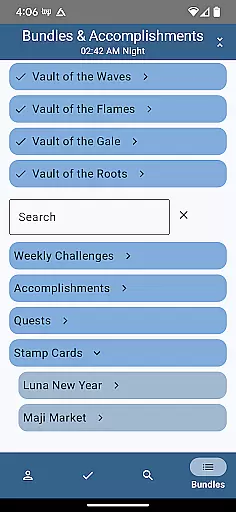
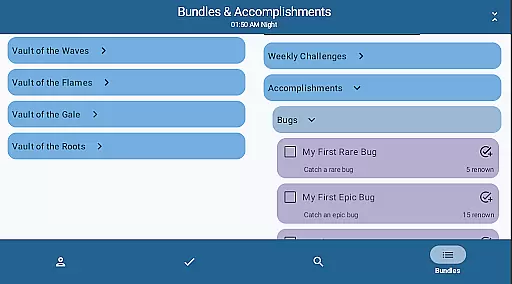
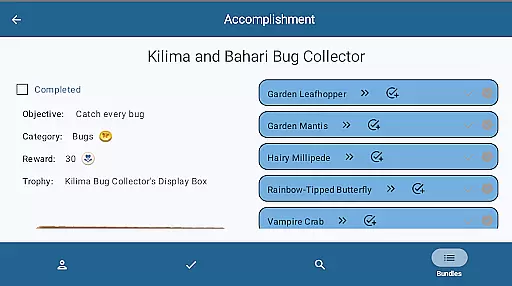
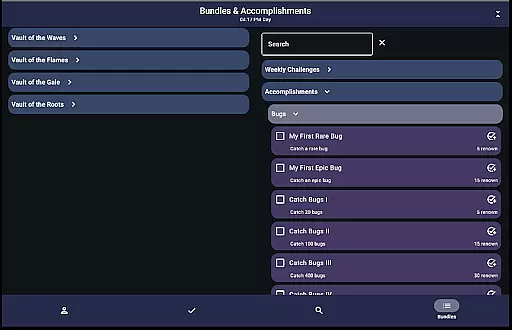
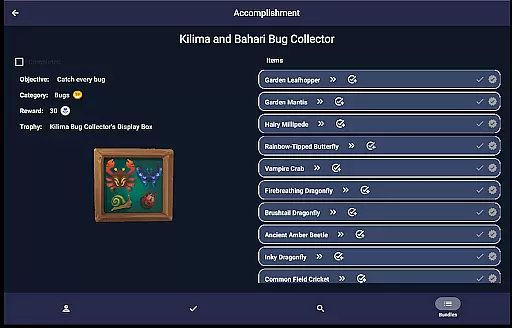
Additionally, the Bundles and Accomplishments screens allow players to monitor progress on in-game bundles, quests, and accomplishments. These features are meticulously organized to mirror the game’s structure, making it easy to track completion status and filter remaining objectives. Such comprehensive tools collectively empower players to optimize their strategies and enjoy a more streamlined gaming experience.
Palia Notebook is designed to provide accurate and effective tools for players of the Palia game. The app meticulously tracks daily interactions with villagers, including chatting, gifting, and monitoring their schedules and locations. This ensures that users can maintain a seamless connection with the game environment without missing any important updates or interactions.
The application's inventory management system allows players to keep an eye on their items, create tasks, and track various in-game processes offline. By offering detailed insights into villager preferences and real-time updates on their status, Palia Notebook enhances the overall gaming experience. These features ensure that players are always informed about the best actions to take, whether it's giving gifts or fulfilling specific villager requests.
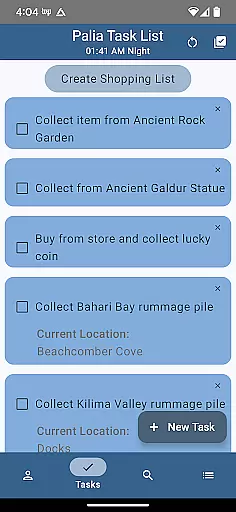
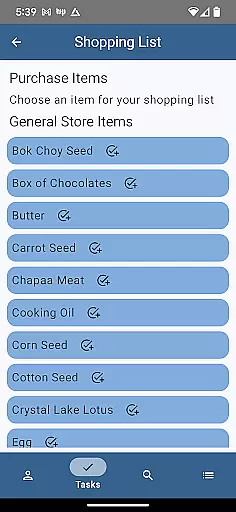
Additionally, the task creation and management feature provides a robust platform for organizing in-game activities. Players can link tasks, specify required items, and even set up gifts for villagers. This structured approach helps streamline complex gameplay elements, making it easier for players to manage their virtual lives efficiently.
The interface of Palia Notebook is crafted to offer simplicity and intuitiveness, ensuring that players can navigate through its features with ease. Each screen within the app is dedicated to a specific aspect of the game, such as villager interactions, inventory tracking, and task management. This focused design minimizes clutter and enhances user engagement by providing clear, actionable insights.
In the Villager and Social Tracker screens, users can effortlessly monitor their relationships with different characters. The automatic updating of chat and gift statuses, along with filters and search functionalities, makes it simple to stay on top of social dynamics within the game. Such intuitive controls allow players to focus more on enjoying the game rather than managing it.
Moreover, the Items and Search screens are equipped with powerful filtering options that let players quickly find information about item locations, villager preferences, and optimal processing methods. By prioritizing user-friendly navigation and straightforward functionality, Palia Notebook significantly reduces the learning curve associated with mastering these aspects of the game.
User-friendly interface
Comprehensive villager tracking
Efficient task management
Robust search functionality
Offline processing tracker
Limited to Palia gamers
No iOS version available
Requires manual updates
Occasional sync delays
Premium features locked

1-Click close all background apps on Android TV
 3.90
3.90
Complete kernel toolbox with features to manage and tweak your rooted device
4.30
FV File Manager Pro, Fast and powerful file manager for Android
4.60
Head tracking for PC sim games such as MSFS 2024 or Elite:Dangerous. No headset!
4.50
Unlock your Essential Key. Create custom shortcuts to your favorite apps!
4.3
card-reader app
2.20
App to pay for FUTO Keyboard
4.60
Smart and comfortable browsing experience.
3.80
Screen Mirroring with sound for Samsung TV, LG TV, Sony TV, Smart TV and Browser
4.20
Navigate with Ease and Style
4.90
ADB support Android 4.X-Android 13(Support wireless pair mode).No root required!
4.70
Creation, Learning, Entertainment & More — The All-in-One AI Search Engine
4.70
Connect instantly to a fast, encrypted VPN with one tap
4.60
eXtended Permission Manager - a small app to manage permissions and AppOps
4.50
Just swipe the edge to do something!
4.40
Universal TV remote control all TVs, Roku, LG, Samsung, Fire, Vizio, Sony, TCL.
4.40
Forza Tuning Calculator App for Forza Horizon 5, Motorsport and Earlier Titles
4.40
Effortlessly run ADB commands directly on your device without a PC.
4.20
Signal Strength, Mobile, Wifi, Speed Test, Bad Signals, Cellular, 5G, LTE, 4G
4.20


User Reviews