
Network Cell Info & Wifi is a comprehensive mobile network monitoring tool designed for users seeking to optimize their cellular and Wi-Fi connectivity. The app provides detailed real-time analytics on signal strength, network types (including 5G, LTE, CDMA, GSM), and connected cell tower information. Its standout feature is the Bad Signal Reporter, which automatically collects and shares poor signal data with mobile network operators to improve overall network quality.
In addition to signal monitoring, the app offers advanced diagnostic tools such as speed tests, dual-SIM support, and signal plots for up to six cells. Users can also access historical logs, map-based signal visualizations, and personalized best signal finder features. Whether troubleshooting reception issues or analyzing network performance over time, this app empowers users to enhance their mobile experience while contributing valuable data for network improvements.
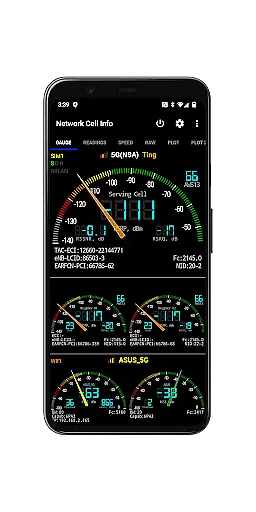
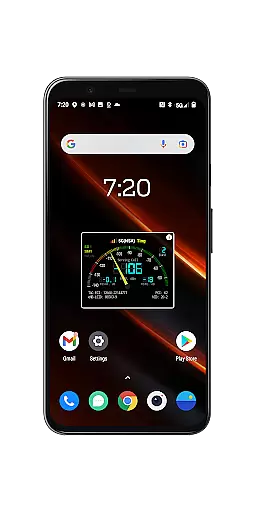
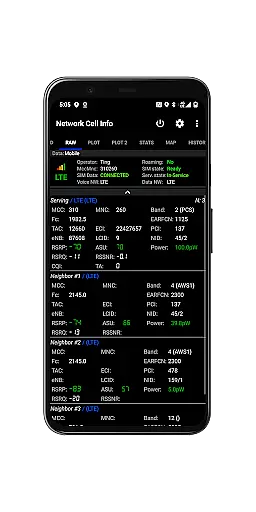
Network Cell Info & Wifi stands out with its robust set of features tailored for both casual users and tech enthusiasts. One of its core functionalities is the almost real-time monitoring of cellular and Wi-Fi signals, displayed through intuitive gauges and raw data tabs. This includes support for multiple network types like 5G, LTE+, UMTS, and GSM, ensuring compatibility across various devices and carriers.
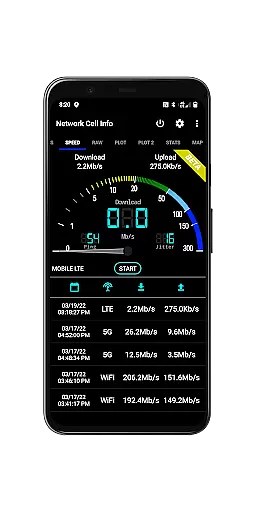
The app also includes practical tools such as one-tap speed tests for measuring download, upload, ping, and jitter performance. Advanced features like dual-SIM support, band number identification, and motion sensor-based measurement settings cater to power users. Additionally, the crowdsourced Best Signal Finder and Personal Best Signal Finder layers provide actionable insights into optimal signal locations, making it an invaluable tool for improving connectivity in everyday scenarios.
Network Cell Info provides an extensive suite of tools for monitoring and diagnosing mobile network and Wi-Fi signals, ensuring core function accuracy and effectiveness. The app supports almost real-time (1 sec.) monitoring of cellular carrier and WiFi signals through its Gauge/Raw Tabs, covering a wide range of technologies including 5G, LTE+, LTE, CDMA, WCDMA, GSM, and IWLAN.
The app's one-tap WiFi/mobile internet performance speed test measures download, upload, ping, and jitter, providing users with precise insights into their connectivity quality. Dual-SIM support and up to 5-6 signal-meter gauges for both SIMs and WiFi further enhance its functionality, allowing for comprehensive signal analysis.
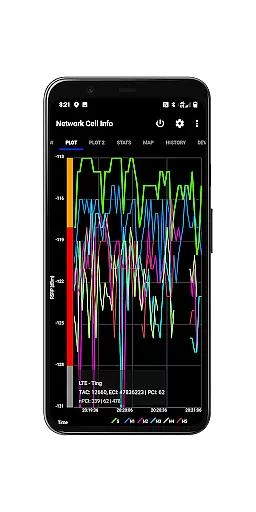
Users benefit from features like the Signal Plots that track up to 6 cells, band number information, and a SIM# preference option for non-Gauge tabs. These capabilities ensure that users can effectively troubleshoot reception and connectivity issues, achieving optimal signal strength and network performance.
Despite its technical depth, Network Cell Info maintains an interface that balances simplicity with intuitiveness. The app offers clear visual representations such as signal-meter gauges and plots, making it easy for users to interpret complex data related to their cellular and Wi-Fi connections without requiring advanced technical knowledge.
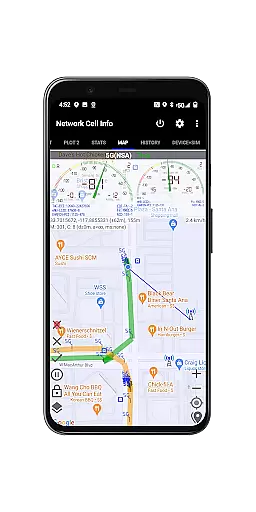
A Map feature with network cellular info and signal-meter gauges provides an intuitive way to visualize coverage and identify areas with poor reception. Additionally, the Personal Best Signal Finder map layer shows signal strength history by location, while the Crowdsourced Best Signal Finder highlights the nearest best signals from the useru2019s carrier.
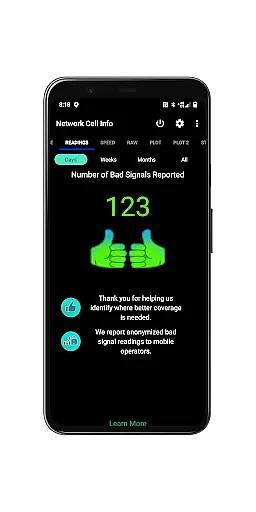
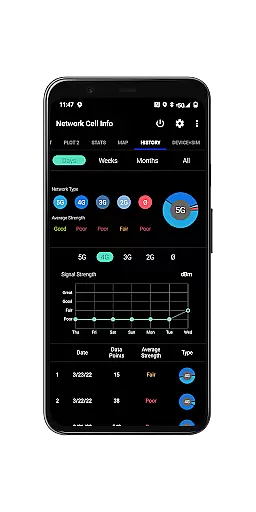
Other user-friendly elements include History Logs, Measurements of cellular signals in the Map tab, and a Readings Tab reporting the number of bad signals. These features collectively contribute to a seamless user experience, enabling even novice users to efficiently manage and optimize their network settings.
Comprehensive network monitoring
Real-time signal tracking
User-friendly interface
Dual-SIM functionality
Free Bad Signal Reporter
Premium version required
Complex for beginners
Heavy battery usage
Limited CDMA support
Occasional data delays

 4.50
4.50
Quickly switch to an encrypted DNS server on Android TV
4.50
Transfer Files, APK from Phone to Watch & Install.
4.4
Optimize your WiFi network, turn your phone into Wifi Analyzer
4.70
Best leveling tool for your Android device. Hang paintings like a pro.
4.90
Unleash gamepad precision for ultimate mobile gaming dominance.
3.90
Download any file easily and quickly with Downloader
4.2
A simple app to back up and restore SMS & MMS messages and call logs.
4.10
Button mapper, mouse toggle, sleep timer and a lot of another features
4.50
Change your GPS location instantly. Simulate routes anywhere in the world.
4.90
Small and simple app to Verify Root Access and BusyBox Install!
4.70 4.50
4.50
Game Booster, GFX Tool is now compatible with newer game update
4.50
pdf merge, word to pdf, jpg to pdf, edit pdf, convert to pdf and much more!
4.20
App that Recover your pictures, videos or files after you delete them.
4.20
Quickly & easily calculate the spacing of handrail balusters
4.20
MS-DOS in your pocket. Play old DOS games anywhere you are ;)
4.10
View detailed information about your Nissan Leaf the dealer never shows you.
4.10
A convenient photo, video, and file recovery tool.
4.00


User Reviews