
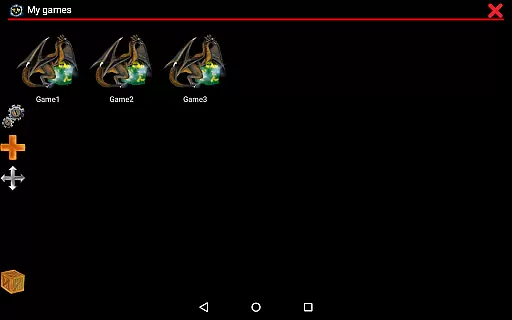
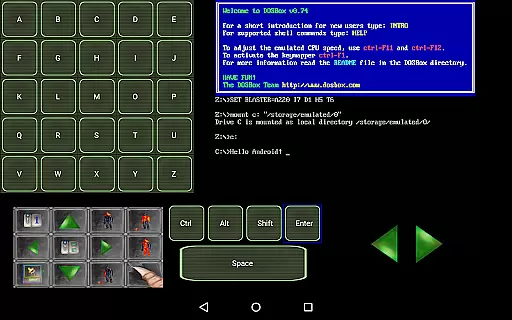
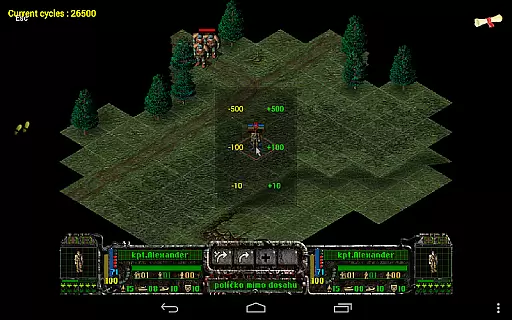
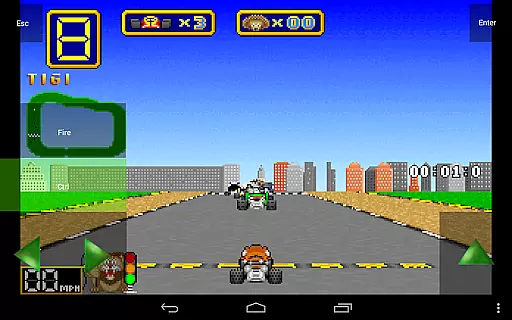
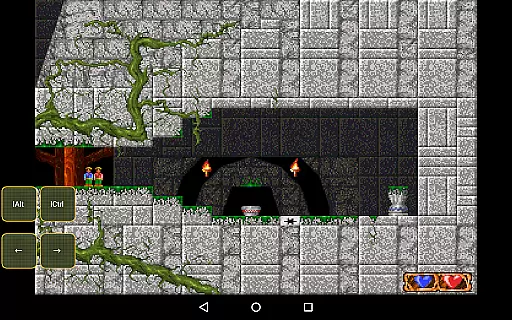
Magic DosBox is a highly optimized and fast DOSBox port for Android, designed to bring your favorite DOS and Windows games to your mobile device. With full support for mouse, keyboard, sound, and gamepad controls, this emulator allows you to play classic games anywhere without the need for external hardware. The unique control system and IPX network support enable seamless multiplayer experiences with friends.
This donated version offers unlimited game collection capacity and includes all widgets for complete customization. Whether you're looking to relive nostalgic gaming moments or explore retro titles, Magic DosBox provides the tools to create an authentic DOS gaming experience on your Android device. The app's focus on touch optimization ensures smooth gameplay, while its extensive feature set supports various input methods and connectivity options.
Magic DosBox stands out with its comprehensive feature set tailored for both casual and power users. The app's game collection system allows for highly customizable game profiles, enabling users to tailor each game's settings to their preferences. With support for creating desktop shortcuts and exporting/importing entire game profiles, sharing custom layouts with friends becomes effortless.
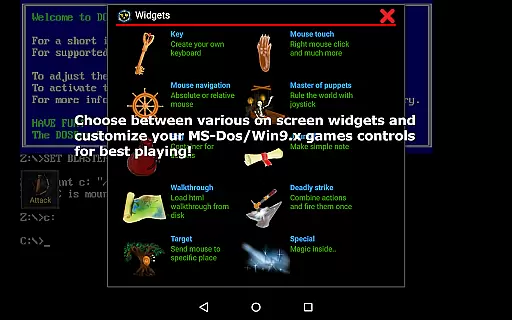
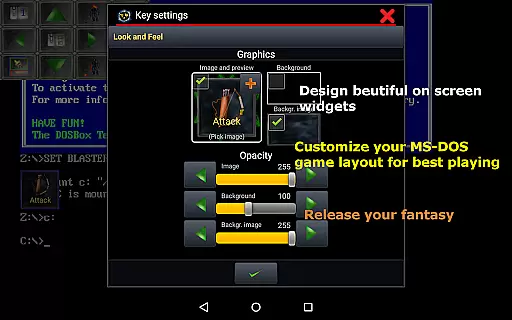
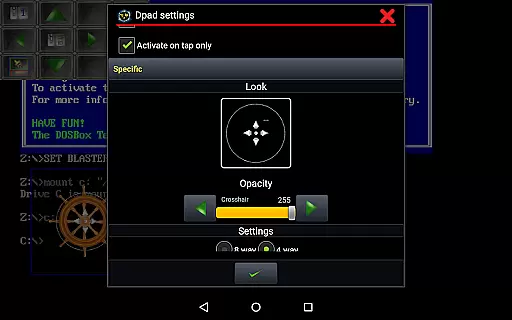
The emulator supports multiple languages and offers ten types of on-screen widgets/buttons, including virtual D-pads, key mappings, and gesture controls. Users can design complex button layouts with custom images, text, and positioning. Advanced features include absolute and relative mouse modes, support for external controllers like Xbox 360 and NVIDIA Shield, and networking capabilities through IPX and serial modem connections.
Additional enhancements include in-game screenshot functionality, orientation locking, resizable screens, and dozens of pre-designed widget styles. These features combine to create a versatile emulation environment that maintains compatibility with Android 4.0 and above while delivering optimal performance through numerous optimizations.
Magic DosBox is a highly optimized and fast DOSBox port for Android, designed to emulate the experience of playing DOS and Windows games on mobile devices. The core function of this application lies in its ability to accurately emulate the DOS environment, allowing users to run their favorite classic games with full support for mouse, keyboard, sound, and gamepad controls. This precision ensures that games operate as they would on original hardware, preserving the intended gameplay experience while introducing modern conveniences.
The app's effectiveness is further enhanced by its unique control system tailored for touch devices. Magic DosBox offers ten types of on-screen widgets and buttons, including customizable key mappings, virtual D-pads, and gesture controls. These features allow users to create personalized control schemes that suit their playstyle, ensuring an intuitive and responsive interaction with their games. Additionally, support for external controllers like the NVIDIA Shield and Xbox 360 gamepads adds another layer of versatility, making it adaptable to various gaming preferences.
Another critical aspect of Magic DosBox's functionality is its networking capabilities, which include IPX and serial modem support. This feature enables multiplayer gaming experiences over a network, faithfully replicating the social aspects of classic DOS gaming. By maintaining high emulation accuracy and providing extensive customization options, Magic DosBox delivers a seamless blend of nostalgia and innovation, empowering users to enjoy their cherished games anywhere without compromising on quality or performance.
Magic DosBox excels in offering an interface that balances simplicity with powerful customization options, making it accessible for both newcomers and experienced users. At its core, the interface is designed to streamline the process of setting up and managing game profiles. Users can easily add games to their collection, create desktop shortcuts, and customize each game profile extensively. This straightforward setup process ensures that even those unfamiliar with emulators can quickly get started with minimal hassle.
Despite its simplicity, the interface does not compromise on depth. Magic DosBox provides advanced features such as design mode and play mode, allowing users to switch between configuring their on-screen controls and enjoying their games. With support for multi-language optionsu2014including Slovak, English, German, Russian, and Frenchu2014the app caters to a global audience, enhancing accessibility. Furthermore, the ability to export, import, and duplicate profiles facilitates sharing customized layouts among friends, fostering a collaborative community around the app.
The intuitiveness of Magic DosBox extends to its widget system, where users can place and customize numerous on-screen buttons and controls. Each widget can be resized, repositioned, and styled with custom images and backgrounds, giving users complete control over their gaming interface. This flexibility ensures that players can tailor their experience to match their preferences, whether they prefer minimalist setups or intricate control schemes. Overall, Magic DosBox combines ease of use with robust customization, delivering an emulator that is both approachable and deeply functional.
Highly optimized for Android
Extensive customization options
Supports multiple input methods
Active development and support
Comprehensive documentation available
Complex setup process
No included games
Requires technical knowledge
Interface may overwhelm beginners
Some features limited to paid version

 4.10
4.10
Amateur Radio app for APRS: Track friends, exchange messages, get tactical info.
3.90
An easy-to-use calculator designed to save time calculating and bending conduit
4.30
Create your own live wallpaper or check out thousands already made presets
3.90
Best leveling tool for your Android device. Hang paintings like a pro.
4.90
Mirror your screen to Chromecast and Android TV - Super fast and simple
4.60
With videos, electrical calculators, and built-in ebook, Ugly’s has your answer.
4.50
Game Booster, GFX Tool is now compatible with newer game update
4.50
NFC Tools can read and write NFC tags.
4.70
WiFi Signal Strength Meter help you detect WiFi Signal Strength in real time.
4.80
Head tracking for PC sim games such as MSFS 2024 or Elite:Dangerous. No headset!
4.50
eXtended Permission Manager - a small app to manage permissions and AppOps
4.50
Button mapper, mouse toggle, sleep timer and a lot of another features
4.50
PC precision for mobile gaming: dominate with keyboard and mouse!
4.30
pdf merge, word to pdf, jpg to pdf, edit pdf, convert to pdf and much more!
4.20
Just one-tap to easy translate in any language after calls within seconds.
4.20
VESC Tool can monitor and configure VESC-compatible devices over BLE and Wifi
4.20
Create your own custom widget with endless possibilities
3.90
This app unlocks the Pro features of the Central for DayZ app
3.60


User Reviews