
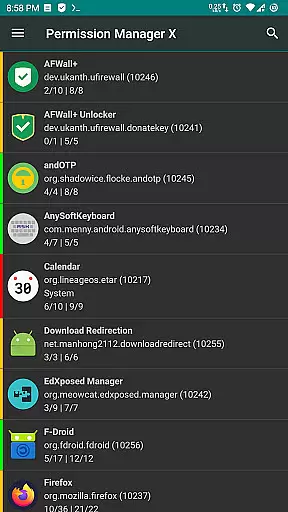
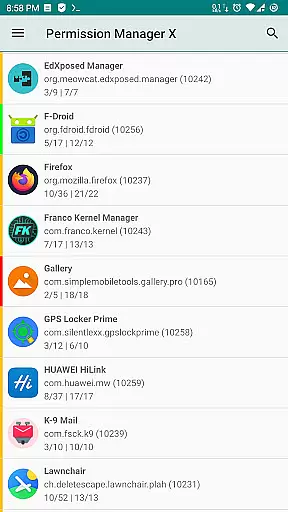
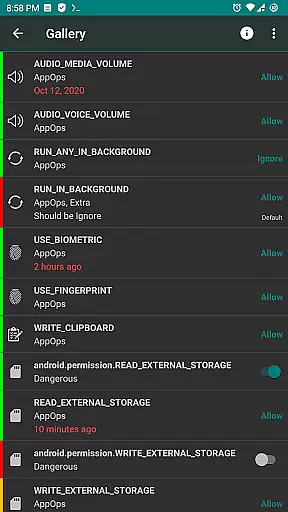
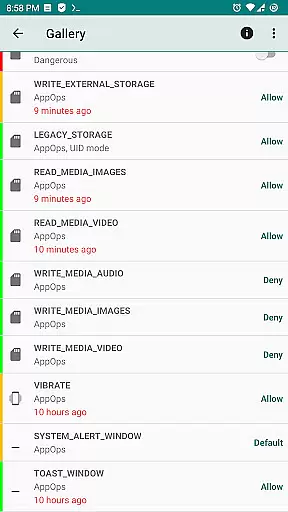
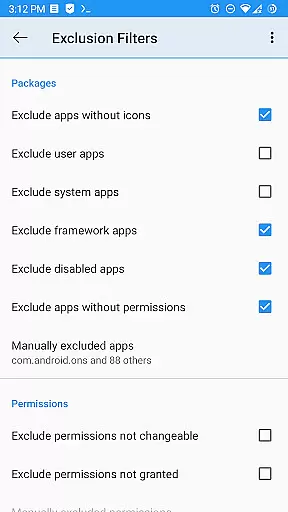
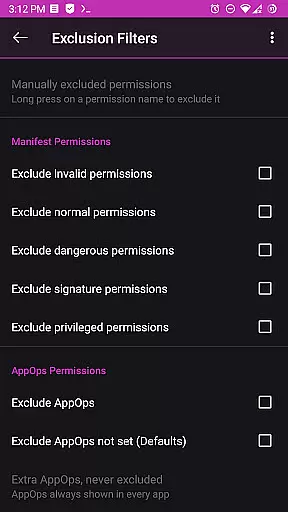
Permission Manager X is a powerful tool designed to provide users with extensive control over app permissions on their Android devices. It allows you to manage both manifest permissions, such as Storage and Camera, and AppOps permissions that offer fine-grained access control. With this app, you can view, grant, or revoke permissions, set reference values for permissions, and review changes with ease thanks to colored indicators.
The application shines in privacy protection scenarios where users need to audit and adjust permissions after reinstalling apps, changing devices, or upgrading their operating system. By setting reference states, Permission Manager X enables quick backup and restoration of permission settings, saving time and ensuring your privacy standards are maintained across different environments.
One of the standout features of Permission Manager X is its ability to handle both manifest and AppOps permissions from a single interface. Manifest permissions cover typical access requests like location and camera use, while AppOps provides deeper controls, including background execution and clipboard access. This dual management approach becomes increasingly important with each new Android release, as manifest permissions grow more intertwined with AppOps.
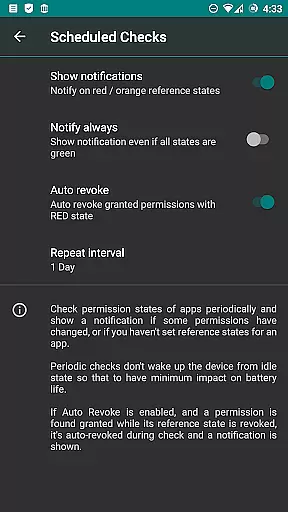
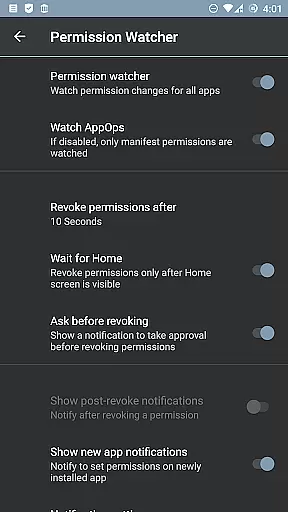
Additionally, the app offers advanced functionalities such as scheduled checks for permission status, auto-revocation of granted permissions with conflicting states, and a Permission Watcher that swiftly removes unwanted permissions when apps aren't in use. These capabilities ensure optimal performance, bolster privacy measures, and give users unparalleled control over their device's security landscape.
Permission Manager X offers a comprehensive suite of tools designed to manage app permissions with precision and efficiency. The core functionality allows users to view, grant, or revoke both manifest permissions and AppOps permissions for each installed application on a single screen. This granular control ensures that users can tailor the access rights of their apps according to their privacy preferences and security needs.
The app's ability to set reference values for changeable permissions provides an additional layer of customization. Users can establish baseline permission settings that align with their comfort level, which is particularly useful when reinstalling apps or switching devices. These reference states can be backed up and restored, streamlining the process of maintaining consistent permission settings across different environments.
By integrating manifest permissions and AppOps controls, Permission Manager X empowers users to exercise fine-grained control over various aspects of app behavior. Whether it's restricting background execution, managing location services, or controlling access to sensitive data like contacts and accounts, the app delivers a robust solution for safeguarding personal information.
Despite its advanced capabilities, Permission Manager X maintains an intuitive interface that simplifies complex permission management tasks. The layout is thoughtfully designed to present all necessary information on a single screen, minimizing navigation and ensuring quick access to critical settings. Visual cues such as colored bars help users quickly identify and review packages and permissions at a glance.
The app includes helpful resources such as a detailed guide and FAQs, making it accessible even to those new to permission management. These educational materials explain key concepts like manifest permissions and AppOps, helping users understand the importance of controlling app permissions and how these systems interact within Android.
For power users, additional paid features enhance usability further by offering sorting options, scheduled checks, and batch operations. However, the fundamental tools remain free and open-source, ensuring that everyone can benefit from this powerful permission manager without unnecessary complexity or cost.
User-friendly interface
Comprehensive permission control
Privacy-focused design
Regular feature updates
Active community support
Requires root access
Limited functionality without ADB
Complex for beginners
No iOS version available
Paid features may deter some users

A powerful, easy-to-use flight computer on your phone or tablet!
 3.80
3.80
An easy-to-use calculator designed to save time calculating and bending conduit
4.30
VESC Tool can monitor and configure VESC-compatible devices over BLE and Wifi
4.20
Small and simple app to Verify Root Access and BusyBox Install!
4.70
Support Fossify apps with a warm thank you!
5.00
Quickly check the frequency of the Earth
4.30
Play your X-Box games remotely in 1080p with any controller and zero latency
4.60
Download any file easily and quickly with Downloader
4.4
Automate everything from settings to photos, SMS to speech. ADC2 prize winner.
4.10
Easily install aab(Android App Bundle) files on your Android device with our app
4.80
Optimize your WiFi network, turn your phone into Wifi Analyzer
4.70
NFC Tools can read and write NFC tags.
4.70
Mirror your screen to Chromecast and Android TV - Super fast and simple
4.60
Planner and Tracker for Stardew Valley
4.60 4.50
4.50
Head tracking for PC sim games such as MSFS 2024 or Elite:Dangerous. No headset!
4.50
Making emulation easy for everyone!
4.30
Carry a FTP server in your pocket and avoid USB cables for file transfer
4.20
Smart and comfortable browsing experience.
3.80


User Reviews