
WiFi Pro FTP Server transforms your Android device into a fully functional FTP server, enabling seamless file transfers between your phone or tablet and other devices. With support for FTP over TLS/SSL (FTPS), this app ensures secure data exchanges while offering advanced configuration options such as custom port numbers, home folder settings, and user authentication.
This tool is particularly useful for users who want to avoid cumbersome USB cables and prefer wireless file management. Whether you're transferring photos, movies, songs, or documents, the app works efficiently over both standard Wi-Fi networks and hotspot modes, making it versatile for various use cases.
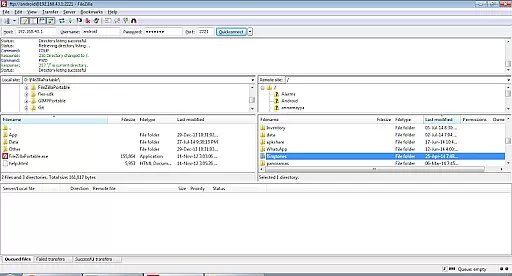
By hosting your own FTP server, you gain complete control over your data and can easily integrate with popular FTP clients like FileZilla. The app's intuitive interface and robust feature set make it an essential utility for anyone seeking efficient wireless file management on their Android device.
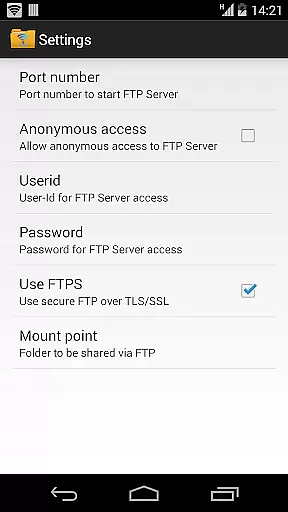
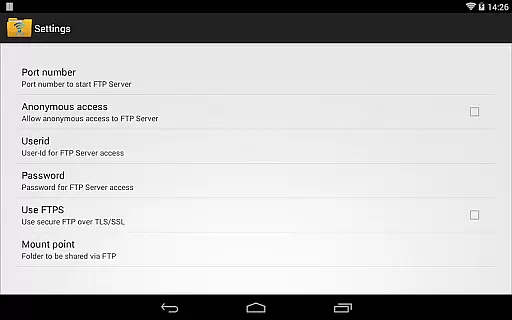
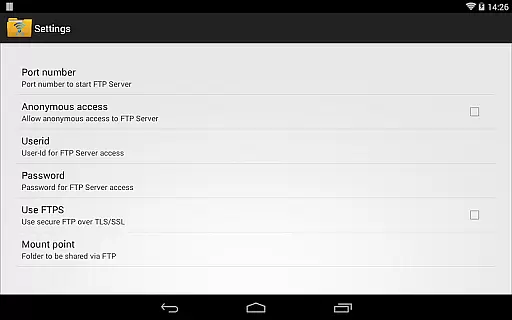
WiFi Pro FTP Server stands out with its comprehensive feature set tailored for power users. The app allows full configuration of the FTP server environment, including setting custom port numbers above 1024, choosing a specific home folder as the mount point, and enabling or disabling anonymous access based on security preferences.
One of the standout features is its support for FTPS (FTP over TLS/SSL), ensuring encrypted file transfers for enhanced security. Additionally, the app provides flexibility in user authentication by allowing customizable usernames and passwords, giving administrators precise control over access permissions.
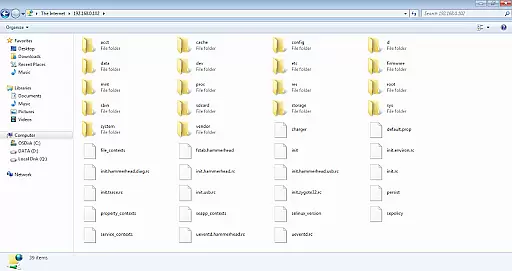
The app also eliminates the need for physical USB cables by facilitating wireless file transfers over Wi-Fi or hotspot connections. Its compatibility with widely-used FTP clients like FileZilla and even Windows File Explorer makes it highly accessible. These capabilities, combined with its ease of setup and reliable performance, establish WiFi Pro FTP Server as a top choice for managing files wirelessly.
WiFi Pro FTP Server excels in providing a reliable and efficient file transfer solution. The app transforms your Android device into a fully functional FTP server, enabling seamless file sharing over Wi-Fi without the need for cumbersome USB cables.
The core functionality includes complete FTP server capabilities with advanced features like FTP over TLS/SSL (FTPS) and configurable settings such as port number, home folder, and user credentials. This ensures that users can tailor the server to their specific needs while maintaining security and control over their data.
With support for both Wi-Fi and Wi-Fi tethering modes, the app offers flexibility in connectivity options. Whether you're looking to transfer files between devices or backup important data, WiFi Pro FTP Server delivers a dependable performance that enhances productivity.
By allowing users to avoid physical connections and manage their digital assets remotely, this tool significantly improves workflow efficiency and convenience. The ability to customize access permissions further reinforces its value as an essential utility for tech-savvy individuals and professionals alike.
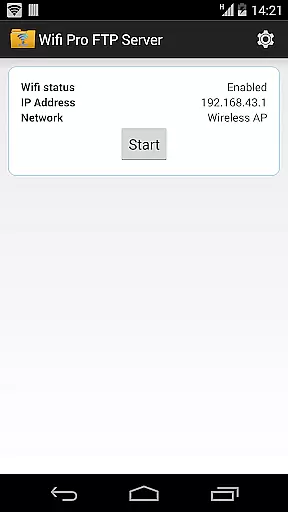
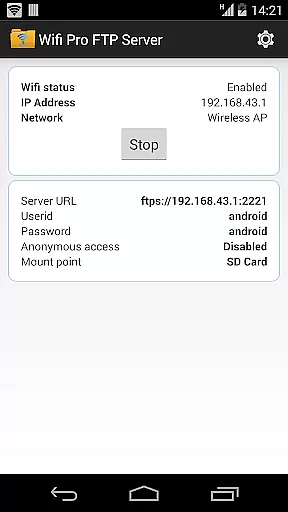
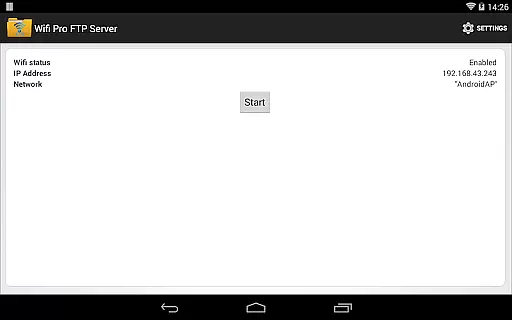
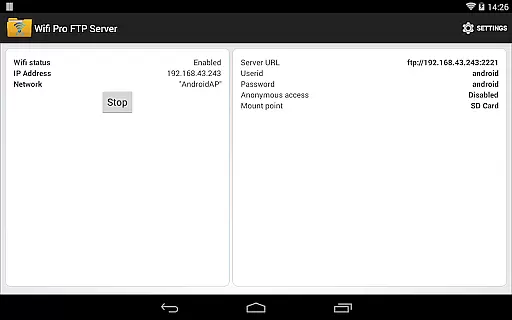
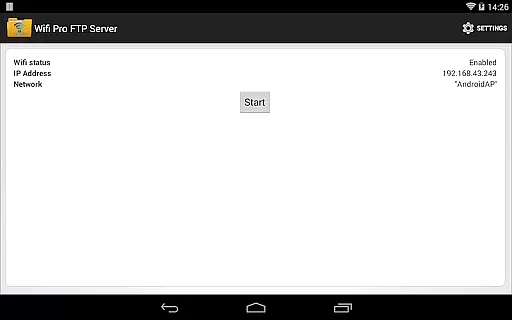
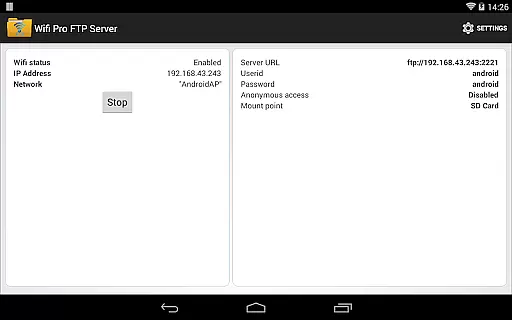
A well-designed interface is crucial for any technical application, and WiFi Pro FTP Server meets this requirement with ease of use at its core. Upon launching the app, users are greeted with a clean layout that organizes all necessary controls within easy reach.
Key configurations such as setting up the home directory, defining username and password, and adjusting port numbers are presented through straightforward menus. These intuitive controls ensure even those new to FTP servers can quickly grasp how to operate the service effectively.
Additionally, helpful tips and documentation links guide users through more complex setups like enabling FTPS or configuring anonymous access. Such resources empower users to explore advanced functionalities without feeling overwhelmed by technical jargon.
Overall, WiFi Pro FTP Server strikes an excellent balance between powerful features and user-friendly design. Its streamlined interface allows users to focus on what matters mostu2014efficiently managing their filesu2014without getting bogged down by complicated procedures or confusing layouts.
Easy-to-use interface
Secure FTPS support
Customizable settings
Wireless convenience
Wide compatibility
No SFTP support yet
Limited free version
Requires Wi-Fi
Default security restrictions
Paid upgrade needed

Quickly switch to an encrypted DNS server on Android TV
 4.50
4.50
HD Video player and downloader for all formats, fast & smooth 4K video playback.
4.60
Enjoy smooth gameplay with Game Booster
4.90
ADB support Android 4.X-Android 13(Support wireless pair mode).No root required!
4.70
Effortlessly run ADB commands directly on your device without a PC.
4.20
A non-root local ADB shell client. READ BELOW!
3.40
The one-and-only remote control for PC, Mac, and Linux
4.70
Mirror your screen to Fire TV - Super fast and simple
4.40
The ultimate tool for network analysis, wifi scanning and problem detection.
4.90
Navigate with Ease and Style
4.90
Excellent scientific calculator with symbolic algebra, integrals, derivatives
4.80
Small and simple app to Verify Root Access and BusyBox Install!
4.70 4.50
4.50
Button mapper, mouse toggle, sleep timer and a lot of another features
4.50
Forza Tuning Calculator App for Forza Horizon 5, Motorsport and Earlier Titles
4.40
Quickly & easily calculate the spacing of handrail balusters
4.20 4.10
4.10
Introducing Smart Printer, your ultimate destination for printing solutions!
4.00
PDF Reader - Document Viewer: Read, Manage & Organize Your Documents
3.10


User Reviews