
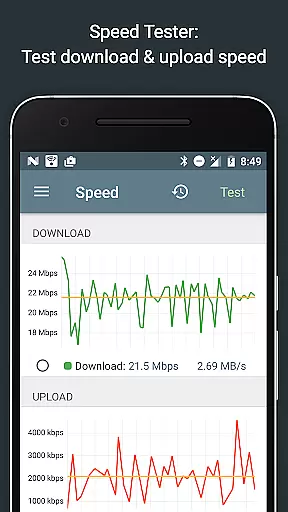
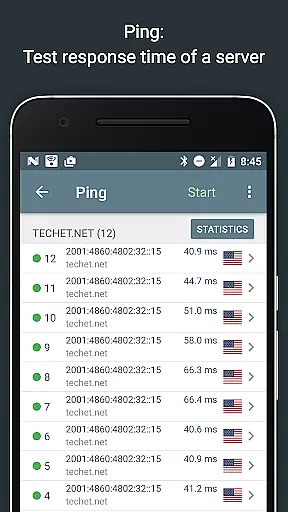
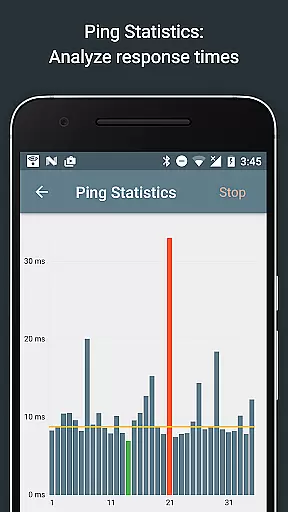
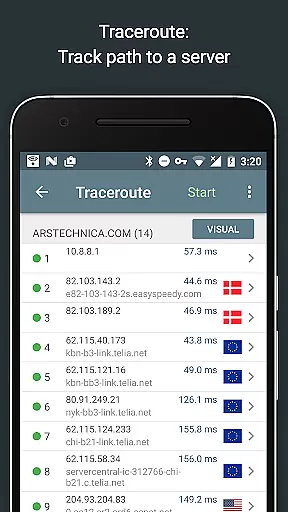
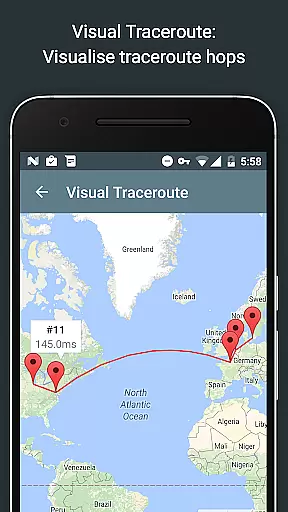
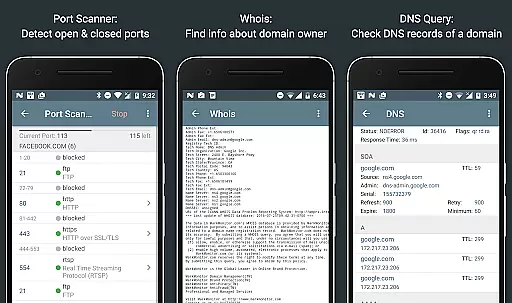
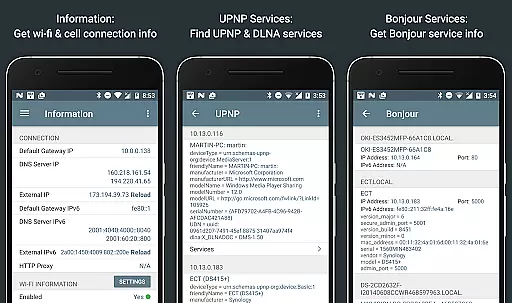
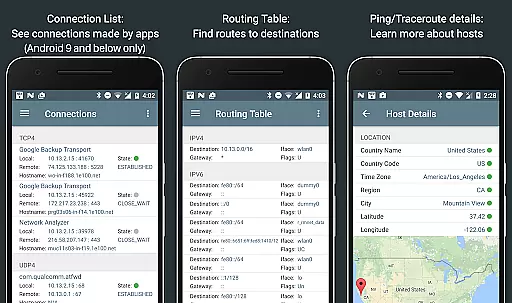
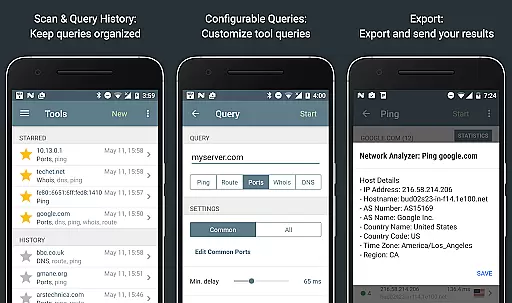
Network Analyzer Pro is a comprehensive network diagnostic tool designed to help users identify and resolve issues related to Wi-Fi networks, Internet connectivity, and remote server problems. The app offers an extensive suite of tools including a fast Wi-Fi device discovery feature that lists all LAN devices with their addresses and names, along with the Bonjour/DLNA services they provide. It also includes standard network diagnostic tools such as ping, traceroute, port scanner, DNS lookup, whois, and network speed test.
In addition to diagnosing local network issues, Network Analyzer Pro provides detailed information about neighboring Wi-Fi networks, including signal strength, encryption type, and router manufacturer. This helps users determine the optimal channel for their wireless router setup. The app supports both IPv4 and IPv6 protocols, ensuring compatibility across different network configurations. Whether you are a network administrator or a home user looking to optimize your network performance, this app delivers the necessary insights to enhance your networking experience.
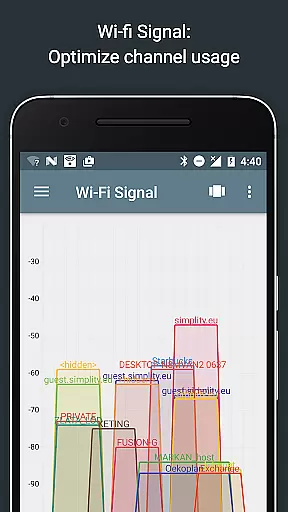
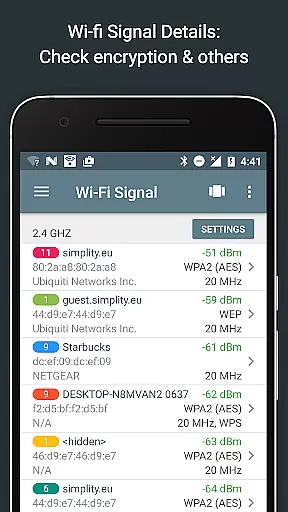
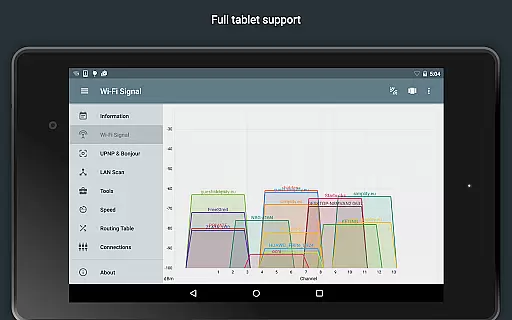
Network Analyzer Pro stands out with its robust set of features tailored for network troubleshooting and optimization. One of its key functionalities is the Wi-Fi signal meter, which offers both graphical and textual representations of network channels and signal strengths. Users can view channel usage graphs, detect Wi-Fi network types (WEP, WPA, WPA2), and gather details like encryption methods (AES, TKIP), BSSID (router MAC address), manufacturer, WPS support, and bandwidth information.
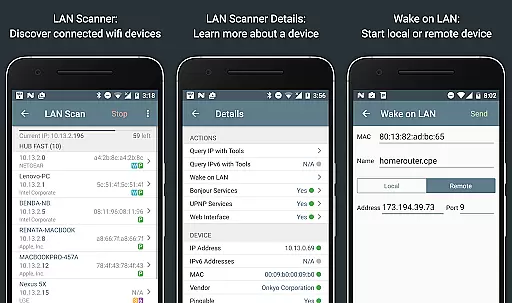
The LAN scanner is another powerful tool within the app, enabling fast and reliable detection of all network devices. It provides IP addresses of discovered devices, NetBIOS, mDNS (Bonjour), LLMNR, and DNS names where available. Additionally, it performs pingability tests, checks IPv6 availability, and supports Wake on LAN (WOL) functionality. The routing table feature displays destination and gateway information, interface usage, and flags for both IPv4 and IPv6 connections. With these advanced capabilities, Network Analyzer Pro empowers users to efficiently manage and troubleshoot their networks.
Network Analyzer Pro stands out for its precision and effectiveness in diagnosing network issues. The application provides a comprehensive suite of tools including ping, traceroute, port scanner, DNS lookup, and whois to accurately identify problems within your wifi network or Internet connectivity.
The app's capabilities extend to detecting issues on remote servers, thanks to its robust diagnostic instruments. Whether you're analyzing signal strength, scanning ports, or performing a DNS lookup, the results are consistently reliable, ensuring that users can trust the data they receive.
With support for both IPv4 and IPv6, Network Analyzer Pro ensures compatibility across different network configurations. This dual-support enhances the tool's effectiveness, allowing users to seamlessly switch between protocols without losing functionality or precision.
Despite its technical depth, Network Analyzer Pro maintains an intuitive and user-friendly interface. Each tool is easily accessible, with clear labels and straightforward controls that allow users to perform complex diagnostics without requiring extensive technical knowledge.
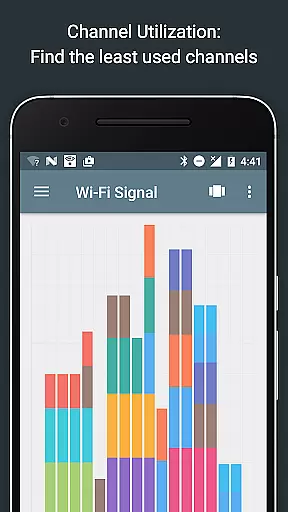
The design emphasizes clarity and ease of use, presenting information in both graphical and textual formats. Users can quickly interpret their network's status through visual representations like channel usage graphs and signal strength meters, making it easier to understand and act upon the data provided.
Additionally, features such as the fast wifi device discovery tool and local service discovery options are integrated smoothly into the interface, providing quick insights into LAN devices and Bonjour/DLNA services without overwhelming the user. This balance of powerful functionality with an approachable design ensures that even novice users can effectively utilize Network Analyzer Pro.
Comprehensive network diagnostics
Fast Wi-Fi device discovery
Supports both IPv4 and IPv6
Detailed Wi-Fi network analysis
User-friendly interface
May be complex for beginners
Some features require technical knowledge
Limited free version
Occasional performance lags
Requires constant updates

A powerful, easy-to-use flight computer on your phone or tablet!
 3.80
3.80
1-Click close all background apps on Android TV
3.90
Family Locator, Share location, StayConnect with your family in real time
3.90
Carry a FTP server in your pocket and avoid USB cables for file transfer
4.20
ADB support Android 4.X-Android 13(Support wireless pair mode).No root required!
4.70
Detect hidden spy camera with advanced scanning {{ Premium version }}
4.00
Quickly check the frequency of the Earth
4.30
Pro Emulator is an easy to use game console emulator for a range of consoles.
4.40
Clean up large files and similar photos, fast and easy to use
4.40
Change your GPS location instantly. Simulate routes anywhere in the world.
4.90
Remote Play with FSR upscaling, low latency & full controller support
4.80
NFC Tools can read and write NFC tags.
4.70
HD Video player and downloader for all formats, fast & smooth 4K video playback.
4.60
Just one-tap to easy translate in any language after calls within seconds.
4.20
An open-source APK explorer for Android!
4.10
Introducing Smart Printer, your ultimate destination for printing solutions!
4.00
Create your own custom widget with endless possibilities
3.90
card-reader app
2.20
Transfer Files, APK from Phone to Watch & Install.
4.0


User Reviews