
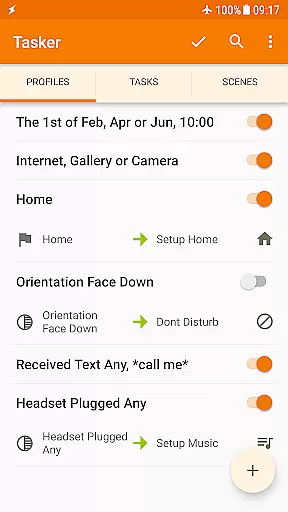
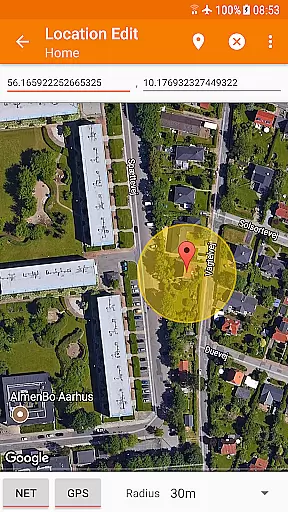
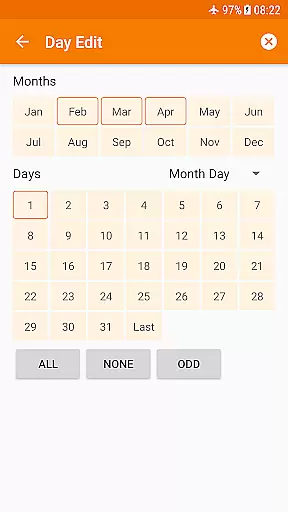
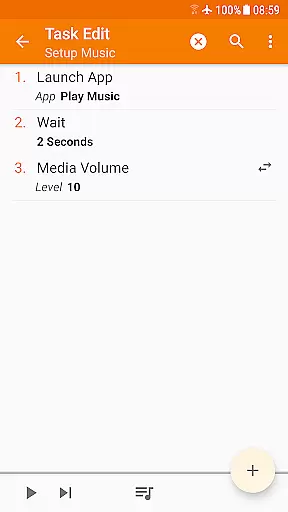
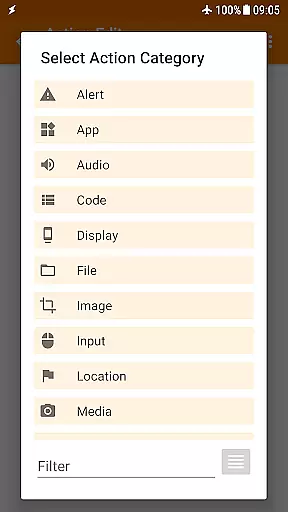
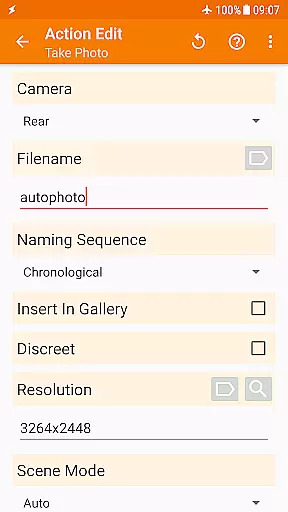
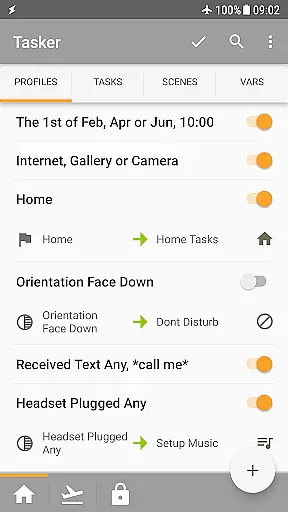
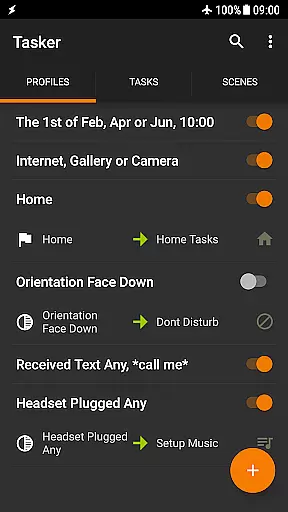
Tasker is a comprehensive automation tool designed specifically for Android devices. It allows users to automate various tasks based on different triggers such as time, location, Wi-Fi network, received SMS or calls, and many others. With over 350 actions available, Tasker provides extensive customization options for your phone, enabling you to send SMS, create notifications, change system settings, control music playback, and much more.
The app's true power lies in its flexibility to combine contexts and tasks according to user preferences. Whether you want to automate routine tasks, back up files automatically, download and install APKs directly, or design custom UI scenes, Tasker can handle it all. Additionally, Tasker supports integration with third-party apps and web APIs, making it a developer-friendly tool. Available on Android devices, Tasker transforms your smartphone into a truly smart device by handling repetitive tasks for you.
Tasker offers a wide array of features that cater to both casual users and tech enthusiasts. One of its standout capabilities is the ability to automate tasks based on a variety of triggers including time of day, location, and system events. Users can create complex automation workflows by combining multiple contexts and actions, allowing for unparalleled customization of their Android experience.
In addition to automation, Tasker includes functionalities such as automatic file backups to various storage locations, direct APK downloads and installations, and remote task triggering via Join. The app also supports scene creation for personalized UI designs and integrates seamlessly with third-party applications and web APIs. These features collectively enable users to optimize their device usage, streamline daily routines, and enhance productivity without needing root access for most functions.
Tasker excels in delivering precise and effective core functions that automate a wide array of tasks on your Android device. With over 350 actions available, it allows users to customize their phone's behavior like never before. From sending SMS to controlling system settings such as Wi-Fi Tether and Dark Mode, Tasker can handle almost any task you can think of.
The app's power lies in its flexibility to combine various contexts and tasks according to the user's preference. Whether it is based on time, location, or even the song currently playing, Tasker ensures that all automations are executed with utmost accuracy. This level of precision makes sure that repetitive tasks are handled seamlessly by the device itself without requiring manual intervention.
For those who need advanced functionalities, some features do require root access due to Androidu2019s security policies. However, most of Tasker's capabilities are accessible without rooting your device. Users benefit from reliable automation that enhances productivity and convenience while maintaining control over their smartphone environment.
Despite its vast array of powerful features, Tasker maintains an interface that is both simple and intuitive. The design focuses on ease of use, allowing users to create complex automations with minimal effort. A straightforward setup process helps users quickly understand how to define contexts and tasks, making sophisticated automation accessible even to beginners.
Tasker provides multiple ways to trigger actions, including launcher shortcuts, widgets, and hardware buttons. This versatility ensures that users can interact with the app in a way that feels natural to them. By offering various triggering methods, Tasker simplifies the interaction process, enhancing overall usability.
Moreover, Tasker includes developer-friendly options such as HTTP Auth and Request actions, enabling integration with third-party apps and web APIs. These options expand functionality while keeping the interface manageable. Overall, Tasker balances comprehensive features with an intuitive interface, ensuring users can harness its full potential without feeling overwhelmed.
Extensive automation
Versatile triggers
Customizable actions
User-friendly interface
Developer-friendly
Steep learning curve
Requires setup time
Paid app
Limited iOS support
Some features need root

 4.10
4.10
1-Click close all background apps on Android TV
3.90
ADB support Android 4.X-Android 13(Support wireless pair mode).No root required!
4.70
PC precision for mobile gaming: dominate with keyboard and mouse!
4.30
Screen Mirroring with sound for Samsung TV, LG TV, Sony TV, Smart TV and Browser
4.20
A simple app to back up and restore SMS & MMS messages and call logs.
4.10
Pro Emulator is an easy to use game console emulator for a range of consoles.
4.40
Fast VPN USA for any country. Super secure VPN for calls, streaming, games, TV.
4.40
fast and easy mp3 music downloader
4.80
Extremely fast, secure, and protects your privacy
4.80
Creation, Learning, Entertainment & More — The All-in-One AI Search Engine
4.70
Mirror your screen to Chromecast and Android TV - Super fast and simple
4.60
With videos, electrical calculators, and built-in ebook, Ugly’s has your answer.
4.50
The Ultimate Bluetooth Keyboard & Mouse. Securely control your PC, Mac, and more
4.50
Universal TV remote control all TVs, Roku, LG, Samsung, Fire, Vizio, Sony, TCL.
4.40
Quickly check the frequency of the Earth
4.30
Quickly & easily calculate the spacing of handrail balusters
4.20
VESC Tool can monitor and configure VESC-compatible devices over BLE and Wifi
4.20
PDF Reader - Document Viewer: Read, Manage & Organize Your Documents
3.10


User Reviews