
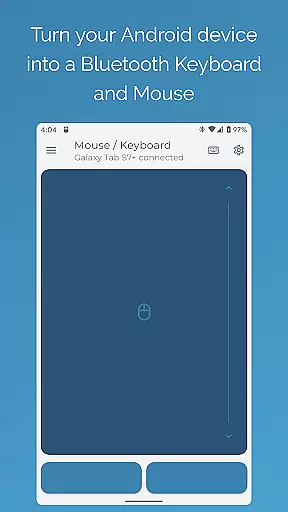
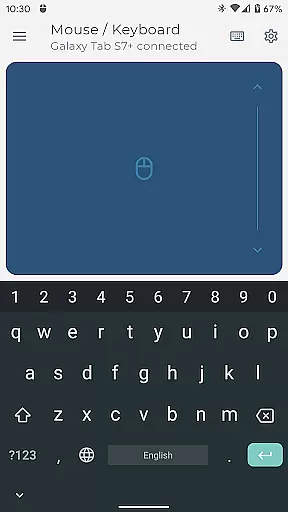

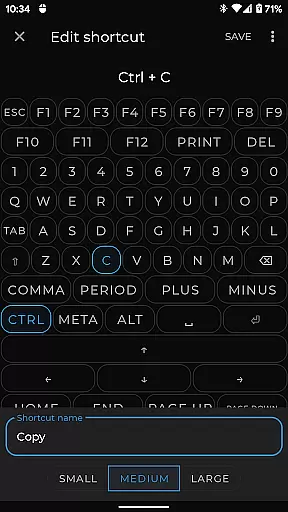
Bluetooth Keyboard & Mouse Pro revolutionizes the way you interact with your devices by turning your Android phone into a versatile Bluetooth remote control. This powerful tool offers seamless control over computers, tablets, and media centers without requiring additional software or server connections. The direct Bluetooth connection ensures instant response times while maintaining privacy and security.
The app provides professionals with an advanced toolkit including precision mouse control, keyboard functionality with support for over 100 international layouts, and specialized modes like Keep-Alive / Jiggler Mode to prevent device sleep. Its universal compatibility spans across Windows, iOS, Android, Chrome OS, and Steam Deck platforms, making it an essential utility for diverse workflows.
Whether you're delivering presentations, managing multimedia playback, or customizing controls for specific applications, this app enhances productivity through its intuitive interface and robust feature set. The ability to scan QR codes, sync clipboard content, and use voice-to-text further extends its practicality in various professional scenarios.
Bluetooth Keyboard & Mouse Pro stands out with its comprehensive feature set designed for maximum versatility. The app's Precision Control module delivers highly responsive keyboard input, smooth mouse navigation, and an intuitive multi-touch trackpad with natural scrolling capabilities. These features ensure accurate and comfortable device interaction, whether you're typing documents or navigating complex interfaces.
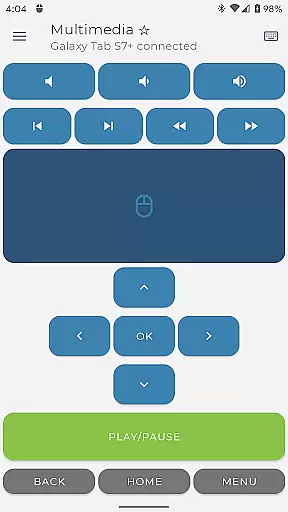
For professionals who need uninterrupted workflow, the Keep-Alive / Jiggler Mode prevents computers from sleeping or locking during extended tasks. The Presenter Mode empowers users to command their slideshows with confidence, while Multimedia Control allows effortless management of playback and volume settings across different media players. Additionally, the Integrated Scanner streamlines data entry by capturing QR codes and barcodes directly to connected devices.
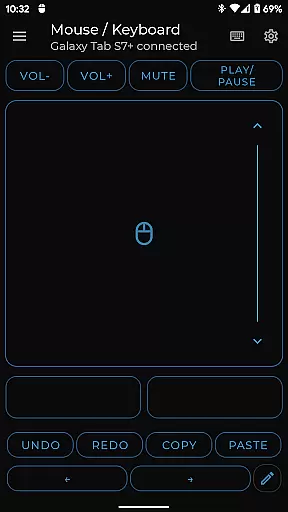
Advanced customization options enable users to create personalized control layouts tailored to specific software needs. The app also supports voice-to-text input and cross-device clipboard synchronization, enhancing productivity through seamless integration between mobile and desktop environments. With its robust feature set and reliable Bluetooth connectivity, this application becomes an indispensable tool for modern professionals.
Bluetooth Keyboard & Mouse Pro delivers exceptional precision and reliability in its core functions, ensuring users can seamlessly control their devices with confidence. The app transforms an Android phone into a versatile tool that includes a highly responsive keyboard, mouse, and multi-touch trackpad, all designed to provide intuitive and accurate control.
The app's direct Bluetooth connection guarantees instant response times without the need for additional server software, maintaining a private and secure environment. This approach not only enhances user privacy but also ensures that every action, from typing to navigating presentations, is executed with utmost accuracy.
With features like Keep-Alive / Jiggler Mode, Full PC Keyboard support, and Presenter Mode, the app offers specialized tools that cater to various professional needs. These functionalities allow users to prevent their computers from sleeping, switch between international language layouts, and command presentations with ease.
Ultimately, the effectiveness of Bluetooth Keyboard & Mouse Pro lies in its ability to streamline workflows and elevate productivity. By integrating advanced capabilities such as multimedia control, voice-to-text input, and custom layouts, the app provides a comprehensive solution that adapts to individual user requirements, making it an indispensable tool for professionals seeking efficient device management.
Achieving simplicity and intuitiveness in its interface design, Bluetooth Keyboard & Mouse Pro ensures that users can easily navigate and utilize its extensive features without a steep learning curve. The app's layout is crafted to offer immediate access to essential controls, promoting an effortless user experience.
Central to its design philosophy is the inclusion of a multi-touch trackpad with intuitive scrolling, which mimics the natural gestures users are accustomed to on their smartphones and tablets. This feature significantly reduces the time needed to adapt to the app, allowing users to focus more on their tasks rather than the tool itself.
Moreover, the app provides clear options for customizing controls tailored to specific applications or games, enhancing the overall usability. Users can engineer the perfect remote interface that suits their unique workflow, thus simplifying complex operations into straightforward actions.
By combining a clean design with powerful functionality, Bluetooth Keyboard & Mouse Pro achieves a balance that caters to both novice and experienced users. Its commitment to offering an intuitive interface ensures that all users can harness the full potential of their devices efficiently and effectively.
Instant Bluetooth connection
Multi-platform support
Customizable controls
Voice-to-text functionality
International keyboard layouts
Premium features locked
Complex setup required
Limited free version
Battery consumption high
Occasional connectivity issues

 4.10
4.10
Change your GPS location instantly. Simulate routes anywhere in the world.
4.90
A powerful, easy-to-use flight computer on your phone or tablet!
3.80
Connect instantly to a fast, encrypted VPN with one tap
4.60
Just swipe the edge to do something!
4.40
Extremely fast, secure, and protects your privacy
4.80
Canon PRINT is a companion app for your Canon printer.
4.60
Automate everything from settings to photos, SMS to speech. ADC2 prize winner.
4.10
Clean up your phone, find files, play media, and share files offline
4.50
Best leveling tool for your Android device. Hang paintings like a pro.
4.90
Excellent scientific calculator with symbolic algebra, integrals, derivatives
4.80
Learn the vast amount of system information about device and monitor it's state
4.70 4.50
4.50
Quickly switch to an encrypted DNS server on Android TV
4.50
Head tracking for PC sim games such as MSFS 2024 or Elite:Dangerous. No headset!
4.50
An easy-to-use calculator designed to save time calculating and bending conduit
4.30
Fun lie-detection pranks for friends and parties.
3.80
Save any video in HD - paste the link, download fast and watch offline.
4.2
Download any file easily and quickly with Downloader
4.1


User Reviews