
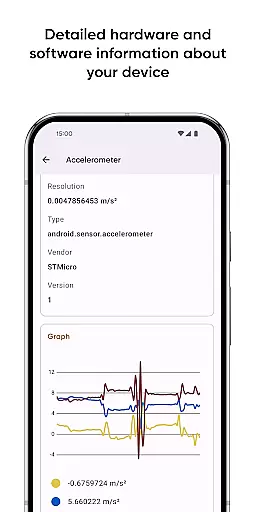
Castro Premium is a comprehensive device monitoring tool that provides real-time insights into your device's performance. With detailed processor statistics, battery monitoring, memory usage tracking, and network data analysis, it offers an extensive overview of your device's health. The app also features real-time sensor data with useful graphs, detailed camera information, and a full list of available codecs.
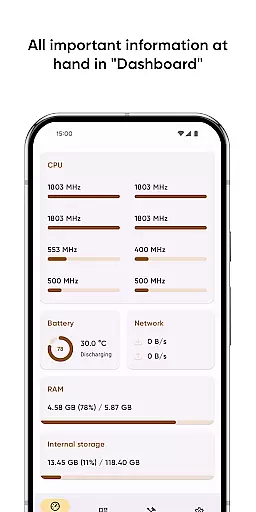
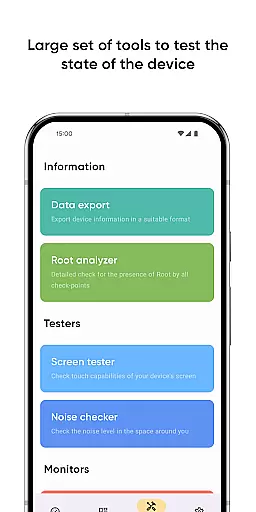
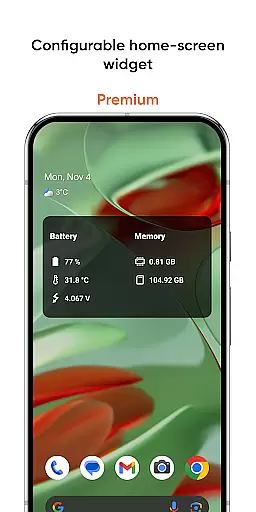
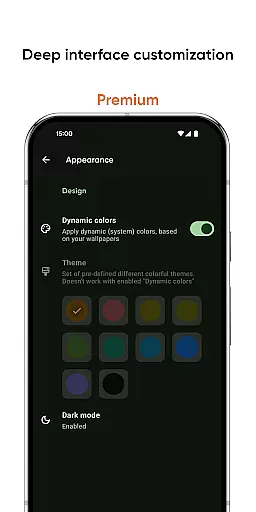
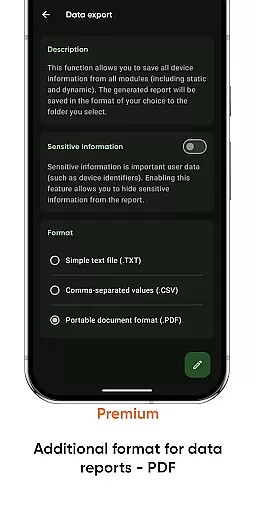
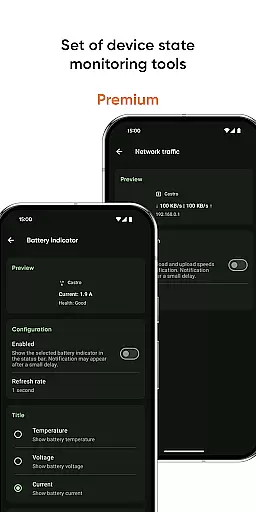
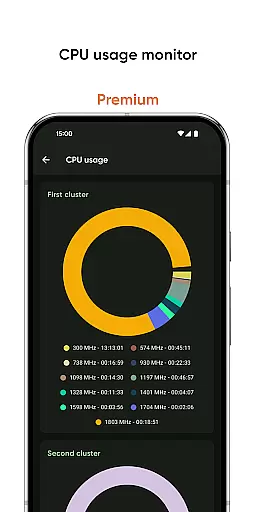
The Dashboard window presents key metrics like CPU usage, battery status, network consumption, and memory load in an easily digestible format. Power users can benefit from advanced tools such as Data Export, Screen Tester, and Noise Checker. Premium users enjoy additional benefits including deep interface customization, configurable home-screen widgets, and advanced monitoring tools for battery, network traffic, and CPU usage.
This application is particularly valuable for tech enthusiasts and professionals who need to monitor device performance and troubleshoot issues efficiently.
Castro Premium stands out with its extensive feature set tailored for device monitoring. The app provides detailed processor statistics for both CPU and GPU, allowing users to track performance metrics accurately. Battery monitoring includes tracking of charging cycles, temperature, and consumption patterns, giving users complete visibility into power management.
One of the app's highlights is its real-time sensor data display, which includes useful graphs for better interpretation. Users can access detailed information about their device's cameras and get a full list of supported audio and video codecs. The Premium version unlocks advanced features like deep interface customization, configurable home-screen widgets displaying battery and memory stats, and specialized monitoring tools for network traffic and CPU usage.
Additional tools include a Screen Tester for display diagnostics and a Noise Checker for environmental sound analysis. These features make Castro Premium a versatile solution for anyone seeking in-depth device analytics.
Castro Premium stands out in the Tools category by offering highly accurate and effective core functionalities that cater to users who need detailed insights into their device's performance. The app provides comprehensive statistics on processor usage, including both CPU and GPU metrics, which are crucial for understanding how computational resources are utilized.
Beyond processor statistics, Castro offers real-time monitoring of battery consumption, memory usage, and data transmission via Wi-Fi and mobile networks. This allows users to identify potential bottlenecks or unusual activity that could affect their device's efficiency. The inclusion of real-time sensor data with useful graphs further enhances the ability to monitor device health accurately.
For users seeking more control, Castro Premium adds advanced tools such as a network traffic speed monitor, CPU usage monitor, and even a noise checker. These features ensure that users can maintain optimal performance levels while diagnosing any irregularities swiftly. The app's commitment to precision ensures that all readings and analyses are reliable, empowering users to make informed decisions about their device management.
In addition to its powerful monitoring capabilities, Castro Premium excels in providing an intuitive and straightforward interface that simplifies complex data interpretation. The Dashboard feature is a testament to this, consolidating the most critical informationu2014CPU usage, battery status, network usage, and memory loadu2014into an easily digestible format.
The app goes a step further for premium users by offering deep interface customization options. Users can personalize the appearance with various colors and themes, ensuring that the tool not only functions effectively but also aligns with individual aesthetic preferences. This customization extends to configurable home-screen widgets that display vital stats like battery life and memory usage at a glance.
Moreover, practical tools such as the Screen Tester and Noise Checker are seamlessly integrated, making it easy for users to access these features without navigating through complicated menus. By prioritizing simplicity and intuitiveness, Castro Premium ensures that users of all technical backgrounds can harness its full potential without a steep learning curve.
User-friendly interface
Real-time monitoring
Extensive feature set
Customizable dashboard
Advanced tools for power users
Premium features locked behind paywall
May overwhelm casual users
Highly technical for beginners
Limited free version functionality
Occasional performance lags

Complete kernel toolbox with features to manage and tweak your rooted device
 4.30
4.30
FV File Manager Pro, Fast and powerful file manager for Android
4.60
Family Locator, Share location, StayConnect with your family in real time
3.90
An open-source APK explorer for Android!
4.10
Amateur Radio app for APRS: Track friends, exchange messages, get tactical info.
3.90
Signal Strength, Mobile, Wifi, Speed Test, Bad Signals, Cellular, 5G, LTE, 4G
4.20
Bedrock Together: Join any bedrock server on Xbox/PS
4.80
Planner and Tracker for Stardew Valley
4.60
The ultimate tool for network analysis, wifi scanning and problem detection.
4.90
Change your GPS location instantly. Simulate routes anywhere in the world.
4.90
Creation, Learning, Entertainment & More — The All-in-One AI Search Engine
4.70
HD Camera captures every special moment.
4.60
Keep track of your Palia friendships, tasks, and inventory with Palia Notebook
4.60
App to pay for FUTO Keyboard
4.60
Just one-tap to easy translate in any language after calls within seconds.
4.20
Carry a FTP server in your pocket and avoid USB cables for file transfer
4.20
Automate everything from settings to photos, SMS to speech. ADC2 prize winner.
4.10
A non-root local ADB shell client. READ BELOW!
3.40
Transfer Files, APK from Phone to Watch & Install.
4.4


User Reviews