
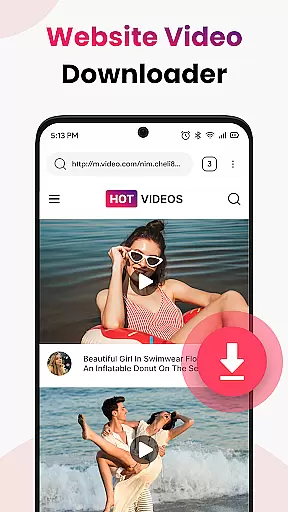
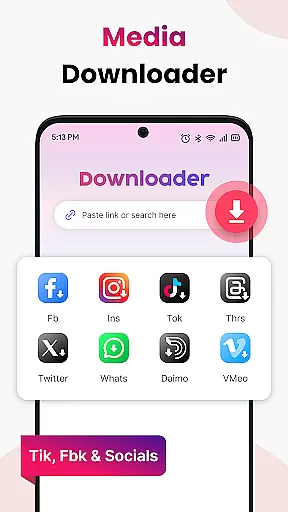

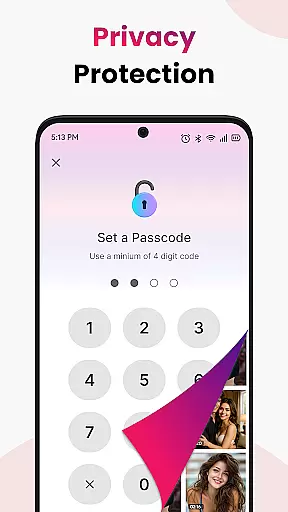

Video Saver All Format is a versatile tool designed to help users download and store videos from various online sources directly onto their devices. This app supports multiple video formats including MP4, MOV, MKV, AVI, WMV, FLV, and more, ensuring broad compatibility for different user needs. With its one-tap workflow, users can easily paste a video link, tap download, and enjoy their content offline in crisp HD quality. The app's optimized engine ensures quick and stable downloads, making it an ideal choice for those who need reliable access to videos without an internet connection.
Beyond just downloading, Video Saver All Format offers features that enhance organization and accessibility. Users can store unlimited videos, create personal collections, and keep reference materials readily available. Whether it's for learning on the go, enjoying entertainment offline, or archiving favorite clips, this app provides a seamless experience. Its lightweight design and minimal permissions ensure privacy and control, while the focus on high-quality resolutions delivers sharper playback. Perfect for anyone looking to build a personal HD video library, Video Saver All Format is a fast, reliable solution for all your video-saving needs.
Video Saver All Format stands out with its comprehensive feature set tailored to meet diverse user requirements. One of its key strengths is the ability to handle a wide range of video formats such as MP4, MOV, MKV, AVI, WMV, and FLV. This format-friendly approach ensures that no matter the source, users can download videos without compatibility issues. Additionally, the app prioritizes HD quality, allowing users to select high-resolution options for clearer and more enjoyable playback.
The app's one-tap workflow simplifies the entire process. By auto-detecting video links, it enables instant grabbing, significantly reducing the time and effort needed to save online content. Its optimized engine further enhances this experience by providing speed and stability during downloads. Privacy and control are also at the forefront, thanks to the app's lightweight design and minimal permission requirements. These features collectively make Video Saver All Format a robust tool for anyone looking to efficiently manage and enjoy their video collections offline.
Video Saver All Format excels in delivering accurate and effective core functionality by focusing on seamless video downloading and format compatibility. The app supports a wide range of formats including MP4, MOV, MKV, AVI, WMV, FLV, and more, ensuring users can save videos in their preferred quality and file type.
The app's optimized engine ensures quick and stable downloads, while its one-tap workflow simplifies the process of capturing videos from links and websites. By auto-detecting video links, it allows instant grabbing, making the entire experience fast and reliable.
Users benefit from the ability to choose high-quality resolutions for sharper playback, enhancing their viewing experience. This focus on HD quality and speed ensures that videos are not only accessible offline but also enjoyable in crisp detail.
Overall, Video Saver All Format provides a robust solution for anyone looking to build a personal HD video library, offering unlimited saves and maintaining a lightweight, private environment with minimal permissions.
The interface of Video Saver All Format is designed to be simple and intuitive, ensuring users can easily navigate and utilize its features without a steep learning curve. With a clean layout and straightforward controls, the app makes video downloading an effortless task.
Upon opening the app, users are greeted with a minimalist design that highlights the primary functionu2014downloading videos. The process involves merely copying a video link, pasting it into the app, and tapping download, which underscores the app's commitment to ease of use.
This intuitive design extends to its organizational tools, allowing users to store as many videos as their device capacity permits. The app keeps the process transparent and hassle-free, letting users focus on enjoying their content rather than figuring out complex settings.
By prioritizing user experience through a streamlined interface, Video Saver All Format ensures that even those unfamiliar with tech-heavy applications can manage and enjoy their video collections effortlessly.
User-friendly interface
HD video downloads
Multiple format support
Fast and stable engine
Privacy-focused design
Limited advanced editing
No cloud integration
Basic playlist options
Occasional bugs
Ads in free version

Just one-tap to easy translate in any language after calls within seconds.
 4.20
4.20
1-Click close all background apps on Android TV
3.90
Learn the vast amount of system information about device and monitor it's state
4.70
Fluid navigation gestures for all of us!
4.30
This app unlocks the Pro features of the Central for DayZ app
3.60
App that Recover your pictures, videos or files after you delete them.
4.20
An open-source APK explorer for Android!
4.10
Unleash gamepad precision for ultimate mobile gaming dominance.
3.90
Button mapper, mouse toggle, sleep timer and a lot of another features
4.50
Support Fossify apps with a warm thank you!
5.00
The Ultimate Flex Drivers Utility App - Convenient Tapping & Block Filters
4.70
NFC Tools can read and write NFC tags.
4.70
Planner and Tracker for Stardew Valley
4.60 4.50
4.50
Quickly switch to an encrypted DNS server on Android TV
4.50
Screen Mirroring for Roku Sticks, Roku TCL TV and Roku Hisense TV
4.50
pdf merge, word to pdf, jpg to pdf, edit pdf, convert to pdf and much more!
4.20
Signal Strength, Mobile, Wifi, Speed Test, Bad Signals, Cellular, 5G, LTE, 4G
4.20
Unlock your Essential Key. Create custom shortcuts to your favorite apps!
4.5


User Reviews