
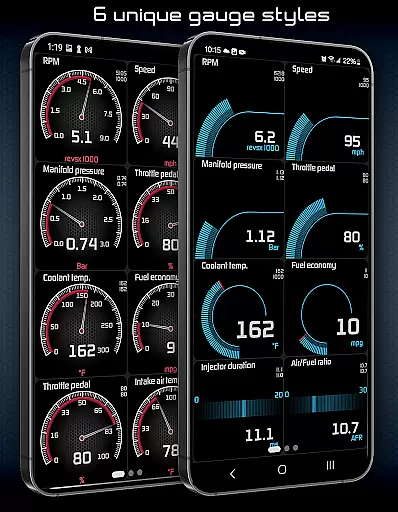
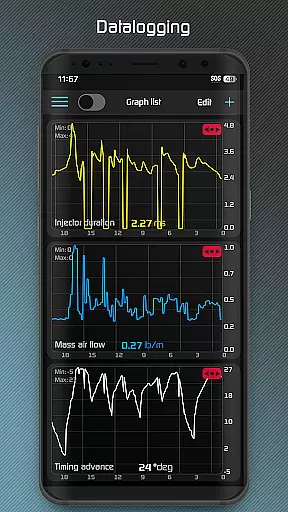
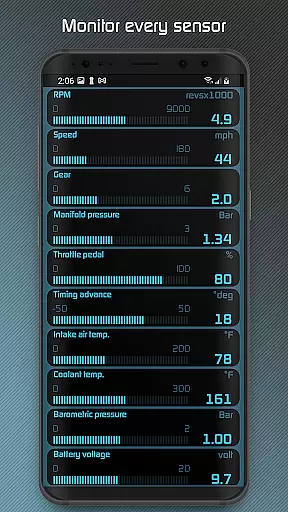
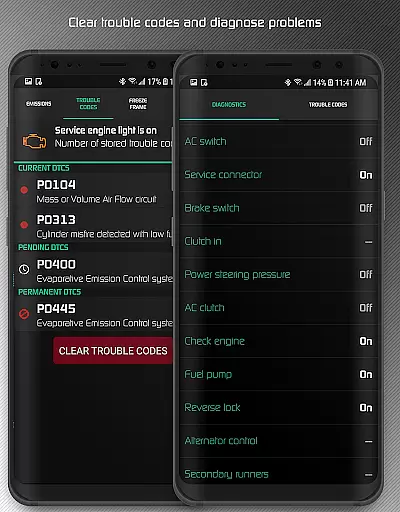
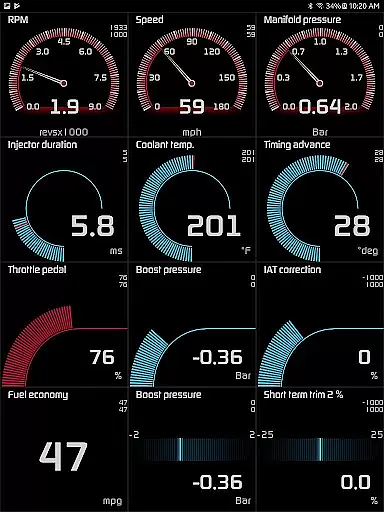
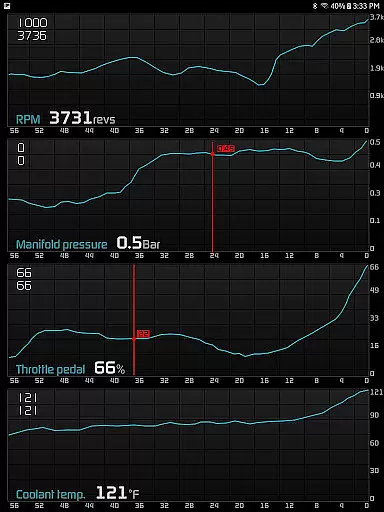
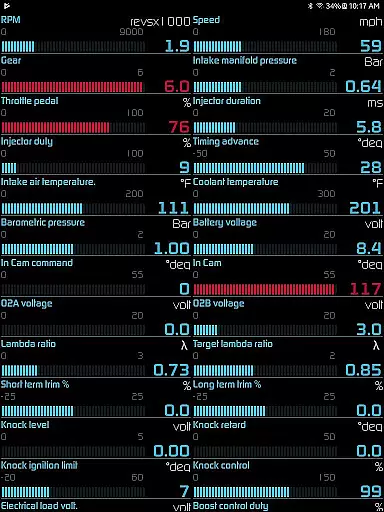
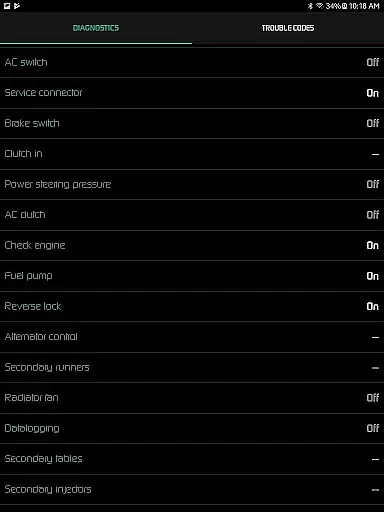
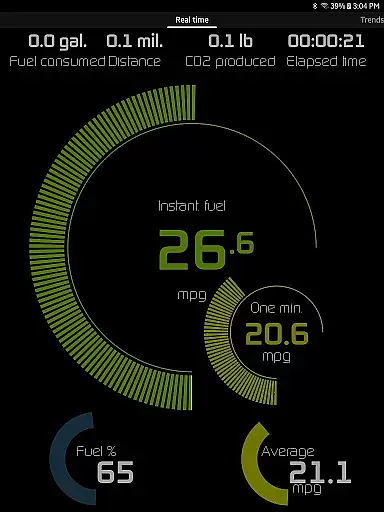
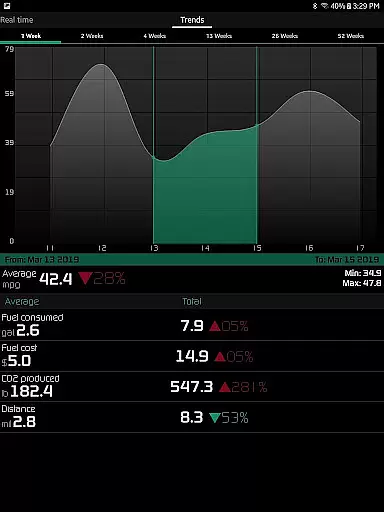
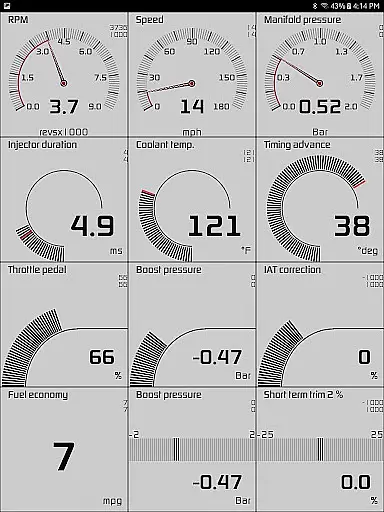
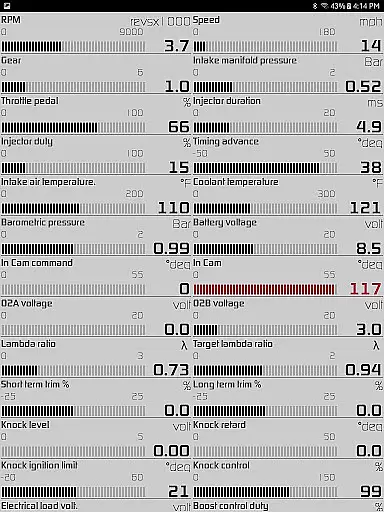
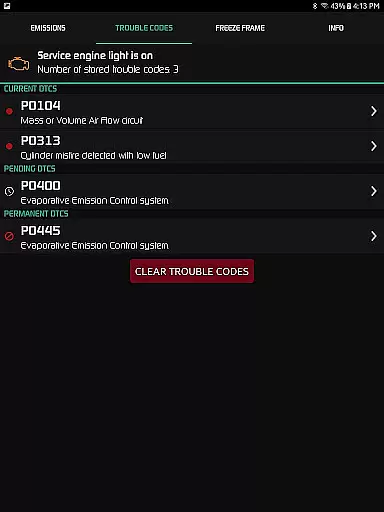
Hondata is a powerful automotive tool that transforms your Android device into a comprehensive performance tracking and diagnostic system for Honda vehicles. The app provides real-time monitoring of up to 80 sensors, including fuel economy, boost pressure, and battery voltage, through customizable gauges and interactive graphs. Users can troubleshoot issues by accessing the vehicle's onboard ECU, read and clear trouble codes, and even track fuel economy over various intervals.
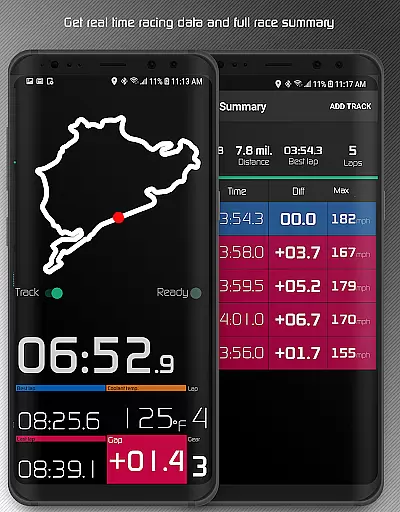
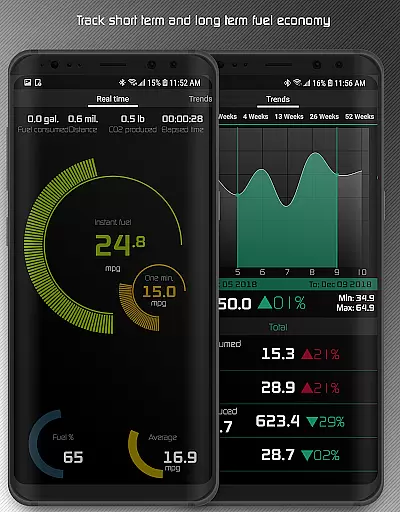
One of the standout features is the ability to record and export sensor data in CSV format for further analysis. Additionally, Hondata offers advanced functionalities such as drag race timing, lap time recording using GPS, and long-term fuel economy tracking with interactive graphs. Whether you're looking to optimize your car's performance or diagnose potential issues before visiting a mechanic, Hondata delivers essential tools for any Honda owner.
Hondata stands out with its extensive range of features tailored for automotive enthusiasts. The app allows users to customize their dashboard with up to 80 real-time sensors, including G-force, turbo boost, and VTEC pressure. Its graphing feature lets you plot and record data from multiple sensors simultaneously, while the export function saves files in CSV format for detailed analysis. The inclusion of both metric and imperial units ensures global usability.
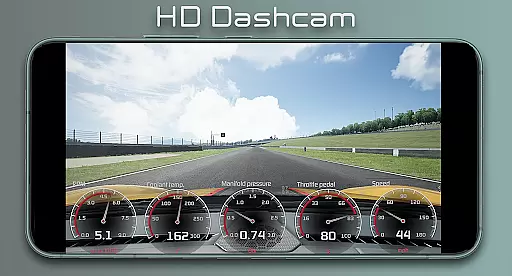
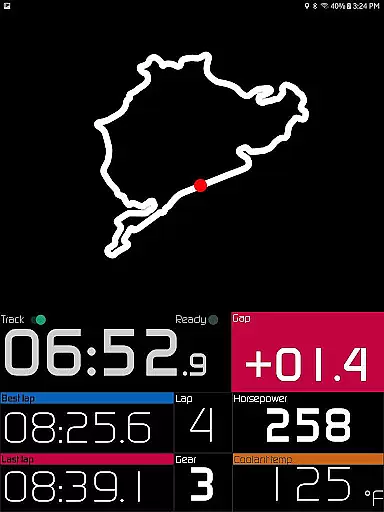
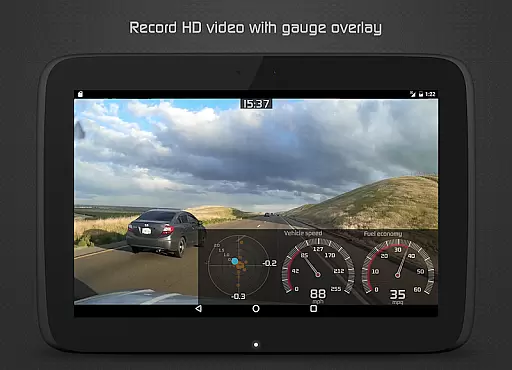
For performance tracking, Hondata offers specialized tools like drag race timers, lap time measurements, and GPS-based track positioning. The app also includes safety features such as speed limit warnings and overheating notifications. With options like HUD display for night driving and video recording with superimposed gauges, Hondata combines functionality with user convenience, making it an indispensable tool for Honda owners seeking advanced vehicle insights.
The Hondata app delivers exceptional core functionality by providing precise real-time monitoring of up to 80 sensors in your Honda vehicle. This includes critical data such as fuel economy, boost pressure, and battery voltage, ensuring that users receive accurate and actionable information.
One of the standout features is its ability to plot sensor data onto interactive graphs, allowing for detailed analysis and recording of up to four sensors simultaneously. This functionality not only enhances the precision of performance tracking but also supports exporting data to CSV files for further evaluation, making it an indispensable tool for both everyday drivers and automotive enthusiasts.
Additionally, the app offers advanced diagnostic capabilities, enabling users to read and clear vehicle trouble codes and access over 40 diagnostic parameters. This empowers car owners to troubleshoot issues effectively before visiting a mechanic, saving both time and money while ensuring optimal vehicle performance.
Hondata excels in offering an intuitive and user-friendly interface that simplifies complex automotive data into easily digestible information. The customizable gauges allow users to tailor their monitoring experience, focusing on the metrics that matter most to them, whether it's fuel economy or G-force measurements.
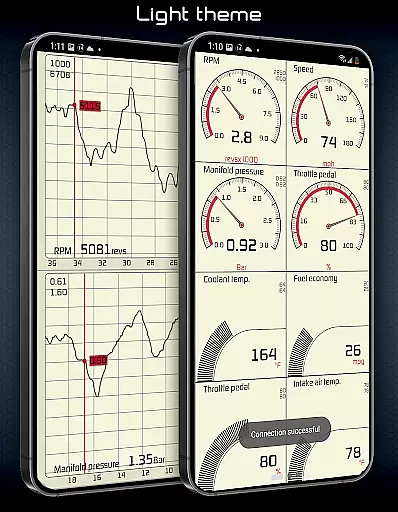
With two themes to choose from and a landscape mode available for all views, the app ensures a comfortable and visually appealing experience across different devices and orientations. This flexibility enhances usability, catering to both casual users and those with more technical expertise.
Furthermore, features like visual and sound notifications for user-defined limits, speed limit warnings, and HUD gauges for night driving contribute to a safer and more informed driving experience. These thoughtful design elements highlight Hondata's commitment to combining powerful functionality with straightforward, accessible controls.
User-friendly interface
Comprehensive sensor coverage
Real-time performance tracking
Advanced diagnostic capabilities
Customizable data visualization
No Android Auto support
Limited device compatibility
Requires specific hardware
Potential connectivity issues
Steep learning curve

 4.50
4.50
pdf merge, word to pdf, jpg to pdf, edit pdf, convert to pdf and much more!
4.20
Use your phone as a webcam on your computer over WiFi or USB.
4.40
Unlock your Essential Key. Create custom shortcuts to your favorite apps!
4.0
Enjoy smooth gameplay with Game Booster
4.90
Navigate with Ease and Style
4.90
View detailed information about your Nissan Leaf the dealer never shows you.
4.10
Undelete and recover your lost or deleted files with DiskDigger!
3.40
Mobile Security with Scam Protection | Malware & Virus Cleaner | Safe Browser
4.70
Extremely fast, secure, and protects your privacy
4.80
Remote Play with FSR upscaling, low latency & full controller support
4.80
Learn the vast amount of system information about device and monitor it's state
4.70
Planner and Tracker for Stardew Valley
4.60
Quickly switch to an encrypted DNS server on Android TV
4.50
Just swipe the edge to do something!
4.40
Complete kernel toolbox with features to manage and tweak your rooted device
4.30
Carry a FTP server in your pocket and avoid USB cables for file transfer
4.20
An open-source APK explorer for Android!
4.10
1-Click close all background apps on Android TV
3.90


User Reviews