
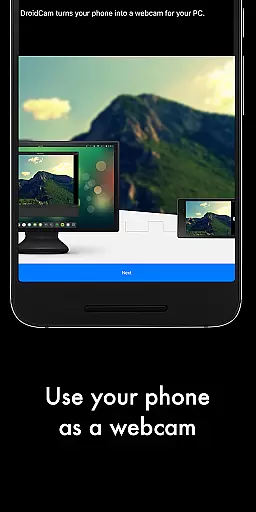
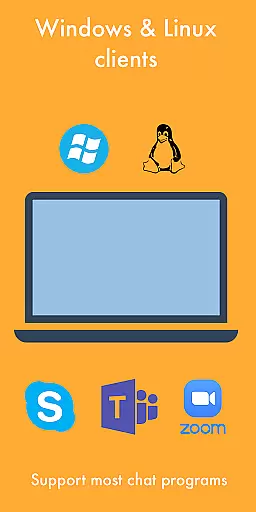
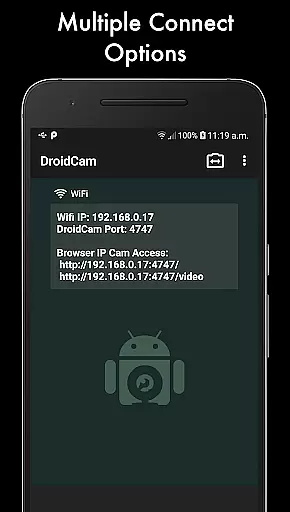
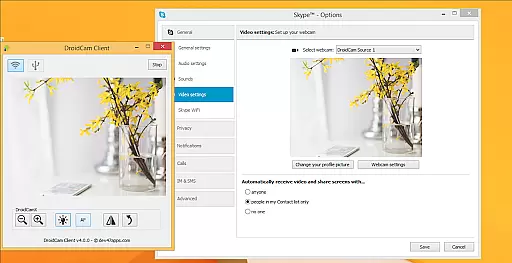
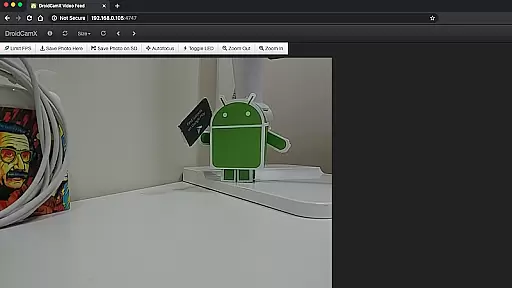
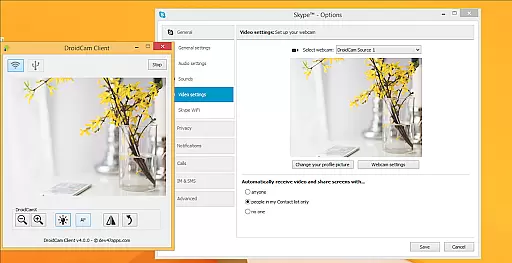
DroidCamX HD (Classic) is a versatile tool that transforms your Android device into a high-quality webcam for your computer. This app allows users to chat using the 'DroidCam Webcam' feature, providing both sound and picture. It supports multiple connection methods including Wifi and USB, ensuring flexibility and convenience.
With HD Mode, DroidCamX supports 720p/1080p video quality, making it ideal for professional video conferencing. The 'Smooth FPS' option in settings ensures more stable video streaming. Additionally, the app allows other non-camera applications to run in the background, enhancing multitasking capabilities. Users can also conserve battery by keeping the app operational even when the screen is off.
DroidCamX HD (Classic) offers a comprehensive set of features designed to enhance user experience. One notable feature is the ability to access the camera via IP Webcam MJPEG, allowing users to connect from a browser or another device. The app provides extensive camera controls such as auto-focus, zoom, flash light, and more, giving users full control over their video feeds.
Another standout feature is the capability to capture still image frames on both the phone and the computer while the app is running. The Windows Client includes pro controls like Mirror, Flip, Brightness, and Contrast adjustments, enabling users to fine-tune their video output. These features collectively ensure a seamless and high-quality webcam experience, suitable for various professional and personal uses.
DroidCamX HD (Classic) excels in delivering accurate and effective core functionalities that transform your Android device into a high-quality webcam. The app ensures precise video and audio transmission between your phone and computer, maintaining clarity and synchronization.
With support for 720p/1080p video quality in HD mode, the application provides sharp and detailed visuals. The 'Smooth FPS' option further enhances video stability, ensuring a seamless experience during video chats or conferences.
The app's ability to work in the background while running other applications showcases its multitasking proficiency. This feature allows users to utilize their devices more efficiently without compromising on performance or battery life.
By offering both Wifi and USB connectivity options, DroidCamX ensures reliable data transfer under various conditions. These connection methods provide flexibility and convenience, adapting to different user needs and technical setups.
The interface of DroidCamX HD (Classic) is designed with simplicity and intuitiveness in mind, making it accessible even for less tech-savvy users. The straightforward setup process allows quick connections between the mobile device and computer clients.
Controls for camera operations such as auto-focus, zoom, and flash are logically placed and easy to understand. This intuitive arrangement enables users to adjust settings effortlessly during video sessions without disrupting the flow of communication.
Additional professional controls available on the Windows client, including mirror, flip, brightness, and contrast adjustments, enhance the user experience without complicating the interface. These features are presented in a clear manner that maintains ease of use.
Moreover, the app's compatibility with IP Webcam MJPEG ensures browser-based access remains simple and efficient. Users can easily capture still images on either their phone or computer while maintaining an uncluttered and functional interface throughout their session.
High-quality video support
Flexible connection options
Extensive camera controls
Background app operation
Battery conservation features
Requires PC client installation
USB setup can be complex
Limited to specific platforms
No native Mac support
Potential connectivity issues

1-Click close all background apps on Android TV
 3.90
3.90
Clean the junk files on your device
3.40
Amateur Radio app for APRS: Track friends, exchange messages, get tactical info.
3.90
Small and simple app to Verify Root Access and BusyBox Install!
4.70
Mirror your screen to Chromecast and Android TV - Super fast and simple
4.60
With videos, electrical calculators, and built-in ebook, Ugly’s has your answer.
4.50
The Ultimate Bluetooth Keyboard & Mouse. Securely control your PC, Mac, and more
4.50
Create your own custom widget with endless possibilities
3.90
Enhance your Beats
3.70
NFC Tools can read and write NFC tags.
4.70
Connect instantly to a fast, encrypted VPN with one tap
4.60
FV File Manager Pro, Fast and powerful file manager for Android
4.60
Screen Mirroring for Roku Sticks, Roku TCL TV and Roku Hisense TV
4.50
Button mapper, mouse toggle, sleep timer and a lot of another features
4.50
Complete kernel toolbox with features to manage and tweak your rooted device
4.30
An easy-to-use calculator designed to save time calculating and bending conduit
4.30
Quickly check the frequency of the Earth
4.30
Effortlessly run ADB commands directly on your device without a PC.
4.20
Smart and comfortable browsing experience.
3.80


User Reviews