
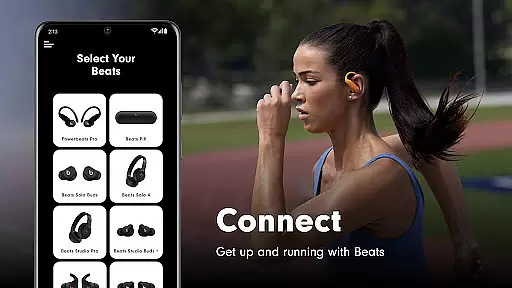
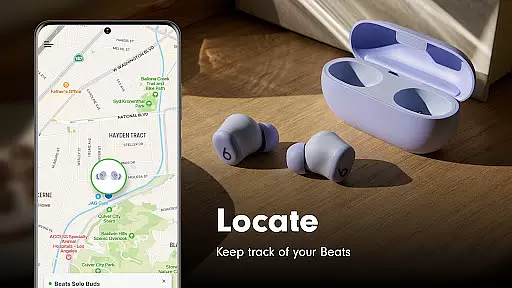
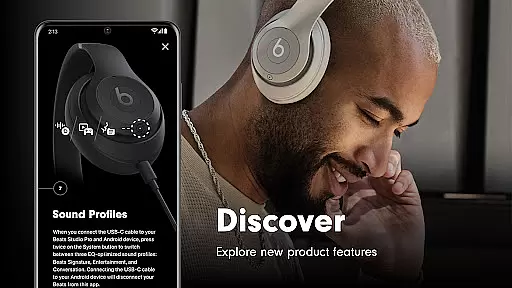
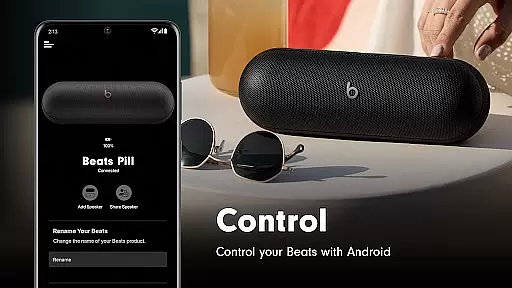
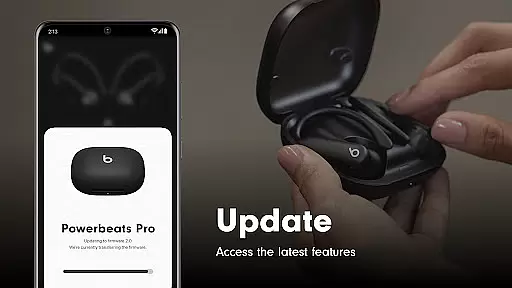
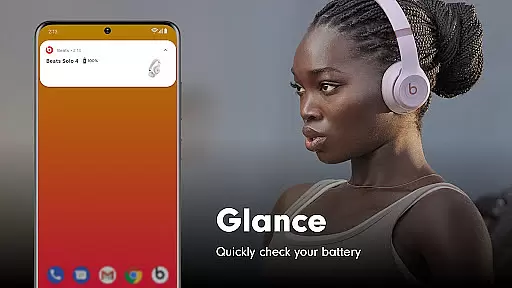
Beats is a powerful companion app designed to enhance your experience with Beats headphones and speakers. The app offers seamless one-touch pairing for quick connections, real-time battery status monitoring, and customizable settings tailored to your preferences. Additionally, users can create personalized Android widgets for easy access to key features or locate misplaced devices on a map (location access required). With built-in firmware updates, the app ensures that your Beats products are always running on the latest software, delivering optimal performance and functionality.
The app supports a wide range of Beats products, including Powerbeats Fit, Beats Solo Buds, Beats Studio Pro, and more. Whether you're managing device settings, checking battery levels, or updating firmware, Beats provides an intuitive interface to streamline these tasks. Its compatibility with multiple models makes it an essential tool for both casual listeners and audio enthusiasts alike.
One of the standout features of the Beats app is its ability to simplify device management through one-touch pairing and customizable widgets. These widgets allow users to monitor battery life, adjust settings, and control playback directly from their home screen. For those who misplace their devices frequently, the app includes a map-based locator function, ensuring you can easily retrieve your headphones or speakers.
Another notable feature is the automatic firmware update system, which keeps your Beats products up-to-date with the latest enhancements and bug fixes. This ensures consistent audio quality and performance over time. Additionally, the app provides analytics options where users can opt-in to share usage data with Beats to help improve future versions of the app and supported hardware. While location and notification permissions are optional, they unlock advanced functionalities such as tracking lost devices and receiving important alerts about updates or low battery levels.
When it comes to tools like the Beats app, core function accuracy and effectiveness are paramount. This application is designed to ensure that your Beats products perform at their best by providing essential features such as one-touch pairing, battery status updates, and firmware upgrades.
The app's ability to connect quickly with simple one-touch pairing ensures a seamless user experience. It also provides easy access to critical information like battery life, allowing users to manage their devices efficiently without interruptions.
Moreover, the Beats app keeps your headphones and speakers up to date with the latest firmware. This feature guarantees that all supported products operate with optimal performance, delivering an exceptional audio experience every time you use them.
A tool is only as good as its interface, and the Beats app excels in providing a simple and intuitive user experience. The design focuses on ease of use, ensuring that even those who aren't tech-savvy can navigate effortlessly through the appu2019s features.
From creating unique Android widgets for your Beats to locating them on a map if misplaced, each function is straightforward and accessible. Users can easily find what they need without sifting through complex menus or settings.
Additionally, optional permissions for location and notifications enhance the intuitiveness of the interface. These options allow users to customize their experience while maintaining control over their privacy, making the Beats app both powerful and user-friendly.
User-friendly interface
Wide device compatibility
Automatic firmware updates
Customizable widgets
Map-based device locator
Location permission required
Limited without notifications
No offline mode
Firmware updates mandatory
Analytics opt-in only

Clean the junk files on your device
 3.40
3.40
Universal TV remote control all TVs, Roku, LG, Samsung, Fire, Vizio, Sony, TCL.
4.40
eXtended Permission Manager - a small app to manage permissions and AppOps
4.50
ADB support Android 4.X-Android 13(Support wireless pair mode).No root required!
4.70
Undelete and recover your lost or deleted files with DiskDigger!
3.40
WiFi Signal Strength Meter help you detect WiFi Signal Strength in real time.
4.80
The Ultimate Bluetooth Keyboard & Mouse. Securely control your PC, Mac, and more
4.50
Create your own custom widget with endless possibilities
3.90
Creation, Learning, Entertainment & More — The All-in-One AI Search Engine
4.70
HD Video player and downloader for all formats, fast & smooth 4K video playback.
4.60 4.50
4.50 4.50
4.50
Game Booster, GFX Tool is now compatible with newer game update
4.50
Pro Emulator is an easy to use game console emulator for a range of consoles.
4.40
Making emulation easy for everyone!
4.30
Quickly & easily calculate the spacing of handrail balusters
4.20
Effortlessly run ADB commands directly on your device without a PC.
4.20
Automate everything from settings to photos, SMS to speech. ADC2 prize winner.
4.10
A recovery soft,it features photo recovery, video recovery, file recovery.
3.40


User Reviews