
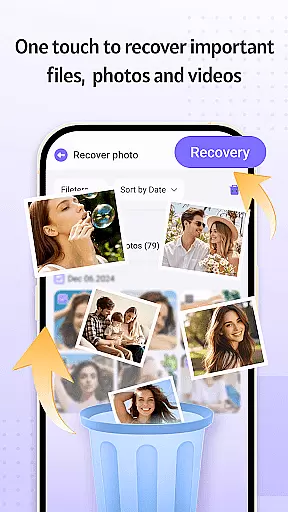
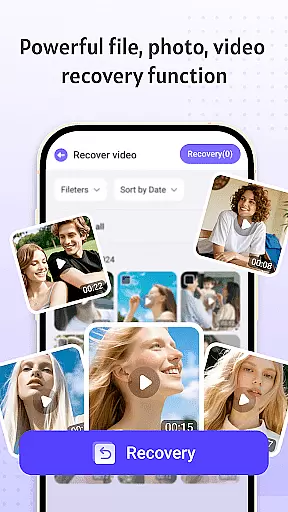
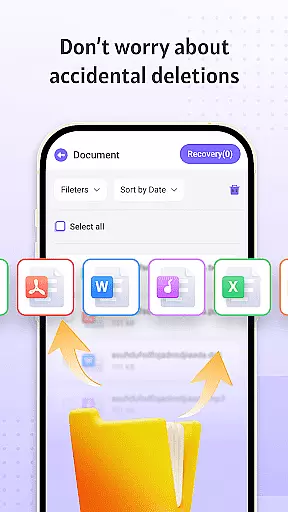


Recovery Photo is a comprehensive file recovery tool designed specifically for users who need to retrieve lost or deleted files. This application offers three core recovery functions: photo recovery, video recovery, and general file recovery, ensuring that users can restore various types of important data.
In addition to its recovery capabilities, the app includes a restored file management feature, which allows users to efficiently organize and view their recovered files. With an intuitive interface and powerful scanning technology, Recovery Photo ensures that users can monitor their device's storage space and manage recovered content with ease.
Whether you've accidentally deleted precious photos, important videos, or critical documents, Recovery Photo provides a reliable solution to bring your digital memories back to life. Its ability to recover cached files from other apps further enhances its utility, making it an essential tool for anyone looking to safeguard their digital assets.
Recovery Photo stands out with its diverse set of features tailored to meet the needs of users requiring robust file recovery options. The app's primary functions include photo recovery, which scans the device to retrieve lost images, allowing users to relive cherished moments. Similarly, the video recovery feature helps restore accidentally deleted video files, ensuring no significant footage is permanently lost.
Beyond multimedia recovery, the app extends its capabilities to general file recovery, supporting documents and other essential file types. Once files are recovered, users can take advantage of the restored file management system, which simplifies the organization and viewing of recovered items. Furthermore, Recovery Photo provides insights into device storage, enabling users to monitor available space and manage their recovered files effectively.
The app's commitment to privacy ensures all recovery processes occur locally on the device, safeguarding user information from unauthorized access. While recovery success may vary based on device specifications, Recovery Photo's advanced algorithms offer the best possible chance to retrieve lost data, making it a valuable asset for any user concerned about data loss.
Recovery Photo is designed to provide users with a reliable solution for recovering lost files, focusing on accuracy and effectiveness in its core functions. The software employs advanced scanning algorithms that meticulously comb through your device's storage to locate recoverable files, ensuring that even the most elusive data can be retrieved.
The app offers specialized recovery options for images, videos, and other file types, each optimized for the specific characteristics of the file category. For instance, photo recovery leverages pattern recognition to reconstruct image files, while video recovery uses frame-by-frame analysis to ensure complete restoration. This targeted approach significantly enhances the likelihood of successful recovery.
Users benefit from not only the high success rate of file retrieval but also the integrity of the recovered files. The software ensures that the recovered files retain their original quality and functionality, allowing users to seamlessly reintegrate these important pieces of data back into their digital lives without any loss of information or usability.
Achieving a balance between powerful functionality and user-friendly design, Recovery Photo features an interface that emphasizes simplicity and intuitiveness. From the moment users launch the app, they are greeted with a clean, organized layout that makes navigation straightforward, even for those who may not be tech-savvy.
The recovery process is streamlined into clear, easy-to-follow steps. Users can initiate scans, preview recoverable files, and manage restored items with just a few taps, eliminating unnecessary complexity. Each function is represented by intuitive icons and labels, ensuring that users understand their options at a glance.
This focus on accessibility extends to the management of recovered files as well. Once files are restored, users can easily organize them within the app, view detailed information, and even monitor their device's storage status. By prioritizing an intuitive experience, Recovery Photo empowers users to focus on what matters mostu2014recovering their valuable data without frustration or confusion.
User-friendly interface
Comprehensive file recovery
Effective photo restoration
Secure local processing
Storage monitoring tools
Varied recovery success rates
Limited by factory resets
Premium features may require payment
Device compatibility issues
Performance depends on storage condition

Quickly switch to an encrypted DNS server on Android TV
 4.50
4.50
An easy-to-use calculator designed to save time calculating and bending conduit
4.30
Signal Strength, Mobile, Wifi, Speed Test, Bad Signals, Cellular, 5G, LTE, 4G
4.20
WiFi Signal Strength Meter help you detect WiFi Signal Strength in real time.
4.80
With videos, electrical calculators, and built-in ebook, Ugly’s has your answer.
4.50
Fast Video Downloader, Movie Downloader, Torrent Downloader & Adblock Browser
4.70
Screen Mirroring for Roku Sticks, Roku TCL TV and Roku Hisense TV
4.50
Introducing Smart Printer, your ultimate destination for printing solutions!
4.00
A clean app.
4.50
The one-and-only remote control for PC, Mac, and Linux
4.70
ADB support Android 4.X-Android 13(Support wireless pair mode).No root required!
4.70
HD Video player and downloader for all formats, fast & smooth 4K video playback.
4.60
Mirror your screen to Chromecast and Android TV - Super fast and simple
4.60
Planner and Tracker for Stardew Valley
4.60
PC precision for mobile gaming: dominate with keyboard and mouse!
4.30 4.10
4.10
MS-DOS in your pocket. Play old DOS games anywhere you are ;)
4.10
View detailed information about your Nissan Leaf the dealer never shows you.
4.10
Create your own live wallpaper or check out thousands already made presets
3.90


User Reviews