
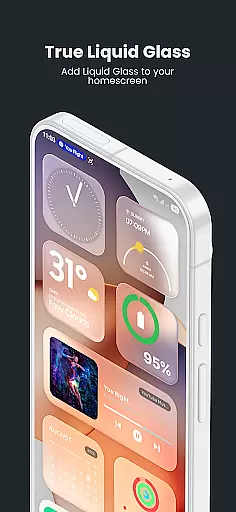
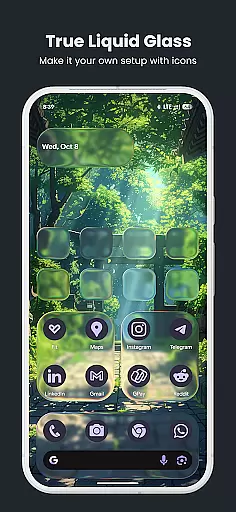
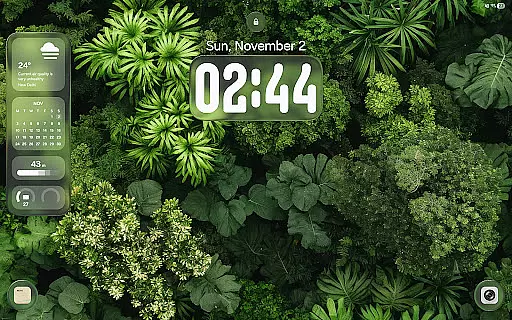
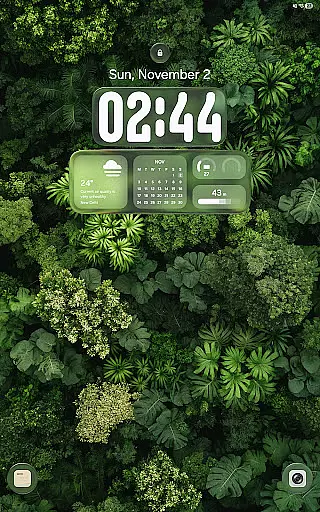
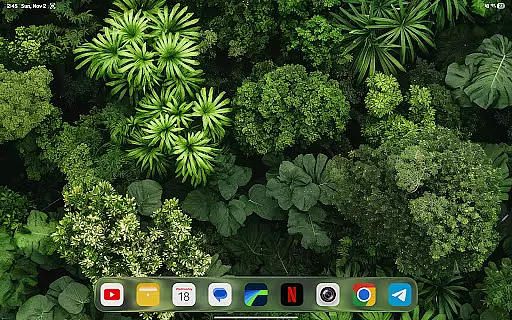
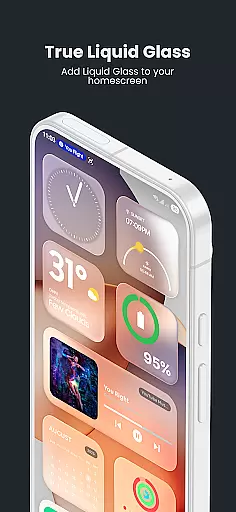
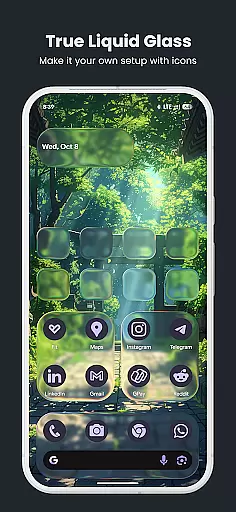
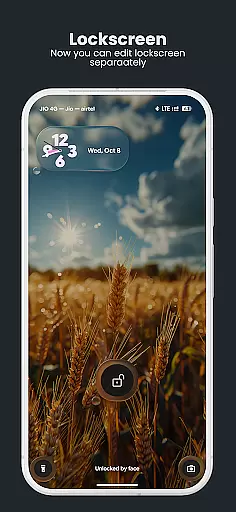
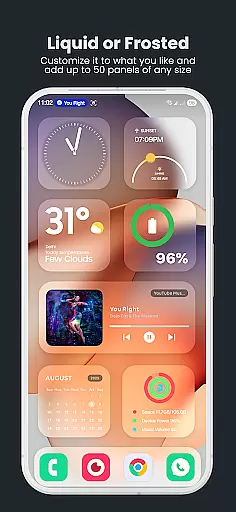
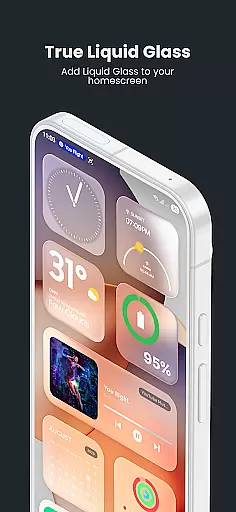
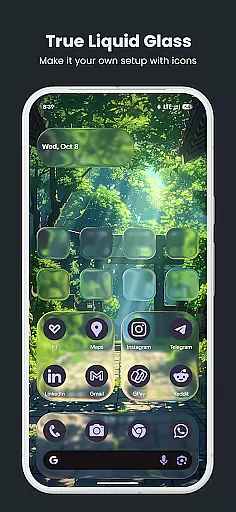
True Liquid Glass revolutionizes mobile aesthetics by providing an interactive live wallpaper solution for Android users. This application specializes in delivering realistic glass effects that enhance both home and lock screens, creating an engaging visual experience
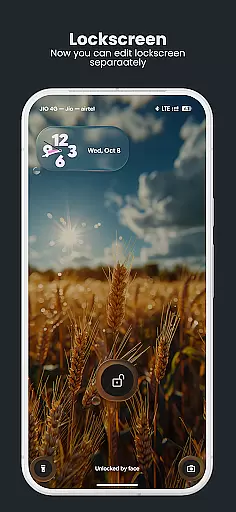
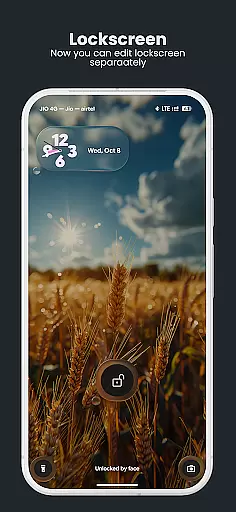
The app's dual layout engine allows users to design independent configurations for different screens while maintaining fluid animated transitions between them. With features like parallax motion and dynamic lighting, it creates a sense of depth that responds to device movement
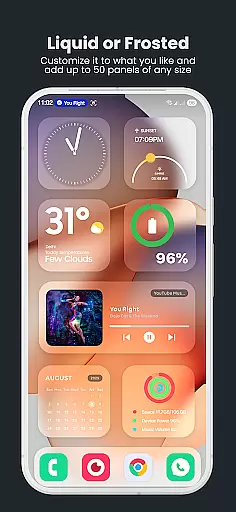
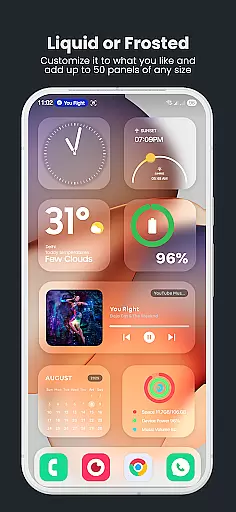
Ideal for those seeking customization, True Liquid Glass enables complete control over visual elements such as blur intensity, refraction, and color tinting. The result is a personalized and sophisticated mobile interface that combines functionality with artistic expression
True Liquid Glass stands out with its comprehensive feature set tailored for creative customization. The application's dual layout system permits distinct designs for home and lock screens, each with independent settings for maximum flexibility
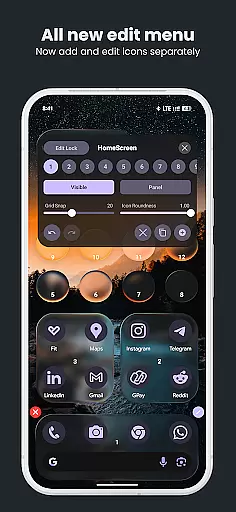
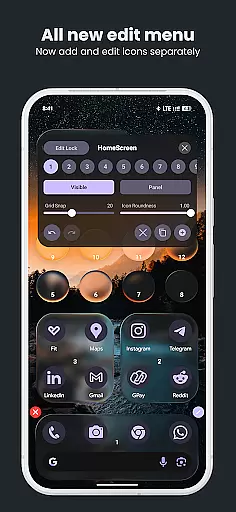
Advanced editing capabilities include real-time adjustments through an intuitive interface. Users can manipulate various parameters including shape, size, position, and visual effects while observing immediate results on their display
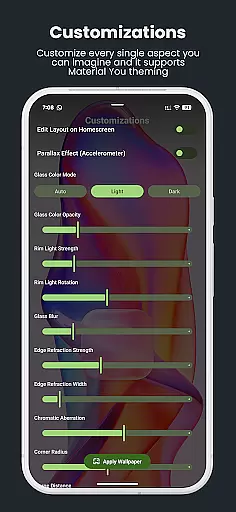
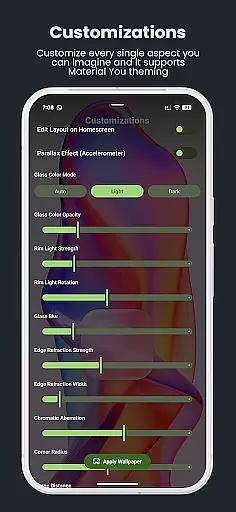
The app incorporates professional-grade tools such as chromatic aberration simulation, rim lighting effects, and motion-responsive elements. These features work together to produce authentic frosted glass visuals that adapt to device orientation and user interaction
True Liquid Glass offers a comprehensive suite of creative tools that cater to users seeking full control over their device's aesthetics. The application provides dual layout engines for both home and lock screens, enabling independent customization.
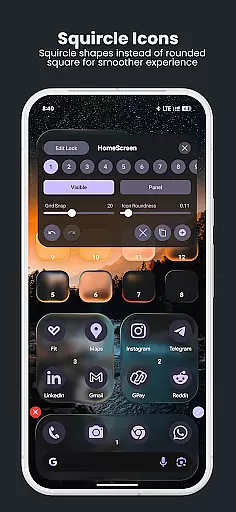
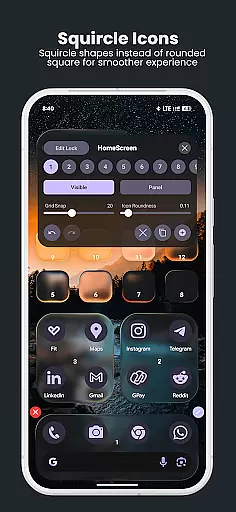
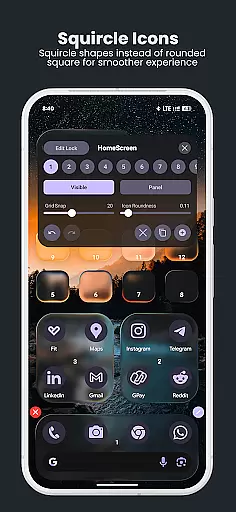
The live editor allows real-time adjustments with intuitive on-screen toggles. Users can manipulate Blur Intensity, Refraction, Panel & Icon Roundness, Tint Color & Opacity, and even motion-reactive effects like chromatic aberration and rim lighting.
With features such as Grid Snap, precise alignment becomes effortless. The ability to switch between icon and panel modes, along with dedicated roundness sliders, ensures maximum flexibility in design choices.
This complete toolkit empowers users to create professional-grade designs without limitations, making True Liquid Glass an exceptional choice for those who value creative freedom in personalization.
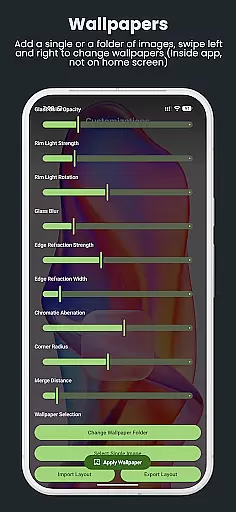
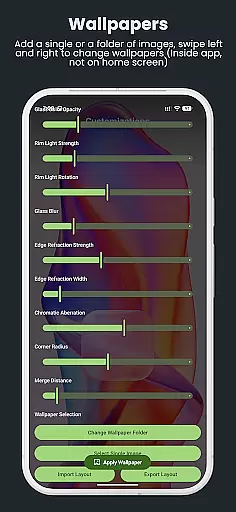
True Liquid Glass demonstrates impressive canvas and format flexibility through its innovative approach to wallpaper customization. The application supports both static images and entire folders as wallpaper sources, allowing users to cycle through multiple backgrounds.
Its dual layout engine enables designers to craft unique compositions for different screen states. The fluid animated transitions between lock and home screens showcase the app's sophisticated handling of various display formats.
Users benefit from advanced features like parallax motion effects and accelerometer-based depth perception. These elements adapt seamlessly across different Android devices and screen resolutions.
The inclusion of presets for saving, backing up, and sharing layouts further enhances format versatility. This flexibility ensures that users can maintain consistent quality across various devices while enjoying the freedom to experiment with different visual styles.
Highly customizable
Realistic glass effects
Dual layout engine
Live preview feature
Motion-sensitive design
May drain battery
Requires permissions
Complex for beginners
Device compatibility
Premium features cost

Discover Cartoon Dream : Unleash Your Creativity with CuttingEdge AI
 4.50
4.50
Sketch, plan, take notes and illustrate on an infinite canvas.
4.20
Convert image to JPG PNG HEIC PDF, support almost all kinds of image formats
4.70
Art of Combination Wear OS Watch Faces
3.30
Art of Combination Wear OS Watch faces (for Wear OS 5+ devices)
3.90
Unleash the artist in you with our AR drawing and tracing tool for photo drawing
4.10
Retouch photos. Create or edit images. Endless capabilities.
2.70
Create cute cat emojis & PFPs! Fun, custom avatars for cat lovers.
3.70
Explore future self face age filter & remove background image for a unique look.
3.50
Passport size photo maker, create ID photo and visa photo in seconds
4.80
Logo Generator powered by AI: Create stunning logos effortlessly!
4.70
Minecraft & Roblox Clothes
4.70
The ultimate tool for creating animations
4.60
800+ Drawing, Painting Lessons App to Practice, Sketch & Paint Art.
4.30
Customizable Outlined Fonts. Watch Face Format. Battery friendly Digital Clock.
4.20
AR Anime Drawing: How to draw anime with AR drawing & sketching apps!
4.00
Sketch and paint on your device with the feel and freedom of drawing on paper
4.00
Resize photos and print photos in exact size with our powerful photo printer!
3.80
Art of Combination Wear OS Watch faces (for Wear OS 5+ devices)
3.00


User Reviews