
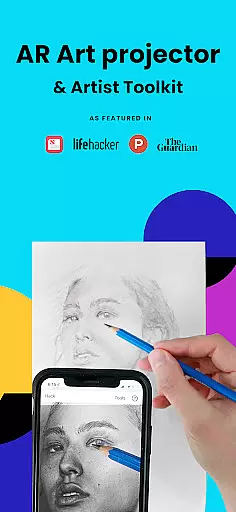
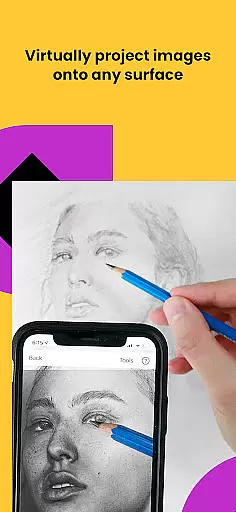
Da Vinci Eye's AR Art Projector is a cutting-edge mobile application designed for artists seeking to enhance their drawing and sketching skills. By utilizing augmented reality technology, this app transforms your device into a powerful art projector, enabling precise tracing and detailed artwork creation.
This app stands out as a premier digital tool in over 100 countries, praised by publications like Artist's Magazine and The Guardian. It offers a comprehensive suite of features including step-by-step drawing lessons, video tutorials, and a vibrant community platform for sharing artwork.
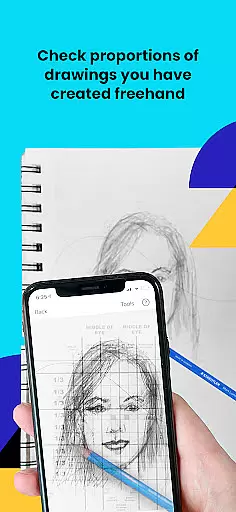
Whether you're a professional illustrator or hobbyist baker, Da Vinci Eye adapts to all skill levels. Its innovative AR tracing mode and classic drawing mode provide flexible options for creating hyper-realistic drawings while training your eye for proportions and refining your technique.
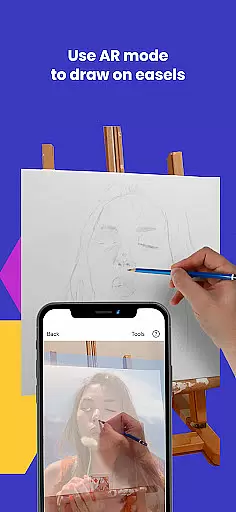
Da Vinci Eye's AR Art Projector revolutionizes artistic creation by offering advanced augmented reality tools. This application allows users to trace, sketch, and draw with remarkable precision using their mobile devices as virtual art projectors.
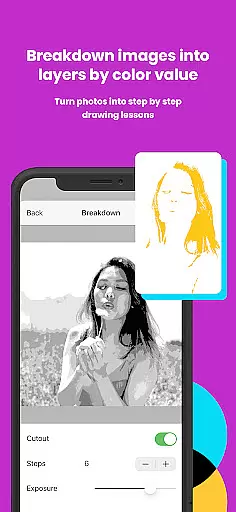
The app provides an extensive suite of features including the ability to break down images into step-by-step instructions, use filters for easier drawing, and zoom in for intricate details. It also includes video tutorials that cover various techniques, making it perfect for artists at any skill level.
What sets this app apart is its unique AR tracing mode which anchors images to real-world objects, allowing for dynamic movement while maintaining alignment. Additionally, the supportive artist community and insanely fast customer support create an ecosystem conducive to artistic growth and improvement.
For any digital art application, the comprehensiveness of creative tools is vital. AR Art Projector offers an extensive suite of features that cater to artists of all levels. The app provides advanced drawing and sketching capabilities through its AR art projector and tracing tool, allowing users to create detailed artwork with precision.
The inclusion of a strobe feature enables hyper-realistic drawings by capturing micro-details, while the ability to separate images into layers by color value adds depth to the creative process. These functionalities ensure that artists can experiment with light, shadow, and color in innovative ways.
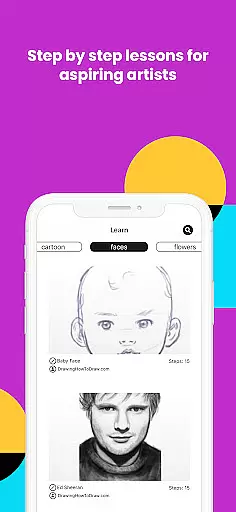
Furthermore, the app supports artistic growth with video tutorials and step-by-step shading lessons. This educational component enhances the user experience by providing valuable learning resources within the app itself. Such comprehensive support empowers users to refine their skills and expand their artistic repertoire.
By integrating these diverse tools, AR Art Projector establishes itself as an indispensable resource for creatives seeking to elevate their craft. Whether you're a professional illustrator or hobbyist, the app's robust toolkit ensures you have everything needed to bring your artistic visions to life.
Flexibility in canvas and format options is essential for digital artists who require adaptability in their creative workflows. AR Art Projector excels in this area by offering versatile solutions that accommodate various artistic needs. Users can sketch or draw on any surface, making it suitable for different mediums and techniques.
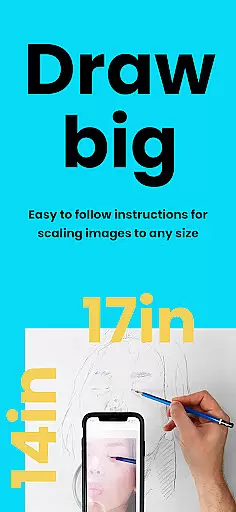
The app's zoom functionality allows artists to capture intricate details in their work, ensuring precision even in the most complex pieces. This feature is particularly beneficial when working on large-scale projects or detailed illustrations where accuracy is paramount.
Additionally, the app supports both AR and Classic drawing modes, giving users the freedom to choose their preferred method of creation. While AR mode anchors images to real-world objects for enhanced mobility, Classic mode provides stability akin to traditional art projectors. This dual-mode flexibility caters to different artistic styles and preferences.
By providing these adaptable canvas and format options, AR Art Projector empowers artists to explore new creative possibilities without limitations. The app's versatile nature ensures that users can seamlessly transition between various projects and mediums, enhancing their overall artistic experience.
Augmented reality
Step-by-step lessons
Vibrant artist community
Extensive feature set
Cross-platform support
Requires high-end device
Subscription fees apply
Learning curve present
Occasional bugs reported
Limited offline features

Pose and morph realistic male and female models! 3D poser app
 3.00
3.00
Art of Combination Wear OS Watch faces (for Wear OS 5+ devices)
3.00
Digital illustration drawing & painting pad app to paint Anime and Manga art
4.50
Photo blender app to create overlay photos & double exposure.
4.40
Art of Combination Wear OS Watch Faces
4.3
Passport size photo maker, create ID photo and visa photo in seconds
4.80
Photo editor for art, avatars, filters & fun transformations.
4.60
Painting, drawing, & sketching
4.50
Create and Design Custom Logos in Seconds with AI-Powered Tools!
4.40
Castle is social media for creating and playing games!
4.60
Image resizer to resize, crop, rotate, flip, change dpi photo or picture in bulk
4.60
Draw anime & manga drawing, art with templates to create stunning picture!
4.50
Create color palette from Image, RGB & RYB Color wheel harmonies, Color Scheme
4.50
Just trace a projected picture on paper and color! Draw & Paint with AR drawing
4.40
Nano Banana AI Image Generator, Anime Filter, AI Portrait, AI Photo Generator
4.30
AI Art Generator transforms your words into AI generated art & paintings.
3.70
Retouch photos. Create or edit images. Endless capabilities.
2.70
Android 14 style widgets and wallpapers app.
4.1
A luxurious gold watch face for an elegant and refined look.
4.2


User Reviews