
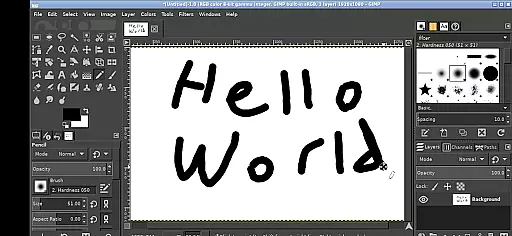
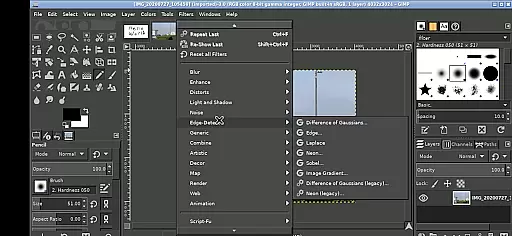
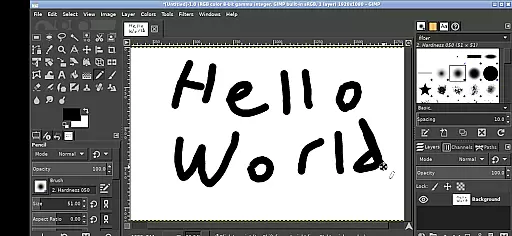
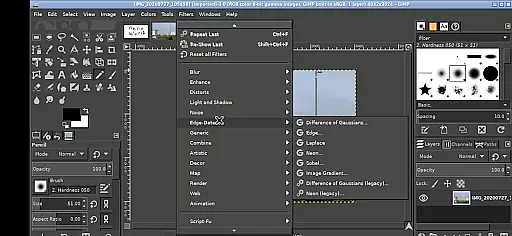
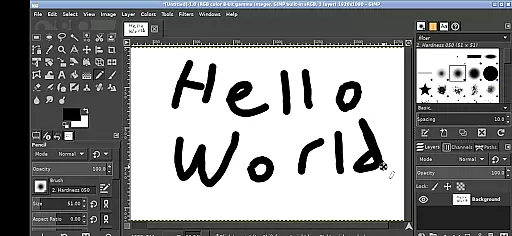
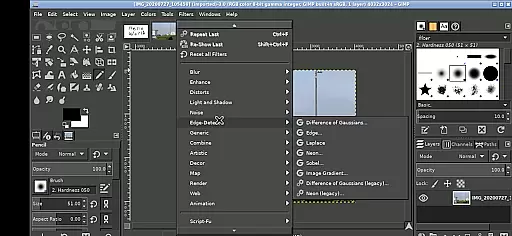
GIMP for Android brings the full power of the GNU Image Manipulation Program to your mobile device. This professional-grade image editing software offers all the tools you would expect from a desktop application, including advanced photo retouching, image composition, and image authoring capabilities.
The app supports various touch gestures for ease of use on mobile devices. Key functionalities include one-finger tapping to left-click, pinch-to-zoom, and two-finger sliding for right-click actions. It also provides seamless access to your Android files through useful links in the home directory, making file management effortless.
GIMP's feature set is extensive, offering professional tools for photo retouching, image composition, and authoring. The Android version retains these capabilities while adapting the interface for mobile use. Users can perform complex image editing tasks such as color correction, cloning, and airbrushing with precision.
The app includes several Android-specific features. These include gesture controls like pinch-to-zoom and pan-by-hold, virtual keyboard access, and desktop scaling adjustments through notification settings. The app runs the Linux version of GIMP on Android, maintaining compatibility with GPLv3 licensing while providing an intuitive mobile experience.
In the realm of digital art and design, having a comprehensive suite of creative tools is paramount. GIMP, the GNU Image Manipulation Program, stands out by offering an extensive array of features that cater to both amateur artists and professional designers. This includes advanced photo retouching, image composition, and image authoring capabilities.
GIMP's functionality spans from basic editing tasks such as cropping and resizing to complex operations like color correction, cloning, and airbrushing. The inclusion of sophisticated tools like paths, layers, and channels allows users to create intricate designs with precision. Moreover, its support for various plugins extends its capabilities even further, ensuring that it meets the demands of diverse creative projects.
For users on Android devices, GIMP maintains its desktop-grade functionalities while adapting to touch-based interactions. With gestures like pinch-to-zoom and tap-to-click, the mobile experience remains intuitive without sacrificing the depth of its feature set. This makes GIMP not just a powerful tool but also a versatile companion for creatives who are often on the go.
A crucial aspect of any design software is its ability to handle different canvas sizes and file formats with ease. GIMP excels in this area by providing users with the flexibility to work on projects of varying scales and resolutions. Whether you're designing for web, print, or multimedia, GIMP supports a wide range of file formats including JPEG, PNG, GIF, and many more.
The application allows creatives to customize their canvas dimensions according to specific project requirements. Need a poster-sized design or a small icon? GIMP can accommodate these needs effortlessly. Additionally, its compatibility with SVG files ensures that vector graphics retain their quality at any size, making it ideal for scalable designs.
Furthermore, GIMP's integration with Android enhances its format flexibility through seamless access to files across the device. Users can easily navigate directories and incorporate assets from their Documents or Pictures folders directly into their projects. This level of accessibility empowers designers to focus on their creative process without being hindered by technical limitations.
Full-featured image editing
Professional toolset
Intuitive gesture controls
Seamless file access
Open-source and free
Steep learning curve
Complex interface
Performance may vary
Limited mobile optimization
No native Android UI

AI generated images & photos, turn your words into drawing, painting & pictures.
 4.30
4.30
Art of Combination Wear OS Watch faces (for Wear OS 5+ devices)
3.00
Your AI soulmate — meaningful chats, and unique emotional moments
4.70
Art of Combination Wear OS Watch faces (for Wear OS 5+ devices)
3.90
Everything you need to create hand drawn animation, anywhere you go!
4.40
Beauty Camera - Selfie Camera is the ultimate beauty camera and selfie app
4.30
Kling AI is an image and video generation and editing studio powered by AI.
4.50
Explore future self face age filter & remove background image for a unique look.
3.50
Unleash your inner artist! Sketchar: AR Drawing for Limitless Creativity
4.40
Novices can also easily complete diamond painting masters
4.70
Video AI: Revolutionize Your Content Creation with Advanced Video Generation
4.50
AI Tattoo Generator: Create Tattoo Designs & Get Ideas! Ink & Stencil Maker
4.50
Custom Character Creator & PFP Maker!
4.20
Unleash the artist in you with our AR drawing and tracing tool for photo drawing
4.10
Easy 3D drawing design maker & creator. Model designing, Sculpting. Create&paint
4.00
AR Anime Drawing: How to draw anime with AR drawing & sketching apps!
4.00
Get creative and make art with your Sesame Friends!
4.00
Powerful home decoration & house design that allows you to design dream home.
3.80
Meet the magic aı 3d photo generator and smart AI video generator app.
3.20


User Reviews