
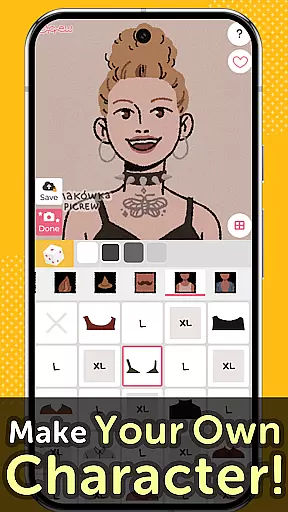
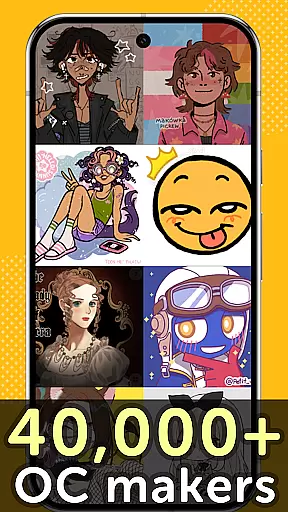
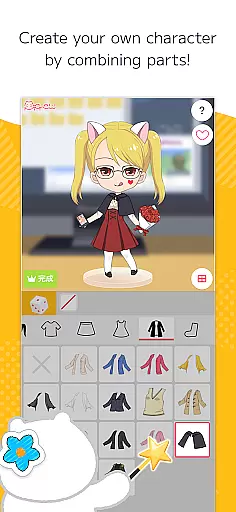
Picrew PFP & OC Maker is a versatile avatar and character creation platform that allows users to design unique profile pictures, icons, and characters completely free of charge. With over 10,000 Image Makers available, the app caters to various tastes including cute, cool, stylish, or even scary aesthetics. Users can create avatars that resemble themselves by combining facial features or dress up their characters with different clothing parts. The images created can be downloaded for free or shared on social media platforms like Facebook, X, and LINE.
The app also offers specialized tools such as Dress-up Maker and Random Maker, which allow users to either manually select parts or generate images based on luck. Additionally, Picrew provides features like search, tags, bookmarks, report, and block functionalities to enhance user experience. Whether you are looking to create an anime-style avatar, aesthetic pfp, or cartoon icon, Picrew has all the tools you need to unleash your creativity.
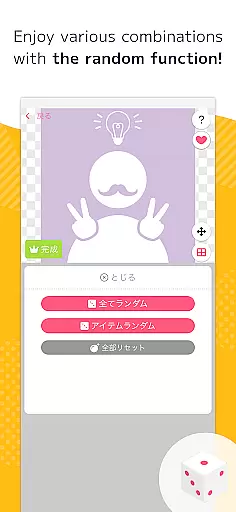
Picrew PFP & OC Maker stands out with its comprehensive suite of creative tools designed to cater to diverse artistic needs. One of the key features is the Dress-up Maker, which allows users to meticulously select and combine various parts to create their desired images. This feature is complemented by the Random Maker, which generates images based on chance, providing a fun and unpredictable element akin to fortune-telling or random drawing.
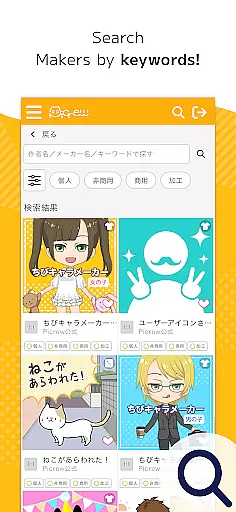
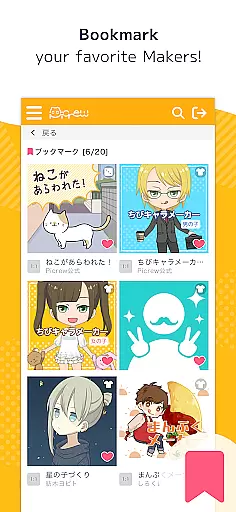
In addition to these core functionalities, Picrew integrates seamlessly with social media platforms, enabling users to share their creations effortlessly on Facebook, X, LINE, and more. The app also includes advanced search capabilities, allowing users to find specific Image Makers using keywords or categories. Tags set by creators further refine this search process, ensuring users can discover content that aligns with their preferences. Furthermore, the bookmark feature lets users save their favorite Image Makers for quick access, while the report and block functions help maintain a safe and enjoyable environment by allowing users to flag inappropriate content or hide unwanted Image Makers.
Picrew PFP & OC Maker stands out in the Art & Design category by offering an extensive suite of creative tools that cater to a wide array of customization needs. The app provides users with Dress-up Maker and Random Maker functionalities, enabling the creation of personalized avatars and characters through an intuitive selection of parts or randomized outcomes.
With features like Social Media Integration, Search, Tag, Bookmark, Report, and Block, Picrew ensures not only comprehensive creative freedom but also a safe and organized environment for users to explore its vast library of over 10,000 Image Makers. These tools collectively empower users to design stylish profile pictures, craft original characters, and create aesthetic icons with ease.
The true value of Picrew lies in its versatility and depth, allowing both casual users and professional designers to execute their vision without limitations. Whether it's designing anime-style avatars or crafting unique social media icons, Picrew's robust toolkit supports every step of the creative process, making it an indispensable resource for character creation.
In addition to its creative toolset, Picrew PFP & OC Maker excels in providing remarkable canvas and format flexibility, ensuring that users can customize their creations to precise specifications. This flexibility allows creators to experiment with various styles, from cute and cool to stylish and even a little scary, reflecting their personal aesthetic and vision.
Users can effortlessly switch between different formats to suit their project needs, whether they're designing for social media profiles, gaming avatars, or personal projects. The app supports diverse image outputs that are optimized for various platforms, thus enhancing the adaptability of each creation across different digital environments.
This level of canvas and format flexibility not only broadens the scope of user creativity but also significantly improves workflow efficiency. By removing technical barriers and empowering users with adaptable design options, Picrew positions itself as a top choice for artists seeking both precision and creative freedom in their digital art endeavors.
User-friendly interface
Versatile customization options
Free to use
Extensive library of Image Makers
Active community of creators
Limited advanced features on mobile
Some Image Makers have restricted usage rights
Occasional inappropriate content
Dependent on creator contributions
No offline functionality

Vidu is an AI video generator made for creators and aspiring makers.
 3.30
3.30
Stylish letters, Stylish Keyboard, Symbols, Emojis, Cool nickname
4.40
Design your dream room with AI. Get decor ideas & plan home interiors
3.90
Apply cartoon, caricature, and portrait effects to make your photos stand out!
3.60
800+ Drawing, Painting Lessons App to Practice, Sketch & Paint Art.
4.30
Your AI soulmate — meaningful chats, and unique emotional moments
4.70
Get an overview over all your embroidery threads, projects and more.
4.60
Draw, make movies & animate cartoons easily with our 2D animation maker app
4.40
All-in-One art, logo & collage maker. Design photos and edit video backgrounds
4.80
Passport size photo maker, create ID photo and visa photo in seconds
4.80
2D animation studio for Android tablets - unlimited layers, infinite timeline
4.70
Digital, Abstract, Classic - all types of color wheels in one app!
4.60
Turn your drawings into flipbook-style animations with simple creative tools
4.60
Remove Background, Magic Eraser, Photo Enhancer, Story Templates, Collage Maker
4.30
Digital Drawing: Draw & Paint
4.10
Unleash Your Creativity with Draw Cartoon - AR Drawing App
4.10
Easy 3D drawing design maker & creator. Model designing, Sculpting. Create&paint
4.00
Get creative and make art with your Sesame Friends!
4.00
Create sweet, cool and unique couple avatars easily, in just a few steps!
3.40


User Reviews