
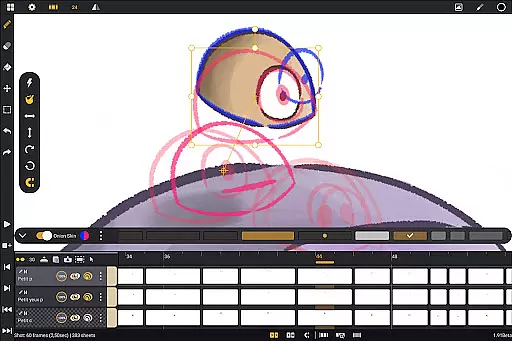
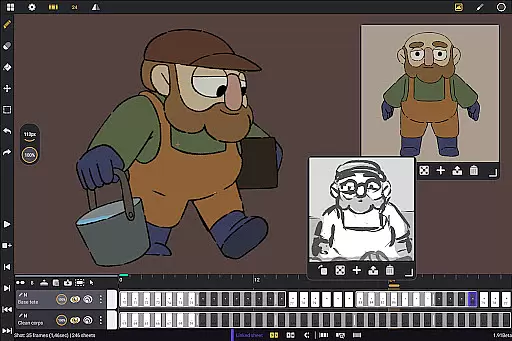
Callipeg is a professional-grade 2D hand-drawn animation application tailored for both seasoned animators and beginners. It brings the functionality of a complete animation studio to Android devices, particularly optimized for tablets with stylus support. The app allows users to create frame-by-frame or keyframe animations, develop storyboards, and produce full-fledged animation shots without subscription fees.
The software offers advanced features such as studio-like organization tools, adjustable frame rates up to 60fps, and canvas sizes reaching 4K resolution. With unlimited layer support, comprehensive drawing tools, and onion skinning capabilities, Callipeg ensures a seamless animation workflow. Its customizable workspace and flexible import/export options in multiple formats make it an essential tool for professional animators.
Whether working on feature-quality animations or simple sketches, Callipeg provides the necessary tools to support every step of the creative process. Trusted by professionals worldwide, this app transforms an Android tablet into a powerful animation studio, enabling creators to work efficiently from anywhere.
Callipeg stands out with its robust set of features designed to meet industry standards. One of its core strengths is the studio-like organization system, where users can manage shots, scenes, and folders through drag-and-drop functionality. The integrated search and color tagging system streamline asset management, ensuring that projects remain organized even at larger scales.
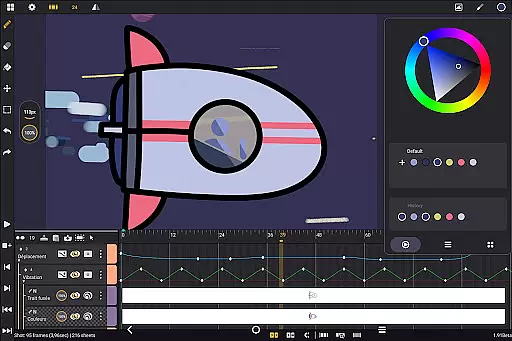
The app supports advanced animation techniques with adjustable frame rates and a large canvas size of up to 4K. Animators can utilize unlimited layers, importing various media types like images, video clips, and audio files for techniques such as rotoscopy and lip-syncing. Drawing tools include a versatile brush set with customization options for smoothing, tip shape, and texture, alongside a sophisticated color management system.
Additional features include onion skinning with opacity control, gesture-based playback, and a fully customizable workspace. Users can switch between right- and left-handed interfaces, reposition sidebars, and invert the canvas for better proportion checks. Export options are flexible, supporting formats like .mp4, .gif, .png, and industry-standard project files, making Callipeg suitable for professional workflows.
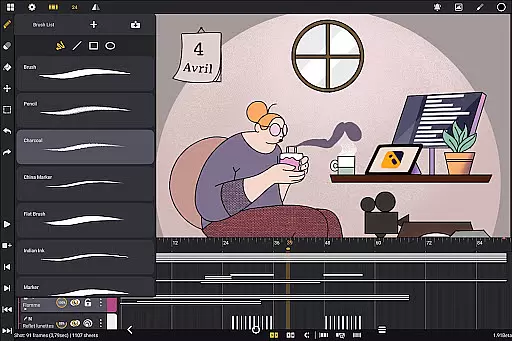
Callipeg offers a comprehensive suite of creative tools that cater to both professional animators and beginners. The app provides an extensive brush set including pencil, charcoal, and ink options, each customizable in terms of smoothing, tip shape, and texture.
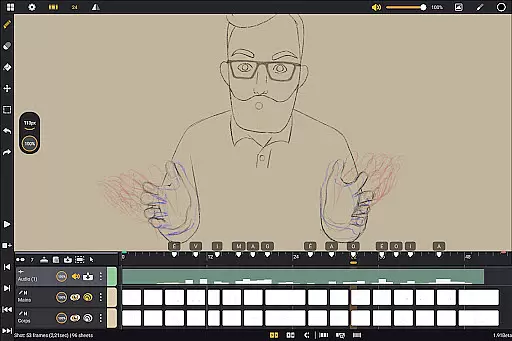
With support for unlimited layers of various types such as drawing, video, transformation, audio, or group layers, users can import images, video clips, and audio files to enhance their animations. This versatility allows for techniques like rotoscopy and lip-syncing, making it a full-featured animation studio on your Android device.
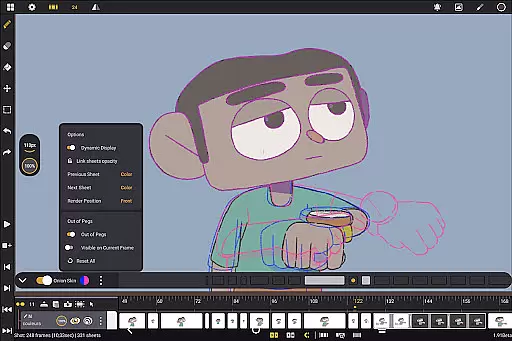
The inclusion of onion skinning with adjustable opacity and color settings for up to eight frames ensures precise control over animation sequences. Additionally, the app's flexible workspace can be customized for right- or left-handed use, with movable sidebars and unlimited reference image imports.
Export options are equally robust, supporting formats like .mp4, .gif, .png, .tga, .psd, and .peg, along with project file compatibility in industry-standard formats. These features collectively ensure that Callipeg delivers a complete creative toolkit for 2D animation professionals.
Callipeg demonstrates exceptional canvas and format flexibility, designed to meet professional animation standards. Users can work with canvas sizes up to 4K resolution, ensuring their creations maintain high-quality output suitable for various professional applications.
The app supports adjustable frame rates including 12, 24, 25, 30, or 60 frames per second, allowing animators to match industry-specific requirements or personal preferences. This flexibility extends to its organizational capabilities, where shots can be arranged through drag-and-drop functionality and managed using scenes, folders, color tags, and filters.
Format compatibility is another strong point, with the ability to import and export project files in multiple professional formats such as .json, .xdts, and .oca. This ensures seamless integration with other industry-standard software while maintaining timing and layer structure across different platforms.
Furthermore, the app's interface can be inverted to check proportions and offers unlimited reference image imports, providing additional flexibility during the creative process. These features make Callipeg an ideal choice for animators seeking both canvas size adaptability and comprehensive format support.
Professional-grade tools
No subscription model
Excellent stylus support
Flexible export options
Active user community
Steep learning curve
High system requirements
Limited mobile optimization
Occasional bugs
Interface complexity

Transform photos into amazing monochrome dither art with professional algorithms
 4.4
4.4
Create neon drawing with magic doodle and fun doodle art effects!
4.50
Draw beautiful mandala's very easily
4.60
Create stunning video, photo & magic from text with FlixAI GPT video generator.
3.10
Draw glowing spinners, relax, and spin your creative art
4.60
Unleash the artist in you with our AR drawing and tracing tool for photo drawing
4.10
Share the joy of painting with ibis Paint! Drawing anime and manga art.
4.50
Kling AI is an image and video generation and editing studio powered by AI.
4.50
All-in-One art, logo & collage maker. Design photos and edit video backgrounds
4.80
Image resizer to resize, crop, rotate, flip, change dpi photo or picture in bulk
4.60
Unleash your drawing and painting potential
4.50
Create color palette from Image, RGB & RYB Color wheel harmonies, Color Scheme
4.50
Video AI: Revolutionize Your Content Creation with Advanced Video Generation
4.50
AI Tattoo Generator: Create Tattoo Designs & Get Ideas! Ink & Stencil Maker
4.50
Trace, draw, and create art with AR - from memes to masterpieces!
4.30
Sketch and paint on your device with the feel and freedom of drawing on paper
4.00
Draw anime easily with AR guidance, sketch templates & trace tools!
3.10
Your Essential Color Theory Guide: Red, Yellow, Blue (RYB)
4.4
A luxurious gold watch face for an elegant and refined look.
4.3


User Reviews