
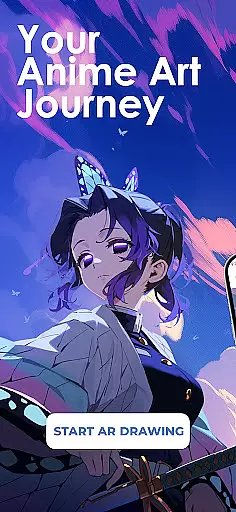
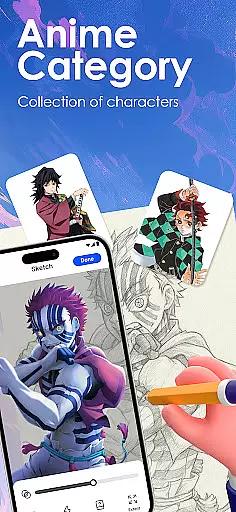
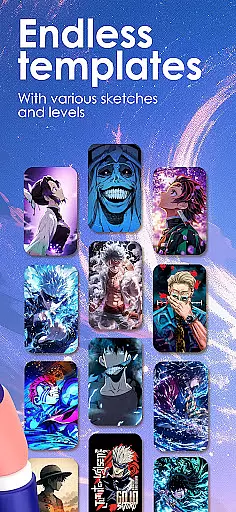
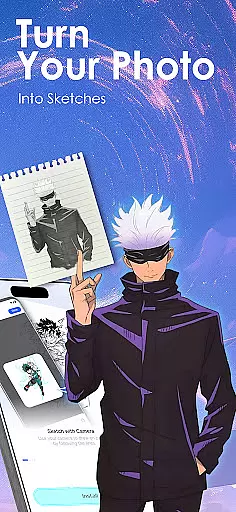
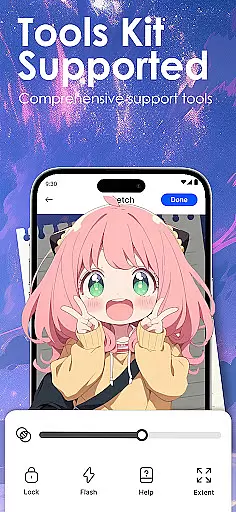
Draw Anime: AR Sketch & Trace is a revolutionary drawing application designed specifically for anime enthusiasts and artists. This app combines the power of augmented reality (AR) with traditional sketching techniques, allowing users to create stunning anime artwork with ease. Whether you're a beginner or a professional artist, this tool offers an intuitive platform to bring your anime ideas to life.
The core functionality revolves around AR-guided drawing, where users can trace characters, objects, or designs through their phone's camera. The app projects clear outlines onto paper, providing confidence while sketching. Additionally, it features a comprehensive library of anime templates including manga, chibi, and fanart styles. With personalized learning paths and detailed video tutorials, Draw Anime ensures steady artistic growth for all skill levels.
This app is particularly useful for aspiring anime artists who want to improve their anatomy, proportions, and overall art techniques. By offering adjustable opacity, zoom controls, and recording features, it creates an optimal environment for both learning and professional work. The ability to import personal photos and convert them into traceable outlines adds another layer of creative freedom.
Draw Anime: AR Sketch & Trace stands out with its innovative approach to digital art education. The app's most distinctive feature is its AR guidance system, which transforms complex images into simple sketch outlines that are easy to trace. This technology bridges the gap between traditional drawing methods and modern digital tools, making it accessible for artists at any level.
Another key aspect is the app's extensive content library, which includes thousands of anime-specific templates. These range from basic character designs to intricate fanart pieces, catering to various artistic preferences. The app also incorporates a structured learning system with beginner, intermediate, and expert levels, ensuring progressive skill development. Users can track their progress and access customized lessons that match their favorite anime genres.
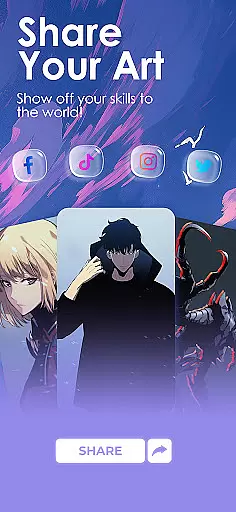
The social sharing component adds significant value by enabling artists to showcase their work within a supportive community. The app allows users to save their drawing processes as videos, creating valuable content for sharing or self-review. Additional practical features include adjustable drawing parameters, unlimited creativity options through photo imports, and detailed analytics for personal growth tracking.
In the realm of digital artistry, having a comprehensive set of creative tools is essential for artists to fully express their visions. Draw Anime: AR Sketch & Trace offers an extensive suite of features that cater specifically to anime enthusiasts and professionals alike.
At its core, this app provides advanced Augmented Reality (AR) technology, enabling users to draw with AR guidance. This feature allows artists to trace anything through their camera, be it anime characters, real objects, or original designs, with clear outlines projected onto paper for confident sketching.
Moreover, the app includes a growing library of templates covering various styles such as anime, manga, and chibi, alongside fanart and trending designs. These resources ensure that creators have access to a wide array of inspiration and reference materials.
The inclusion of video tutorials tailored for anime lovers further enriches the learning experience, making Draw Anime: AR Sketch & Trace not just a drawing app but a complete creative environment designed to nurture artistic growth and exploration.
Flexibility in canvas and format options is crucial for artists who wish to explore different mediums and styles without being constrained by their tools. Draw Anime: AR Sketch & Trace excels in providing users with unparalleled adaptability in their creative process.
One standout feature is the ability to import personal photos and instantly convert them into traceable outlines. This functionality empowers artists to work from their unique references, adjusting opacity and zoom levels to suit their preferences and achieve precision in their work.
Additionally, the app supports recording of the drawing process, allowing users to save and review their artistic journey. This feature not only aids in personal reflection and improvement but also serves as a valuable resource for sharing techniques and progress with the community.
By offering these versatile canvas and format options, Draw Anime: AR Sketch & Trace ensures that artists can seamlessly transition between different projects and styles, fostering an environment where creativity knows no bounds.
User-friendly interface
Extensive template library
AR-guided tracing
Progress tracking system
Community sharing platform
Requires stable internet
Premium content locked
Steep learning curve
Limited offline features
Device compatibility issues

Transform photos into amazing monochrome dither art with professional algorithms
 4.4
4.4
Image/ Text to Video Generator
4.40
Make your phone cooler and have a fantastic experience
4.80
AI Art Generator transforms your words into AI generated art & paintings.
3.70
Design unique, funny and adorable cat stickers that reflect your own style!
3.80
AR Anime Drawing: How to draw anime with AR drawing & sketching apps!
4.00
Get creative and make art with your Sesame Friends!
4.00
Resize photos and print photos in exact size with our powerful photo printer!
3.80
Video AI: Revolutionize Your Content Creation with Advanced Video Generation
4.50
Passport size photo maker, create ID photo and visa photo in seconds
4.80
Learn how to draw with step-by-step tutorials, fun lessons & multiplayer drawing
4.70
Novices can also easily complete diamond painting masters
4.70
2D animation studio for Android tablets - unlimited layers, infinite timeline
4.70
Digital, Abstract, Classic - all types of color wheels in one app!
4.60
Draw beautiful mandala's very easily
4.60
Discover Cartoon Dream : Unleash Your Creativity with CuttingEdge AI
4.50
Create Logos, Tattoos, AI Art & more with our AI Photo Generator & Design Editor
4.20
OneUI 8.5 icons ✨ Smooth, modern & based on the latest Play Store design ??
4.10
Sketch and paint on your device with the feel and freedom of drawing on paper
4.00


User Reviews