
X Launcher Pro is a premium launcher app designed for Android users who appreciate minimalist flat design and customization freedom. This application transforms the entire appearance and operational dynamics of your smartphone, offering an immersive experience without any ads to interrupt your workflow.
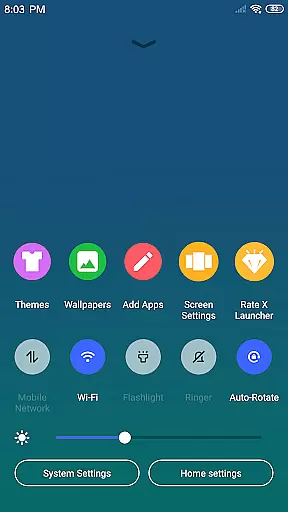
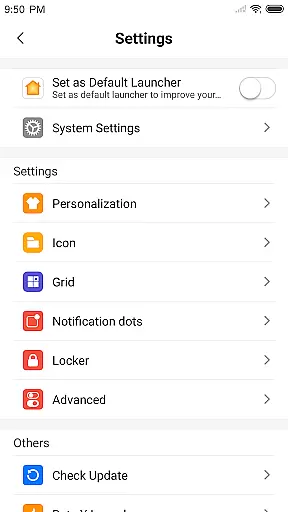
The launcher provides essential features like App Manager for organizing local apps, Control Center for quick device setting adjustments, and a rich Theme Store with adaptive themes. Users can enjoy customizable wallpapers, modify app icons and names, adjust grid sizes, and utilize the innovative Flat Style Folder system. These features make it particularly suitable for those seeking both aesthetic appeal and functional flexibility in their mobile experience.
X Launcher Pro stands out with its comprehensive feature set tailored for customization enthusiasts. The App Manager allows users to quickly organize and access local applications by simply swiping up, while the Control Center offers instant access to key device settings through a simple downward swipe.
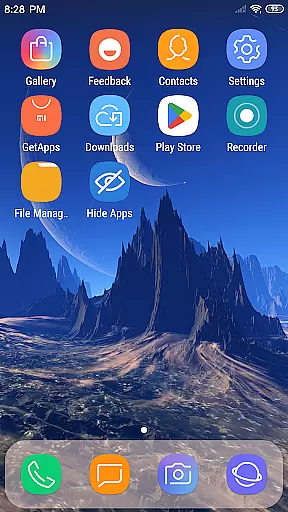
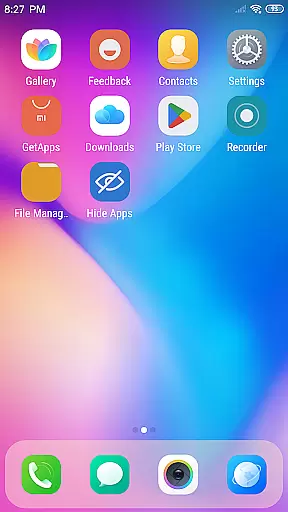
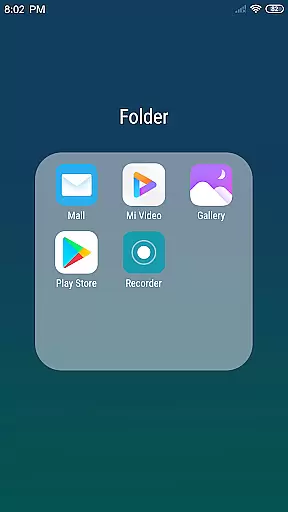
The launcher's Theme Store presents a diverse selection of visually appealing themes that adapt seamlessly to user preferences. With customizable wallpapers, icon modifications, and adjustable grid layouts, users have complete control over their home screen aesthetics. The unique Flat Style Folder system enables intuitive app grouping, and the ability to hide specific apps adds an extra layer of personalization and privacy management.
These features collectively create a highly adaptable mobile environment that caters to both aesthetic sensibilities and practical usability requirements, making X Launcher Pro a versatile tool for Android power users.
In the realm of digital creativity, having a comprehensive suite of tools is paramount. X Launcher Pro rises to the occasion by offering an extensive array of features that cater to your creative needs. The App Manager allows for seamless organization and access to local apps, while the Control Center provides swift adjustments to essential phone settings.
One cannot overlook the significance of aesthetic customization in design work. With its Theme Store, X Launcher Pro presents users with a plethora of theme options that ensure visual continuity across their device. This feature not only enhances the appearance but also maintains operational consistency, which is crucial when working on design projects that demand attention to detail.
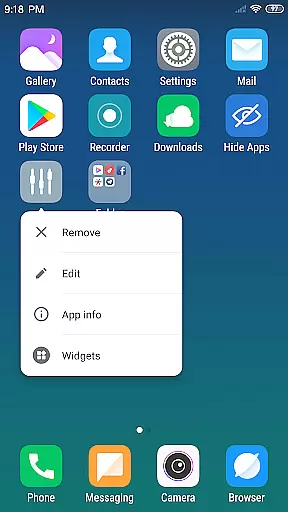
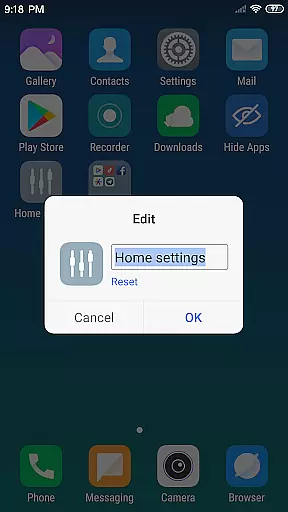
The ability to modify app icons and names adds another layer of personalization. Users can select local images, crop them, and apply these as unique app icons. Such flexibility empowers designers to create a workspace that truly reflects their individual style and workflow preferences.
For designers and artists, the adaptability of their workspace is vital. X Launcher Pro addresses this need through its customizable layout options. By allowing users to change the number of rows and columns within the launcher, it offers unparalleled control over how they organize their digital canvas. This malleability ensures that each user can tailor their interface to best suit their creative process.
Beyond mere layout changes, X Launcher Pro's Flat Style Folder system introduces an innovative approach to app management. By enabling users to drag one app onto another to create folders, it simplifies navigation and declutters the workspace. This efficient use of space is akin to arranging elements on a design canvas, where order and accessibility are key.
Furthermore, the option to hide apps from the launcher adds a strategic dimension to personalizing oneu2019s digital environment. Designers can focus solely on the tools pertinent to their current project without any distractions. This level of format flexibility makes X Launcher Pro an invaluable asset for those who require precision and adaptability in their mobile design toolkit.
Ad-free experience
Highly customizable interface
Intuitive app management
Quick access to device controls
Versatile theme options
Storage permission required
Premium version only
May overwhelm new users
Limited default functionality
Occasional performance issues

The ultimate tool for creating animations
 4.60
4.60
Download now for a stylish and functional timepiece
4.2
Custom Character Creator & PFP Maker!
4.20
Unleash your drawing and painting potential
4.50
Passport size photo maker, create ID photo and visa photo in seconds
4.80
Castle is social media for creating and playing games!
4.60
Turning simple sketches into captivating tales filled with life and motion
3.90
How to draw anime step by step for beginner easily by AR drawing sketch & paint.
3.60
All-in-One art, logo & collage maker. Design photos and edit video backgrounds
4.80
Learn how to draw with step-by-step tutorials, fun lessons & multiplayer drawing
4.70
2D animation studio for Android tablets - unlimited layers, infinite timeline
4.70
Turn your drawings into flipbook-style animations with simple creative tools
4.60
Create color palette from Image, RGB & RYB Color wheel harmonies, Color Scheme
4.50
Video AI: Revolutionize Your Content Creation with Advanced Video Generation
4.50
Stylish letters, Stylish Keyboard, Symbols, Emojis, Cool nickname
4.40
Digital Drawing: Draw & Paint
4.10
OneUI 8.5 icons ✨ Smooth, modern & based on the latest Play Store design ??
4.10
Create sweet, cool and unique couple avatars easily, in just a few steps!
3.40
Vidu is an AI video generator made for creators and aspiring makers.
3.30


User Reviews