
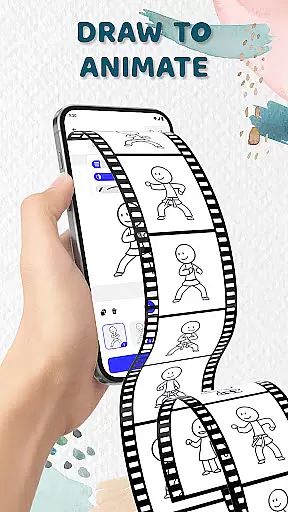
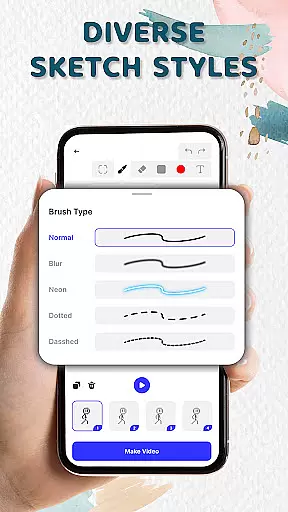
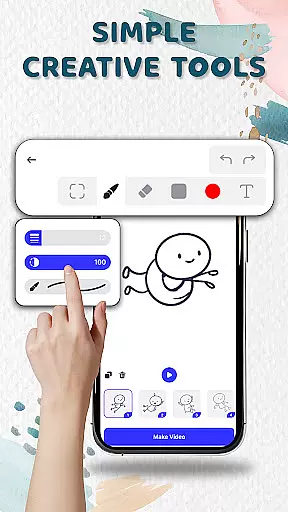
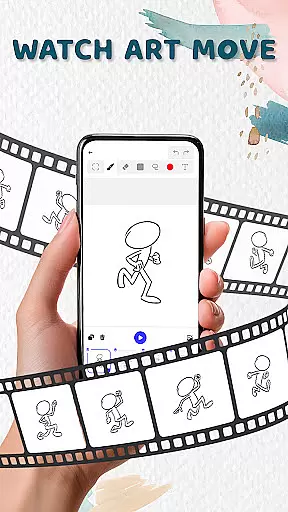
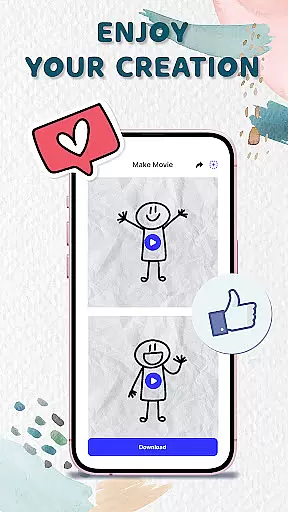
Animation Draw: Flip Maker is a creative app that transforms simple sketches into dynamic animations. Designed for both beginners and enthusiasts, it offers an intuitive platform to explore your artistic potential. The app allows users to create frame-by-frame animations with tools like onion skinning, pen size adjustment, and color options. Whether you're crafting short comics, stickman adventures, or playful cartoons, Animation Draw provides the necessary features to bring your ideas to life. Available on Android, this pocket studio lets you save your work as GIFs or MP4 files, making it easy to share your creations with others.
The true value of Animation Draw lies in its ability to make animation accessible to everyone. With its user-friendly interface and powerful creative tools, the app bridges the gap between traditional flipbook-style animation and modern digital artistry. Users can experiment with different styles, tell stories their way, and enjoy the process of turning static sketches into lively scenes. This makes it an ideal choice for anyone looking to express themselves through animated art.
Animation Draw stands out with its comprehensive set of creative tools tailored for animators of all skill levels. The app's onion skinning feature allows users to see multiple frames at once, ensuring smooth transitions between movements. With adjustable pen sizes and a wide color palette, artists have complete control over their creations. The frame-by-frame drawing capability mimics the classic flipbook style, giving life to static images through incremental changes.
Beyond basic drawing, Animation Draw supports various storytelling formats. Users can craft stickman adventures, design short comics, or produce funny cartoons. The app also enables exporting finished animations in popular formats like GIF and MP4, facilitating easy sharing across social media platforms. These features collectively empower users to unleash their creativity without limitations while providing professional-grade tools in a mobile format.
What truly sets Animation Draw apart is its emphasis on the creative journey. The app isn't just about producing final animations – it celebrates the entire process of creation. From initial sketch to completed animation, every step is designed to be enjoyable and rewarding. This approach helps maintain user engagement while fostering artistic growth, making it more than just an animation tool – it's a complete creative experience.
In the realm of digital creativity, having access to comprehensive tools is essential for unleashing an artist's full potential. Animation Draw offers a robust suite of features that cater to both budding animators and seasoned creators.
With options like adjustable pen sizes, color palettes, and onion skinning techniques, users can craft animations with precision and fluidity. These tools mimic traditional animation methods while enhancing them with modern technology, allowing for smooth transitions between frames and detailed artwork.
The app's user-friendly interface ensures that even beginners can quickly grasp its functionalities, eliminating the steep learning curve often associated with animation software. This accessibility empowers users to focus on their creative process rather than getting bogged down by complex mechanics.
Ultimately, Animation Draw bridges the gap between imagination and realization by providing all the necessary instruments within a single platform, making it an invaluable asset for anyone looking to dive into the world of animation.
A versatile canvas is crucial for animators who wish to explore various formats and dimensions in their work. Animation Draw stands out by offering flexible canvas settings that adapt to different project requirements and artistic visions.
Artists can customize their workspace according to specific needs, whether they aim to create short comic strips or elaborate animated sequences. The ability to modify canvas sizes allows for greater creative freedom and experimentation with diverse art styles.
Furthermore, Animation Draw supports multiple export formats such as GIF and MP4, ensuring that finished projects are easily shareable across different platforms and devices. This versatility not only broadens the audience reach but also enhances collaboration opportunities among fellow creators.
By prioritizing canvas and format flexibility, Animation Draw enables artists to push boundaries and redefine what's possible in digital animation, fostering an environment where creativity knows no limits.
User-friendly interface
Powerful creative tools
Supports multiple formats
Great for all skill levels
Encourages artistic growth
Limited advanced features
No collaborative tools
Occasional performance issues
Basic export options
Learning curve for beginners

Customizable Outlined Fonts. Watch Face Format. Battery friendly Digital Clock.
 4.20
4.20
Image/ Text to Video Generator
4.40
Digital illustration drawing & painting pad app to paint Anime and Manga art
4.50
See Color, Paint Color
4.90
Make your phone cooler and have a fantastic experience
4.80
Design unique, funny and adorable cat stickers that reflect your own style!
3.80
Experience next-gen icons with a modern liquid glass look.
3.60
Photo stitcher for automatically screenshot stitching into a long screenshot
4.70
How to draw anime step by step for beginner easily by AR drawing sketch & paint.
3.60
2D animation studio for Android tablets - unlimited layers, infinite timeline
4.70
Draw on screen: FP sDraw is a simple and lightweight drawing app
4.70
Image resizer to resize, crop, rotate, flip, change dpi photo or picture in bulk
4.60
Draw, fidget, and spin glow art! Relax and express your creativity with a finger
4.60
Create stylish invitation cards using templates for weddings, birthdays & RSVP.
4.20
Text to Image, Image to Video & AI Chat
4.20
Easy 3D drawing design maker & creator. Model designing, Sculpting. Create&paint
4.00
Pose and morph realistic male and female models! 3D poser app
3.00
Download now for a stylish and functional timepiece
4.2
Art of Combination Wear OS Watch Faces
4.2


User Reviews