
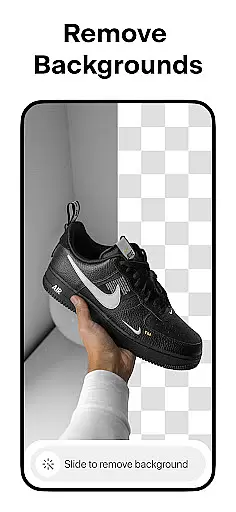

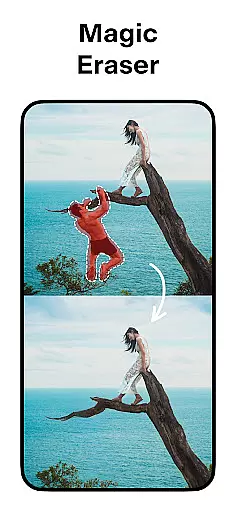

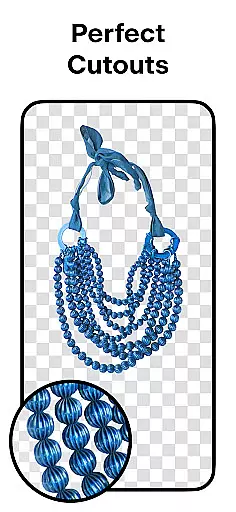
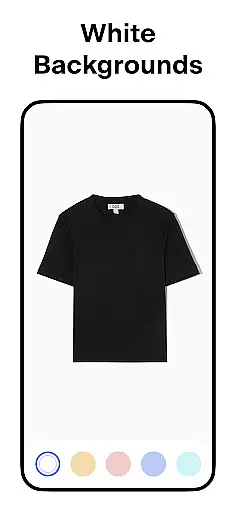
Pixelcut AI Photo Editor is a powerful all-in-one design tool that empowers users to create professional-quality images with minimal effort. The app's core functionality revolves around its advanced AI-powered features, enabling users to remove backgrounds, erase unwanted objects, and generate product photos effortlessly.
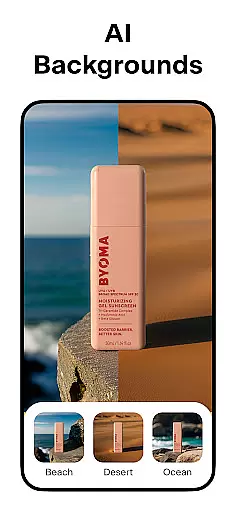
Beyond basic photo editing, Pixelcut offers specialized tools for e-commerce professionals and social media creators. Users can access thousands of customizable templates, add artistic text overlays, and experiment with various background options including solid colors and realistic shadows. These features make it particularly valuable for creating optimized product listings and engaging social media content.
The application's intuitive interface and comprehensive feature set make it suitable for both beginners and experienced designers. Whether you're managing an online store or building your social media presence, Pixelcut streamlines the process of producing high-quality visual content while maintaining professional standards.
Pixelcut distinguishes itself through its diverse range of AI-driven design tools. The Background Remover feature utilizes sophisticated algorithms to deliver precise cutouts, while the Magic Eraser allows for seamless object removal without compromising image quality. These automated functions significantly reduce the time typically required for complex photo editing tasks.
The application's creative capabilities extend to its extensive library of resources. Users can choose from thousands of professionally designed templates, experiment with hundreds of font styles, and access a wide selection of color backgrounds and backdrops. The AI Photoshoot feature revolutionizes product photography by generating multiple variations of product images, eliminating the need for expensive photoshoots.
Additional innovative features include the Magic Writer, which generates compelling copy using AI technology similar to ChatGPT, and the Reels Maker for creating professional-looking video content. These comprehensive tools collectively enable users to produce complete marketing materials, from visual elements to written content, all within a single platform.
In the realm of digital art and design, having a comprehensive suite of creative tools is essential for bringing visions to life. Pixelcut AI Photo Editor stands out by offering an extensive array of features tailored for both amateur designers and professional artists.
At its core, Pixelcut provides powerful AI-driven functionalities such as background removal, object erasing, and AI photoshoot generation, which cater to creating impeccable product images for e-commerce. The inclusion of a Magic Writer adds another layer of creativity, enabling users to generate engaging copy that complements their visual content.
Moreover, the app's collage maker, reels creator, and text styling options ensure that users can produce diverse content types, from social media posts to promotional videos. With thousands of templates, stunning color backgrounds, and realistic shadow effects, Pixelcut empowers creators to craft unique designs with professional polish.
The true value of Pixelcut lies in its ability to consolidate these varied tools into one accessible platform, streamlining the design process and allowing users to focus on unleashing their creativity without technical hindrances.
Flexibility in canvas and format options is crucial for designers who need to adapt their work across various platforms and mediums. Pixelcut AI Photo Editor addresses this need by providing versatile solutions that accommodate different project requirements.
Users can place their products on simple white or colorful backgrounds, ensuring that images align with brand aesthetics or platform guidelines. This feature is particularly beneficial for businesses looking to maintain consistency in their visual marketing materials.
In addition to background choices, Pixelcut offers dozens of creative layouts for collages and hundreds of font styles for text overlays. These options enable designers to experiment with compositions and typography, enhancing the storytelling aspect of their visuals.
Whether preparing images for Instagram, Shopify, or other digital spaces, Pixelcut's adaptable canvas and format settings ensure that every piece of content is optimized for its intended destination, maximizing impact and engagement.
Advanced AI-powered tools
Extensive template library
Professional results
User-friendly interface
Comprehensive feature set
Premium features locked
Subscription required
Watermark on free version
Limited free resources
Internet connection needed

Unleash Your Creativity with Draw Cartoon - AR Drawing App
 4.10
4.10
Nano Banana AI Image Generator, Anime Filter, AI Portrait, AI Photo Generator
4.30
Draw Trace image sketch by, AR art projector app, Easy to trace any image.
4.50
Powerful home decoration & house design that allows you to design dream home.
3.80
Get an overview over all your embroidery threads, projects and more.
4.60
A luxurious gold watch face for an elegant and refined look.
4.5
2D animation studio for Android tablets - unlimited layers, infinite timeline
4.70
Retouch photos. Create or edit images. Endless capabilities.
2.70
How to draw anime step by step for beginner easily by AR drawing sketch & paint.
3.60
Make your phone cooler and have a fantastic experience
4.80
Your AI soulmate — meaningful chats, and unique emotional moments
4.70
Castle is social media for creating and playing games!
4.60
Turn your drawings into flipbook-style animations with simple creative tools
4.60
Share the joy of painting with ibis Paint! Drawing anime and manga art.
4.50
Unleash the artist in you with our AR drawing and tracing tool for photo drawing
4.10
Design unique, funny and adorable cat stickers that reflect your own style!
3.80
AI Assistant, powered by ChatGPT GPT-4 & GPT-4o. Your intelligent companion.
3.50
Draw anime easily with AR guidance, sketch templates & trace tools!
3.10
Premium version of Shimeji-ee app with no ads & no limit active shimeji
4.0


User Reviews