
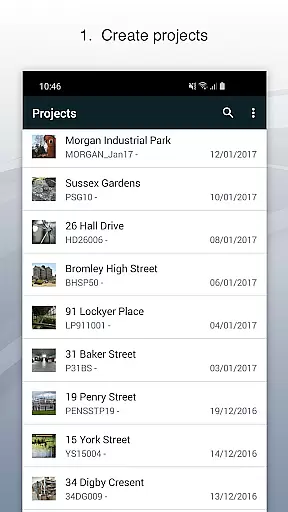
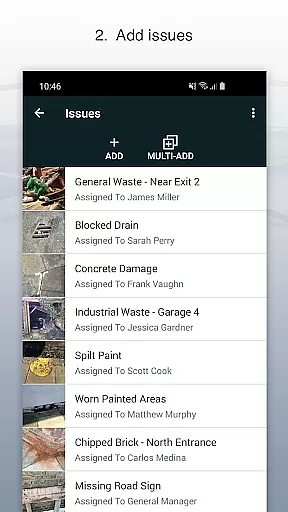
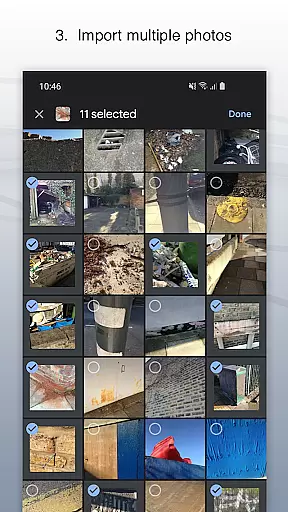
Site Audit Pro is a powerful productivity tool designed to simplify the auditing process for businesses across various industries. This mobile application allows users to efficiently record issues by capturing photos, adding relevant titles, assignees, and comments directly within the app. With its intuitive interface, users can annotate images to emphasize critical details, organize findings into specific projects, and include site and client information seamlessly.
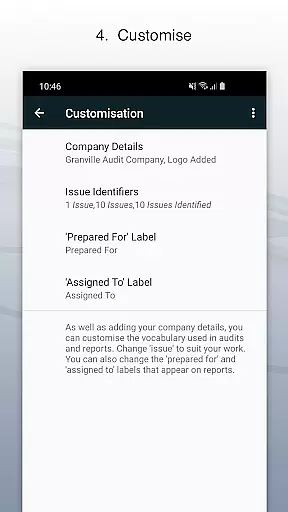
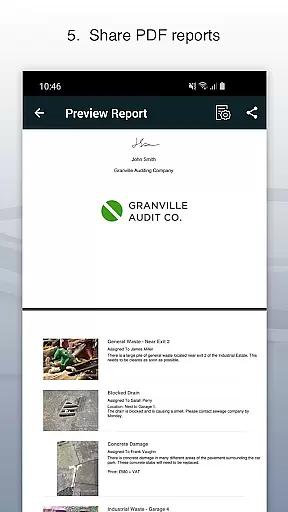
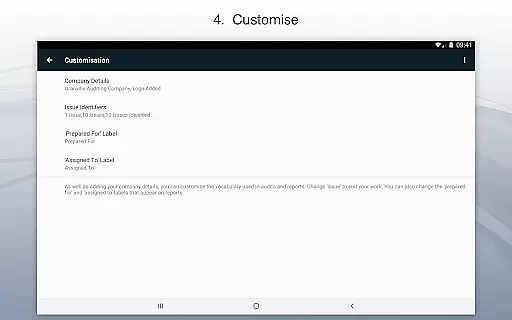
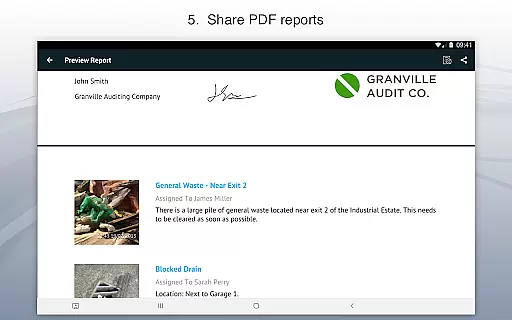
The app's standout feature is its ability to generate professional audit reports instantly. Users can share these customized reports as PDFs via email or cloud services like Dropbox without needing to return to the office. Site Audit Pro also offers extensive customization options, enabling businesses to personalize reports with company logos, auditor names, and tailored content that reflects their industry-specific terminology. Whether performing safety inspections, creating punch lists, or conducting site walks, this app ensures all important data is captured and reported efficiently.
This application is particularly valuable for professionals who need to conduct audits, inspections, or manage snagging issues on the go. By streamlining these processes, Site Audit Pro helps over 40,000 businesses worldwide improve their productivity and deliver more organized and professional outcomes. Its versatility makes it suitable for various use cases, from construction site assessments to retail safety checks, providing a comprehensive solution for all auditing needs.
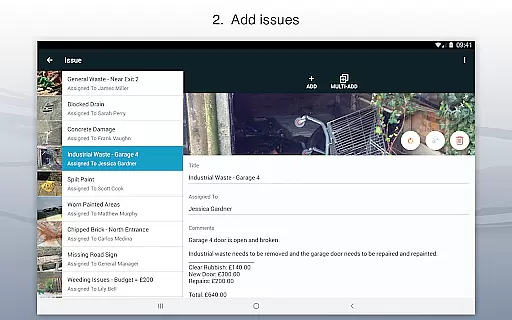
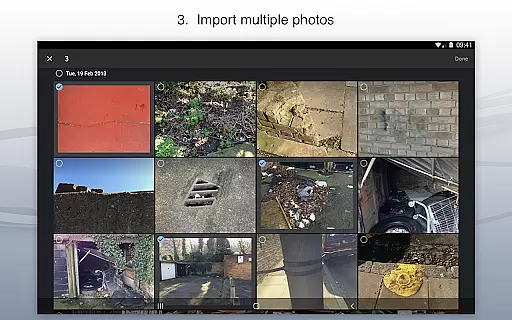
Site Audit Pro stands out with its robust set of features designed to enhance productivity and streamline auditing tasks. One of its key capabilities is the ability to document issues comprehensively by attaching photos, adding descriptive titles, assigning responsible parties, and including detailed comments. The photo annotation feature allows users to highlight specific areas of concern, making it easier to communicate critical information effectively.
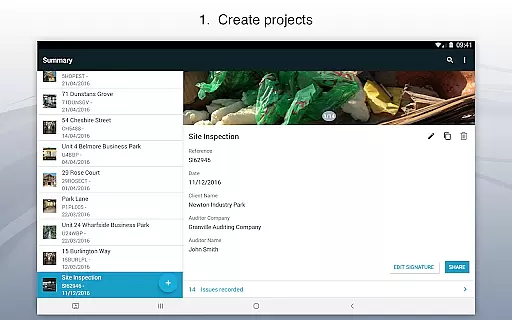
Organization is made simple with the app's project management functionality. Users can categorize issues into distinct projects, each with its own set of site and client details. This structured approach ensures that all data is accurately recorded and easily accessible. Additionally, the app provides multiple professional report templates that can be customized to match the branding and requirements of different businesses. These templates allow for the inclusion of company names, logos, and signatures, adding a personalized touch to every report generated.
Another significant advantage of Site Audit Pro is its adaptability to various industries. The app supports custom terminology, enabling users to modify report language to better suit their specific field, whether it's construction, retail, or manufacturing. With instant report sharing capabilities via email or cloud storage services, users can distribute findings quickly and efficiently. This combination of comprehensive documentation, customizable reporting, and industry adaptability makes Site Audit Pro an indispensable tool for modern businesses seeking to optimize their auditing processes.
Effective task management is essential for productivity-focused applications like Site Audit Pro. This app allows users to record issues, assign tasks, and organize projects efficiently.
The application enables users to capture photos of issues, annotate them for clarity, and assign these tasks to specific team members. This ensures that every identified problem is addressed by the right person, streamlining workflow and responsibility allocation.
By organizing issues into distinct projects, users can manage site-specific and client-specific details with ease. This structured approach not only enhances task tracking but also simplifies project management across different locations and teams.
Ultimately, Site Audit Pro's task management features help businesses improve their operational efficiency, ensuring that audits and inspections are conducted smoothly and issues are resolved promptly.
In today's interconnected world, reliable cross-device synchronization is crucial for maintaining workflow continuity. Site Audit Pro excels in this area by ensuring that all recorded data and reports are consistently updated across devices.
Users can start an audit on their mobile device, add detailed annotations, and then seamlessly continue their work on a tablet or computer. This flexibility allows teams to collaborate effectively, regardless of the device they are using.
The app supports instant sharing of professional audit reports without needing to return to the office. Whether through email, Dropbox, or other services, reports are always up-to-date and accessible from any device.
This reliable synchronization ensures that all team members have access to the most current information, enhancing collaboration and decision-making processes while saving valuable time.
User-friendly interface
Customizable report templates
Instant report generation
Photo annotation tools
Cross-industry adaptability
Limited free version features
Occasional syncing issues
Subscription cost required
No offline mode available
Learning curve for new users

The long-awaited modern gallery app for your Nextcloud server
 4.70
4.70
App lock - lock apps with fingerprint, password, pin or pattern, protect privacy
4.70
All in One PDF Reader: Manage, Read and Edit your Documents
4.20
The AI assistant that thinks with you - write, code, and solve complex tasks
4.60
Calendar 2023 widget for Android. Appointment scheduler, planner, and reminder
4.60
Docker, Kubernetes management over Portainer Mobile
4.40
Great calculator for Android named one of USA TODAY's "25 Essential Apps".
4.90
Ultimate Virtual AI Character for immersive Roleplay Chat. Perfect Companion
3.90
Daily processing of PDF documents.
4.40
Use powerful, industry-leading AI tools to generate visual charts from any data
4.80
Direct Chat without saving contacts & Dual WA Account on Single Device
4.70
aCalendar+ makes your day, week and month
4.70
All document reader, all in one file viewer read PDF, DOCX, XLS, PPT, TXT files.
4.60
Automates browsing any website and notifies you of important changes or events
4.30 4.20
4.20
Access your phone's notifications, calls, apps, photos & texts on your PC
3.90
ID.me Authenticator is a simple and free Two Factor Authentication solution
3.50
Simple and reliable communication between inmates, friends and family
3.20
Ads Free App! Editor, Hide File, Copy, Move, Delete and Rename.. all facility av
1.70


User Reviews