
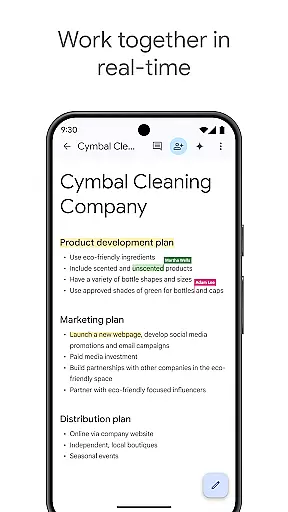
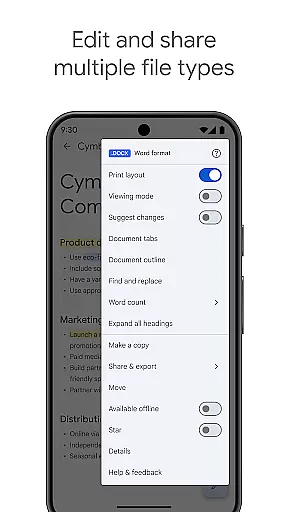
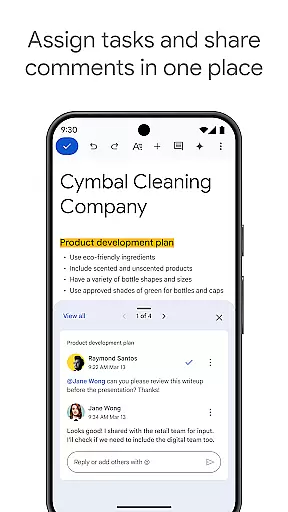
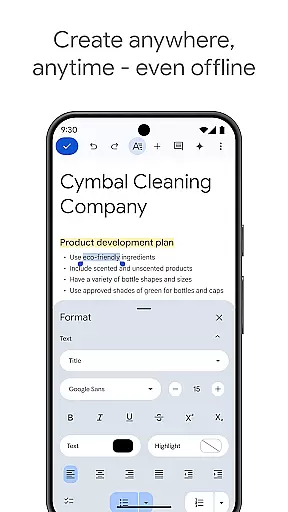
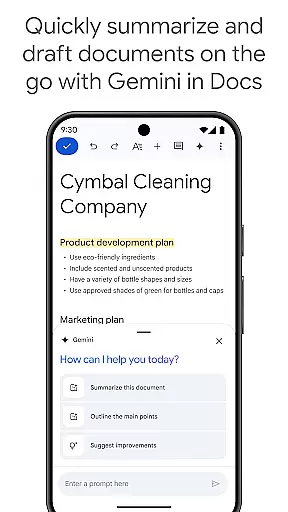
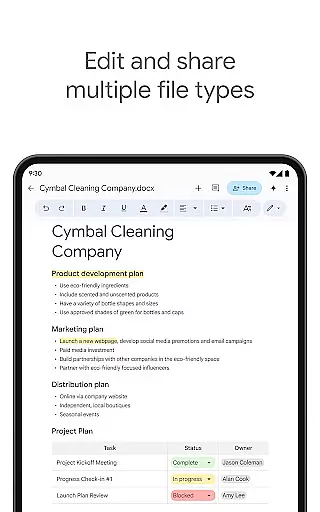
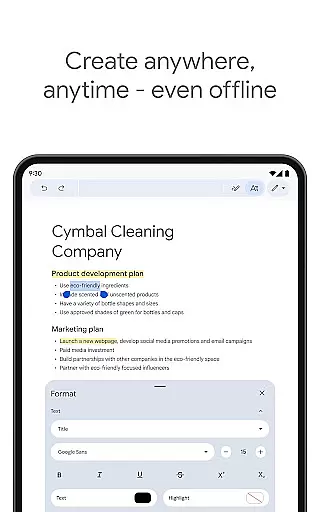
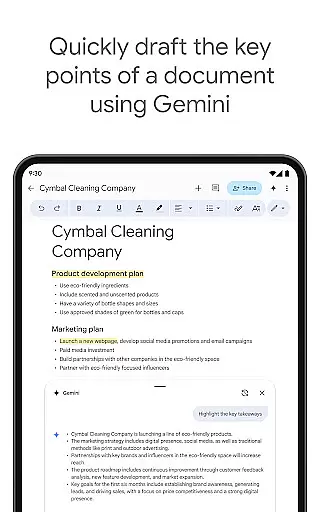
Google Docs is a powerful productivity application that allows users to create, edit, and collaborate on documents directly from their Android devices. The app supports real-time collaboration, enabling teams to work together seamlessly by sharing documents, making live edits, and adding comments or action items. With offline mode functionality, users can capture ideas and complete tasks even without an internet connection. Google Docs also offers compatibility with various file types, including Microsoft Word files, and provides seamless conversion and export options. As part of Google Workspace, the app integrates chat and collaboration features, while paid subscribers gain access to advanced AI-powered tools like Gemini for content drafting and writing improvement.
The app's versatility makes it suitable for professionals, students, and anyone needing efficient document management. Whether you're working on a team project, drafting outlines, or creating polished reports using templates, Google Docs ensures your workflow remains smooth and productive. Its integration with Google Workspace enhances its value by offering additional premium features that cater to businesses and educational institutions.
Google Docs stands out with its robust feature set tailored for productivity enthusiasts. One of its key strengths is real-time collaboration, where multiple users can simultaneously edit documents, leave comments, and assign tasks without version control issues. This feature is particularly valuable for remote teams who need to maintain constant communication and ensure everyone stays aligned. Additionally, the app's offline mode empowers users to continue working in areas with poor connectivity, syncing changes automatically once online.
Another notable feature is its compatibility with different file formats, especially Microsoft Word documents. Users can open, edit, and export these files without compatibility concerns, streamlining cross-platform workflows. Paid subscribers benefit from advanced functionalities such as Gemini, an AI tool that assists in drafting and refining content quickly. These innovative features not only save time but also enhance document quality through AI-driven suggestions. Overall, Google Docs delivers a comprehensive solution for modern document management needs.
Google Docs excels in core task management by providing a comprehensive suite of tools designed to streamline document creation and editing. The app allows users to create, edit, and collaborate on documents from any Android device, ensuring that productivity is not confined to desktop computers.
One of the standout features is its real-time collaboration capability. Users can share documents with team members and work together seamlessly. This includes simultaneous editing, commenting, and assigning action items, all updated instantly across devices. Such functionality ensures that teams remain cohesive and productive regardless of their physical locations.
Additionally, Google Docs supports offline mode, enabling users to capture ideas and complete tasks even without an internet connection. This flexibility ensures that productivity is not hindered by connectivity issues. With easy-to-use templates, users can save time and enhance the quality of their documents, making task management more efficient and effective.
Cross-device synchronization is a critical feature of Google Docs, ensuring that users have a reliable and consistent experience across all their devices. Whether switching between a phone, tablet, or computer, users can expect their documents to be up-to-date and accessible wherever they go.
The synchronization process is seamless and automatic. Any changes made to a document are instantly saved and reflected across all linked devices. This means that users can start a document on their phone during a commute and continue editing it on a tablet or computer once they reach their destination, without missing a beat.
Furthermore, Google Docs supports a variety of file types, including Microsoft Word files, which can be opened, edited, and exported without hassle. This compatibility ensures that users can collaborate effortlessly with others, regardless of the software they use. For Google Workspace paid subscribers, additional features like AI-powered suggestions and Gemini integration further enhance the reliability and functionality of cross-device synchronization.
User-friendly interface
Real-time collaboration
Offline editing mode
Wide file compatibility
AI-powered enhancements
Limited offline formatting
Requires Google account
Basic free features
Occasional sync delays
No standalone desktop app

Planet Free VPN - The best Fast Unlimited and Secure VPN Without Logs
 4.50
4.50
The Pro Version of Android's tiniest Notepad app. Just 0.3MB but feature-packed!
4.60
IP Camera Viewer - Android TV : RTSP Surveillance camera viewer for Android TV
4.0
Customizable calendar widget for seamless event sync, planning & scheduling.
4.00
The AI assistant that thinks with you - write, code, and solve complex tasks
4.60
Enjoy classic gameplay with customizable features and retro-style graphics.
4.30
Create and edit presentations with Google Slides, part of Google Workspace.
4.00
Tally and goal counter for Wear OS & mobile
4.50
Secure your apps with lock screens, use custom themes and different features.
4.40
Scientific calculator for Android - looks and operates like the real thing!
4.90
All document reader, all in one file viewer read PDF, DOCX, XLS, PPT, TXT files.
4.60
Easily read and manage all your PDF files
4.10
Device's storage information in a simple and clear graphical form (infographics)
4.10
Unlock AutoNotification
4.00
Access your phone's notifications, calls, apps, photos & texts on your PC
3.90
Make your handwriting beautiful, even more than pen on paper.
3.60
Ads Free App! Editor, Hide File, Copy, Move, Delete and Rename.. all facility av
1.70
Create study competitions, track your hours, and stay consistent with friends
4.1
A comprehensive suite of tools designed specifically for Lactation Consultants
4.5


User Reviews