

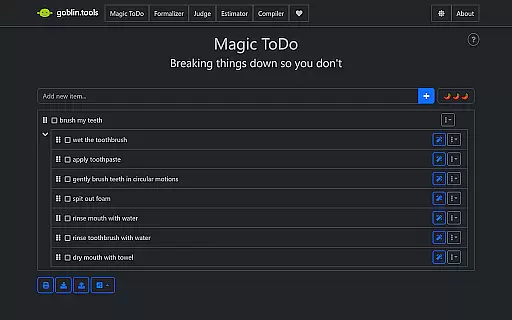
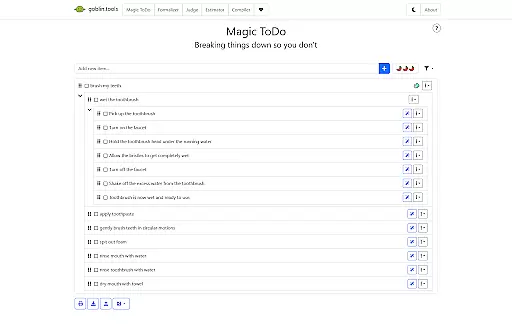
Goblin Tools is a productivity app designed to simplify everyday tasks through a collection of small, intuitive tools. It offers solutions for task management, text analysis, decision-making, and more. The app is especially helpful for neurodivergent individuals, providing clever helpers for challenges associated with ADHD, autism, and executive dysfunction. With bite-sized task breakdowns, tone adjustment for messages, and recipe generation from available ingredients, Goblin Tools ensures that even the most complicated situations feel manageable.
The app's strength lies in its ability to untangle complex problems into smaller, actionable steps. Whether you need help organizing your thoughts, estimating time for activities, or simplifying communication, Goblin Tools has a solution tailored for you. Its user-friendly design makes it accessible to everyone while maintaining a special focus on supporting neurodivergent users in their daily lives.
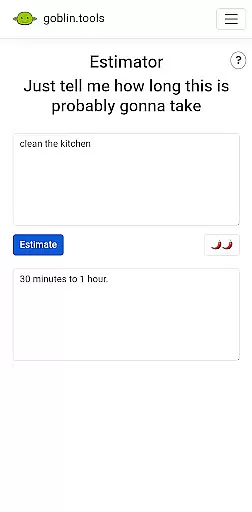
Goblin Tools stands out with its diverse range of features crafted to address various productivity needs. Magic ToDo helps break down tasks into manageable steps, while Formalizer adjusts the tone of your text for better communication. Judge analyzes the emotion behind messages, and Professor simplifies complex information for any audience. Consultant aids in decision-making, Estimator provides rough time estimates, Compiler organizes scattered thoughts into actions, and Chef generates recipes from available ingredients.
Each tool is designed to be simple yet effective, ensuring that users can quickly access the help they need without feeling overwhelmed. The app's focus on neurodivergent users makes it unique, offering specialized support for those facing cognitive challenges. By combining clever functionality with an easy-to-navigate interface, Goblin Tools delivers a seamless experience that enhances productivity without unnecessary complexity.
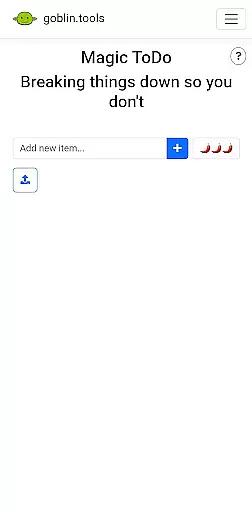
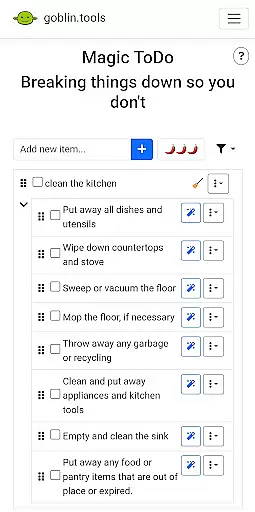
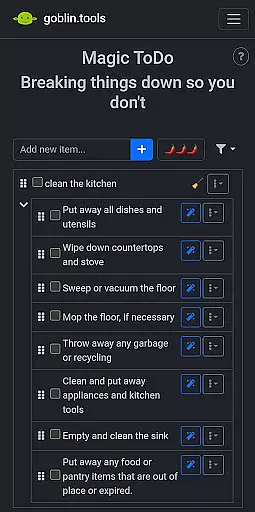
At the heart of Goblin Tools lies its robust core task management system, designed to simplify even the most overwhelming responsibilities. The Magic ToDo feature breaks down complex tasks into manageable steps, empowering users to tackle challenges with clarity and confidence.
This innovative approach is especially beneficial for neurodivergent individuals, including those with ADHD or autism. By transforming daunting projects into bite-sized actions, the app creates a supportive environment that minimizes executive dysfunction and maximizes productivity.
The task management system integrates seamlessly with other tools like Compiler, which helps organize spontaneous thoughts into actionable items. This cohesive ecosystem ensures that no idea is lost and every task receives the attention it deserves, regardless of its initial complexity.
Goblin Tools excels in providing reliable cross-device synchronization, ensuring your productivity isn't confined to a single device. Whether you're transitioning from your phone to a tablet or desktop, all your data remains perfectly synchronized across platforms.
This seamless integration is particularly valuable for users managing executive dysfunction or spoonie life challenges. The app maintains consistent updates between devices, so your progress in breaking down tasks or organizing thoughts through tools like Compiler and Magic ToDo stays current everywhere.
Moreover, the synchronization process happens in real-time, eliminating delays or version conflicts. This reliability guarantees that your clever helpers and organizational tools are always up-to-date, regardless of which device you choose to use at any given moment.
User-friendly interface
Specialized neurodivergent support
Versatile toolset
Actionable task breakdowns
Ad-free experience
Limited advanced features
No offline functionality
Requires learning curve
Occasional bugs
Premium subscription needed

A Revolutionary All-in-One Artificial Intelligence Tools
 3.80
3.80
Total remote control for your Android device, PC and cloud services (IFTTT)!
4.20
Wake up & get tasks done! Add alarms & reminders on the Clock Launcher.
4.00
8 custom complications. Custom Time Fonts. Beautiful color schemes. A++ Design.
5.00
Simple and reliable communication between inmates, friends and family
3.20
Quickly and easily keep track of your work shifts
4.70
Intelligent AI Assistant
4.10
Daily processing of PDF documents.
4.40
QuickEdit is a fast, stable and full featured text and code editor.
4.20
Multilingual translator for text, voice, and image translation!
4.90
Android Wallet Password Manager
4.80
Fill, sign & send docs, forms, agreements & contracts via electronic signature.
4.50
Subscribe to Webcal & .ics calendars and keep them up-to-date!
4.50
Experience Reading - Night Mode for Documents
4.40
A lightweight JSON & XML files creator, editor and viewer (Premium Version)
4.40
A Pixel Art watchface inspired by other iconic 90s designs for Wear OS devices!
4.40 4.20
4.20
Mega cloud explorer plugin for Solid Explorer
3.80
A simple, portable logger for POTA, SOTA, Field Day, and more
4.4


User Reviews