


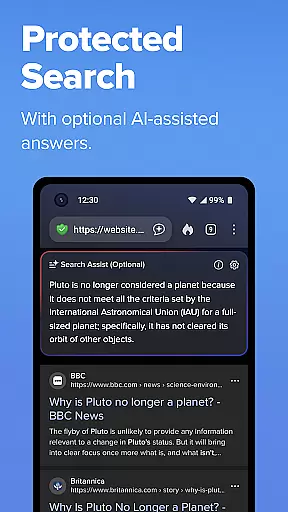
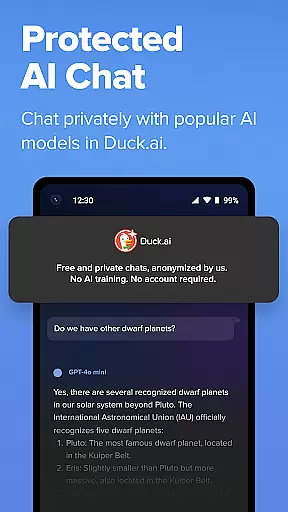
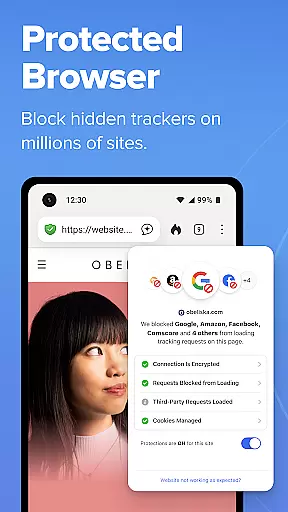
DuckDuckGo is a privacy-focused search and browsing application designed to protect users' personal information. It offers a built-in search engine that functions like Google but without tracking user searches, ensuring anonymity. The app provides robust browsing protections such as blocking ad trackers and cookies, which prevent data collection by third-party companies. Additionally, DuckDuckGo includes optional AI features like Search Assist and Duck.ai, which are private and do not use personal data for AI training.
One of the key strengths of DuckDuckGo is its comprehensive approach to privacy. It enforces encryption automatically, blocks hidden trackers in other apps, and makes it difficult for companies to fingerprint users' devices. Users can also secure their email with Email Protection and watch YouTube videos without targeted ads using Duck Player. These features collectively offer a safer and more private browsing experience compared to mainstream browsers.
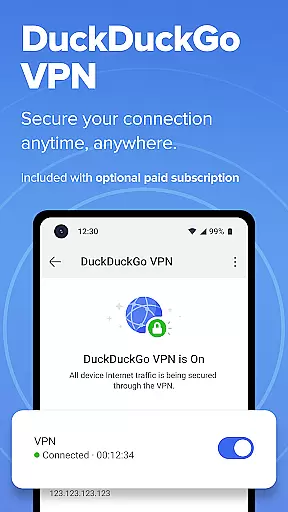
The app is particularly useful for individuals who prioritize online privacy and want to avoid being tracked while browsing the internet. With its optional subscription service, DuckDuckGo further enhances privacy with features like a VPN, advanced AI models, and identity theft restoration. This makes DuckDuckGo an essential tool for anyone looking to take back control of their personal information and browse the web securely.
DuckDuckGo stands out due to its extensive privacy protection features. One of the core functionalities is its built-in search engine, which operates similarly to Google but ensures that user searches remain private and untracked. This feature alone significantly enhances user privacy by preventing search history from being logged or sold to advertisers. Furthermore, the app's 3rd-Party Tracker Loading Protection blocks most trackers before they load, offering superior protection compared to what most popular browsers provide by default.
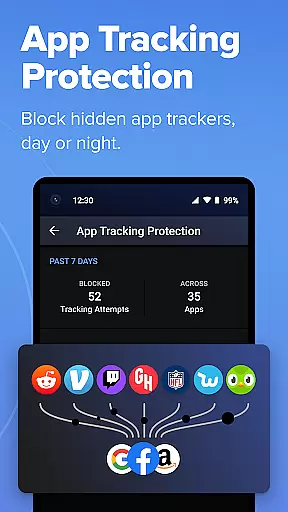
In addition to search privacy, DuckDuckGo offers several innovative features to safeguard user data. For instance, the app blocks ad trackers and cookies, making it difficult for companies to collect user data. DuckDuckGo also includes optional AI features like Duck.ai, which allows private conversations with third-party AI models without using personal data for training. Another notable feature is App Tracking Protection, which blocks hidden trackers in other apps around the clock, even when the device is not in use, thereby enhancing overall privacy.
Each feature within DuckDuckGo is designed to provide tangible benefits to users. For example, the automatic enforcement of encryption protects data from network and Wi-Fi snoopers, while Email Protection helps block email trackers and anonymizes email addresses. Duck Player offers a distraction-free interface for watching YouTube videos without targeted ads. Moreover, the optional subscription service adds valuable features like a VPN, advanced AI models, and identity theft restoration, making DuckDuckGo a comprehensive solution for maintaining online privacy.
At the heart of DuckDuckGo's productivity features is its ability to manage online tasks with privacy at the forefront. The application integrates a search engine that operates on the principle of non-tracking, ensuring that your search activities remain confidential and are not harvested for data.
The app extends its task management capabilities by offering protection against third-party trackers. This feature not only blocks unwanted tracking but also enhances browsing speed and reduces the clutter of ads, contributing to a more focused online experience.
Moreover, DuckDuckGo provides tools like Email Protection and App Tracking Protection, which further shield users from pervasive tracking across different platforms. These tools help in maintaining a clean digital footprint, allowing users to concentrate on their primary online tasks without distraction.
DuckDuckGo offers reliable cross-device synchronization through its optional secure sync feature. Users can encrypt bookmarks and passwords and access them across devices, ensuring seamless productivity regardless of the platform being used.
This synchronization is maintained without compromising personal data security. All synced information is encrypted, meaning that even DuckDuckGo cannot access the contents, thus preserving user privacy while providing convenience.
In addition to syncing, the browser's consistent performance on multiple devices ensures that whether you're switching from mobile to desktop or vice versa, your experience remains uninterrupted. This consistency helps maintain workflow and boosts efficiency.
Privacy-focused
No tracking
Ad tracker blocking
Cookie protection
Encryption enforcement
Limited advanced features
Subscription required
Fewer integrations
Less customization
Occasional bugs

Experience Reading - Night Mode for Documents
 4.40
4.40
Send files, sync SMS, notifications & clipboard across devices via local network
4.40
IP Camera Viewer - Android TV : RTSP Surveillance camera viewer for Android TV
4.3
Font maker keyboard with your own handwriting
4.10
All document reader, all in one file viewer read PDF, DOCX, XLS, PPT, TXT files.
4.60
A comprehensive suite of tools designed specifically for Lactation Consultants
4.0
A simple Whisper AI keyboard for reliable speech transcription and rewording
4.60
The ultimate file manager for rooted devices. The original and still the best.
4.00
AT&T Internet customers can use this app to personalize their Wi-Fi network.
4.40
Best Tool for the professionals Electrician, Electrical contractors, etc.
4.90
aCalendar+ makes your day, week and month
4.70
Scan paperwork into PDF/JPG, generate your own e-signature and send fax or email
4.70
Secure, fast, open-source, Remote Desktop Client for Windows and Linux with SSH
4.60
Stay on top of your to-dos with Google Tasks, part of Google Workspace.
4.60
Translate text/voice/photos in 150+ languages. Offline & fast translator app.
4.50
Share files & memories safely. Keep your photos and videos secure.
4.40 4.20
4.20
Pwnagotchi companion app
4.20
Device's storage information in a simple and clear graphical form (infographics)
4.10


User Reviews