




X PhotoKit is a versatile photo editing application designed to enhance your photography experience through innovative AI technology and creative tools. The app offers a comprehensive suite of features including AI face swapping, advanced photo editing capabilities, collage creation, customizable templates, and image stitching.
With its intelligent AI face swap functionality, users can seamlessly replace faces in photos while maintaining a natural look. The app provides an extensive range of filters, effects, and adjustment tools that allow for quick beautification and enhancement of visual impact. Its built-in templates cater to various occasions, enabling effortless creation of professional-quality posters and covers. Additionally, the photo collage feature supports multiple layouts, empowering users to craft unique compositions with ease.
Designed for both casual users and professionals, X PhotoKit ensures accessibility without compromising on power. Whether you're looking to create fun social media content, capture panoramic travel memories, design holiday greetings, or produce high-quality commercial images, this app delivers the tools necessary to bring your creative visions to life.
X PhotoKit stands out with its diverse array of powerful features tailored to meet different photo editing needs. One of its most notable capabilities is the AI face swap tool, which uses intelligent algorithms to ensure realistic and seamless face replacements. This feature not only enhances creativity but also adds an element of fun to photo sharing on social platforms.
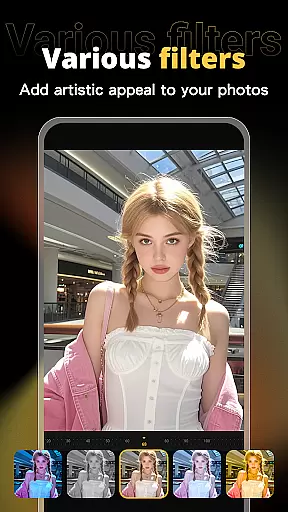
The app's comprehensive photo editing suite includes a wide selection of filters, effects, and precise adjustment tools. These enable users to quickly improve the aesthetic quality of their photos, making them visually striking. Furthermore, the inclusion of professionally designed templates simplifies the process of creating posters, covers, and greeting cards, even for those without prior design experience.
Another key feature is the photo collage maker, which offers multiple layout options and templates for combining images into cohesive artworks. The image stitching function allows users to merge several photos into panoramic views, capturing more details in a single frame. With its user-friendly interface and robust functionality, X PhotoKit caters to everyone from beginners to advanced users seeking efficient and effective photo editing solutions.
Real-time capture and preview functionality is essential for ensuring that users can see the results of their photo edits instantly. This feature allows users to visualize changes as they apply filters, effects, and adjustments, providing immediate feedback on their creative decisions.
X PhotoKit offers a seamless real-time editing experience through its advanced processing capabilities. The app ensures that even complex edits like AI face swapping and image stitching are previewed without delay, maintaining a smooth workflow for users.
The benefit of real-time capture and preview in X PhotoKit is the ability for users to fine-tune their work efficiently. Whether enhancing personal portraits or creating commercial designs, seeing edits instantly enables users to achieve their desired outcomes faster and with greater precision.
AI beauty and enhancement features focus on improving the aesthetic quality of photos while maintaining a natural look. This balance is crucial for users who want to enhance their images without making them appear overly processed or artificial.
X PhotoKit employs intelligent algorithms to automatically adjust facial features, skin tones, and lighting conditions. These enhancements are applied subtly, ensuring that edited photos retain their original essence while looking polished and professional.
Users of X PhotoKit will appreciate how the app's AI-driven enhancements elevate their photos' visual appeal. From social media sharing to personal portrait creation, the natural-looking improvements add a touch of sophistication to every image, empowering users to produce stunning visuals effortlessly.
AI-powered face swap
Extensive filter options
User-friendly interface
Versatile templates
Creative photo tools
Limited free features
Subscription required
Occasional bugs
Ads in free version
Learning curve

Trendy TikTok time warp scan funny filter app brings you unique photos & videos.
 4.40
4.40
Find time and duration of different sunlight phases at any location
4.90
1M influencer's special filter
4.60
GCamera allows all GCam features on all phone models! Better photos with GCamera
3.30
Collage your moments in one tap: 1000+ layouts, filters, stickers, and texts.
4.90
Easily create custom gifts, cards, photo books & more on the Shutterfly app!
4.60
Transform Photos: Edit, Beautify and Craft Memories & Make Collages!
4.10
Catch sunlight, sunrise sunset times and sun phases with the AR sun tracker.
4.10
Solocator stamps photos you take with GPS location, Compass Direction, Date/Time
3.80
AI Photo Editor with 100+ Filters, Effects! Remove BG, Retouch & Photo Enhancer.
4.80
Your personal guide to the sun and moon. Plan ahead, visualize and predict!
4.70
Add Watermark - Sign your pictures with a text or logo. Effective, quick, easy!
4.50
Search, tag and rate your way to an organized image gallery
4.40
Edit like a pro with Hypic. Apply filters, AI effects, & magic touch.
4.40
Shooting photos and records video easily and efficient with professional Camera
4.30
Natural Beauty, Selfie Retouch
4.30
live datamoshing
4.00
HD Photo gallery and photo manager to edit, hide private photos, videos & albums
4.4
Add a dreamy vibe to your selfies and videos with soft style filters
4.1


User Reviews