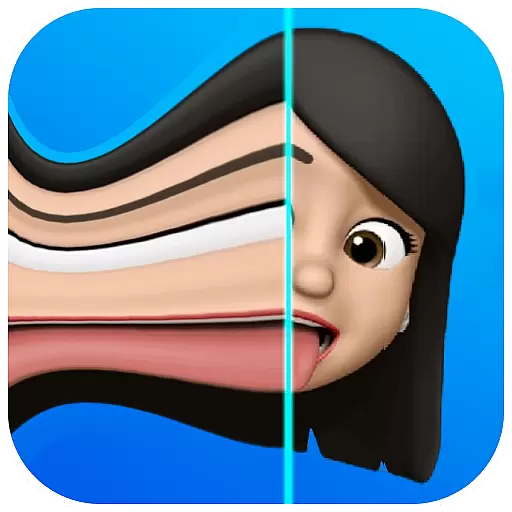

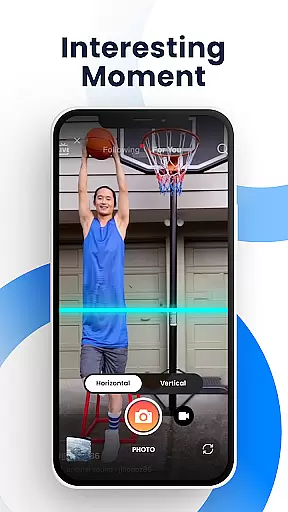
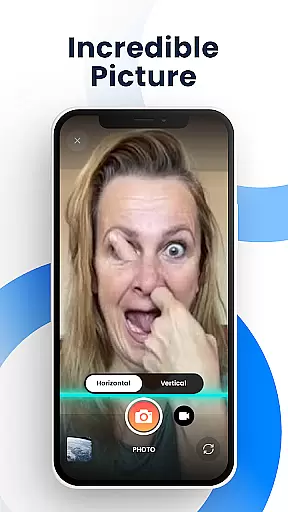
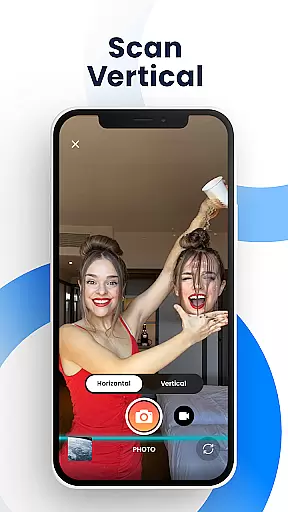
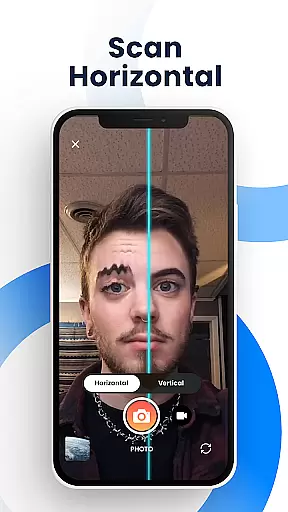
Time Warp Scan - Face Scanner is an innovative photography app that brings the popular TikTok-like time warp scan effect to your mobile device. This feature-rich application allows users to capture unique and entertaining photos and videos using its signature warp scan technology. The app's key functionality lies in its ability to create distorted, funny faces and interesting visual effects as the 'blue line' passes over the frame, freezing the image at strategic moments.
The application offers extensive creative control through adjustable scan directions, customizable blue line speed, and brightness settings. These features enable users to produce modern art-style photographs and videos with professional-looking results. Whether you're looking to create viral social media content or simply want to have fun with friends, Time Warp Scan provides unlimited possibilities for creativity without any watermarks or usage restrictions.
This photography app proves particularly valuable for social media enthusiasts and content creators who want to stay on top of current trends. The ability to instantly share creations across multiple platforms including TikTok, Instagram, Snapchat, and Facebook makes it an essential tool for generating engaging visual content. With its comprehensive set of features and user-friendly interface, Time Warp Scan - Face Scanner delivers professional-grade effects while maintaining accessibility for casual users.
Time Warp Scan - Face Scanner distinguishes itself through a comprehensive set of advanced features designed to maximize user creativity. The app's primary functionality revolves around its two core filter systems: the time warp scan photo filter and video filter. These filters enable users to manipulate facial features and object shapes in real-time, creating unique visual distortions as the scanning line progresses across the frame.
Several technical features enhance the user experience significantly. The app provides precise control over the 'blue line' scanning mechanism, allowing users to adjust both direction (vertical/horizontal) and speed. Additional professional-grade tools include brightness adjustment, various slit-scan effects, and the ability to save high-quality images and videos directly to the device gallery. The absence of watermarks ensures that created content remains clean and professional-looking.
What sets Time Warp Scan apart from similar applications is its sophisticated implementation of the time warp effect. Users can transform faces into unusual shapes, modify body proportions, and create artistic distortions with remarkable precision. The app's seamless integration with major social media platforms enables effortless sharing of creations, making it an ideal tool for both casual entertainment and serious content creation purposes.
Real-time capture and preview functionality is essential for photography apps as it allows users to see exactly what the camera is capturing before taking a shot. Time Warp Scan - Face Scanner offers this feature with its unique twist, enabling users to apply the time warp effect live while scanning their face.
The app's real-time processing ensures that the blue line effect can be seen moving across the frame, giving users precise control over how they want to distort or transform their image. This instant feedback loop empowers users to experiment with different facial expressions and movements.
With adjustable speed settings for the blue line, users have the flexibility to customize their experience according to their creative vision. The ability to change scan direction by swiping right or down further enhances user engagement and satisfaction.
By providing an intuitive interface coupled with powerful real-time effects, Time Warp Scan - Face Scanner makes creating fun and engaging content both effortless and enjoyable, allowing creators to share their warped selfies instantly on social media platforms.
AI beauty and enhancement features are becoming increasingly popular in photography applications, offering users tools to refine and perfect their images. Time Warp Scan - Face Scanner takes a unique approach by focusing on natural-looking transformations rather than traditional beautification filters.
Instead of simply smoothing skin or altering facial features, the app uses slit-scan technology to create dynamic visual effects. Users can manipulate the shape of their head, elongate fingers, or even give themselves a haircutu2014all through the movement of the scanning blue line.
This innovative use of AI ensures that each transformation looks organic and fluid, preserving the authenticity of the subject while still delivering surprising and entertaining results. It avoids the artificial appearance often associated with heavy photo editing.
By emphasizing creativity and personal expression over conventional beauty standards, Time Warp Scan - Face Scanner provides a refreshing take on digital enhancements, encouraging users to explore new forms of self-expression without sacrificing the natural essence of their photos.
User-friendly interface
Highly customizable effects
No watermark on outputs
Free to use
Multiple sharing options
May drain battery quickly
Requires good lighting
Learning curve for beginners
Ads may interrupt workflow
Some features could be unstable

Photo Album Watch Face shows your favorite pictures as a Watchface.
 1.90
1.90
Pet Camera
3.70
Create Business Headshots, Polaroid Filter, Retake Photos,Profile Pics,AI Photos
4.50
The #1 app for B&W film developing featuring an advanced darkroom timer.
4.10
HD Camera Pro with HD Video shooting, Panorama, Photo editor , Beauty Camera.
4.50
Raw Image Viewer. Gallery with support of raw images (.cr3, .cr2, .nef, .raf).
2.00
AI Photo Editor with 100+ Filters, Effects! Remove BG, Retouch & Photo Enhancer.
4.80
Remote control the phone camera shutter from your smartwatch and take a picture
1.60
A unique animation app. Powerful, easy to use, and lots of fun.
4.30
1M influencer's special filter
4.60
PhotoSync Bundle Add-On License. Enables all features and services in PhotoSync.
4.60
Trendy TikTok time warp scan funny filter app brings you unique photos & videos.
4.40
A reflected light meter with spot metering and incident light metering.
4.40
Smart, light, and fast photo and video gallery
4.30
Create AI Photos, Improve and restore quality of blurry, old or damaged pics.
4.20
Create & Edit with AI: AI Remove, Enhance, Retouch, Filter
4.10
Photobooth mini FULL app will allow you to add more fun to your parties
4.00
Professional quality photo edits with the new Snapseed.
4.00
HD Photo gallery and photo manager to edit, hide private photos, videos & albums
4.3


User Reviews