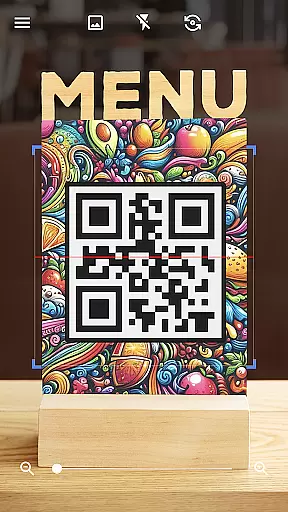
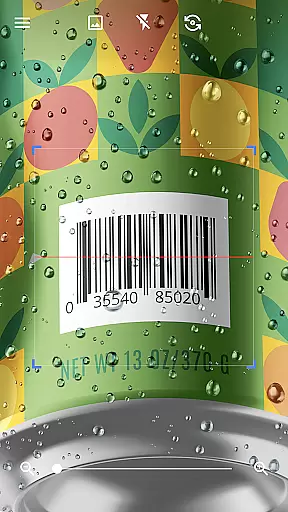
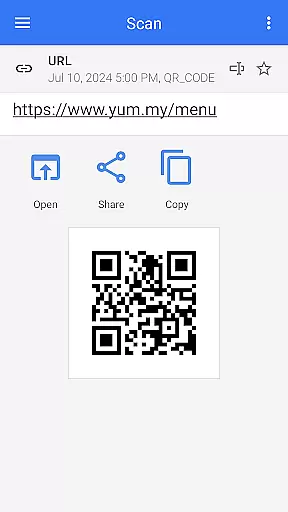
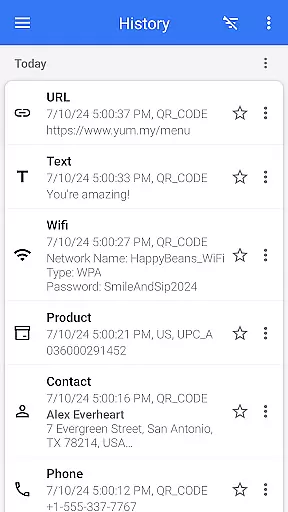
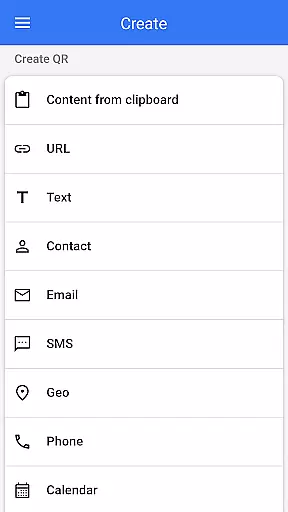
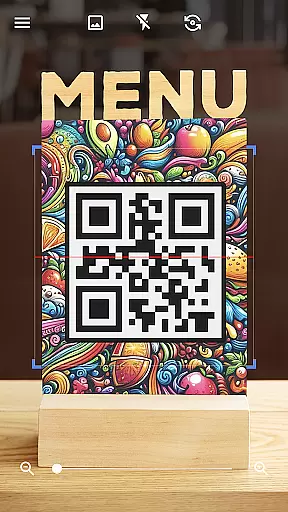
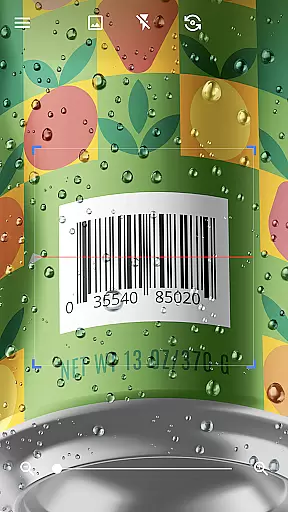
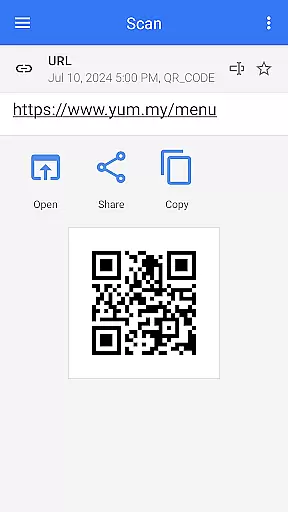
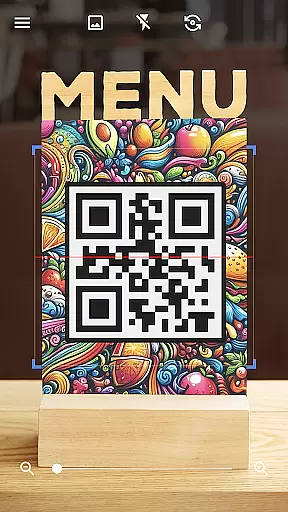
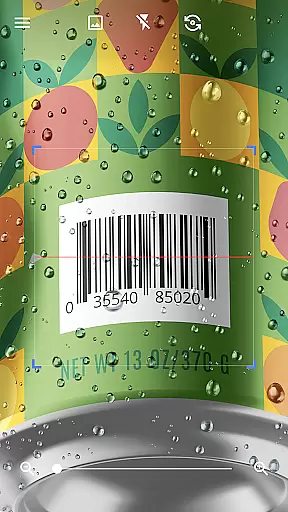
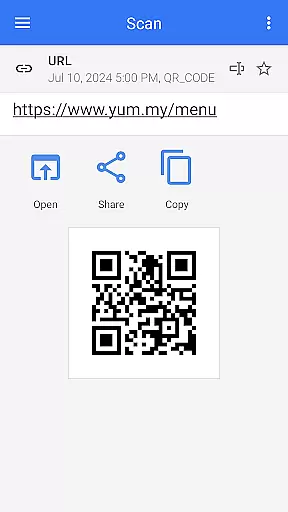
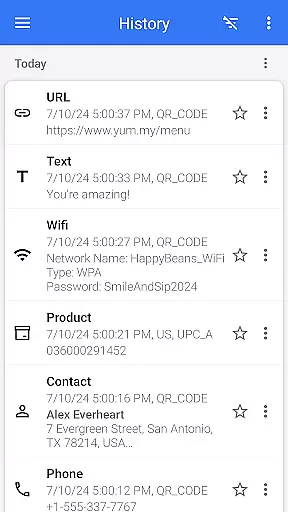

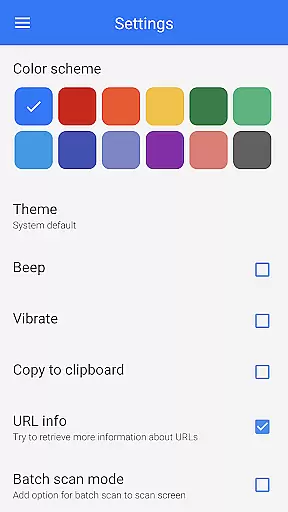
QR & Barcode Scanner is a versatile tool designed for Android users who need quick and reliable scanning of QR codes and barcodes. This app stands out with its automatic scanning feature, eliminating the need for manual input or adjustments. Simply point your camera at any QR code or barcode, and the app will instantly scan and decode it.
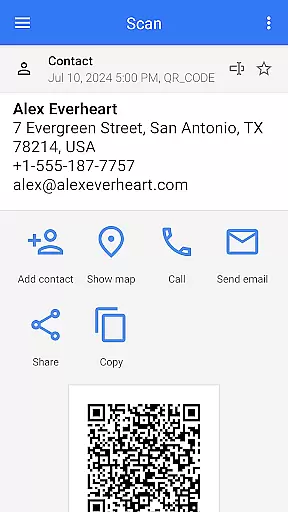
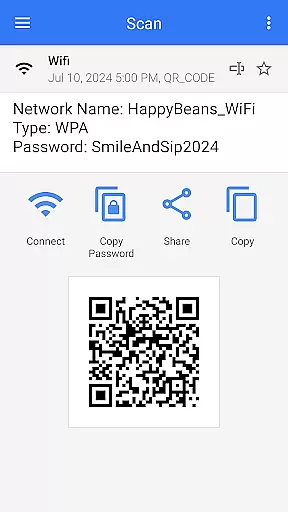
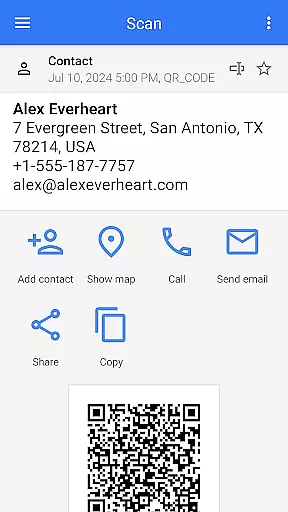
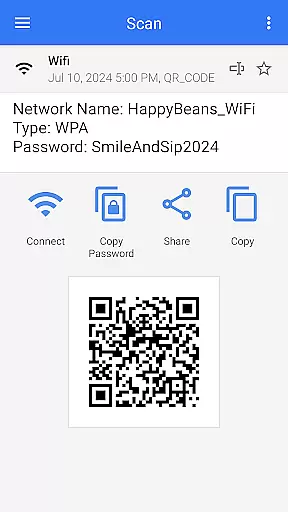
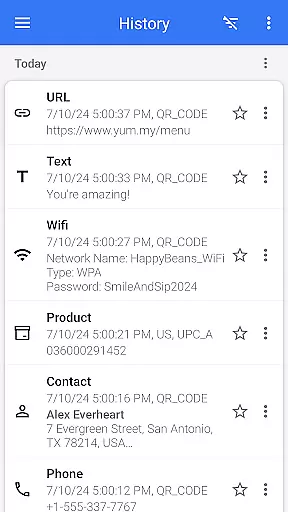
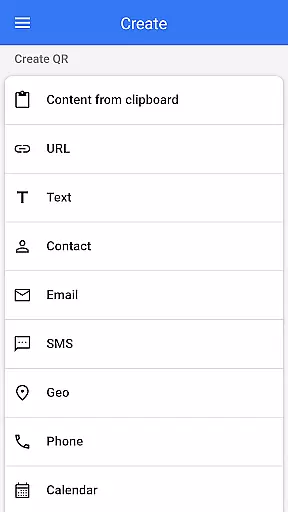
The application supports all major QR and barcode formats, including text, URLs, ISBNs, product details, contacts, calendar events, emails, locations, Wi-Fi information, and more. After decoding, users are presented with relevant action options based on the scanned content type. Additionally, the app doubles as a QR code generator, allowing users to create custom QR codes by entering desired data and generating them instantly.
This comprehensive tool also offers advanced features such as flashlight support for low-light conditions, pinch-to-zoom for distant codes, batch scanning, and export/import capabilities. Whether you're using it for personal convenience or professional needs, QR & Barcode Scanner provides an efficient solution for managing QR codes and barcodes.
QR & Barcode Scanner boasts a range of powerful features that enhance user experience. One standout feature is its automatic scanning capability, which allows users to scan QR codes and barcodes without pressing buttons or adjusting settings. The app's intuitive interface ensures a seamless scanning process, providing quick and accurate results every time.
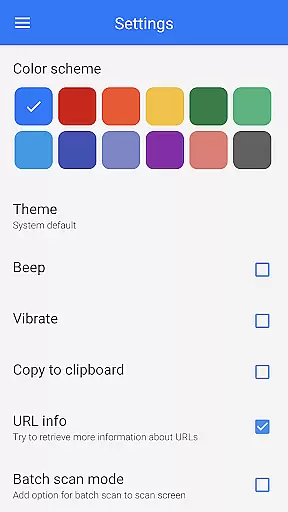
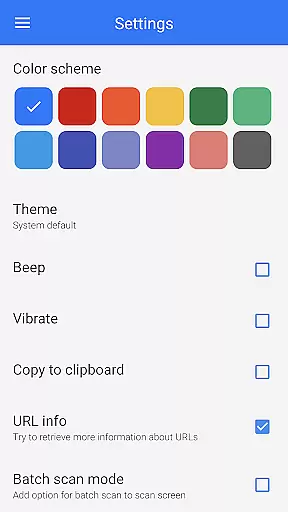
In addition to scanning, this app functions as a robust QR code generator. Users can easily generate QR codes for various data types, including text, URLs, contact information, and Wi-Fi passwords. The app also supports scanning from images and galleries, enabling users to decode saved QR codes effortlessly. With customizable themes, dark mode, and color options, users can tailor the app's appearance to their preferences.
Advanced functionalities include batch scanning for multiple codes, exporting scan history as .csv or .txt files, and importing data for future reference. These features make QR & Barcode Scanner not only a practical tool for everyday use but also a valuable asset for businesses and professionals seeking efficient data management solutions.
QR & Barcode Scanner exemplifies core function accuracy through its seamless scanning capabilities. The app instantly recognizes and decodes all standard QR code and barcode formats without requiring user intervention. This automatic detection ensures that users experience minimal delay between scanning and accessing the encoded information.
The effectiveness of this tool is demonstrated by its versatile scanning options. Users can scan codes directly via the camera, from saved images in their gallery, or even from clipboard contents. Each scan produces reliable results regardless of the source, showcasing the app's robust processing engine. Furthermore, specialized features like batch scanning enable multiple code reads in a single session.
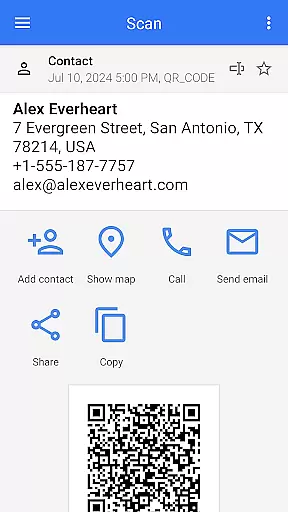
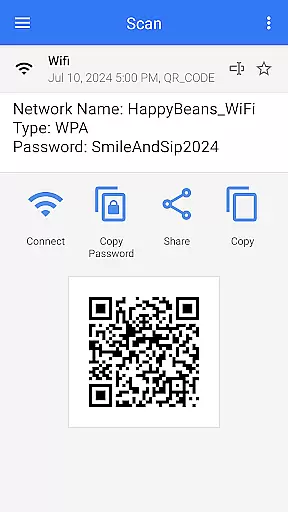
For practical applications, the app provides actionable outcomes based on the scanned content type. Whether it's a URL, contact information, Wi-Fi credentials, or product details, users receive appropriate follow-up actions. This context-aware functionality streamlines workflows and enhances productivity across various use cases.
The interface design of QR & Barcode Scanner prioritizes user-friendly interactions through intuitive controls and clear visual feedback. Upon launching the app, users are greeted with a straightforward camera viewfinder that requires no additional setup to begin scanning. The absence of unnecessary buttons or complex settings makes the initial experience accessible even for first-time users.
Intuitive features extend beyond basic scanning. The app incorporates helpful tools such as a built-in flashlight for low-light conditions and pinch-to-zoom functionality for distant codes. These practical additions are seamlessly integrated into the interface without cluttering the main screen or complicating the primary function.
Advanced options are organized within a clean menu structure, maintaining simplicity while offering powerful features. Users can access settings for dark mode, color customization, and file export/import functions without disrupting their workflow. This thoughtful arrangement of features ensures that both casual users and power users can navigate the app efficiently.
User-friendly interface
Automatic scanning
Supports multiple formats
QR code generation
Customizable themes
Limited iOS functionality
Occasional ads
No cloud sync
Basic analytics
Heavy on storage

PDF Reader - Document Viewer: Read, Manage & Organize Your Documents
 3.10
3.10
Making emulation easy for everyone!
4.30
Bedrock Together: Join any bedrock server on Xbox/PS
4.80
The one-and-only remote control for PC, Mac, and Linux
4.70
Mirror your screen to Fire TV - Super fast and simple
4.40
Powerful collection of electronics tools and reference.A must for any enthusiast
4.90
Pro Emulator is an easy to use game console emulator for a range of consoles.
4.40
Fast VPN USA for any country. Super secure VPN for calls, streaming, games, TV.
4.40
fast and easy mp3 music downloader
4.80
Connect wirelessly to your computer to watch movies, browse the web, play games
5.00
WiFi Signal Strength Meter help you detect WiFi Signal Strength in real time.
4.80
ADB support Android 4.X-Android 13(Support wireless pair mode).No root required!
4.70
HD Camera captures every special moment.
4.60
Head tracking for PC sim games such as MSFS 2024 or Elite:Dangerous. No headset!
4.50
An easy-to-use calculator designed to save time calculating and bending conduit
4.30
VESC Tool can monitor and configure VESC-compatible devices over BLE and Wifi
4.20
Unleash gamepad precision for ultimate mobile gaming dominance.
3.90
Smart and comfortable browsing experience.
3.80
This app unlocks the Pro features of the Central for DayZ app
3.60


User Reviews