

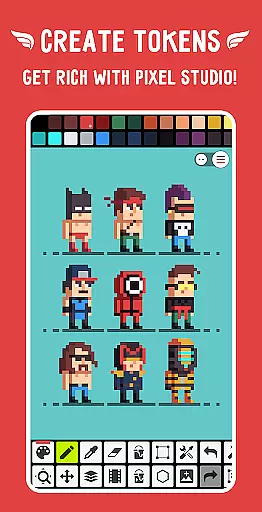
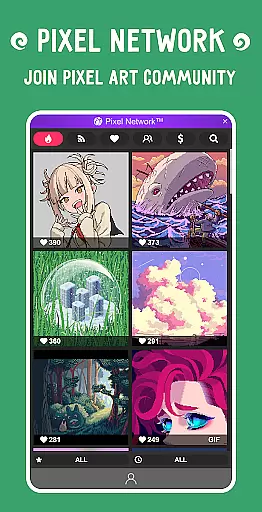
Pixel Studio PRO is a premier pixel art editor tailored for both budding artists and seasoned game developers. This professional-grade application combines an intuitive user interface with a robust set of features that cater to all your pixel art needs.
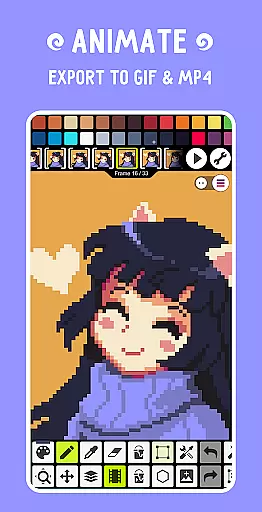
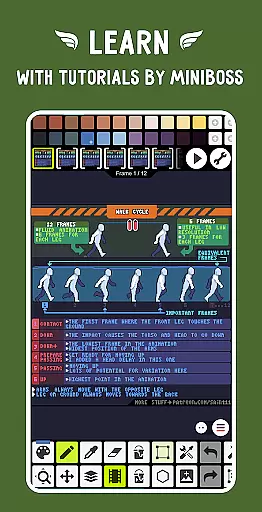
The app boasts an impressive array of functionalities including layer support, frame-by-frame animation creation, and music integration for dynamic multimedia projects. Users can export their animations in various formats such as GIF, MP4, and sprite sheets, ensuring compatibility across different platforms.
With over five million downloads worldwide, Pixel Studio PRO has proven its worth by offering unparalleled flexibility. Whether you're designing on-the-go with a mobile device or working at a tablet or PC station, this versatile tool adapts seamlessly to any creative environment.
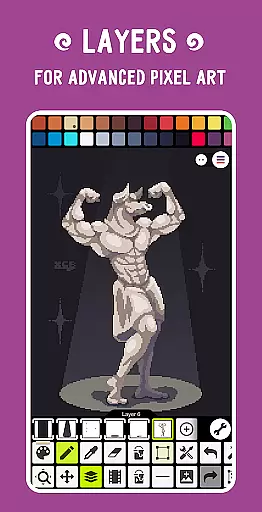
Pixel Studio PRO stands out with its comprehensive feature set designed to enhance the pixel art creation process. The application supports advanced techniques through its layer system and animation tools, allowing artists to craft complex visuals with ease.
One notable aspect is the ability to add music tracks to animations and export them as MP4 files—a unique offering among pixel art editors. Additionally, users benefit from cloud synchronization via Google Drive, enabling cross-device workflow continuity without missing a beat.
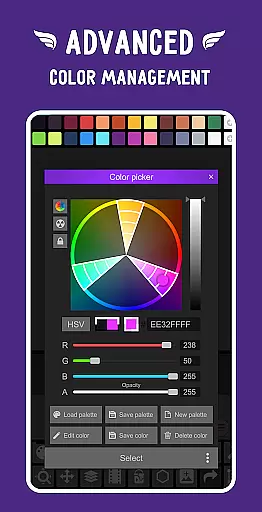
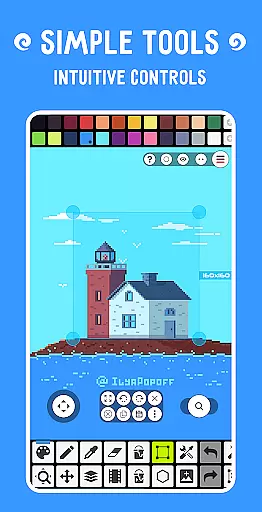
Furthermore, customization options abound; from adjustable toolbars to specialized color pickers in RGBA and HSV modes, every detail caters to maximizing productivity while maintaining creative control. These capabilities make Pixel Studio PRO not just another drawing app but rather an indispensable companion for anyone serious about pixel artistry.
Pixel Studio PRO offers an extensive suite of creative tools that cater to both beginners and professionals in the pixel art space. The application supports layers, animations, and even music integration, allowing users to create complex projects with ease.
With features like shape tools, gradient options, custom brushes, and text tools with various fonts, the app ensures artists have everything they need for detailed work. Advanced functionalities such as symmetry drawing, dithering pens, and precise rotation algorithms provide users with professional-grade capabilities.
The inclusion of a sprite library, tile mode for seamless textures, and palette customization empowers creators to design unique patterns and styles. Additionally, support for popular file formats including PNG, JPG, GIF, BMP, TGA, PSP, PSD, and EXR ensures compatibility across different platforms.
PRO features unlock further potential by offering extended project sizes, extra format support, unlimited color adjustments, and enhanced export options. This comprehensive toolkit positions Pixel Studio PRO as a top choice for pixel artists seeking versatility and depth in their creative process.
One of Pixel Studio PRO's standout features is its remarkable canvas and format flexibility, which allows artists to work without constraints. Users can enjoy an unlimited canvas size, enabling them to create expansive artworks or intricate designs without worrying about spatial limitations.
The application supports customizable backgrounds and grids, giving artists control over their workspace aesthetics. Canvas resizing and rotation functions add another layer of adaptability, ensuring that users can adjust their projects dynamically as needed.
Pixel Studio PRO also excels in format compatibility, supporting all major image formats such as PNG, JPG, GIF, BMP, TGA, and specialized formats like PSD from Adobe Photoshop. The PRO version extends this by adding support for AI, EPS, HEIC, PDF, SVG, WEBP, and advanced PSD handling.
This level of flexibility ensures that no matter what project requirements arise, Pixel Studio PRO can accommodate them seamlessly, making it an indispensable tool for any digital artist looking to push creative boundaries.
User-friendly interface
Extensive format compatibility
Advanced animation tools
Cloud sync functionality
Vibrant community support
Higher system requirements
Limited free content
No real-time collaboration
Premium subscription cost
Occasional performance lags

Stylish letters, Stylish Keyboard, Symbols, Emojis, Cool nickname
 4.40
4.40
Custom Character Creator & PFP Maker!
4.20
Draw anime & manga drawing, art with templates to create stunning picture!
4.50
Create neon drawing with magic doodle and fun doodle art effects!
4.50
Create stunning art with AI.
4.80
AR Anime Drawing: How to draw anime with AR drawing & sketching apps!
4.00
800+ Drawing, Painting Lessons App to Practice, Sketch & Paint Art.
4.30
Powerful home decoration & house design that allows you to design dream home.
3.80
All-in-One art, logo & collage maker. Design photos and edit video backgrounds
4.80
Logo Generator powered by AI: Create stunning logos effortlessly!
4.70
Draw Trace image sketch by, AR art projector app, Easy to trace any image.
4.50
Draw, make movies & animate cartoons easily with our 2D animation maker app
4.40
AI generated images & photos, turn your words into drawing, painting & pictures.
4.30
Trace, draw, and create art with AR - from memes to masterpieces!
4.30
Bring One UI 8.5 Icons to life -elegant dark icons with a modern, premium touch.
4.30
Design unique, funny and adorable cat stickers that reflect your own style!
3.80
Meet the magic aı 3d photo generator and smart AI video generator app.
3.20
Draw anime easily with AR guidance, sketch templates & trace tools!
3.10
Inky runs Inkscape on Android devices and Chromebooks
2.90


User Reviews