
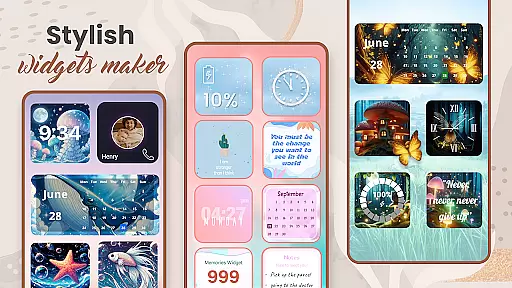
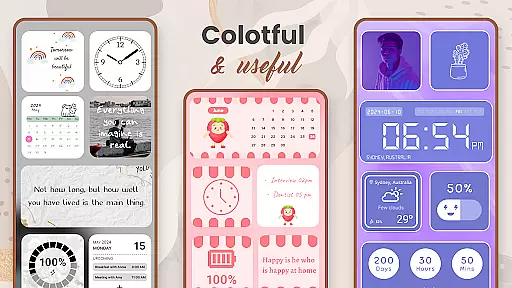
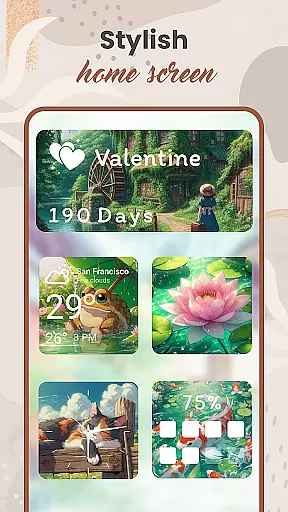
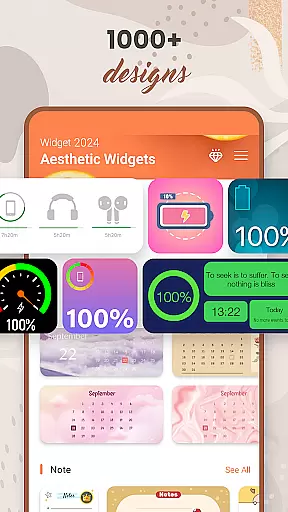
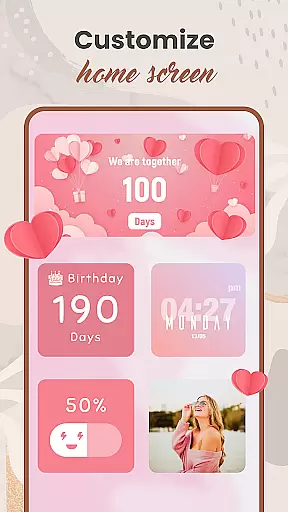
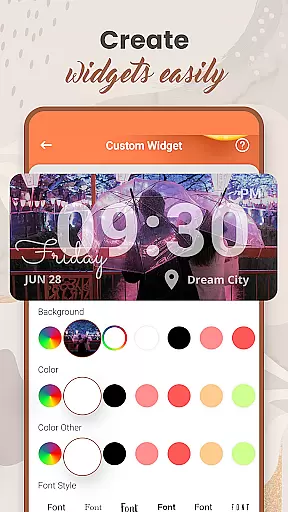
Widget 2025 is a powerful personalization app that allows Android users to transform their home screens with aesthetic widgets. The app provides an extensive range of customization options, including color widget creation, photo widgets, weather and clock styles, calendar features, countdowns, contact displays, battery indicators, and more.
With over 1000 stylish widget options to choose from, users can easily create fancy widgets that match their unique preferences. The intuitive interface enables complete customization of colors, fonts, styles, and backgrounds, while the powerful widget editor helps tailor each element to specific needs. Whether you want to enhance functionality or simply beautify your device, Widget 2025 offers everything needed to make your Android experience truly personal.
This application is particularly useful for users who value both aesthetics and practicality in their mobile devices. By combining beautiful design elements with essential utility features, Widget 2025 helps create a home screen that is not only visually appealing but also highly functional.
Widget 2025 stands out through its comprehensive feature set designed to maximize customization possibilities. The app's Color Widget Maker lets users craft perfectly matching widgets, while the Photo Widgets On Home Screen feature keeps favorite images always visible. The Quotes of the Day function adds inspiration to any home screen layout.
The Weather & Clock styles provide essential information with beautiful presentation, while Calendar, Day Counter, and Note features help organize daily life efficiently. Countdown widgets create anticipation for important events, and Contact display widgets keep crucial connections within reach. Battery indicators ensure users stay informed about their device's power status.
What makes Widget 2025 particularly innovative is its user-friendly customization interface. Unlike many widget apps that offer limited modification options, this application allows full control over every visual aspect. Users can adjust colors, fonts, styles, and backgrounds with precision, creating truly unique home screen configurations that reflect their personal taste and style.
Customization options variety refers to the range and flexibility of personalization features available in an app. For Widget 2025, this is a core aspect that allows users to tailor their Android home screens to match their unique styles and preferences.
The app offers over 1000 aesthetic widgets to choose from, including color widget makers, photo widgets, weather and clock styles, calendar widgets, countdowns, contact displays, and battery indicators. Each widget type can be customized with different colors, fonts, styles, and backgrounds, providing a rich palette for creativity.
Users benefit from the ability to create fancy widgets effortlessly using a user-friendly interface. The powerful widget editor enables precise customization, allowing individuals to suit widgets to their specific needs and preferences. This level of personalization ensures that no two home screens need to look the same.
Ultimately, the extensive customization options in Widget 2025 empower users to make their devices truly personal. By offering such a wide variety of choices, the app enhances the overall Android experience, making daily interactions with the device more enjoyable and visually appealing.
Theme compatibility involves how well an app supports various themes and integrates them into the user's device ecosystem. In the case of Widget 2025, theme compatibility ensures that all personalized widgets blend seamlessly with the overall visual design of the Android device.
Widget 2025 provides full support for diverse themes, ensuring that whether users prefer minimalist designs or vibrant, colorful interfaces, the widgets will maintain visual consistency. This compatibility extends across different Android versions and device models, guaranteeing a uniform appearance regardless of the hardware or software specifics.
By maintaining high standards of theme compatibility, the app ensures that customizations do not appear out of place or disrupt the cohesive look of the home screen. Users can switch between themes without worrying about widget aesthetics clashing with their chosen design language.
This seamless integration enhances user satisfaction by delivering a polished and professional appearance. As a result, users can enjoy a personalized yet harmonious Android experience, knowing that their carefully crafted widgets will always complement their device's theme.
User-friendly interface
Extensive customization options
Versatile widget selection
Powerful editing tools
Regular updates
May drain battery
Some features require premium
Occasional bugs
Learning curve for beginners
Device compatibility issues

A Colorful and Minimal icon pack in an Outline Style - Over 13,600 icons!
 4.70
4.70
Customizable flower power digital watch face for Wear OS watches.
4.00
Try creating your own keyboard with "Keyboard theme for android" app now!
4.50
Want to make your phone more special than ever?
4.60
Customize your home screen with stunning themes, blur, widgets & icons.
4.60
Unleash Your Creativity and Connect with Loved Ones with Lockscreen Drawing!
4.20
Modern Glass Icon Pack with glossy icons, clean minimal theme & aesthetic style
4.1
Your home screen, just the way you like it.
3.80
Install amazing sticker packs: endless styles, always cool.
4.70
Classic analogue watch face. For wear os devices.
4.60
Add cute Shimeji pets to screen, interact with them and relax with cute motions
4.60
Ultimate Gallery Lock App - Hide Pictures, Videos and Lock Apps Instantly!
4.60
Handcrafted pixel art icons, widgets & wallpapers
4.60
Turn text & photos into stunning AI videos, art, and creative visual stories.
4.50
The definitive Icon pack maker and editor
4.30
Transfer your live wallpapers from Windows to Android using Wallpaper Engine!
4.00
Transform your phone with stunning video wallpapers and a unique, personal touch
3.80
Interactive Miniature Painting Catalogue
3.30
Prank your friends with realistic broken screen and cracked HD effects!
4.3


User Reviews