
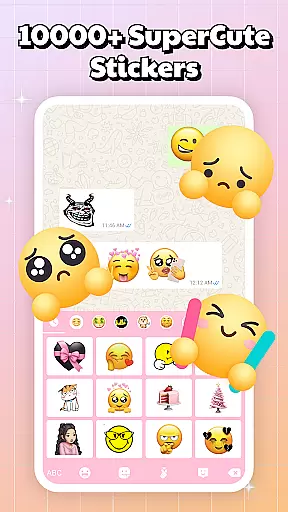
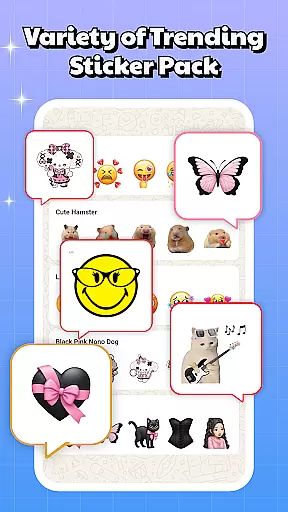
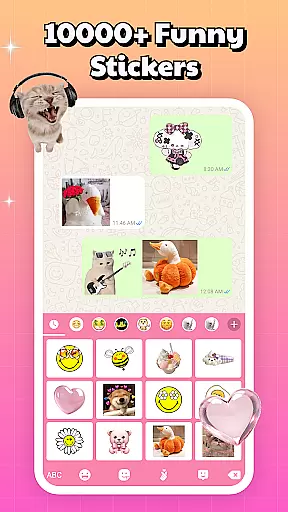
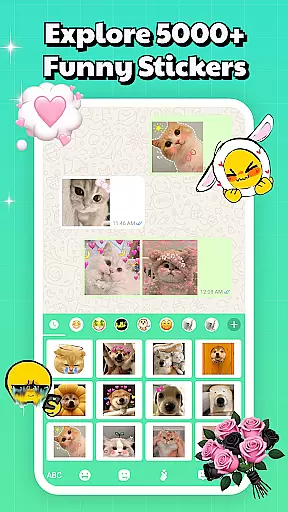
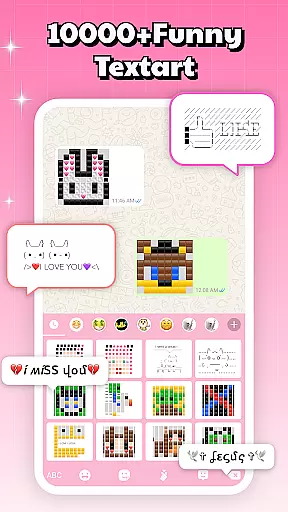
Sticker & Emoji - Memes Maker is a versatile personalization app that brings fun and creativity to your digital conversations. With an extensive library of both animated and static sticker packs, this app allows users to express themselves more vividly across various messaging platforms like Telegram, WhatsApp, iMessage, and Facebook Messenger.
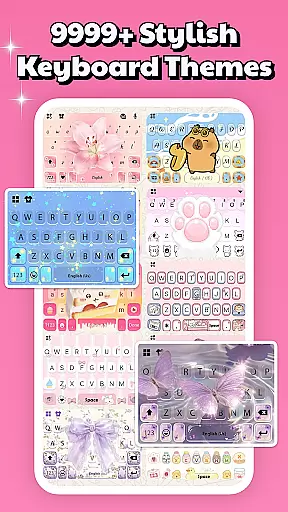
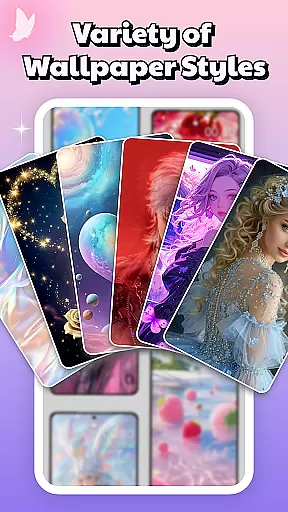
The app also features a smart keyboard function that provides seamless access to your favorite stickers while typing. Additionally, it offers over 10,000 free keyboard themes and various phone backgrounds, giving users the ability to customize their devices to match their personal style. Whether you're looking for aesthetic designs, anime characters, or playful memes, Sticker & Emoji has something for every mood and occasion.
This app is perfect for those who want to add a personal touch to their chats and device appearance, making everyday communication more engaging and visually appealing.
Sticker & Emoji - Memes Maker stands out with its comprehensive feature set tailored for personalization enthusiasts. The app's core functionality lies in its vast collection of sticker packs that work across multiple chat platforms, ensuring your messages always stand out.
Beyond stickers, the app includes a smart keyboard that streamlines the process of sending stickers by integrating them directly into your typing experience. This eliminates the need to switch between apps during conversations. Moreover, the app offers an impressive selection of keyboard themes and phone backgrounds, updated daily, which cater to diverse tastes from cute and playful to sleek and modern designs.
With regular updates introducing trending stickers and new customization options, users can continuously refresh their chat styles and device aesthetics, keeping up with the latest trends without any additional cost.
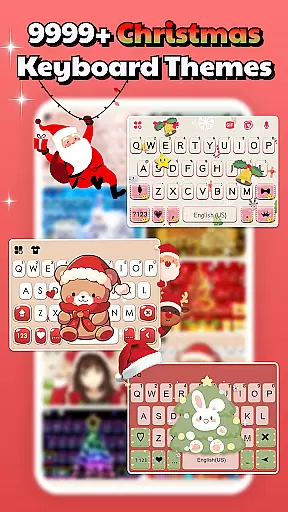
Sticker & Emoji - Memes Maker offers an impressive range of customization options that cater to diverse user preferences. With over 10,000 free keyboard themes, the app allows users to personalize their typing experience like never before. These themes include LED, transparent, gravity, animated, and HD photo backgrounds, ensuring there's something for everyone.
The app goes beyond basic theming by providing specialized collections designed around popular topics such as anime, cute animals, nature elements, and more. This extensive library is updated daily with fresh designs, keeping your keyboard looking trendy and unique. Whether you prefer minimalist aesthetics or vibrant patterns, this level of variety ensures your device truly reflects your personality.
Moreover, the inclusion of various background and lock screen options adds another layer of personalization. Users can choose from aesthetic, neon, fancy, cool, or cute designs to transform their phone's appearance. This comprehensive approach to customization empowers users to create a cohesive visual experience across their entire device.
The practical benefit of these customization options lies in their ability to enhance both functionality and self-expression. By integrating seamlessly with major chat platforms, users can maintain their personalized style while communicating with others. This combination of visual appeal and practical application makes Sticker & Emoji - Memes Maker a valuable tool for those seeking to customize their digital experience.
Theme compatibility is a crucial aspect of Sticker & Emoji - Memes Maker's design philosophy. The app ensures its vast collection of themes works seamlessly across different platforms and devices. This universal compatibility extends to popular messaging apps including Telegram, WhatsApp, iMessage, and Facebook Messenger, allowing users to maintain consistent visual identity throughout their digital communications.
The smart keyboard feature demonstrates exceptional compatibility by integrating directly into the user's existing workflow. Rather than requiring separate applications or complicated setup processes, it operates natively within the chat environment. This seamless integration enables users to access their favorite sticker packs and themes without interrupting their conversation flow.
Furthermore, the app maintains compatibility with various device types and operating systems. Whether using Android or iOS, users can enjoy the same high-quality experience without worrying about format issues or missing features. The development team has carefully optimized each theme to ensure proper display and functionality regardless of screen size or resolution.
This commitment to compatibility extends to regular updates and maintenance. By continuously monitoring performance across different platforms and devices, the app ensures that all themes remain functional and visually appealing. This dedication to cross-platform support enhances user satisfaction and encourages creative expression without technical limitations.
Extensive sticker library
Versatile keyboard themes
User-friendly interface
Frequent content updates
Cross-platform compatibility
Limited advanced features
Occasional performance lags
Ads may disrupt experience
Some features require in-app purchases
Design quality varies

Classic analogue watch face. For wear os devices.
 4.60
4.60
A light in the dark, a unique style and an andless cutomization!
4.30
Interactive Miniature Painting Catalogue
3.30
The definitive Icon pack maker and editor
4.30
Romantic Kiss Stickers App. Start romantic messaging now!
4.30
Turn text & photos into stunning AI videos, art, and creative visual stories.
4.50 3.50
3.50
Your go to Weather App & Home Screen. Get your weather at a swipe of a finger!
3.80
Transform your device in a game console
4.40
Enjoy a variety of amazing live wallpapers and colorful EDGE lighting borders!
4.80
Unique Android Launcher
4.60
Beautiful realistic hybrid watch face with numerous customization options.
4.50
Ninja Turtles Cowabunga SE watch face for Wear OS
4.50
Try creating your own keyboard with "Keyboard theme for android" app now!
4.50 4.50
4.50
Organize and manage your photos and videos effortlessly with Photo Gallery
4.20
More than 3000+ themes and 9000+ wallpapers for everybody!
4.10
Design your screen with unique, vibrant clocks
3.80
Adorable pets roam and play right on your phone screen!
3.30


User Reviews