
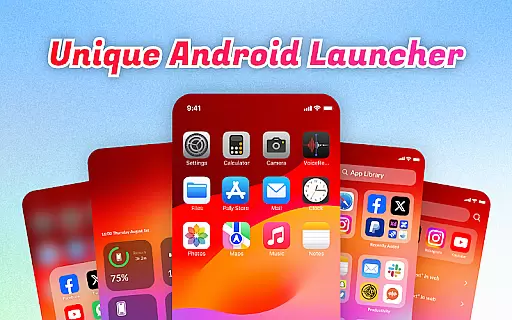
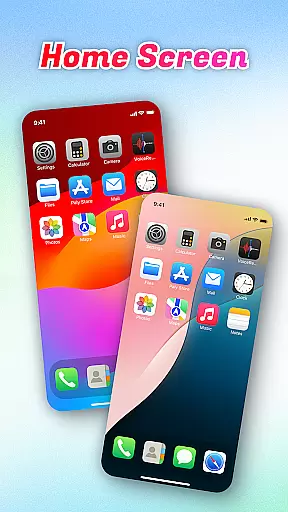
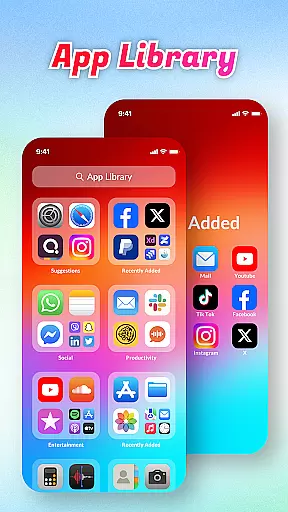
OS Launcher Theme is a personalization app designed to enhance your smartphone experience through an organized and feature-rich interface. The app's core functionality revolves around decluttering your home screen by sorting apps into categories within an App Library, making navigation seamless.
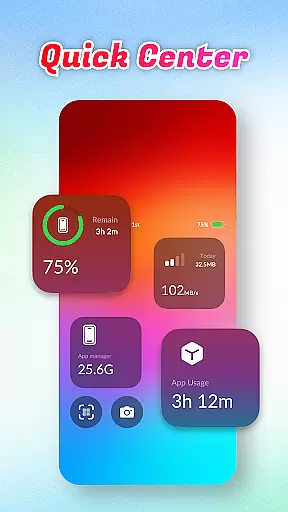
Beyond organization, the app offers practical tools like Quick Center for easy access to essential functions such as flashlight and settings with a single swipe. It also includes a built-in QR scanner, battery health monitoring, data usage tracking, and an app manager to optimize storage. These features collectively ensure that users can personalize their devices while maintaining optimal performance.
Whether you're looking to streamline daily tasks or simply want a cleaner, more efficient home screen, OS Launcher Theme provides a comprehensive solution tailored to improve usability and aesthetics.
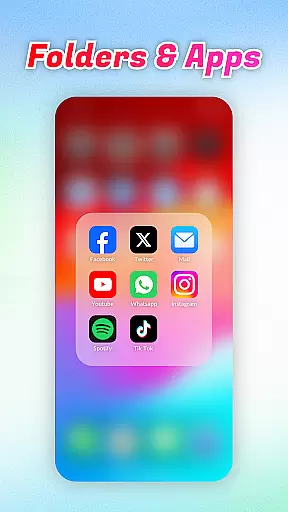
OS Launcher Theme stands out with its diverse range of features crafted to simplify and personalize your device usage. One of its key highlights is the App Library, which automatically sorts installed applications into categorized folders, reducing clutter and saving time when searching for specific apps.
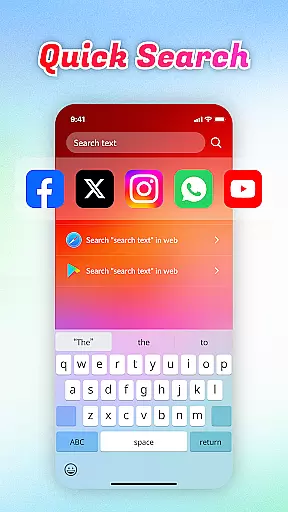
In addition to organization, the app offers several convenient utilities. Quick Center allows users to access frequently used functions like flashlight and settings with a simple upward swipe. The integrated Quick Search function enables rapid keyword-based searches for both local apps and web content. Furthermore, the built-in QR Scanner eliminates the need to switch between multiple apps for scanning codes.
Advanced functionalities include Battery Info, which helps monitor charging status and overall battery health, and Data Usage tracking to prevent exceeding data limits. The App Manager assists in identifying apps consuming excessive storage space, allowing for better device optimization. Each feature is thoughtfully designed to provide both aesthetic customization and practical utility.
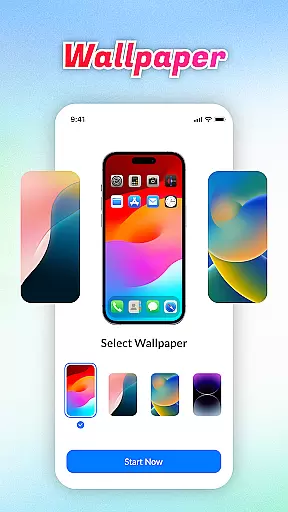
OS Launcher Theme offers a wide array of customization options that allow users to tailor their device's appearance and functionality according to their preferences.
The App Library feature automatically sorts apps into categories, reducing clutter and personalizing the user's app drawer experience. With Quick Center, users can access frequently used settings like flashlight and Wi-Fi with a single swipe and tap, enhancing convenience.
Quick Search enables swift keyword searches for both apps and web content, streamlining navigation. The inclusion of a built-in QR Scanner means users won't need to switch between apps for scanning, adding another layer of personal utility.
These features collectively ensure that each user can create an interface that is not only visually appealing but also highly functional and unique to their needs.
Theme compatibility is a crucial aspect of OS Launcher Theme, ensuring that visual customizations are seamless and visually cohesive across the user interface.
This launcher supports various themes which adapt smoothly to different devices and screen sizes without losing graphical fidelity or performance. Users can apply themes knowing they will look consistent on any compatible Android device.
In addition to aesthetic enhancements, OS Launcher Theme maintains operational consistency by integrating essential features such as Battery Info and Data Usage tracking within its thematic framework.
This ensures that while users enjoy personalized visuals, they also retain access to vital system information in a manner that feels native to their chosen theme.
User-friendly interface
Comprehensive utility tools
Efficient app categorization
Built-in QR code scanner
Real-time battery monitoring
Limited design templates
Premium features locked
Occasional performance lags
Ads in free version
Device compatibility issues

Customizable flower power digital watch face for Wear OS watches.
 4.00
4.00
Wear Os Watch Face - Seasonal - Animated Snow Effect - 9 Animals
4.20
Zip lock screen with magic wallpaper to decorate your phone with fun zipper lock
4.60 4.50
4.50
Adaptive Dot Style IconPack with Light & Dark Theme.
3.70
Color phone with cool effects for call screen, flash alert & ringtones music
4.50
Vibrant Adaptive Icons with Material You and Enhanced Monet Colors.
4.50
A minimalist productivity launcher. One-hand-friendly. Zero ads.
4.70
Emoji Maker app - Design custom emojis and effortlessly blend them with Mixer
3.80
Sparkle your screen with Glitter Wallpapers For Girls and Cute Backgrounds!
4.80
100+ Stylish Fonts, Emojis, Symbols keyboard for Instagram & TikTok!
4.80
A Colorful and Minimal icon pack in an Outline Style - Over 13,600 icons!
4.70
Nothing Icon pack with more than 3750+ highly crafted icons.
4.70
Customize your home screen with stunning themes, blur, widgets & icons.
4.60
Aesthetic Widgets, HD Wallpapers, Themes in Mico Widget for Home and Lock Screen
4.50 4.50
4.50
Run multiple accounts of the same app on a single device
4.10
Realistic animated snow on your wrist, with 10 images landscapes to choose from
4.00
⭐ OneUI inspired Fluffy Icon Pack – Soft. Stylish. Standout. ⭐
4.4


User Reviews