
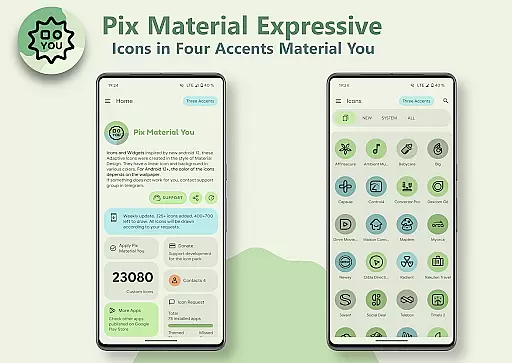
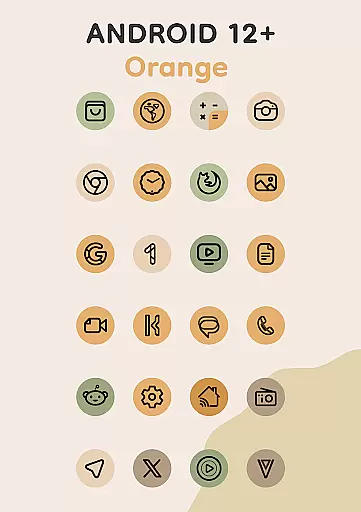
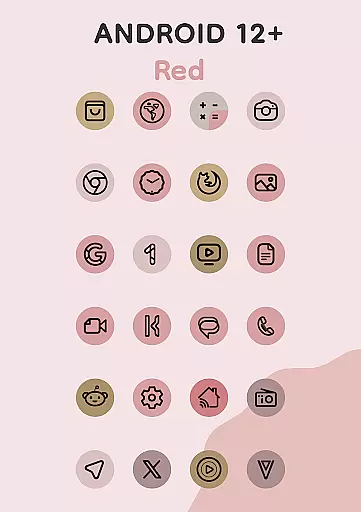
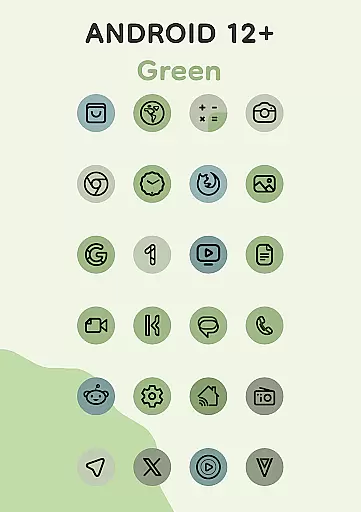
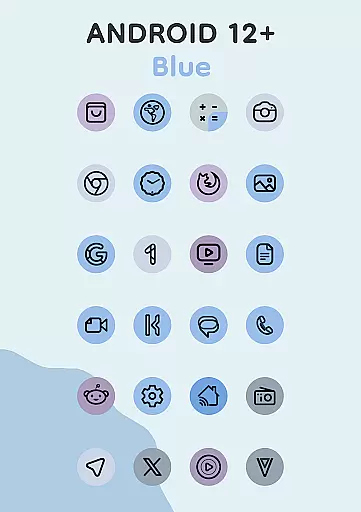
Pix Material Expressive Icons is a dynamic icon pack that transforms your device's interface with adaptive icons, fully supporting Material You design principles. The app offers over 24,000 adaptive icons that adjust their color based on your wallpaper, providing next-level personalization.
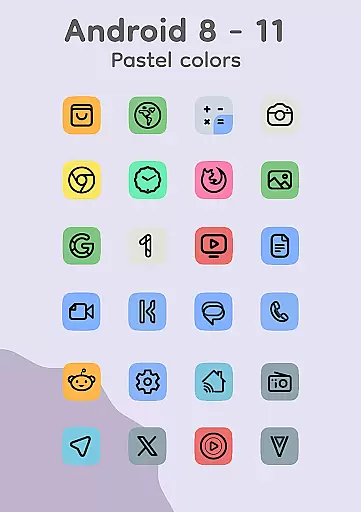
Designed for Android 8 and above, the icons display pastel colors on older versions while adopting the vibrant Monet palette on Android 12+. With additional expressive accent colors, clean linear outlines, and shape-shifting capabilities, these icons deliver a modern look and seamless integration with your system's theme.
This icon pack is especially powerful when used with compatible launchers like Nova Launcher or Pixel Launcher, where users can enjoy automatic color adjustments and extensive customization options such as icon shapes, sizes, and animations.
The Pix Material Expressive Icons app stands out with its comprehensive support for Material You, introducing four additional accent colors to the standard Monet palette for more expressive designs. Each icon dynamically changes its background color according to your wallpaper, ensuring a harmonious visual experience.
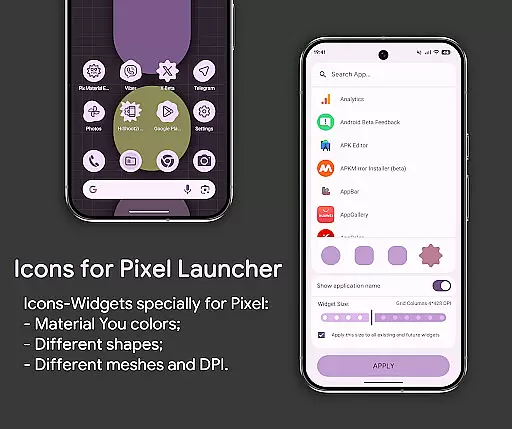
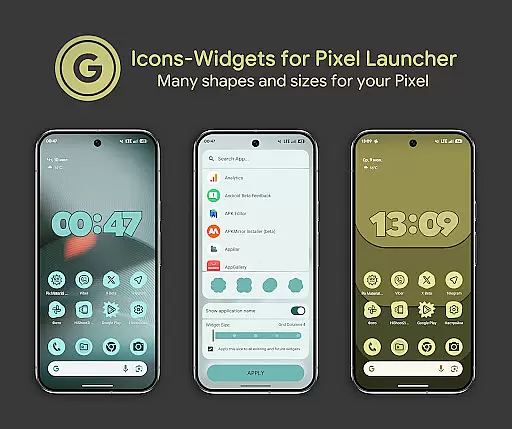
Users benefit from the adaptive nature of the icons, which change shape based on the launcher in use, offering unparalleled customization. The inclusion of Icon-Widgets allows further personalization, enabling users to select icon shapes, names, and widget sizes that mimic Pixel Launcher's themed icons.
With features like clock widgets, music widgets, and compatibility with various launchers, this app provides tools for a personalized and cohesive device aesthetic. Whether you're looking to refresh your home screen or seeking advanced theming options, Pix Material Expressive Icons delivers both style and functionality.
Pix Material Expressive Icons offers an extensive range of customization options that allow users to tailor their device's appearance to their personal style. With full support for Material You, the icon pack provides dynamic color adaptation based on your wallpaper, ensuring a seamless and harmonious integration with your system's color scheme.
Each icon is crafted with a clean linear outline and comes with enhanced Monet palette accent colors, making them not only adaptive but also expressive. The inclusion of various icon shapes and sizes caters to different grid layouts and DPI settings, offering flexibility in design that extends beyond standard icon packs.
For users seeking further personalization, the app supports icon animation and allows manual selection of icon shapes and widget sizes. This level of detail ensures that every element on your home screen can be customized to create a unique and cohesive look that reflects individual preferences.
By reapplying the icon pack after changing wallpapers or system accents, especially on Android 12+, users can enjoy an ever-evolving aesthetic that keeps their device feeling fresh and personalized. This feature empowers users to maintain a modern look with minimal effort while enjoying the benefits of advanced personalization options.
Theme compatibility is at the heart of Pix Material Expressive Icons, ensuring that users experience a consistent visual language across their devices. The icon pack is designed to work seamlessly with a variety of launchers, including popular options like Nova Launcher, Smart Launcher, and Pixel Launcher through its innovative Icon-Widget feature.
For devices running Android 8-11, icons display in pastel colors due to the lack of Monet support; however, on Android 12+ systems, they dynamically adapt to wallpaper and system themes using three Material You colors. This dual compatibility ensures that whether you're using an older or newer device, your icons will always appear stylish and integrated with your chosen theme.
The Icon-Widget functionality takes theme compatibility a step further by allowing widgets to change color based on both the wallpaper and light or dark theme settings. Users can customize each widgetu2019s icon shape, name, and size for different screen grids, achieving a uniform appearance akin to themed icons within Pixel Launcher environments.
With recommended launchers automatically applying color changes post-wallpaper updates (in Android 12+), maintaining theme consistency has never been easier. Even for launchers without automatic color adjustment, simple reapplication of the icon pack refreshes the entire visual setup, guaranteeing ongoing compatibility and aesthetic harmony throughout your digital ecosystem.
Full Material You support
Dynamic color adaptation
Extensive icon library
Customizable icon shapes
Compatibility with many launchers
Limited functionality on older Android
Requires reapplication after wallpaper change
No automatic color adjustment on some launchers
Additional setup needed for optimal use
Premium features may require payment

A retro cartoon style watch face and a punch right in the face of the copyright
 4.60
4.60
Make your phone look simple & luxury, like iDevice
4.60
Sparkle your screen with Glitter Wallpapers For Girls and Cute Backgrounds!
4.80
Adult video chat, dating, making friends, random matching
4.20
The definitive Icon pack maker and editor
4.30
100+ Stylish Fonts, Emojis, Symbols keyboard for Instagram & TikTok!
4.80
Custom edge gestures for volume control, brightness, apps, and shortcuts.
4.4
Icons made of colorful linear lines
4.60
Handcrafted pixel art icons, widgets & wallpapers
4.60
One 8 icons glass color version
4.80
Nothing Icon pack with more than 3750+ highly crafted icons.
4.70
Ultra realistic gold analog watch face with lots of customization options.
4.50 4.50
4.50
AI-powered Copilot. Personalized keyboard with gifs, stickers & themes
4.40
Yandex Browser — stylish and secure, with voice search and data compression
4.40
Unleash Your Creativity and Connect with Loved Ones with Lockscreen Drawing!
4.20
Customizable flower power digital watch face for Wear OS watches.
4.00
Realistic animated snow on your wrist, with 10 images landscapes to choose from
4.00
Adorable pets roam and play right on your phone screen!
3.30


User Reviews