
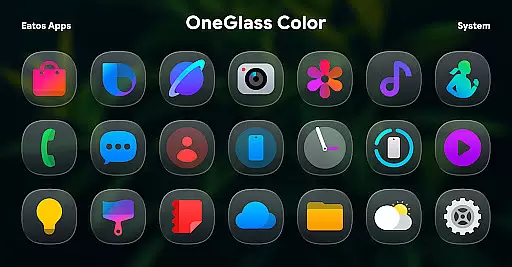
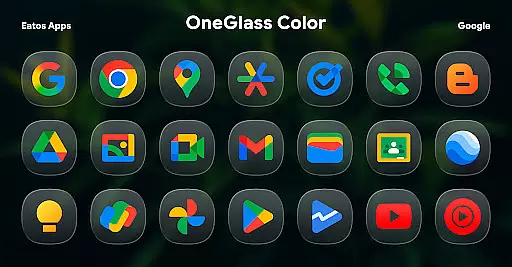
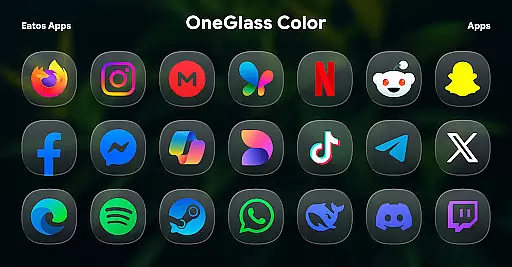
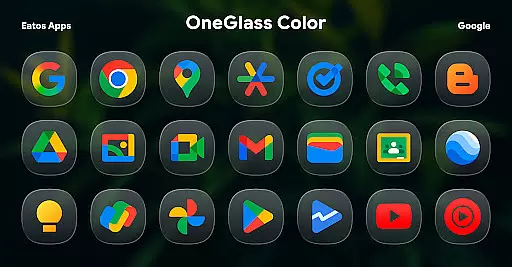
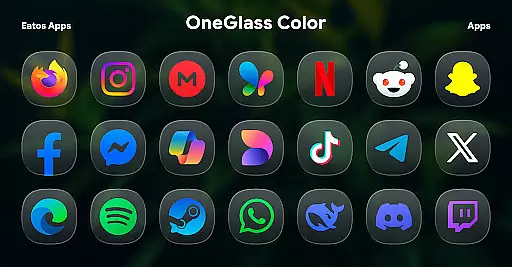
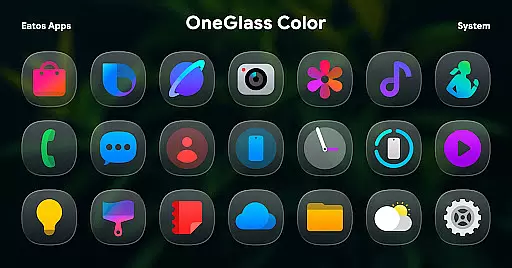
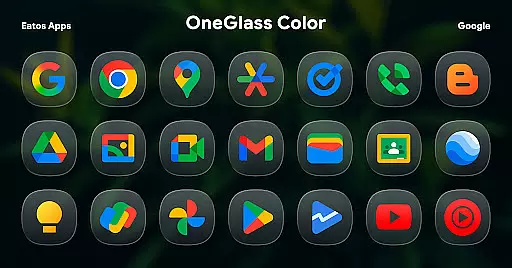
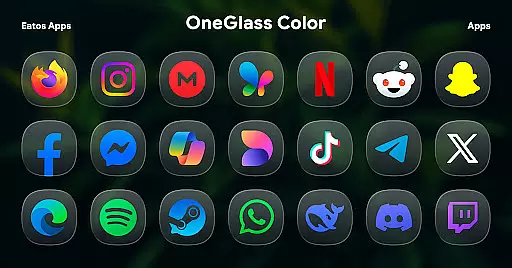
OneGlass 8 (Color) is a premium icon pack featuring over 4,600 beautifully crafted glass-style icons inspired by One 8 design language. This pack also includes more than 430 high-quality wallpapers, offering users a complete customization experience for their devices. Designed specifically for dark mode enthusiasts, the icons and wallpapers create a stunning visual effect when paired with darker themes.
The icon pack supports popular launchers like Hyperion Launcher, Nova Launcher, and Smart Launcher, ensuring compatibility across various Android devices. For Samsung One UI users, the theme can be applied through the Good Lock and Theme Park apps. With its sleek design and extensive icon coverage, OneGlass 8 (Color) provides a polished and cohesive look that enhances the overall user interface.
OneGlass 8 (Color) stands out with its unique glass-style icons that combine vibrant colors with translucent effects, creating an elegant appearance on any home screen. The pack includes over 4,600 icons covering a wide range of popular apps, ensuring comprehensive support even for lesser-known applications. Additionally, users can choose from more than 430 wallpapers carefully curated to complement the icons.
This icon pack is optimized for dark mode, making it perfect for users who prefer low-light interfaces. It supports major launchers such as Hyperion, Nova, and Smart Launcher, while also providing specific instructions for applying the theme on Samsung One UI via Good Lock and Theme Park apps. Regular updates ensure new icons are added frequently, keeping your device looking fresh and modern.
OneGlass 8 (Color) offers an extensive range of customization options, ensuring users can tailor their device's appearance to their personal style. With over 4,600 Glass color icons and more than 430 wallpapers, this icon pack provides a rich selection for those who prefer a cohesive dark mode aesthetic.
The variety extends beyond just the number of icons and wallpapers. Each icon is meticulously designed to complement dark wallpapers, enhancing the visual experience when using dark mode. This attention to detail ensures that users not only have a wide array of choices but also high-quality options that maintain a consistent look and feel across their device.
For users seeking to customize their interface further, OneGlass 8 (Color) supports various launchers that allow theme application. Whether you're using Hyperion Launcher, Nova Launcher, or Smart Launcher, you can easily apply these themes to enjoy a personalized and visually appealing home screen.
Theme compatibility is a crucial aspect of OneGlass 8 (Color), allowing seamless integration with different launchers and devices. To fully utilize the potential of this icon pack, users need to install a launcher that supports theme application, such as Hyperion Launcher, Nova Launcher, or Smart Launcher.
For Samsung users, applying themes in OneUI launcher requires downloading additional apps like "Good Lock" and "Theme Park." These tools facilitate the process, enabling users to follow simple steps to apply the desired themes. Detailed instructions are available at https://bit.ly/OneUIThemePark, ensuring a smooth setup experience.
This compatibility ensures that regardless of your device or preferred launcher, you can enjoy the full benefits of OneGlass 8 (Color). The ability to integrate with multiple platforms underscores the versatility and user-centric design of this icon pack, making it accessible to a broad audience.
Stunning glass-style icons
Extensive icon coverage
Includes 430+ wallpapers
Optimized for dark mode
Wide launcher compatibility
Requires compatible launcher
No automatic theme application
Limited light mode optimization
Additional setup for One UI
Regular updates needed

Stunningly Different look with Line Icons and Neon Colors
 4.60
4.60
Fingerprint Lock Screen & Live Animations with 4K Wallpapers as Live Wallpaper
4.40
Art & Emoji Keyboard with Cool Fonts, Cute Themes and Custom Designs.
4.40
Over 28,000 high quality icons to bring color & homogeneity to your phone.
4.60
Turn text & photos into stunning AI videos, art, and creative visual stories.
4.50
300+ Stunning and well-designed widgets inspired by NOTHING.
4.70
Transform your device in a game console
4.40
Customize phone with anime themes, 3D icons, aesthetic widgets & wallpapers
4.80
Transform your phone with stylish zipper lock themes and 4D live wallpaper
4.10
Only for Wear OS devices!
4.90
350+ widgets with a premium glass-style finish, perfect for home & lock screens.
4.70
Zip lock screen with magic wallpaper to decorate your phone with fun zipper lock
4.60 4.50
4.50
AI-powered Copilot. Personalized keyboard with gifs, stickers & themes
4.40
A light in the dark, a unique style and an andless cutomization!
4.30
The definitive Icon pack maker and editor
4.30
Interactive Miniature Painting Catalogue
3.30
Adorable pets roam and play right on your phone screen!
3.30
Capture moments that pass like a storm, second by second.
4.1


User Reviews