
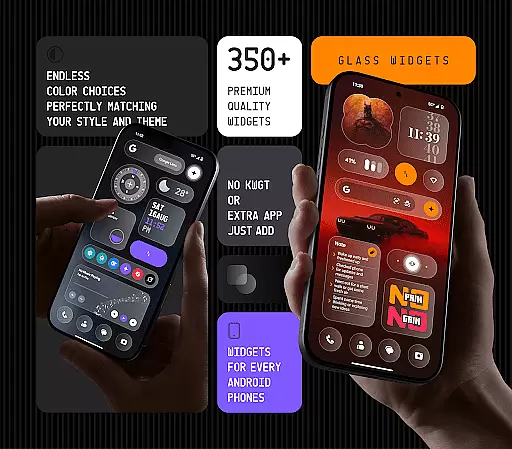
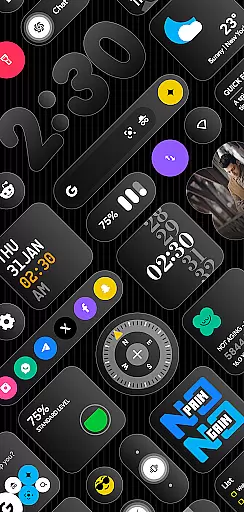
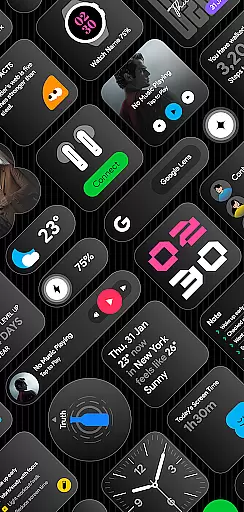
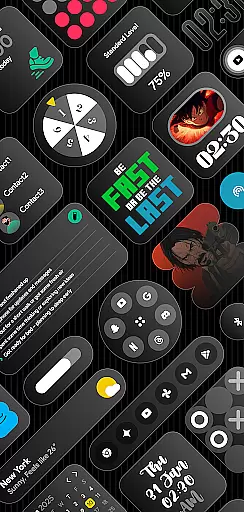
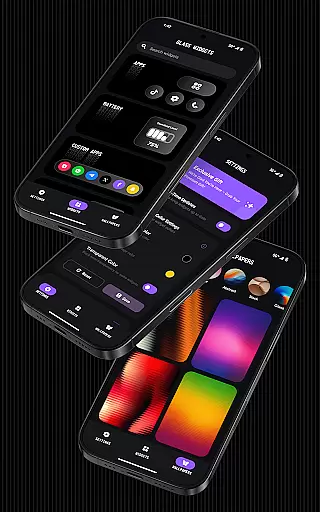
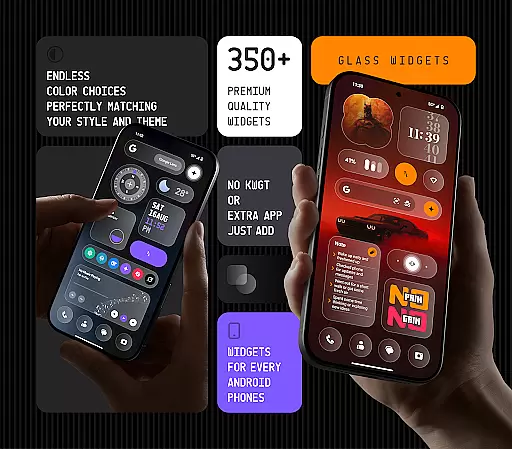
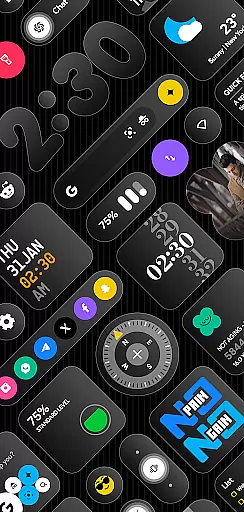
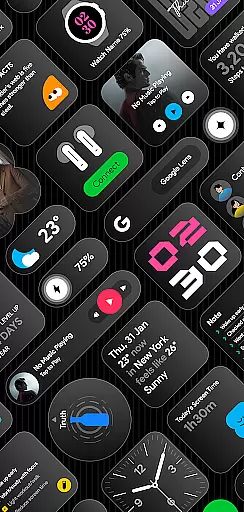
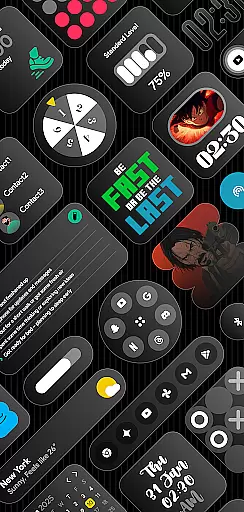
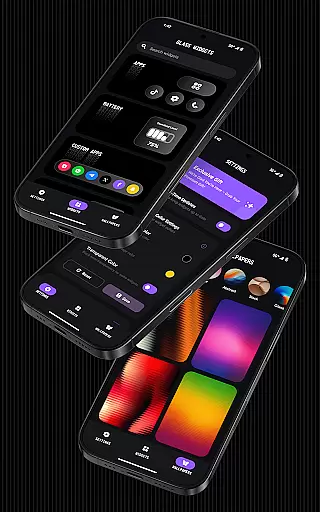
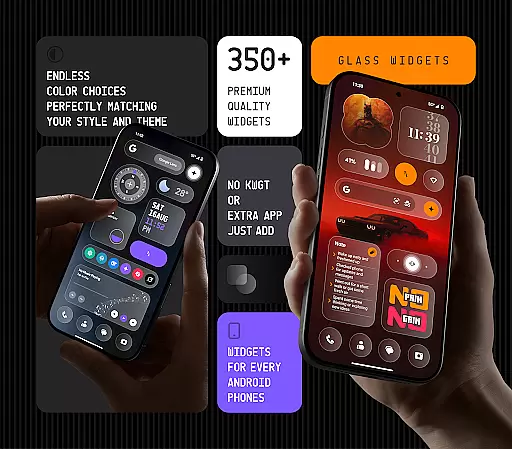
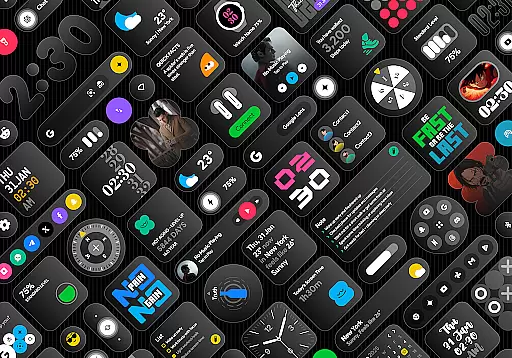
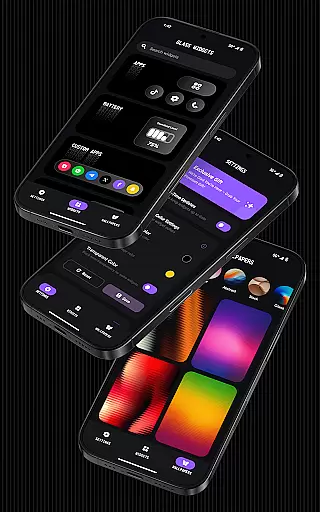
Glass Widgets offers over 350 beautifully designed, glass-style widgets compatible with any Android device. These sleek, transparent widgets upgrade your home screen and lock screen with modern designs including clocks, weather updates, calendars, battery indicators, step counters, quotes, compasses, and quick settings.
The app stands out with its customizable colors, personalized designs, and battery-friendly performance. Whether you want minimalistic or feature-rich widgets, Glass Widgets provides a variety of options to match your style while ensuring smooth functionality. The inclusion of real-time updates and glass-effect wallpapers makes it a complete solution for personalizing your device.
Glass Widgets distinguishes itself through its extensive range of features that cater to various user needs. With support for both home and lock screens, the app offers widgets in multiple categories such as clocks, weather, calendars, and more, all crafted with a stylish transparent finish.
One of the key highlights is the customization capability. Users can personalize widget colors and choose from a variety of designs including minimal, stylish, and live widgets. The app also uses foreground services and exact alarms to ensure timely updates, keeping widgets like weather and photo displays accurate throughout the day.
Additionally, Glass Widgets ensures optimal performance by being battery-friendly and offering regular updates with new widget designs. This commitment to quality and user experience makes it an ideal choice for those looking to enhance their Android devices with modern, functional aesthetics.
Customization is at the heart of personalizing your digital experience, and Glass Widgets excels in providing a vast array of options to tailor your Android device to your unique style. With over 350 glass-style widgets, this application allows users to modify their home and lock screens with sleek, transparent designs that are both modern and stylish.
The app offers customizable colors, giving you the freedom to adjust your widgetu2019s appearance to match your personal preferences or device theme effortlessly. Whether you're looking for minimalistic clock displays, detailed weather forecasts, or even step counters, Glass Widgets supports various types including calendars, battery indicators, and motivational quotes, ensuring there's something for every user.
Moreover, the inclusion of features like quick settings, photo frames, and Google shortcuts adds another layer of utility to the aesthetic appeal. This versatility not only enhances visual attractiveness but also boosts productivity by keeping essential tools within easy reach. The ability to personalize extends beyond mere color choices; it encompasses layout flexibility that caters to individual needs and tastes.
By choosing Glass Widgets, users gain access to an ever-expanding collection of beautifully crafted elements designed to transform their smartphones into personalized hubs of information and control. Regular updates promise fresh content, maintaining relevance and satisfaction over time.
Theme compatibility ensures that widgets not only look good but also integrate seamlessly with the overall design language of your device. Glass Widgets stands out by offering designs that are compatible with any Android theme, making it an ideal choice for users seeking consistency across their digital environment.
This application provides a range of styles from minimalistic to live designs, ensuring that no matter what theme you choose for your phone, there will be matching widgets available. The transparent nature of these glass-effect widgets allows them to blend naturally into any background or wallpaper setting, preserving the intended visual harmony without clashing elements.
Beyond aesthetics, Glass Widgets maintains functional integrity through its support for both home and lock screens. This dual compatibility means users can enjoy uniformity throughout their interaction points with the device while still benefiting from practical features such as weather updates, calendar events, and moreu2014all presented in visually appealing formats.
Furthermore, regular updates introduce new themes alongside existing ones, expanding possibilities for personal expression. By prioritizing theme compatibility alongside customization depth, Glass Widgets empowers individuals to craft cohesive digital spaces reflecting their personality and enhancing everyday usability.
User-friendly interface
Extensive widget variety
Customizable designs
Battery-efficient performance
Regular feature updates
Premium features locked
Occasional update delays
Limited iOS support
Design inconsistencies
Advanced settings require learning

Winter's Journey: digital watch face for Galaxy Watch & Wear OS
 4.80
4.80
Prank your friends with realistic broken screen and cracked HD effects!
4.2
Art & Emoji Keyboard with Cool Fonts, Cute Themes and Custom Designs.
4.40
Try creating your own keyboard with "Keyboard theme for android" app now!
4.50
The definitive Icon pack maker and editor
4.30
⭐ OneUI inspired Fluffy Icon Pack – Soft. Stylish. Standout. ⭐
4.5
Embrace the Night. Unleash the power of darkness with Raven Dark Icon Pack
4.60
Stylish Pink Cute Hippo keyboard with 10000+ customized keyboard themes!
4.60
Yandex Browser — stylish and secure, with voice search and data compression
4.40
Sparkle your screen with Glitter Wallpapers For Girls and Cute Backgrounds!
4.80
Customizable Glass widgets. Over 360+ stunning widgets and more!
4.70
Classic analogue watch face. For wear os devices.
4.60
Icons made of colorful linear lines
4.60 4.50
4.50 4.50
4.50
Your home screen, just the way you like it.
4.30
Magic fluids wallpaper 4D: Relax with stunning fluid simulation wallpaper app
4.20 4.10
4.10
Create unique, fun emojis with Funny Emoji Maker! Unlimited creativity!
4.00


User Reviews