
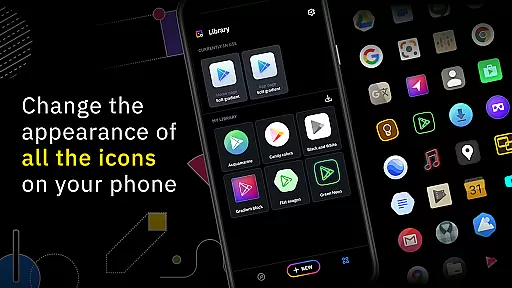
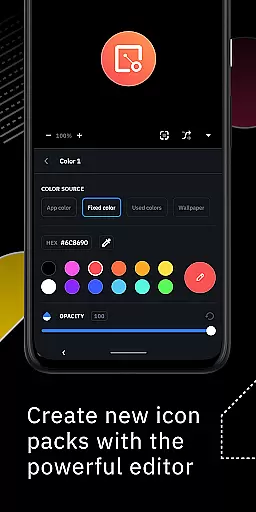
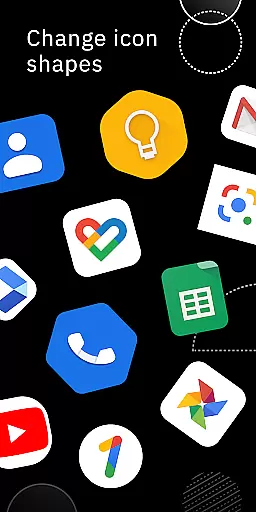
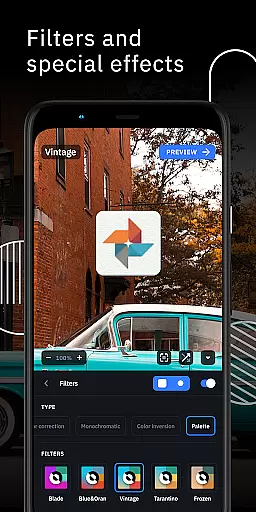
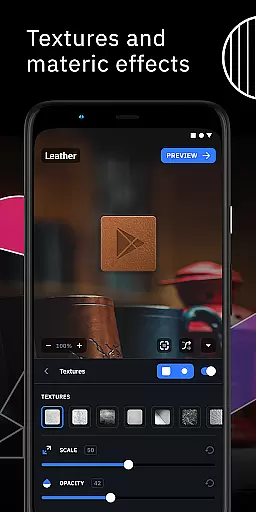
Icon Pack Studio is a powerful personalization tool that allows users to create, customize, and apply their own icon packs. With an intuitive interface, the app enables you to design icons from scratch or modify existing ones with advanced editing features such as resizing, moving elements, and applying filters like shadows and textures.
The app stands out by ensuring full compatibility with any app on your device, something standard icon packs from the Play Store cannot achieve. Whether you're using Smart Launcher or other popular launchers like Nova or Action Launcher, Icon Pack Studio provides seamless integration and customization options for a personalized home screen experience.
One of the standout features of Icon Pack Studio is its advanced editor, which gives users precise control over every element of their custom icons. You can adjust lighting, add textures, and even import existing icon packs to tweak them according to your preferences.
Another key feature is its broad compatibility with various launchers, including popular options like Nova Launcher, Action Launcher, and more. This flexibility ensures that no matter what launcher you use, you can enjoy a consistent and customized look across your device.
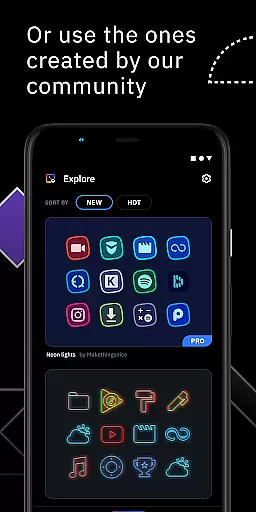
Additionally, the app supports community contributions, allowing users to download and apply thousands of user-created icon packs shared daily. This collaborative aspect enhances creativity and offers endless possibilities for personalizing your device's appearance.
Icon Pack Studio offers an extensive range of customization options that allow users to create personalized icon packs from scratch. The app provides advanced editing tools, enabling the resizing and repositioning of any element within your custom icons.
With special filters such as lights, shadows, textures, and bezels, users can enhance their icons to achieve a professional look. Once satisfied with the design, applying the new icon pack to your custom launcher is a seamless process, completed in just a few taps.
This level of customization ensures that no two icon packs need to be the same, offering a unique home screen experience tailored to individual preferences. The ability to import and tweak any installed icon pack further expands the customization possibilities.
Compatibility is a core feature of Icon Pack Studio, designed to work seamlessly with Smart Launcher and a wide array of other popular launchers. This ensures that the icon packs you create will maintain visual consistency across different devices and launcher applications.
Tested with launchers like Nova, Action, Lawnchair, and more, IPS supports a broad spectrum of Android launchers. However, it's important to note that some launchers, such as Xperia Home and Pixel Launcher, are not supported, so users should verify compatibility with their specific launcher.
The versatility of Icon Pack Studio in working with multiple launchers means that users can enjoy a consistent thematic experience, regardless of their choice of home screen environment. This compatibility reinforces the app's position as a comprehensive solution for personalizing your device's interface.
User-friendly interface
Advanced customization tools
Broad launcher compatibility
Community-driven content
Regular updates
Limited to supported launchers
Advanced features may overwhelm beginners
Some functionalities require premium version
Occasional bugs in beta versions
Learning curve for new users

Prank your friends with realistic broken screen and cracked HD effects!
 4.3
4.3
Dark icon pack based on One 8
4.80 4.10
4.10
Icons made of colorful linear lines
4.60
Yandex Browser — stylish and secure, with voice search and data compression
4.40
Modern Glass Icon Pack with glossy icons, clean minimal theme & aesthetic style
4.1
Create unique, fun emojis with Funny Emoji Maker! Unlimited creativity!
4.00
Create stunning widgets with Widget 2026: Aesthetic Widgets for Android!
4.60
Transform your phone with stylish zipper lock themes and 4D live wallpaper
4.10
A launcher for Samsung Good Lock and Good Guardians modules without ads
4.70
Nothing Icon pack with more than 3750+ highly crafted icons.
4.70
Unique Android Launcher
4.60
300+ Beautifully crafted widgets inspired by OneUI.
4.60
Ultra realistic gold analog watch face with lots of customization options.
4.50
Transform your phone with Launcher iOS 26 - Smooth & elegant iOS experience
4.50 4.50
4.50
App Icon Changer & Shortcut Creator. Customize your icons without any watermarks
4.30
Unleash Your Creativity and Connect with Loved Ones with Lockscreen Drawing!
4.20
Customize glowing edges, wallpapers, and caller screen with EdgeAura.
3.50


User Reviews