
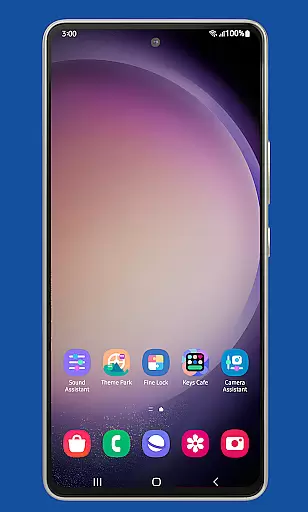
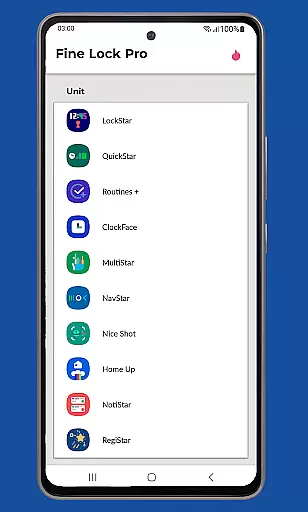
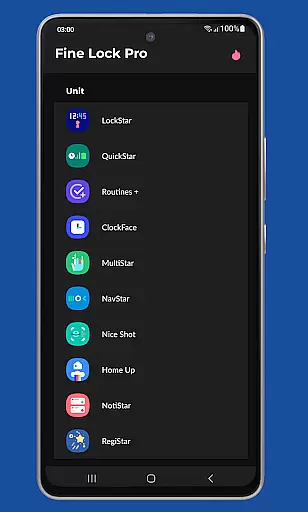
Fine Lock is a specialized launcher designed exclusively for Samsung devices running official One UI, enabling users to access and utilize Good Lock and Galaxy Labs modules. This app bridges the gap for users in regions where these customization tools are not readily available through Galaxy Store.
With Fine Lock, users can enjoy advanced personalization features while optimizing their Android experience. The app supports key functionalities like module shortcuts, update notifications, and dynamic wallpapers that adapt to Dark/Night modes. It is an essential tool for power users seeking deeper control over their Samsung device's interface and performance.
Fine Lock offers a range of powerful features tailored for Samsung device owners. The app acts as a gateway to Good Lock and Galaxy Labs modules, which are otherwise inaccessible in certain markets. Users can place module shortcuts directly on their home screen for quick access.
Additional PRO features include background checks for updates, the ability to hide uninstalled modules, and dynamic wallpapers that respond to system-wide Dark/Night mode settings. These capabilities ensure a seamless and personalized user experience, provided the device runs on official Samsung firmware with Android 9 or later.
It is important to note that Fine Lock does not support devices running AOSP-based operating systems such as LineageOS. For optimal functionality, users must download APK modules from trusted sources like APKMirror or Sammobile, adhering to Google Play policies.
Fine Lock offers a diverse range of customization options tailored specifically for Samsung devices running official Android versions. The app acts as a launcher for Good Lock and Galaxy Labs modules, which are powerful tools for personalizing the Android experience on Samsung's One UI.
With Fine Lock, users can access features such as module app shortcuts directly from the home screen, providing quick entry points to their favorite customization settings. This enhances the overall user experience by streamlining access to frequently used functions.
Additionally, Fine Lock supports dynamic wallpapers that adapt based on the deviceu2019s Dark or Night modes, ensuring a visually cohesive experience across different lighting conditions. This feature requires Android 9 or later and scheduled Dark/Night mode settings, offering an advanced level of personalization.
Theme compatibility is a crucial aspect of Fine Lock, ensuring that all visual customizations align seamlessly with the device's existing themes. By integrating with Samsungu2019s One UI, Fine Lock guarantees that any applied themes will maintain consistency throughout the user interface.
The app allows users to hide modules that are not installed, keeping the interface clean and uncluttered. This selective visibility ensures that only relevant and active modules appear, enhancing the thematic integrity of the device.
Moreover, Fine Lock provides background checks for updates, ensuring that all modules remain current and compatible with the latest system updates. This proactive approach helps prevent potential conflicts between themes and newly updated modules, maintaining a smooth and visually appealing user experience.
Enhances customization
Dynamic wallpapers
Background updates
Module shortcuts
One UI optimized
Samsung-only support
No module downloads
Limited to One UI
APK dependency
Potential crashes

Capture moments that pass like a storm, second by second.
 4.3
4.3
Beautiful realistic hybrid watch face with numerous customization options.
4.50
Customizable flower power digital watch face for Wear OS watches.
4.00
Fingerprint Lock Screen & Live Animations with 4K Wallpapers as Live Wallpaper
4.40
Personalize your phone with stunning HD and 4K wallpapers!
4.70
Run multiple accounts of the same app on a single device
4.10
Embrace the Night. Unleash the power of darkness with Raven Dark Icon Pack
4.60
Crystal-clear, square icon provides a sleek and sophisticated visual upgrade
4.00
Magic fluids wallpaper 4D: Relax with stunning fluid simulation wallpaper app
4.20
Gun Chase - Let the chase begin.
4.80
Handcrafted pixel art icons, widgets & wallpapers
4.60 4.50
4.50
200+ Material Inspired Widgets
4.50
Your home screen, just the way you like it.
4.30
Wear Os Watch Face - Seasonal - Animated Snow Effect - 9 Animals
4.20
Create unique, fun emojis with Funny Emoji Maker! Unlimited creativity!
4.00
Ultimate widget creator. Design custom widgets for a truly unique home screen!
3.90
Transform your phone with stunning video wallpapers and a unique, personal touch
3.80
Adaptive Dot Style IconPack with Light & Dark Theme.
3.70


User Reviews