
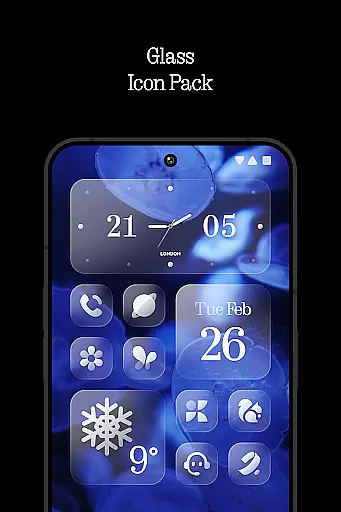
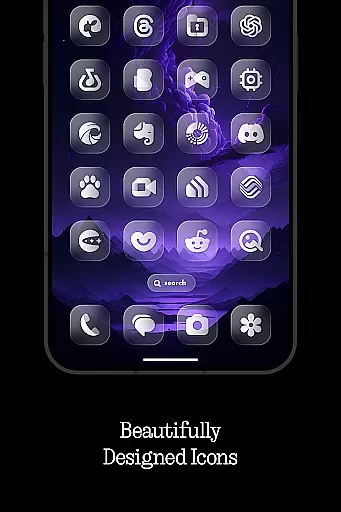
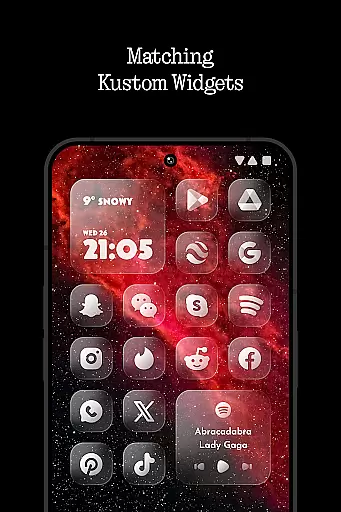
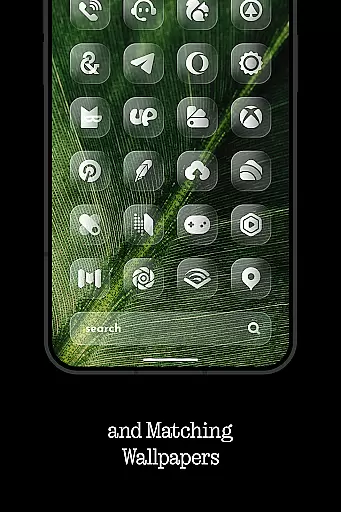
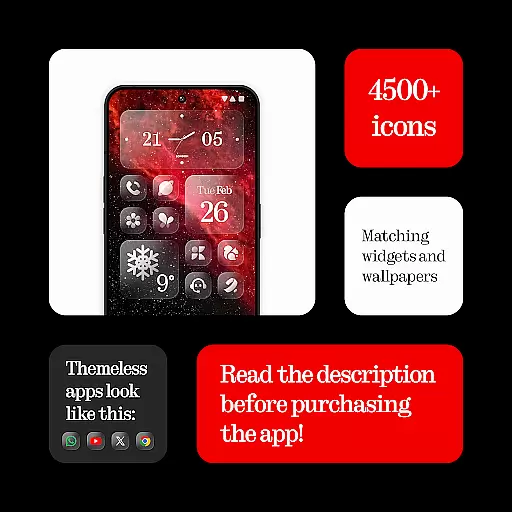
Glass Icons is a premium icon pack designed to provide users with a sleek and sophisticated visual upgrade for their mobile devices. Featuring over 5,400 crystal-clear square icons, this pack seamlessly integrates with your device's interface, offering a modern and polished look.
In addition to the extensive icon collection, Glass Icons includes five Kustom widgets and cloud-based wallpapers, allowing for deeper customization of your home screen. The pack also provides an icon request tool and regular updates to ensure compatibility with new apps. Whether you're using Nothing Launcher, Nova Launcher, or other supported launchers, Glass Icons delivers a cohesive and visually appealing experience.
Glass Icons stands out with its comprehensive set of features tailored for personalization enthusiasts. The pack includes over 5,400 meticulously designed square icons that offer a uniform and sleek appearance across various apps. These icons are crafted to maintain clarity and sharpness, ensuring optimal visibility on both standard and high-resolution displays.
Beyond the core icon set, the pack offers five customizable Kustom widgets, which require KWGT PRO for full functionality. Users can also access cloud-based wallpapers that complement the icons, creating a harmonious aesthetic. The inclusion of an icon request tool allows users to suggest specific app icons, while regular updates ensure ongoing compatibility with newly released applications.
The pack supports numerous launchers including Nova Launcher, Lawnchair, and Niagara Launcher, among others. However, users should note that certain features may require additional setup, such as activating shadows in Nova Launcher or using Theme Park for Stock One UI Launcher integration.
Glass Icons offers an extensive range of customization options that cater to personal preferences and device compatibility. With over 5400 icons, users can transform their device's interface into a sleek, sophisticated visual experience.
The inclusion of 5 Kustom widgets further enhances the ability to personalize, allowing for unique home screen setups. These widgets require KWGT and KWGT PRO apps, ensuring high-quality design and functionality.
Cloud-based wallpapers provide additional customization opportunities, enabling users to complement their icon choices with matching or contrasting backgrounds. This feature ensures a dynamic and personalized device appearance.
An icon request tool and regular updates demonstrate the developer's commitment to user satisfaction, ensuring compatibility with new devices and maintaining fresh content. The app supports multiple launchers, making it versatile for various Android users.
Theme compatibility is a crucial aspect of Glass Icons, ensuring seamless integration with various launcher applications. The icon pack supports popular launchers like Nova Launcher, Lawnchair, and Niagara Launcher, among others.
Special attention has been given to specific launcher requirements. For instance, shadows must be active in Nova Launcher for optimal display, while Pixel Launcher users need Shortcut Maker for proper functionality.
The developer provides clear instructions for theme application through Theme Park for Stock One UI Launcher users. This attention to detail across different platforms demonstrates comprehensive compatibility considerations.
A dedicated FAQ section addresses common compatibility questions, while direct contact channels through X, Telegram, and Instagram offer additional support for users encountering theme integration challenges.
Extensive icon library
Regular updates
Cloud-based wallpapers
Wide launcher support
Customizable widgets
Paid KWGT PRO required
Limited stock launcher support
No automatic icon application
Additional setup needed
Feature restrictions on some launchers

Realistic animated snow on your wrist, with 10 images landscapes to choose from
 4.00
4.00
Aesthetic Widgets, HD Wallpapers, Themes in Mico Widget for Home and Lock Screen
4.50 4.50
4.50
Embrace the Night. Unleash the power of darkness with Raven Dark Icon Pack
4.60
Icons made of colorful linear lines
4.60
Stylish Pink Cute Hippo keyboard with 10000+ customized keyboard themes!
4.60
Adorable pets roam and play right on your phone screen!
3.30
A minimalist productivity launcher. One-hand-friendly. Zero ads.
4.70
Cool custom fonts & keyboard themes! Symbols & font changer for Instagram
4.50
Gun Chase - Let the chase begin.
4.80
Glass style colourful icons with a One UI look and feel
4.60
Over 28,000 high quality icons to bring color & homogeneity to your phone.
4.60
300+ widgets inspired by Material You and Material 3 expressive design.
4.60
Try creating your own keyboard with "Keyboard theme for android" app now!
4.50
Transform your device in a game console
4.40
Adult video chat, dating, making friends, random matching
4.20
Create unique, fun emojis with Funny Emoji Maker! Unlimited creativity!
4.00
HappyLighting is a Bluetooth lamp control software.
3.40
Interactive Miniature Painting Catalogue
3.30


User Reviews