
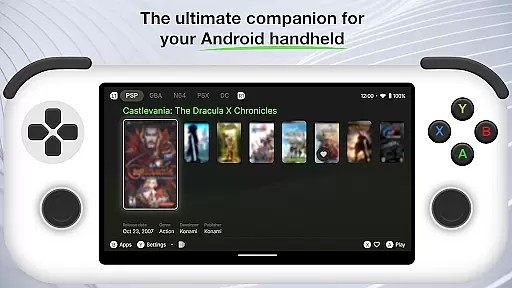
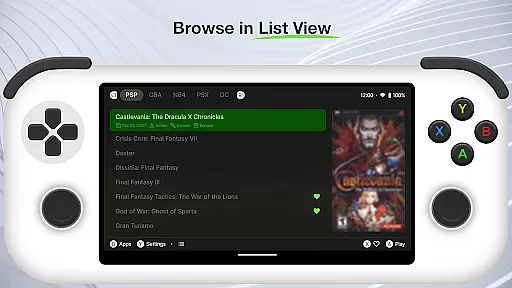
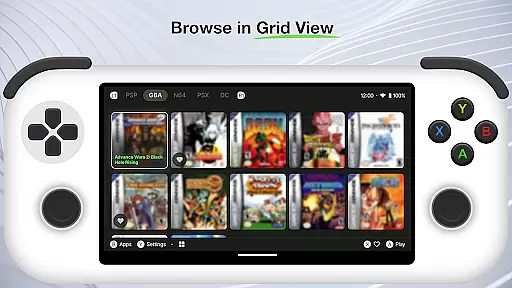
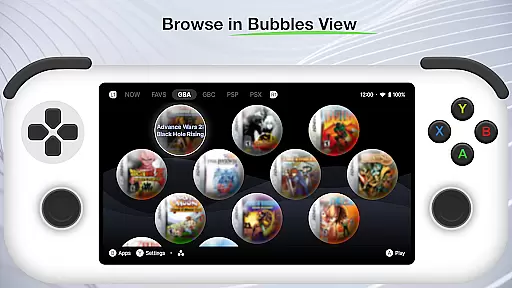
Beacon Game Launcher is a specialized Android launcher that elevates your classic gaming sessions. This app does not include games or emulators but focuses on enhancing the gaming experience by allowing users to integrate their preferred emulators and manage a curated collection of retro games.
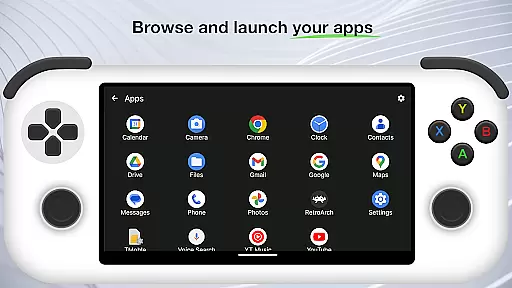
With Beacon, you can easily launch games directly from the app interface. It enriches your retro game library by automatically fetching cover art and metadata, making it visually appealing and well-organized. Whether you are a retro gaming enthusiast or a casual player, this launcher provides a seamless way to access and enjoy your favorite classic games.
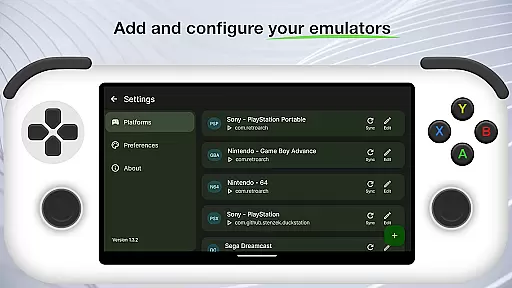
Beacon Game Launcher offers several notable features designed to optimize your retro gaming setup. One key feature is the ability to add and configure your preferred emulators, giving you flexibility in how you run your classic games.
Additionally, the app allows you to curate and manage your retro game collection efficiently. By scraping cover art and metadata automatically, Beacon ensures that your game library is not only comprehensive but also visually enriched. These features collectively create an engaging and user-friendly environment for enjoying classic games on modern devices.
Beacon Game Launcher offers a wide array of customization options that allow users to tailor their gaming experience. The app enables you to add your preferred emulators, ensuring that your classic gaming setup is personalized to your liking.
With the ability to curate your retro game collection, this launcher provides a unique opportunity to organize and manage your games in a way that suits your style. You can easily add or remove titles, creating a library that reflects your personal taste in classic gaming.
The automatic scraping of cover art and metadata enriches your game library, making it not only functional but also visually appealing. This feature ensures that your collection is presented with accurate information and attractive artwork, enhancing the overall user experience.
By offering these diverse customization features, Beacon Game Launcher empowers users to create a personalized and engaging environment for enjoying their favorite retro games.
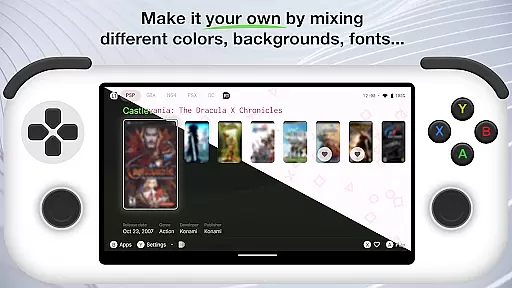
Theme compatibility in Beacon Game Launcher ensures that users can enjoy a consistent and visually pleasing interface across different devices. The app supports various themes, allowing gamers to choose one that best matches their aesthetic preferences while maintaining optimal usability.
This launcher's design takes into account the importance of visual harmony between the gaming content and the user interface. By providing theme options that complement the retro gaming experience, it creates an immersive environment that enhances nostalgia and engagement with classic titles.
Moreover, the flexibility in theme selection means that users are not limited to a single look and feel. They can switch between themes based on mood or preference, ensuring that their gaming sessions remain fresh and exciting over time.
Ultimately, the robust theme compatibility of Beacon Game Launcher contributes significantly to its appeal as a tool for both casual players and dedicated collectors who value both form and function in their digital entertainment spaces.
User-friendly interface
Customizable emulator settings
Automatic metadata retrieval
Visually appealing design
Efficient game management
No built-in games
Requires manual setup
Limited to Android
Dependent on external emulators
Metadata scraping may fail

Ninja Turtles Cowabunga SE watch face for Wear OS
 4.50
4.50
Personalize your phone with stunning HD and 4K wallpapers!
4.70
Run multiple accounts of the same app on a single device
4.10
Nothing Icon pack with more than 3750+ highly crafted icons.
4.70
Color phone with cool effects for call screen, flash alert & ringtones music
4.50
Design your screen with unique, vibrant clocks
3.80
Unleash Your Creativity and Connect with Loved Ones with Lockscreen Drawing!
4.20
300+ widgets inspired by Material You and Material 3 expressive design.
4.60
Emoji Maker app - Design custom emojis and effortlessly blend them with Mixer
3.80
Wallpaper HD 4K Live - Thousands of high-quality Anime backgrounds for you.
4.80
A Colorful and Minimal icon pack in an Outline Style - Over 13,600 icons!
4.70
A minimalist productivity launcher. One-hand-friendly. Zero ads.
4.70
Ultra realistic high quality analog watch face for Wear OS.
4.60
Add cute Shimeji pets to screen, interact with them and relax with cute motions
4.60
Icons made of colorful linear lines
4.60 4.50
4.50
Wear Os Watch Face - Seasonal - Animated Snow Effect - 9 Animals
4.20
Unique Fonts, typefaces and stylish text. Fonts for Instagram, Whatsapp & others
4.20
Create unique, fun emojis with Funny Emoji Maker! Unlimited creativity!
4.00


User Reviews