
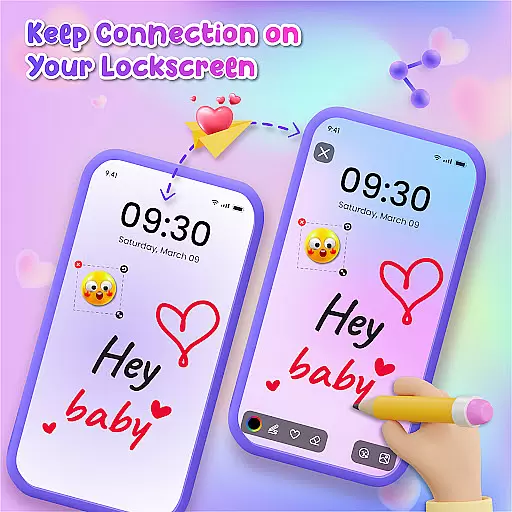
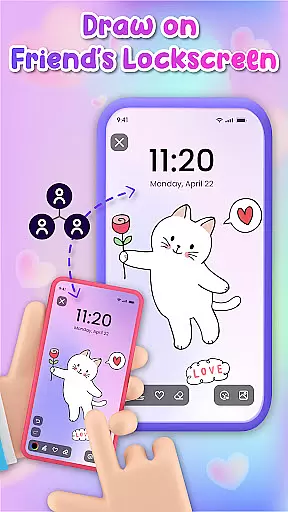
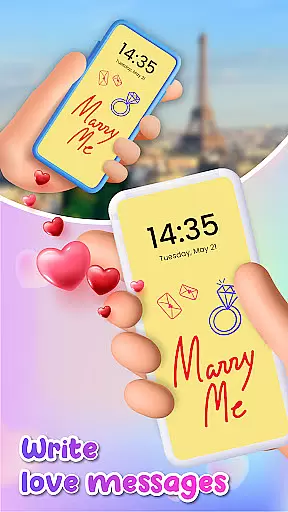
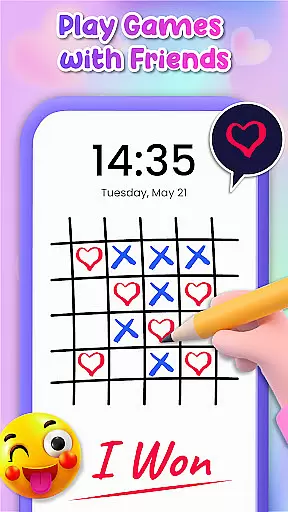
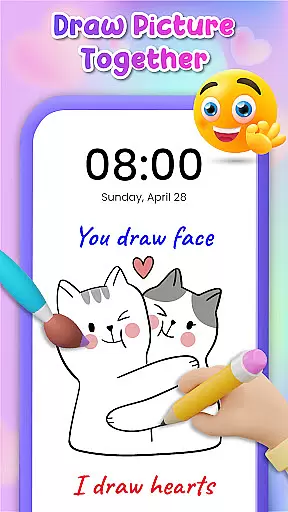
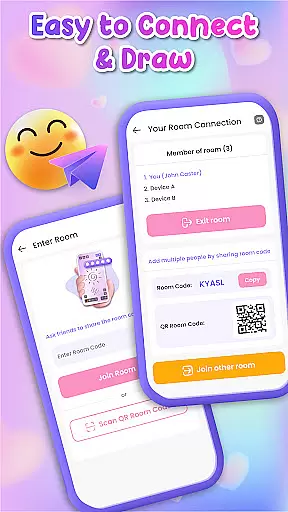
Lockscreen Drawing is a unique personalization app that transforms your phone's lock screen into an interactive canvas. This innovative application allows users to draw directly on their lock screens, share creations instantly with friends and family, and collaborate in real-time. With over 100 stickers and multiple background options, it offers endless possibilities for creative expression.
The app provides a special widget for continuous connection, displaying friends' latest doodles even while using other apps. Its live lock screen collaboration feature makes artistic interactions seamless and engaging. Whether you're an aspiring artist or simply looking for a fun way to connect, Lockscreen Drawing offers a delightful platform for creative exploration right on your mobile device.
Lockscreen Drawing stands out with its innovative features designed to enhance user creativity and connection. The app's core functionality lies in its Live Lock Screen Collaboration, allowing users to create art together in real-time across different devices. This feature revolutionizes digital interaction by turning individual artistic expression into a shared experience.
Beyond its collaborative capabilities, the app offers a comprehensive creative toolkit. Users can choose from over 100 unique stickers and 20+ themed backgrounds, ranging from romantic to whimsical styles. The handy widget keeps users connected by showcasing friends' latest creations, while the in-app canvas provides a dedicated space for more elaborate artwork. These features collectively create a robust platform for personal expression and social engagement through digital art.
Lockscreen Drawing offers a rich array of customization options that allow users to personalize their lock screens like never before. With over 100 unique stickers and more than 20 themed backgrounds, the app provides endless possibilities for creative expression. Whether you're looking to add a touch of whimsy or a dash of romance, these tools enable you to set the perfect scene for your doodles.
The app's versatility extends beyond static images; it allows real-time collaboration with friends directly on the lock screen. This feature transforms a typically mundane aspect of your phone into an interactive canvas. The ability to choose from various backgrounds and incorporate playful stickers ensures that every user can tailor their experience to reflect their personal style.
Moreover, Lockscreen Drawing includes handy widgets that keep you connected even while using other apps. These widgets display your friends' latest creations, ensuring you never miss out on their artistic endeavors. By offering such diverse customization features, Lockscreen Drawing not only enhances visual appeal but also fosters a deeper connection between users through shared creativity.
Theme compatibility is at the heart of Lockscreen Drawing's design philosophy. The app seamlessly integrates with different themes, allowing users to select the ideal backdrop for their masterpieces. Whether you prefer a photo from your gallery or one of the many pre-designed thematic backgrounds, the app ensures that every element aligns perfectly with your chosen theme.
This compatibility extends to how drawings are displayed across devices. When collaborating with friends, each stroke appears in real-time, maintaining visual consistency regardless of the device being used. This synchronization ensures that all participants have a uniform experience, enhancing both the aesthetic and functional aspects of collaborative art.
Furthermore, Lockscreen Drawing supports various formats and styles, making it easy to switch between themes without losing any creative momentum. Users can effortlessly transition from romantic to whimsical themes, knowing that their artwork will retain its intended impact. This level of theme compatibility not only enriches the user experience but also encourages continuous engagement by providing a cohesive and adaptable environment for artistic exploration.
User-friendly interface
Real-time collaboration
Variety of creative tools
Free to use
Social connectivity
Limited advanced tools
Occasional sync issues
Basic color options
Widget size fixed
No offline mode

Beautiful realistic hybrid watch face with numerous customization options.
 4.50
4.50
Ultra realistic high quality analog watch face for Wear OS.
4.60
Sparkle your screen with Glitter Wallpapers For Girls and Cute Backgrounds!
4.80
Interactive Miniature Painting Catalogue
3.30
Wallpaper HD 4K Live - Thousands of high-quality Anime backgrounds for you.
4.80
Customize glowing edges, wallpapers, and caller screen with EdgeAura.
3.50
Embrace the Night. Unleash the power of darkness with Raven Dark Icon Pack
4.60
Yandex Browser — stylish and secure, with voice search and data compression
4.40
Struggling to find apps? Use this app to locate and open any app on your phone!
2.20
Nothing Icon pack with more than 3750+ highly crafted icons.
4.70
300+ Stunning and well-designed widgets inspired by NOTHING.
4.70
A retro cartoon style watch face and a punch right in the face of the copyright
4.60
Unique Android Launcher
4.60
Over 28,000 high quality icons to bring color & homogeneity to your phone.
4.60
Want to make your phone more special than ever?
4.60
A light in the dark, a unique style and an andless cutomization!
4.30
More than 3000+ themes and 9000+ wallpapers for everybody!
4.10
Customizable flower power digital watch face for Wear OS watches.
4.00
HappyLighting is a Bluetooth lamp control software.
3.40


User Reviews