
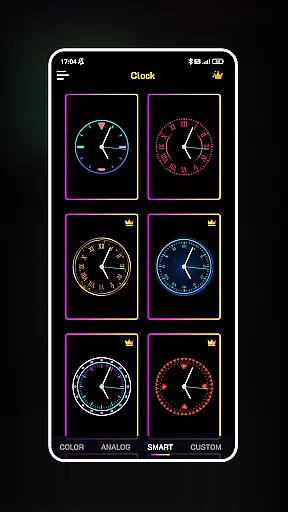
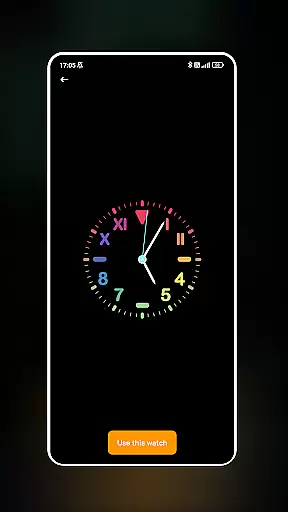
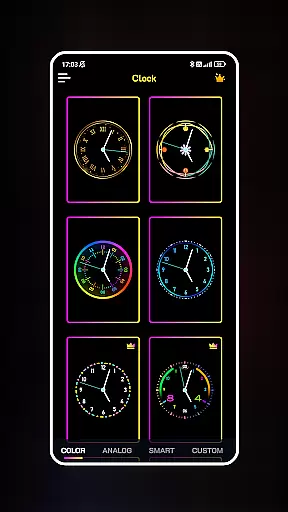
Neon Clock Wallpaper is a dynamic personalization app that allows users to design and display unique, customizable clock wallpapers on their mobile devices. This app caters to individuals who wish to express their personal style through their phone's home and lock screens.
The core functionality of Neon Clock Wallpaper lies in its diverse templates and customization options. Users can choose from a wide array of pre-made clock designs or create their own by adjusting colors, sizes, and styles. The inclusion of vibrant neon effects adds an eye-catching element to the clocks, making any screen stand out.
Whether you're looking to simply refresh your phone's appearance or searching for a creative outlet, Neon Clock Wallpaper offers both aesthetic appeal and practical timekeeping utility. Its ability to transform a standard screen into a personalized digital canvas makes it a valuable tool for enhancing everyday device interaction.
Neon Clock Wallpaper stands out with its rich feature set tailored for creativity and personal expression. One of the key highlights is the extensive selection of clock templates available within the app. These templates come in various designs and color schemes, ensuring there's something for every user preference.
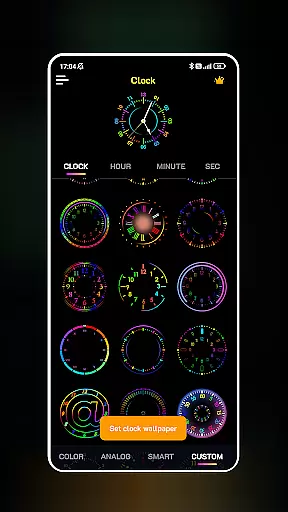
Beyond the ready-to-use templates, the app empowers users to craft custom clocks from scratch. By offering tools to modify components such as hands, numbers, and backgrounds, alongside options to adjust colors and sizes, the app ensures each clock is truly one-of-a-kind. The stunning neon effects further enhance these creations, providing a modern and vibrant touch.
Another notable feature is the dual functionality for both wallpaper and lock screens. This means users can enjoy their personalized designs across different views of their device, maintaining consistency and style throughout their interaction with the phone. Such comprehensive customization capabilities make Neon Clock Wallpaper a top choice for those seeking to personalize their mobile experience.
Customization is at the heart of Neon Clock Wallpaper, allowing users to express their unique style through diverse clock designs. The app offers a wide array of customization options that cater to different tastes and preferences.
With an extensive selection of pre-made clock templates, users can choose from various designs and colors. These templates serve as a starting point for personalization, ensuring that every user can find something that resonates with their aesthetic.
Beyond templates, the app enables the creation of entirely new clocks. Users can combine different components, adjust colors, sizes, and styles, resulting in a truly personalized timepiece that reflects individuality.
This level of customization ensures that your phone doesn't just display time but does so in a way that's uniquely yours, enhancing both functionality and personal expression on your device's screen.
Theme compatibility is crucial for a seamless experience when customizing your device's appearance. Neon Clock Wallpaper excels in this area by ensuring its clocks integrate flawlessly with various themes across different devices and operating systems.
The app supports vibrant neon effects that not only make your clock stand out but also maintain visual harmony with your chosen theme. Whether you prefer a minimalist look or something more extravagant, these effects adapt to enhance the overall aesthetic.
Furthermore, Neon Clock Wallpaper allows setting your custom-designed clock as both wallpaper and lock screen. This dual functionality ensures consistency in appearance, providing a cohesive look regardless of how you interact with your device.
By prioritizing theme compatibility, Neon Clock Wallpaper guarantees that your personalized clock will always feel like an integral part of your deviceu2019s interface, rather than an awkward addition.
User-friendly interface
Highly customizable designs
Vibrant neon effects
Dual screen functionality
Regular template updates
May drain battery faster
Limited free templates
Some features are premium
Occasional bugs reported
Designs can feel repetitive

Stunningly Different look with Line Icons and Neon Colors
 4.60
4.60
Adult video chat, dating, making friends, random matching
4.20
Turn your lock screen into fun with smile live wallpapers & animated wallpapers!
2.50
Interactive Miniature Painting Catalogue
3.30
Customize your home screen with stunning themes, blur, widgets & icons.
4.60
Launcher OS™ Pro without ads help make your phone simple and pretty
4.30
Your go to Weather App & Home Screen. Get your weather at a swipe of a finger!
3.80
Crystal-clear, square icon provides a sleek and sophisticated visual upgrade
4.00
Enjoy a variety of amazing live wallpapers and colorful EDGE lighting borders!
4.80
A Colorful and Minimal icon pack in an Outline Style - Over 13,600 icons!
4.70
300+ Stunning and well-designed widgets inspired by NOTHING.
4.70
Ultra realistic high quality analog watch face for Wear OS.
4.60
Add cute Shimeji pets to screen, interact with them and relax with cute motions
4.60
Zip lock screen with magic wallpaper to decorate your phone with fun zipper lock
4.60
Choose your keyboard with RGB colors effect, themes, fonts, emojis.
4.60
Try creating your own keyboard with "Keyboard theme for android" app now!
4.50
Aesthetic Widgets, HD Wallpapers, Themes in Mico Widget for Home and Lock Screen
4.50
Unique Fonts, typefaces and stylish text. Fonts for Instagram, Whatsapp & others
4.20 3.50
3.50


User Reviews