

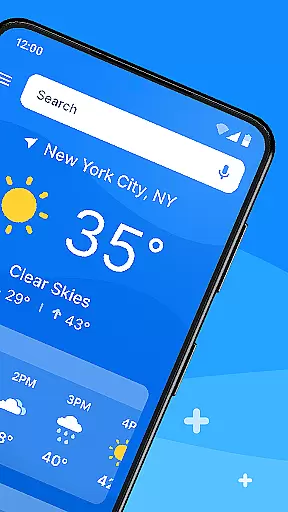
All Weather Mode is a comprehensive weather application designed to keep users informed and prepared for any weather condition. The app provides real-time local weather forecasts, ensuring you are always ready for severe weather events. With detailed daily and hourly reports, live rain and storm alerts, it helps you plan your day effectively.
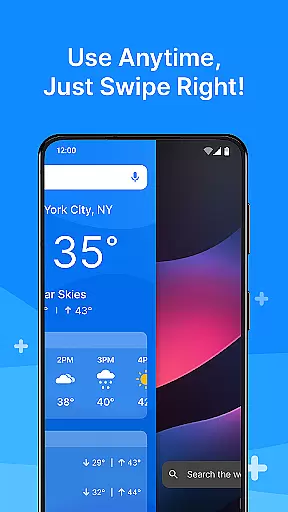
One of the standout features of All Weather Mode is its intuitive home screen layout. This design ensures easy access to weather forecasts with quick-swipe shortcuts, eliminating the need to search through your phone. Additionally, the app offers robust search capabilities powered by Yahoo, sunrise and sunset times, and location-based weather updates, making it an essential tool for both daily activities and outdoor excursions.
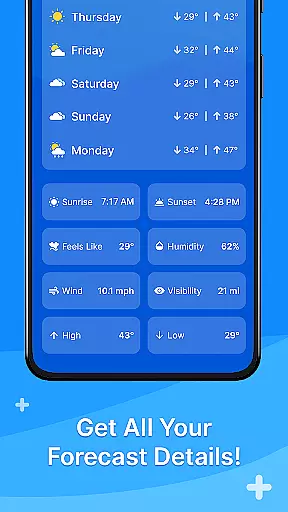
Whether you're scheduling your day or checking weather conditions for travel destinations, All Weather Mode equips you with accurate temperature readings, feels-like temperatures, humidity levels, wind speed, visibility, and more. Stay ahead of the weather and make informed decisions with this reliable weather companion.
All Weather Mode stands out due to its rich feature set tailored to meet all your weather-related needs. One of the key highlights is the real-time weather reporting, which provides up-to-the-minute information for your current location and other added locations. You can access accurate data on temperature, sunrise and sunset times, feels-like temperatures, humidity, wind speed, and visibility at your fingertips.
The app also offers detailed 7-day forecasts, complete with daily temperature highs and lows. These forecasts help you plan your week confidently, while robust hourly updates assist in making timely decisions throughout the day. Precipitation percentages and hour-by-hour weather updates ensure you are always prepared for changing weather conditions.
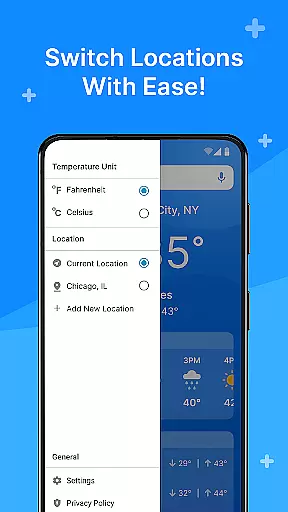
Another significant feature is the location-based weather reporting. Users can get local weather updates or add multiple locations to stay informed about different areas. Whether you want to check the weather for your favorite travel destinations or look out for loved ones, All Weather Mode has got you covered. Additionally, the app provides sunrise and sunset times, helping you plan outdoor activities based on daylight hours.
Weather Mode: Weather Launcher stands out with its extensive customization options, allowing users to tailor their weather experience according to personal preferences. The app offers an intuitive home screen layout that can be personalized for easy access to essential weather information.
This customization extends to quick-swipe shortcuts and a clean design, ensuring that users can swiftly obtain the forecast they need without clutter. Whether you're interested in temperature highs and lows or detailed hourly updates, the app provides a personalized setup that meets various user needs.
By integrating robust search capabilities powered by Yahoo, Weather Mode enhances the customization experience further. Users can add multiple locations and receive real-time weather updates tailored specifically to those areas, making it easier than ever to stay informed about different regions.
Beyond its functional features, Weather Mode: Weather Launcher ensures theme compatibility, offering a visually cohesive experience across devices. The app's design is not only clean and intuitive but also adaptable to various themes, enhancing the overall aesthetic appeal.
Users benefit from the app's seamless integration with device settings, allowing for a harmonious visual experience whether using light or dark modes. This flexibility in theme compatibility ensures that the app remains visually comfortable and accessible at all times.
The emphasis on visual consistency extends to detailed forecasts and real-time reporting, where graphical elements align perfectly with chosen themes. This attention to detail in maintaining theme compatibility underscores Weather Mode's commitment to providing both functionality and style.
User-friendly interface
Accurate weather data
Real-time updates
Customizable locations
Comprehensive forecasts
Limited advanced features
Occasional data delays
Ads in free version
Regional limitations
Resource intensive

Vertically oriented rectangular icons
 4.70
4.70
A light in the dark, a unique style and an andless cutomization!
4.30
Customizable flower power digital watch face for Wear OS watches.
4.00
Adult video chat, dating, making friends, random matching
4.20
Art & Emoji Keyboard with Cool Fonts, Cute Themes and Custom Designs.
4.40
Aesthetic Widgets, HD Wallpapers, Themes in Mico Widget for Home and Lock Screen
4.50
Customize glowing edges, wallpapers, and caller screen with EdgeAura.
3.50
Embrace the Night. Unleash the power of darkness with Raven Dark Icon Pack
4.60
Magic fluids wallpaper 4D: Relax with stunning fluid simulation wallpaper app
4.20
Icons made of colorful linear lines
4.60
Ultra realistic gold analog watch face with lots of customization options.
4.50
Beautiful realistic hybrid watch face with numerous customization options.
4.50
3D, live, and moving wallpapers & themes in 4K and HD for your device.
4.50
Turn text & photos into stunning AI videos, art, and creative visual stories.
4.50
Yandex Browser — stylish and secure, with voice search and data compression
4.40
Transform your device in a game console
4.40
The definitive Icon pack maker and editor
4.30
Launcher OS™ Pro without ads help make your phone simple and pretty
4.30
Prank your friends with realistic broken screen and cracked HD effects!
4.0


User Reviews