
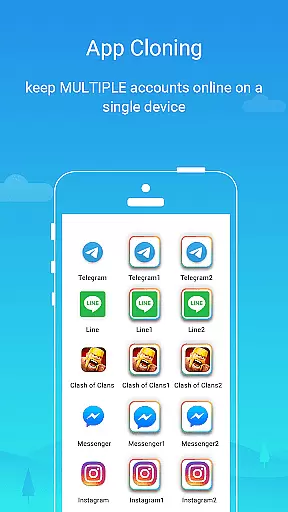
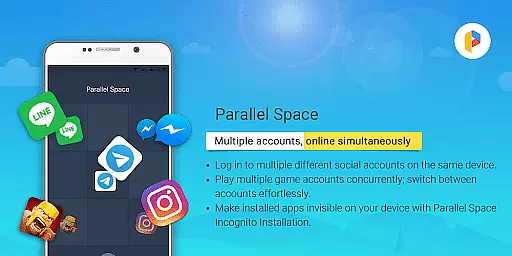
Parallel Space is a powerful Android tool that allows users to clone and run multiple accounts of the same app simultaneously. With over 200 million users, it offers a seamless experience for managing multiple accounts on a single device. The app provides enhanced privacy features through its Incognito Installation option, which makes apps invisible on your device, ensuring sensitive information remains protected.
The application supports 24 languages and is compatible with most Android apps, making it versatile for various user needs. Whether you want to separate personal and work accounts or explore different gaming paths, Parallel Space keeps each account's data organized and secure. Its unique feature built on multiDroid technology allows effortless switching between accounts with just a single tap.
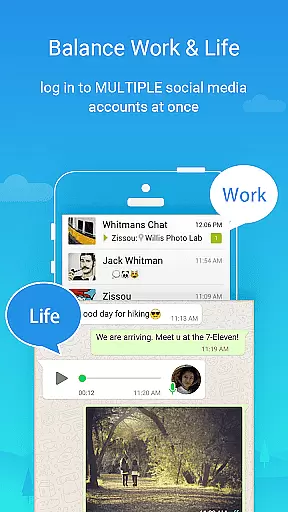
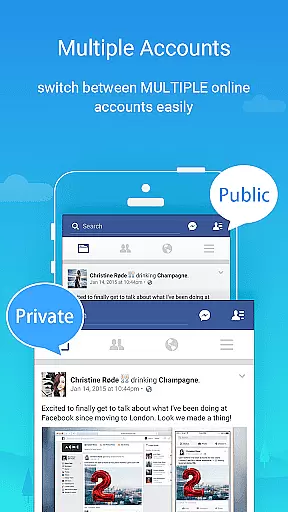
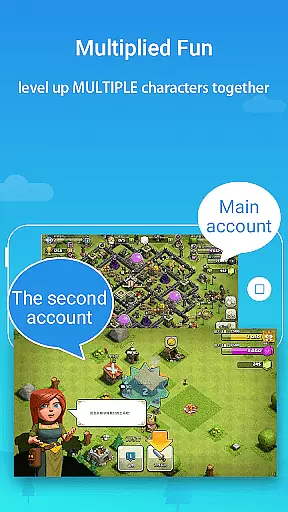
Parallel Space stands out with its innovative features designed to enhance user experience. One of its key functionalities is the ability to log in to multiple accounts on one device, maintaining separation between different types of accounts such as personal and work profiles. This feature also enables users to level up multiple gaming accounts simultaneously while keeping each account's data separate and organized.
Privacy protection is another highlight of Parallel Space. It offers hidden apps functionality, safeguarding sensitive apps in a private space away from prying eyes. Additionally, the secure lock feature enhances privacy by adding an extra layer of security. Users can effortlessly switch between accounts, running multiple instances at the same time with seamless transitions via a single tap.
Built on multiDroid, the first application virtualization engine for Android, Parallel Space ensures stability and user-friendliness. While some apps may not be supported due to policy or technical limitations, the app requires necessary permissions to function correctly without compromising user privacy.
Parallel Space offers a wide array of customization options that allow users to tailor their experience according to their preferences. As a leading Android tool, it enables over 200 million users globally to manage multiple accounts on one device seamlessly.
The app provides features such as Incognito Installation which makes apps invisible on your device, thus enhancing privacy. This feature is crucial for users who wish to maintain a separation between personal and work accounts without compromising security.
Moreover, Parallel Space supports 24 languages and is compatible with most Android apps, ensuring that users from different linguistic backgrounds can utilize its services effectively. The ability to run multiple accounts simultaneously while keeping each account's data separate and organized adds another layer of customization.
Ultimately, the diverse customization options provided by Parallel Space not only enhance user convenience but also significantly boost productivity by allowing seamless switching between accounts with a single tap.
Theme compatibility in Parallel Space ensures that users can enjoy a consistent visual experience across different applications. Built on multiDroid, the first application virtualization engine for Android, Parallel Space delivers a stable and user-friendly interface.
This powerful tool allows users to safeguard sensitive apps within their private space, protecting them from unauthorized access. By doing so, it maintains theme consistency even when apps are hidden, preserving the overall aesthetic of the device.
Additionally, Parallel Spaceu2019s support for multiple languages and compatibility with most Android apps means that users wonu2019t face disruptions in theme continuity regardless of the app they are using. This comprehensive compatibility enhances the overall user experience.
In summary, Parallel Spaceu2019s commitment to theme compatibility ensures that users benefit from a cohesive and visually appealing environment, making daily tasks more enjoyable and less cumbersome.
Multi-account support
Enhanced privacy options
Seamless account switching
Wide language support
Compatibility with most apps
Limited app compatibility
Resource consumption
Notification issues
Account conflict risks
Pro plan required for full features

A light in the dark, a unique style and an andless cutomization!
 4.30
4.30
Art & Emoji Keyboard with Cool Fonts, Cute Themes and Custom Designs.
4.40
Over 28,000 high quality icons to bring color & homogeneity to your phone.
4.60
Try creating your own keyboard with "Keyboard theme for android" app now!
4.50
Design your screen with unique, vibrant clocks
3.80
Yandex Browser — stylish and secure, with voice search and data compression
4.40
Crystal-clear, square icon provides a sleek and sophisticated visual upgrade
4.00
Magic fluids wallpaper 4D: Relax with stunning fluid simulation wallpaper app
4.20
Cool custom fonts & keyboard themes! Symbols & font changer for Instagram
4.50
Dark icon pack based on One 8
4.80
A launcher for Samsung Good Lock and Good Guardians modules without ads
4.70
Bring adorable pets to life on your screen. Playful, interactive and full of fun
4.60
Transform your phone with Launcher iOS 26 - Smooth & elegant iOS experience
4.50
Turn text & photos into stunning AI videos, art, and creative visual stories.
4.50
Color phone with cool effects for call screen, flash alert & ringtones music
4.50
Unleash Your Creativity and Connect with Loved Ones with Lockscreen Drawing!
4.20 3.50
3.50
HappyLighting is a Bluetooth lamp control software.
3.40
Adorable pets roam and play right on your phone screen!
3.30


User Reviews