
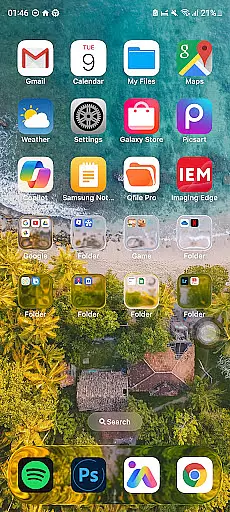
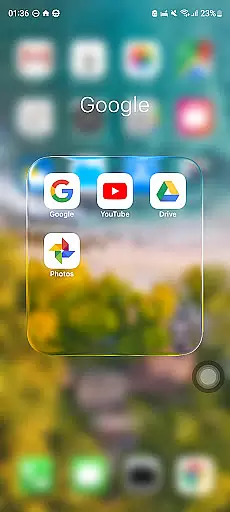
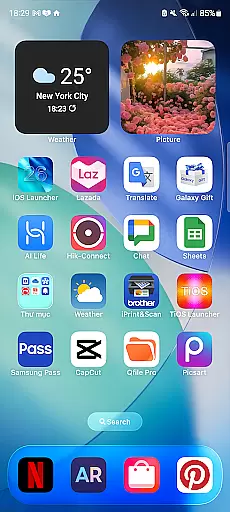
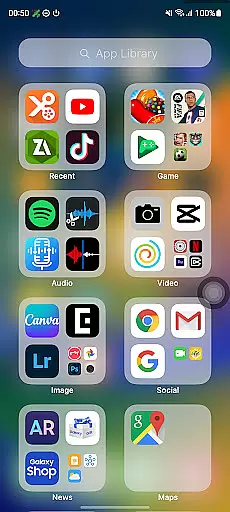
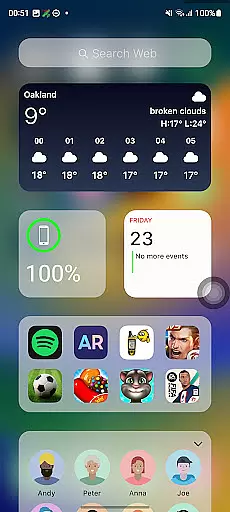
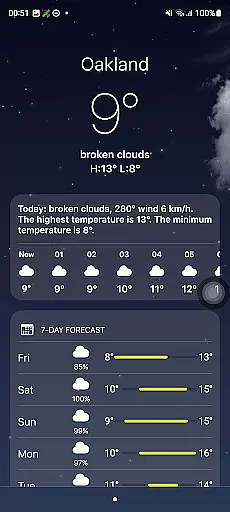
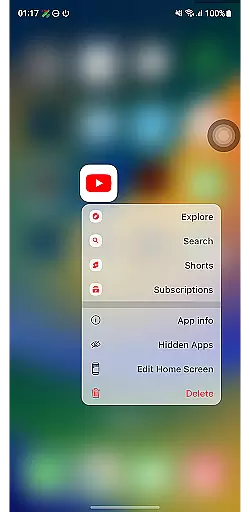
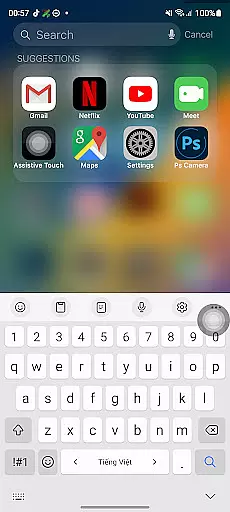
Launcher iOS 26 brings the familiar iPhone experience to Android devices, offering users a sleek and intuitive interface inspired by iOS design. This launcher goes beyond mere aesthetics, providing enhanced functionality and personalization options.
Key features include an authentic iOS look and feel, a Control Center for quick access to essential functions, and customizable wallpapers. These tools simplify navigation and allow users to tailor their Android experience to match the polished design and usability of an iPhone.
Ideal for those who appreciate the iPhone's user-friendly interface, Launcher iOS 26 is perfect for Android users seeking a more intuitive and personalized smartphone experience without sacrificing the capabilities of their current device.
Launcher iOS 26 stands out with its comprehensive replication of the iPhone experience on Android. The app meticulously recreates the iconic iOS look and feel, ensuring users enjoy a polished and familiar interface.
Beyond aesthetics, Launcher iOS 26 incorporates practical features like the Control Center, which provides quick access to essential phone functions through a simple swipe. Additionally, users can customize their home screen with iPhone-style wallpapers and enjoy easy access to favorite apps, mimicking the convenience of iPhone's AssistiveTouch.
These features collectively enhance the Android experience by combining the aesthetic appeal of iOS with functional elements that improve accessibility and personalization, making daily smartphone interactions more efficient and enjoyable.
Launcher iOS 26 offers a rich array of customization options that allow users to tailor their Android devices to closely mimic the iPhone experience. This includes not only aesthetic elements but also functional features inspired by the iPhone's user-friendly design.
The launcher provides an authentic iOS look and feel, enabling users to immerse themselves in a familiar interface. It incorporates a Control Center that can be accessed with a simple swipe, offering quick access to essential phone functions akin to the iPhoneu2019s own system.
Users are also granted the freedom to personalize their home screens extensively. The ability to set wallpapers freely is one of the key customization features, allowing for a unique and individualized user experience that mirrors the flexibility found on actual iPhones.
This extensive personalization ensures that users do not have to compromise on either appearance or functionality when switching from an iPhone to an Android device or simply wish to enjoy the best of both worlds.
Theme compatibility is at the heart of Launcher iOS 26's appeal, ensuring that visual and operational themes align seamlessly with user expectations shaped by the iPhone ecosystem. This compatibility extends across various aspects of the launcheru2019s design and functionality.
From its polished icons to its intuitive layout, Launcher iOS 26 maintains high standards of theme consistency. Users will find that their customized wallpapers integrate smoothly without disrupting the overall aesthetic or performance of their deviceu2019s new interface.
Moreover, this attention to detail guarantees that additional features such as Quick Access panels behave predictably within this simulated environmentu2014just as they would on an actual iPhone. Such harmony between form and function enhances usability while preserving the intended user experience.
By prioritizing theme compatibility, Launcher iOS 26 delivers a cohesive and engaging platform where users can enjoy streamlined interactions reminiscent of those provided by Appleu2019s native operating systems.
User-friendly interface
Authentic iOS aesthetics
Customizable Control Center
Quick access to apps
Personalized wallpapers
Limited to Android
May lack some iOS features
Potential performance issues
Not a full OS replacement
Some features may require setup

Customizable Glass widgets. Over 360+ stunning widgets and more!
 4.70
4.70
Bring adorable pets to life on your screen. Playful, interactive and full of fun
4.60
Over 28,000 high quality icons to bring color & homogeneity to your phone.
4.60
Zip lock screen with magic wallpaper to decorate your phone with fun zipper lock
4.60 4.50
4.50
Color phone with cool effects for call screen, flash alert & ringtones music
4.50
Handcrafted pixel art icons, widgets & wallpapers
4.60
Create unique, fun emojis with Funny Emoji Maker! Unlimited creativity!
4.00
set a new experience for the Android mobile phone
4.20
Gun Chase - Let the chase begin.
4.80
300+ Stunning and well-designed widgets inspired by NOTHING.
4.70
Stunningly Different look with Line Icons and Neon Colors
4.60
Ultimate Gallery Lock App - Hide Pictures, Videos and Lock Apps Instantly!
4.60
Ultra realistic gold analog watch face with lots of customization options.
4.50 4.50
4.50
Your home screen, just the way you like it.
4.30
Your go to Weather App & Home Screen. Get your weather at a swipe of a finger!
3.80
Interactive Miniature Painting Catalogue
3.30
Turn your lock screen into fun with smile live wallpapers & animated wallpapers!
2.50


User Reviews