
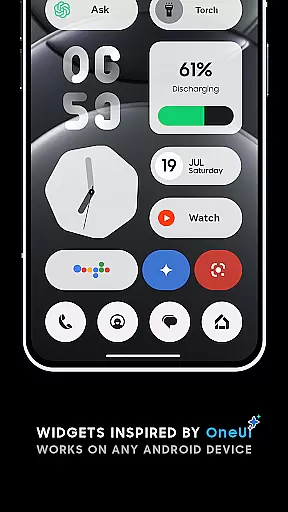
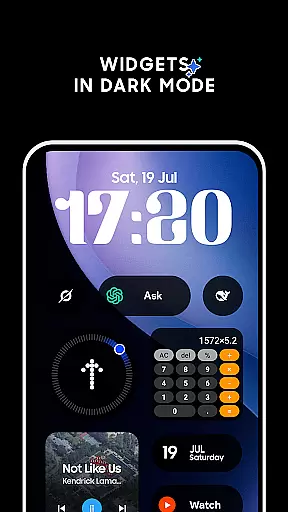
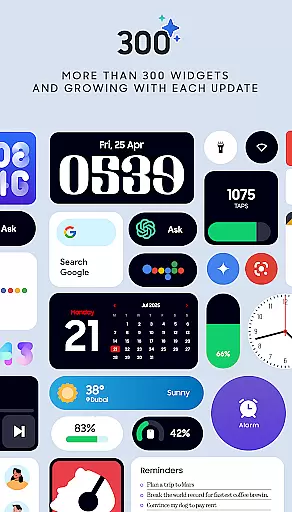
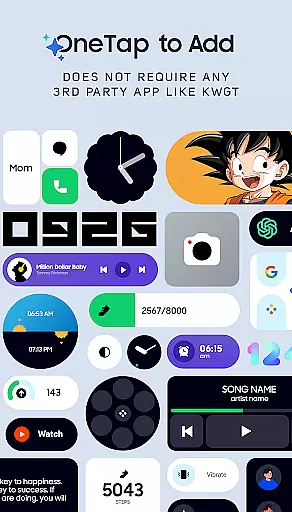
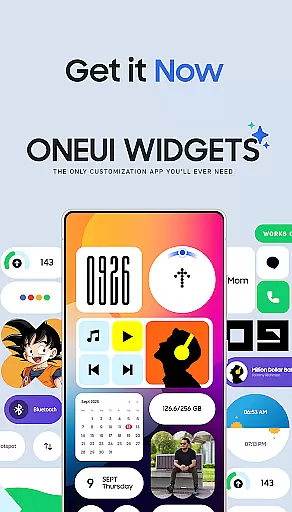
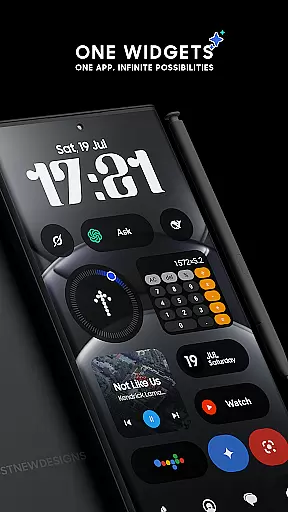
OneUI Widgets is a feature-rich personalization app that transforms your Android home screen with over 300 beautifully designed widgets inspired by Samsung's One UI OS aesthetic. The app offers a diverse range of widget categories, including clocks, calendars, weather, battery indicators, and productivity tools, all fully resizable for optimal customization.
What sets OneUI Widgets apart is its native functionality - no third-party apps like KWGT are required. Users can simply tap to add widgets and enjoy seamless integration with their devices. The app also includes matching wallpapers, creating a cohesive and visually appealing home screen experience.
This app is perfect for users seeking both form and function in their device's appearance. Whether you want to monitor battery life, display favorite photos, or boost productivity with to-do lists, OneUI Widgets provides practical solutions while elevating your home screen's visual appeal.
OneUI Widgets stands out with its comprehensive collection of over 300 unique, fully resizable widgets that cater to various user needs. The app features clock and calendar widgets with elegant digital and analog designs, battery monitoring widgets with minimalist indicators, and weather widgets displaying current conditions and forecasts.
The app's native functionality ensures smooth performance without requiring additional apps. Users can access quick settings widgets for WiFi and Bluetooth controls, photo widgets to showcase memories, and productivity widgets featuring to-do lists and motivational quotes. A special pedometer widget uses built-in motion sensors to track steps without accessing health data.
Additional features include game widgets with classic titles like Snake, utility widgets with essential tools, and contact widgets with modern design inspiration. The package is completed with 300+ matching wallpapers, offering users a total home screen transformation solution.
OneUI Widgets Pack offers an extensive range of customization options, allowing users to transform their home screens with over 300 beautifully designed widgets. These widgets are inspired by the One UI OS aesthetic and work seamlessly on any Android device without the need for third-party apps.
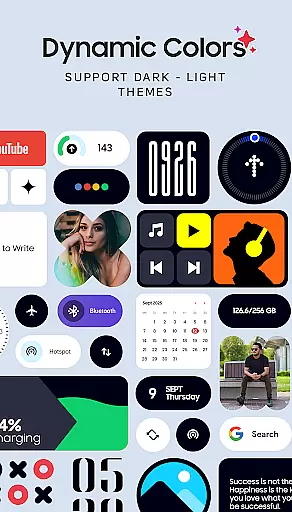
The app provides a diverse selection of widget categories including Clock & Calendar, Battery, Weather, Quick Settings, Contact, Photo, Google, Utility, Productivity, and even Game widgets. Each category contains multiple design variations, ensuring that users can find the perfect widget to match their personal style and functional needs.
Users benefit from the fully resizable and responsive nature of most widgets, which allows them to adjust sizes from small to large for an optimal home screen fit. This flexibility ensures that each user's home screen is not only visually appealing but also tailored to their specific usage patterns.
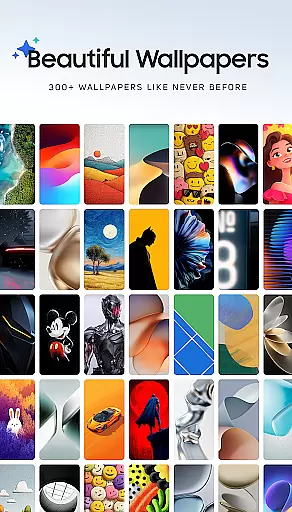
Beyond its wide array of widgets, OneUI Widgets Pack ensures theme compatibility by offering matching wallpapers that complement the widget designs. With over 300 included wallpapers, users can complete their home screen setup with exclusive designs that enhance the overall aesthetic.
This cohesion between widgets and wallpapers creates a harmonious and professional look, elevating the user's device personalization. The availability of both light and dark themes within the app further extends this compatibility, catering to user preferences for different times of day or lighting conditions.
By providing these comprehensive theming options, OneUI Widgets Pack guarantees that users can achieve a consistent and personalized appearance across their entire home screen, making their devices truly unique and reflective of their individual tastes.
Extensive widget variety
Native app performance
Fully resizable options
Regular updates
Included wallpapers
Limited iOS support
Occasional bugs
Design inconsistency
Learning curve
Feature limitations

Only for Wear OS devices!
 4.90
4.90
Realistic animated snow on your wrist, with 10 images landscapes to choose from
4.00
Personalize your phone with stunning HD and 4K wallpapers!
4.70
Interactive Miniature Painting Catalogue
3.30
Try creating your own keyboard with "Keyboard theme for android" app now!
4.50
Want to make your phone more special than ever?
4.60
Crystal-clear, square icon provides a sleek and sophisticated visual upgrade
4.00
Install amazing sticker packs: endless styles, always cool.
4.70
Transform your phone with stylish zipper lock themes and 4D live wallpaper
4.10
100+ Stylish Fonts, Emojis, Symbols keyboard for Instagram & TikTok!
4.80
350+ widgets with a premium glass-style finish, perfect for home & lock screens.
4.70
A minimalist productivity launcher. One-hand-friendly. Zero ads.
4.70
Choose your keyboard with RGB colors effect, themes, fonts, emojis.
4.60
300+ widgets inspired by Material You and Material 3 expressive design.
4.60 4.50
4.50
Transfer your live wallpapers from Windows to Android using Wallpaper Engine!
4.00
Transform your phone with stunning video wallpapers and a unique, personal touch
3.80
Customize glowing edges, wallpapers, and caller screen with EdgeAura.
3.50
Capture moments that pass like a storm, second by second.
4.2


User Reviews