
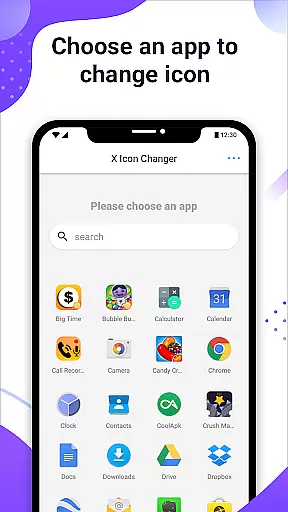
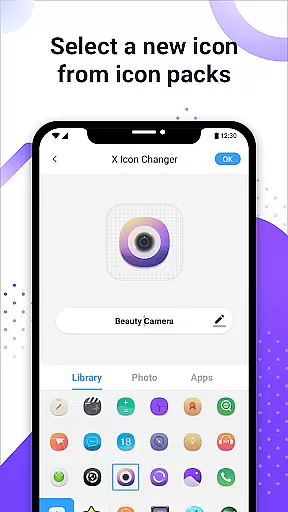
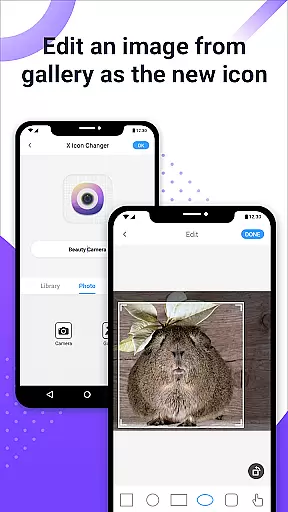
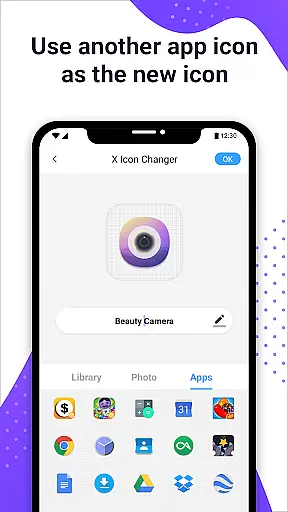
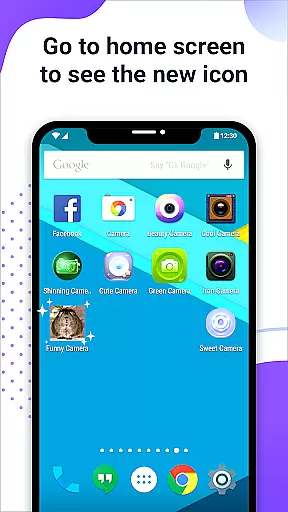
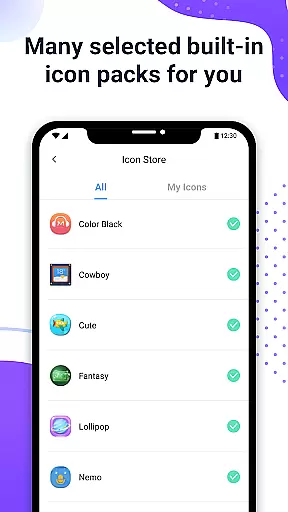
X Icon Changer is a free personalization app that allows users to customize and change icons for any app on their Android device. The app offers a wide selection of icon packs, including options from the gallery, other app icons, and third-party icon packs, enabling users to personalize their home screens easily.
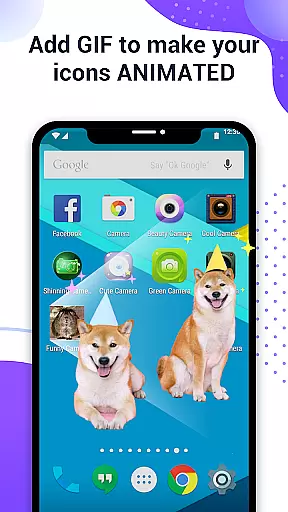
One of the standout features of X Icon Changer is its ability to create shortcuts with new icons directly on the home screen. This makes it simple for users to access their favorite apps with a fresh look. Additionally, users can add GIF animations to their new app icons, providing an extra layer of personalization and fun.
This app is particularly useful for those who want to refresh the appearance of their devices without much hassle. With support for widget technology, it ensures that no watermarks are added to the shortcut icons on Android 8.0 and above, making it a seamless experience for users looking to enhance their device aesthetics.
X Icon Changer provides a comprehensive set of features designed to enhance user customization. Users can choose from built-in icon packs, personalized third-party icon packs, or even select images from their gallery to create unique app icons. This flexibility ensures that users have complete control over the appearance of their home screens.
In addition to changing icons, the app allows users to edit the names of their apps, adding another layer of personalization. For those interested in dynamic visuals, X Icon Changer supports GIF animations, allowing users to play interesting animations when launching their customized app icons.
The app also addresses common issues such as watermarking on Android 8.0 and above by utilizing widget technology. By dragging the X Icon Changer widget to the desktop, users can change app icons without any watermarks, ensuring a clean and professional look. These features collectively make X Icon Changer a powerful tool for personalizing Android devices.
X Icon Changer offers an extensive range of customization options, allowing users to personalize their app icons effortlessly. With the ability to choose from built-in icon packs, gallery images, other app icons, or third-party icon packs, the possibilities are virtually limitless.
The app's intuitive interface makes it easy for users to navigate through different customization choices. Whether you prefer a sleek minimalist design or vibrant and playful icons, X Icon Changer caters to all tastes and preferences, ensuring that your Android device truly reflects your personal style.
Additionally, users can add GIF animations to their customized icons, providing a unique touch of personality every time they launch an app. This feature not only enhances visual appeal but also adds an element of fun and creativity to the user experience.
Ensuring seamless theme compatibility is a core strength of X Icon Changer. The app supports various themes, making it simple for users to maintain a cohesive look across their devices. Regardless of whether you're using a light, dark, or custom-themed interface, X Icon Changer adapts effortlessly to preserve visual harmony.
For users on Android 8.0 and above, the system's automatic watermark on shortcut icons can be a concern. However, X Icon Changer addresses this by offering a widget-based solution that eliminates watermarks entirely, ensuring your chosen theme remains uninterrupted and pristine.
This commitment to theme compatibility extends to third-party icon packs as well. Users can confidently download and apply new themes, knowing that X Icon Changer will integrate them smoothly, maintaining both functionality and aesthetic appeal without compromise.
User-friendly interface
Wide variety of icon packs
Supports GIF animations
No watermark on icons
Completely free to use
Limited to Android devices
Requires manual setup
Some features may be complex
Third-party icon packs needed
Widget feature not widely known

Glass style colourful icons with a One UI look and feel
 4.60
4.60
Customizable flower power digital watch face for Wear OS watches.
4.00
3D, live, and moving wallpapers & themes in 4K and HD for your device.
4.50
Transform your phone with Launcher iOS 26 - Smooth & elegant iOS experience
4.50
Turn your lock screen into fun with smile live wallpapers & animated wallpapers!
2.50
Transfer your live wallpapers from Windows to Android using Wallpaper Engine!
4.00
Romantic Kiss Stickers App. Start romantic messaging now!
4.30
Stylish Pink Cute Hippo keyboard with 10000+ customized keyboard themes!
4.60
Struggling to find apps? Use this app to locate and open any app on your phone!
2.20
Customizable Glass widgets. Over 360+ stunning widgets and more!
4.70
Bring adorable pets to life on your screen. Playful, interactive and full of fun
4.60
Embrace the Night. Unleash the power of darkness with Raven Dark Icon Pack
4.60
Choose your keyboard with RGB colors effect, themes, fonts, emojis.
4.60
Beautiful realistic hybrid watch face with numerous customization options.
4.50 4.50
4.50
Realistic animated snow on your wrist, with 10 images landscapes to choose from
4.00
Adaptive Dot Style IconPack with Light & Dark Theme.
3.70
Customize glowing edges, wallpapers, and caller screen with EdgeAura.
3.50 3.50
3.50


User Reviews