
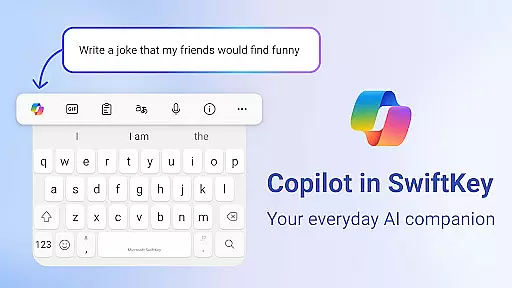
Microsoft SwiftKey AI Keyboard is an advanced personalization tool designed to enhance typing efficiency and style. This intelligent keyboard learns your unique writing patterns, enabling faster text input through personalized predictions.
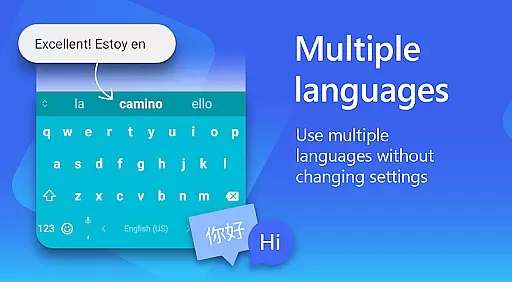
The app features Copilot, an integrated AI assistant that supports queries across various applications. With support for over 700 languages and the ability to enable up to five languages simultaneously, it caters to a global audience. Its adaptive emoji and GIF suggestions help users express themselves more vividly.
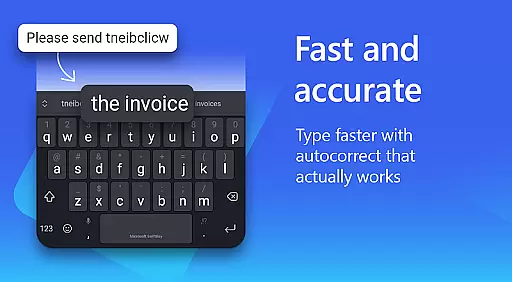
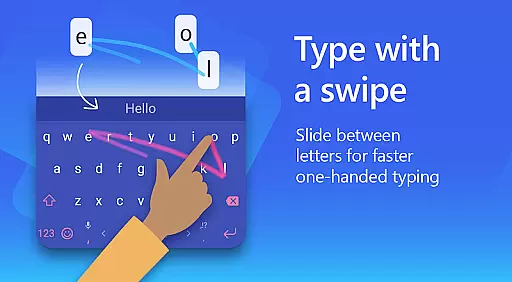
Designed for customization, Microsoft SwiftKey offers over 100 themes and allows users to create personalized keyboard layouts. The swipe-to-type functionality and AI-powered autocorrect make typing intuitive and error-free, while the custom keyboard toolbar provides quick access to essential shortcuts.
Microsoft SwiftKey AI Keyboard stands out with its powerful feature set tailored for efficient and personalized typing. The AI-driven prediction engine adapts to individual writing styles, including slang and nicknames, ensuring accurate and rapid text input.
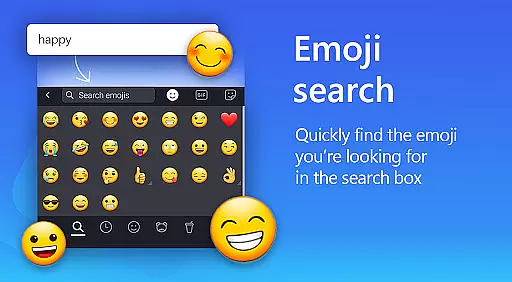
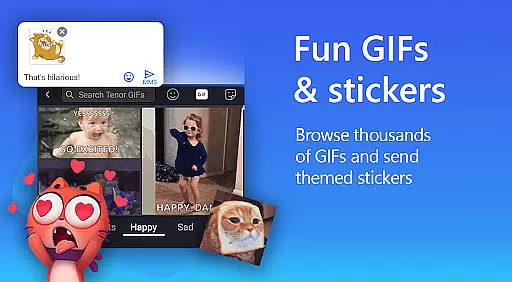
One of the key highlights is the Copilot AI companion, which allows users to ask questions directly within their favorite apps. The keyboard's multilingual support spans over 700 languages, making it ideal for diverse user bases. Additionally, the rich content integration enables easy insertion of emojis, GIFs, and stickers.
Customization options are abundant, with adjustable keyboard sizes, layouts, and themes. Users can even set personal photos as keyboard backgrounds. The swipe-to-type functionality and searchable emojis provide both convenience and creative expression, enhancing overall typing experience.
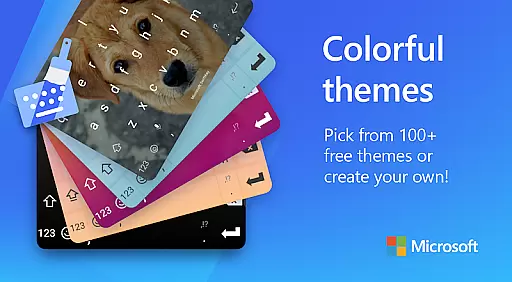
Microsoft SwiftKey AI Keyboard offers an extensive range of customization options that cater to individual preferences and styles. With over 100 colorful keyboard themes, users can select a design that best matches their personal taste or mood.
Beyond the preset themes, the application allows for a more personalized touch by enabling users to create their own custom keyboard theme. You can use your photo as the background, ensuring that your keyboard is truly unique and representative of your style.
The ability to customize the keyboard size and layout further enhances user comfort and typing efficiency. Whether you prefer a compact keyboard or need larger keys for ease of use, Microsoft SwiftKey provides the flexibility to adjust these settings according to your needs.
This level of customization ensures that every user can have a typing experience that is not only efficient but also enjoyable, making it an ideal choice for those who value personalization in their mobile applications.
Theme compatibility in Microsoft SwiftKey AI Keyboard ensures that all visual customizations maintain consistency and quality across different devices and screen sizes. This means whether you're using a smartphone or a tablet, your chosen theme will look just as intended, without any distortion or loss of aesthetic appeal.
In addition to supporting various Android devices, Microsoft SwiftKey's themes are designed to be energy-efficient and performant. The themes do not drain the battery excessively nor do they slow down the typing experience, which is crucial for maintaining productivity throughout the day.
Users with visual impairments or specific accessibility needs will find the theme options inclusive, with high-contrast and easily readable themes available. This commitment to accessibility ensures that everyone can enjoy a personalized typing experience without compromising on usability.
Overall, the theme compatibility feature in Microsoft SwiftKey AI Keyboard guarantees a seamless integration of style and functionality, enhancing both the appearance and practicality of your typing interface.
AI-powered predictions
Supports 700+ languages
Customizable themes
Integrated Copilot AI
Swipe-to-type functionality
Optional permissions needed
Limited without permissions
Feature complexity
Occasional lag
Premium theme costs

Customizable flower power digital watch face for Wear OS watches.
 4.00
4.00
3D, live, and moving wallpapers & themes in 4K and HD for your device.
4.50
Themes - Widget & Wallpaper: Customize home screen, icon changer w unique themes
4.30
Turn your lock screen into fun with smile live wallpapers & animated wallpapers!
2.50
Your go to Weather App & Home Screen. Get your weather at a swipe of a finger!
3.80
Adorable pets roam and play right on your phone screen!
3.30
Your home screen, just the way you like it.
4.30
Emoji Maker app - Design custom emojis and effortlessly blend them with Mixer
3.80
Amazing letter fonts in your messages and social statuses
4.70
400+ Beautifully crafted widgets inspired by NOTHING.
4.70
Personalize your phone with stunning HD and 4K wallpapers!
4.70
Glass style colourful icons with a One UI look and feel
4.60
Add cute Shimeji pets to screen, interact with them and relax with cute motions
4.60
Handcrafted pixel art icons, widgets & wallpapers
4.60 4.50
4.50
Organize and manage your photos and videos effortlessly with Photo Gallery
4.20
Magic fluids wallpaper 4D: Relax with stunning fluid simulation wallpaper app
4.20 3.50
3.50
⭐ OneUI inspired Fluffy Icon Pack – Soft. Stylish. Standout. ⭐
4.2


User Reviews