
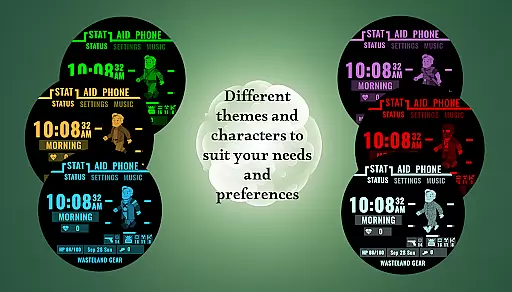
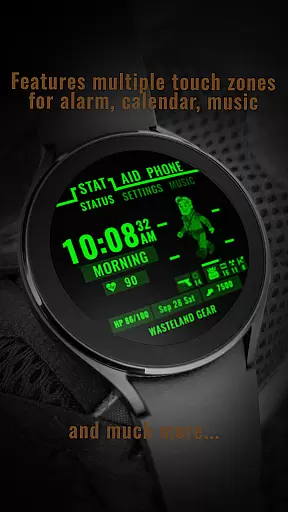
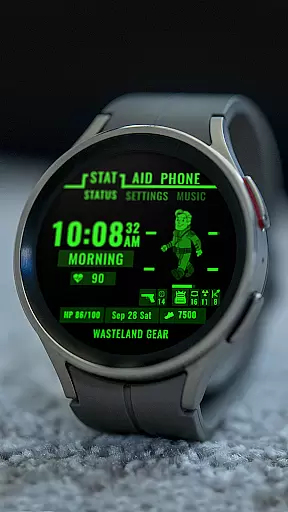
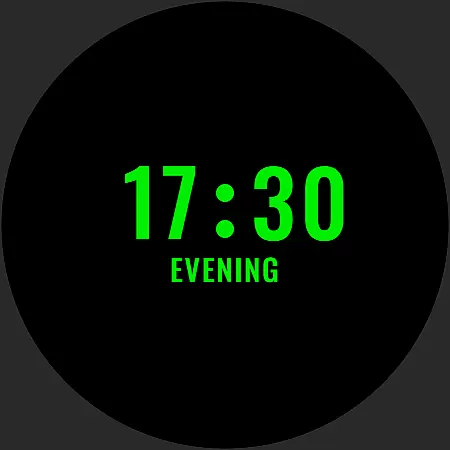
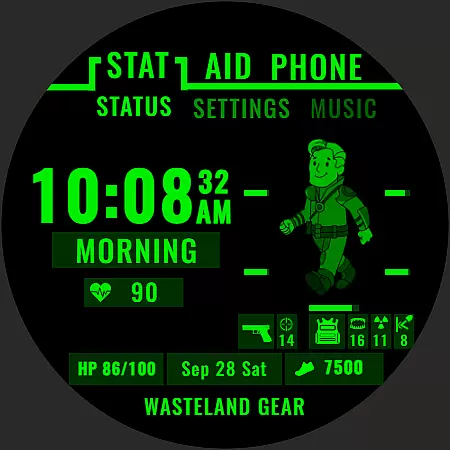
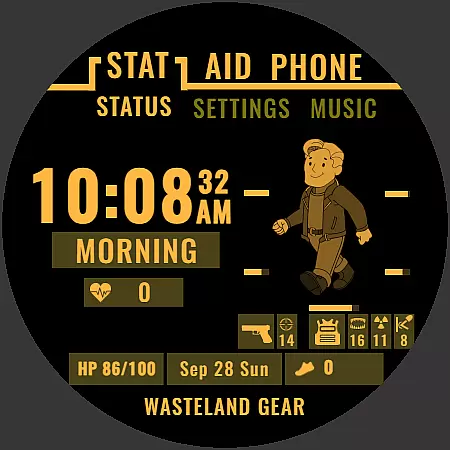
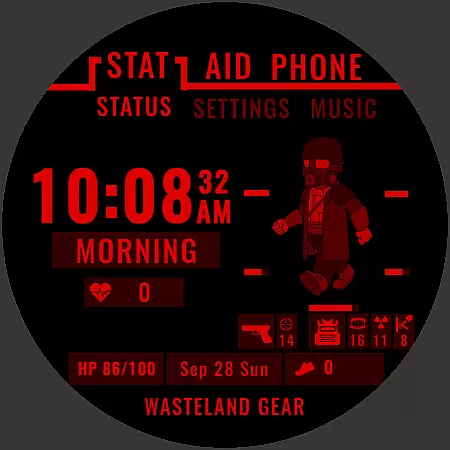
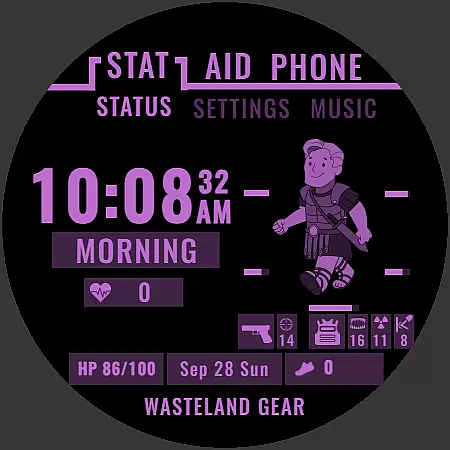
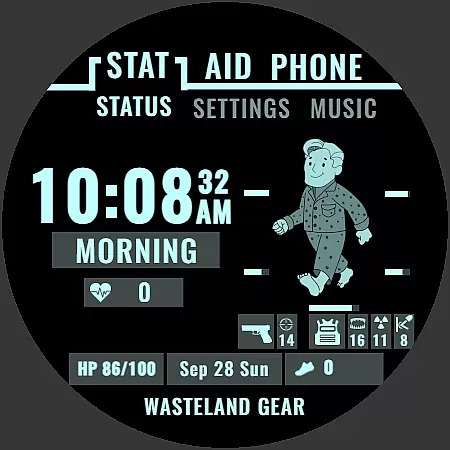
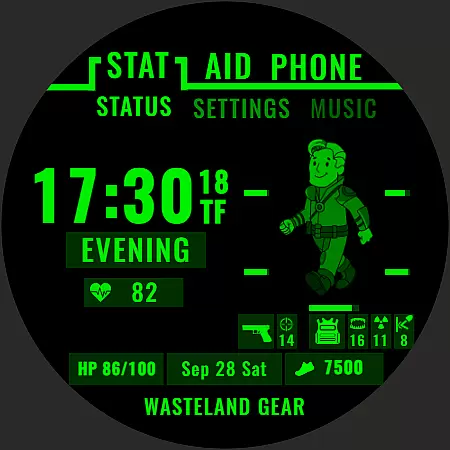
Wasteland Gear Watch Face offers a unique apocalyptic-themed experience for Wear OS users. Designed with survival in mind, this watch face provides essential features to navigate through challenging scenarios. The app allows users to customize their experience with six distinct characters, each representing a different persona within the wasteland universe.
Beyond its thematic appeal, Wasteland Gear includes practical functionalities such as dynamic progress bars for fitness tracking and battery monitoring, comprehensive health metrics display, and time management tools. These features ensure users maintain optimal performance while staying informed about crucial data points like heart rate and step count.
Whether you're an outdoor enthusiast or simply appreciate post-apocalyptic aesthetics, this watch face combines style with utility, making it a valuable companion for your smartwatch.
One of the standout features of Wasteland Gear is its character customization option. Users can choose from six unique personas, including Steve, Roadwolf, Venator Legionis, Longcoat Operative, Dust Marshal, and Pyjama Reaper. Each character brings a distinct vibe to the watch face, allowing personalization that resonates with individual preferences.
In addition to its visual appeal, the app excels in functionality. Dynamic progress bars provide real-time updates on fitness goals and battery status, ensuring users remain aware of their progress and device health. Comprehensive health metrics offer insights into heart rate and step counts, empowering users to monitor their physical well-being effectively.
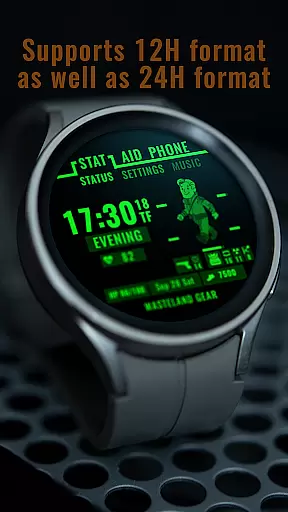
Practicality extends further with features like time and date display, time of day indicators, always-on mode, and app shortcuts. These elements collectively enhance user convenience, making information accessible at a glance while maintaining efficiency in daily tasks.
Companion app integration is essential for Android Wear applications like Wasteland Gear Watch Face. This feature ensures that the watch face can seamlessly sync with a paired smartphone application.
The Wasteland Gear Watch Face offers dynamic functionalities such as character customization and health metrics tracking, which are managed through its companion app. Users can personalize their experience by selecting from six unique characters, each offering a different aesthetic and thematic vibe to match individual preferences.
Through the companion app, users gain access to comprehensive health metrics including heart rate and step count. These features are crucial for maintaining fitness levels and ensuring readiness in survival scenarios. The app also provides dynamic progress bars for step goals and battery life, keeping users informed at a glance.
By integrating app shortcuts, Wasteland Gear enhances user efficiency. Essential apps can be accessed directly from the watch face, streamlining the user's ability to stay connected without delay. This seamless interaction between the watch face and its companion app ensures that vital information is always accessible, making it an indispensable tool for both everyday use and emergency preparedness.
Wear OS and device compatibility are critical factors for applications like Wasteland Gear Watch Face. Ensuring that the watch face functions optimally across various devices enhances user satisfaction and widens the potential user base.
Wasteland Gear is designed to work seamlessly on all Wear OS devices, providing users with a consistent experience regardless of their hardware choice. This compatibility allows users to equip themselves with an apocalyptic-themed watch face that remains functional and visually appealing on any supported smartwatch.
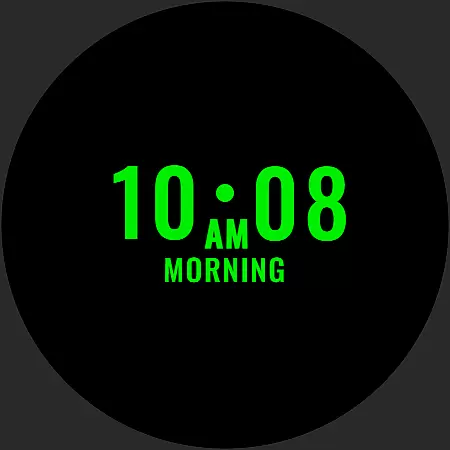
The application supports features such as Always-On Mode, which keeps vital information visible even in low-power states. This ensures that users are never left without crucial data, such as time, date, and health metrics, regardless of the specific Wear OS device they own.
Additionally, the inclusion of dynamic progress bars and comprehensive health metrics means that users can track their fitness and power levels effortlessly. By prioritizing broad device compatibility, Wasteland Gear guarantees that every user can enjoy a personalized and efficient survival companion on their wrist, enhancing both utility and style.
Unique apocalyptic theme
Customizable characters
Dynamic progress bars
Comprehensive health metrics
Always-on mode
Limited to Wear OS
Character choices may not appeal to all
No advanced fitness tracking
Requires compatible devices
Potential battery drain

Gym Log & Workout Tracker | Fitness Journal, Training & Weight Lifting Planner
 4.90
4.90
Christmas watch face. For Wear OS devices.
4.30
Christmas and New Year - Themed Watchface
4.0
Snowflake Rose Gold Watch Face - Digital, modern, & sleek with GYRO effect.
4.10
Current temperature, weather hourly, weather radar by the weather forecast app
4.40
Stylish digital watch face for Wear OS devices with customizable features
4.3
Digital watch face. For Wear OS devices.
4.40
Funny animated watch face for Thanksgiving
4.0
A white realistic classic analog watch face with many customization options.
4.40
A modern hybrid informative watch face for Wear OS designed by BALLOZI
4.80
Diet tracker for weight loss - track calories, food and macros. Simple and easy!
4.70
A realistic hybrid watch face with many customization options.
4.60
Deck out your Wear OS Watch face with a beautifully decorated pine wreath!
4.50
Connect to your Bluelink equipped Hyundai vehicle from your smartphone.
4.50
Fast and smart typing with Emojis, GIFs, and more
4.50
Beautiful artistic animated digital watch face, with a customizable layout!
4.40
Reliable phone calls with spam protection, caller ID and more helpful features
4.40
Bold, Modern Hybrid Watch Face for Wear OS. 10 Colors, Rich Info Display.
4.30
sleep, alarm, snoring, stress, healing, focus, sound therapy, circadian rhythm
4.10


User Reviews